
1. Wprowadzenie i koniecview
The Epson PowerLite 97H is a versatile XGA conference room projector designed for clear and vibrant presentations. Utilizing 3LCD technology, it delivers bright, true-to-life images with excellent color brightness and a wide color gamut. This projector offers a native resolution of 1024x768 (XGA) and a brightness of 2,700 ANSI Lumens, making it suitable for various environments.
Główne cechy obejmują:
- Jasność: 2,700 ANSI Lumen
- Rezolucja: 1024x768 (XGA)
- Proporcje obrazu: 4:3
- Kontrast: 10,000:1
- Technologia wyświetlania: 3LCD for vibrant colors
- Łączność: Multiple options including HDMI, USB, LAN, VGA, S-Video, Composite, and Audio inputs/outputs.
2. Informacje dotyczące bezpieczeństwa
Please read all safety instructions before using the projector to ensure safe operation and to prevent damage to the unit. Keep this manual for future reference.
- Ostrzeżenie o wysokiej temperaturze: Projektor lamp and surrounding areas can become extremely hot during operation and immediately after shutdown. Avoid touching these areas.
- Wentylacja: Ensure adequate ventilation around the projector. Do not block ventilation openings, as this can lead to overheating and potential damage.
- Lamp Wymiana: Always turn off the projector and allow the lamp to cool completely before attempting to replace it. Refer to the lamp replacement instructions in the Maintenance section.
- Źródło zasilania: Use only the specified power supply and cable. Do not overload power outlets.
- Ciecz i wilgoć: Do not expose the projector to rain, moisture, or excessive humidity. Do not place objects filled with liquids on or near the projector.
- Czyszczenie: Przed czyszczeniem odłącz przewód zasilający. Użyj miękkiej, suchej ściereczki. Nie używaj środków czyszczących w płynie ani aerozolu.
3. Zawartość opakowania
Sprawdź, czy w przesyłce znajdują się wszystkie elementy:
- Epson PowerLite 97H Projector
- Zdalne sterowanie
- Kabel zasilający
- Kabel HDMI
4. Konfiguracja
4.1 Umieszczenie fizyczne
Place the projector on a stable, flat surface. Ensure there is sufficient space around the projector for proper ventilation. Avoid placing it in direct sunlight or near heat sources. The projector is designed to be portable and can be used for tabletop projection.
4.2 Podłączanie urządzeń
The PowerLite 97H offers a wide range of connectivity options. Refer to the image below for port identification.

Figure 1: Rear panel of the Epson PowerLite 97H Projector showing various input and output ports.
- USB-A: Connect USB storage devices or a document camera.
- USB-B: Connect to a computer for USB display or control.
- Sieć lokalna (RJ-45): Połącz się z siecią, aby mieć możliwość sterowania i monitorowania.
- HDMI 1 & HDMI 2/MHL: Connect to devices with HDMI output (e.g., laptops, Blu-ray players, gaming consoles). HDMI 2 also supports MHL for compatible mobile devices.
- Computer1 (VGA) & Computer2 (VGA): Connect to computers using a VGA cable.
- Audio1 (Mini Jack) & Audio2 (Mini Jack): Connect audio from computers or other devices.
- S-wideo: Connect to devices with S-Video output.
- Wideo (RCA): Connect to devices with composite video output.
- Audio In (RCA R/L): Connect stereo audio from devices with RCA audio output.
- Mic: Podłącz mikrofon.
- RS-232C: For serial control of the projector.
- Wyjście monitora (VGA): Connect an external monitor to display the projector's input signal.
- Wyjście audio (mini jack): Connect external speakers or an audio system.
4.3 Włączanie
- Connect the power cable to the projector's AC inlet and then to a power outlet.
- Naciśnij Moc button on the projector's control panel or the remote control. The power light will illuminate, and the projector will begin its startup sequence.
5. Obsługa
5.1 Podstawowe sterowanie
The projector can be operated using the control panel on the top of the unit or the included remote control. The top panel provides essential functions.

Figure 2: Top control panel of the Epson PowerLite 97H Projector.
- Przycisk zasilania: Włącza lub wyłącza projektor.
- Wyszukiwanie źródła: Przełącza się pomiędzy dostępnymi źródłami danych wejściowych.
- Menu: Otwiera menu ekranowe (OSD).
- H/V (korytarz poziomy/pionowy): Adjusts image shape to correct trapezoidal distortion.
- Wyjście: Wyjście z bieżącego menu lub funkcji.
- Wchodzić: Potwierdza wybór w menu.
- Przyciski strzałek: Poruszaj się po opcjach menu i dostosuj ustawienia.
- Przyciski głośności: Dostosuj poziom wyjściowy dźwięku.
- Pomoc: Zapewnia pomoc na ekranie.
- Kontrolka stanu: Indicates projector status (e.g., power on, standby, error).
- Lamp Temp Light: Indicates lamp temperature status.
5.2 Regulacja obrazu
To achieve a clear and properly sized image:
- Pierścień ostrości: Rotate the focus ring located near the lens to sharpen the image.
- Dźwignia zoomu: Use the zoom lever (if present, typically near the lens) to adjust the image size without moving the projector.
- Korekcja Keystone'a: If the image appears trapezoidal, use the H/V keystone buttons on the control panel or remote to correct the shape.

Figure 3: Front/side view showing the projector lens and ventilation.
5.3 Wybór wejścia
Naciśnij Wyszukiwanie źródła button on the control panel or remote control to cycle through the connected input sources (e.g., HDMI 1, Computer1, USB-A). The projector will automatically detect and display the active input.
6. Konserwacja
Regularna konserwacja zapewnia optymalną wydajność i wydłuża żywotność projektora.
6.1 Łamp Wymiana
Projektor lamp ma ograniczoną żywotność. Kiedy lamp dobiega końca jego żywotność, Lamp Temp indicator may light up, or the image brightness may decrease significantly. Always use genuine Epson replacement lamps.

Rysunek 4: Strona view of the projector, showing a caution label regarding hot surfaces.
WARNING: Turn off the projector and wait until the lamp has cooled down completely before attempting replacement. Failure to do so can result in severe burns or damage to the projector. Refer to the specific lamp replacement instructions provided in the full Epson service manual for your model.
6.2 Czyszczenie/wymiana filtra powietrza
The air filter prevents dust from entering the projector and affecting performance. Clean the air filter regularly (e.g., every 100 hours of use) or when prompted by the projector. If the filter is damaged or excessively dirty, replace it.
- Turn off the projector and disconnect the power cable.
- Locate the air filter cover (refer to your full service manual for exact location).
- Remove the cover and carefully extract the filter.
- Use a small vacuum cleaner or soft brush to remove dust from the filter. If replacing, insert a new filter.
- Ponownie, starannie załóż pokrywę filtra.
6.3 Ogólna opieka
- Czyszczenie soczewek: Gently wipe the lens with a soft, non-abrasive lens cleaning cloth. Do not use harsh chemicals.
- Czyszczenie zewnętrzne: Przetrzyj zewnętrzną część projektora miękką, suchą ściereczką. W przypadku uporczywych zabrudzeń użyj lekko szorowatego detergentu.amp szmatką i łagodnym detergentem, a następnie wytrzyj do sucha.
- Składowanie: Jeśli projektor nie będzie używany przez dłuższy czas, należy go przechowywać w chłodnym i suchym miejscu, najlepiej w oryginalnym opakowaniu lub etui ochronnym.
7. Rozwiązywanie Problemów
Jeśli masz problemy z projektorem, wypróbuj następujące rozwiązania:
- Brak obrazka:
- Sprawdź, czy projektor jest włączony i czy wskaźnik zasilania świeci światłem ciągłym.
- Check all cable connections (HDMI, VGA, etc.) are secure at both the projector and the source device.
- Naciśnij Wyszukiwanie źródła button to cycle through inputs.
- Sprawdź, czy urządzenie źródłowe jest włączone i wysyła sygnał.
- Adjust the focus and zoom.
- Brak dźwięku:
- Increase the projector's volume using the volume buttons.
- Check audio cable connections (if using separate audio cables).
- Ensure the audio output on your source device is enabled and turned up.
- Pilot nie działa:
- Ensure there are no obstructions between the remote and the projector's remote sensor.
- Wymień baterie w pilocie.
- Ostrzeżenie o przegrzaniu:
- Ensure all ventilation openings are clear and not blocked.
- Wyczyść filtr powietrza zgodnie z opisem w rozdziale Konserwacja.
- Używaj projektora w dobrze wentylowanym pomieszczeniu.
8. Specyfikacje
| Funkcja | Specyfikacja |
|---|---|
| Producent | Epson |
| Model | PowerLite 97H |
| Typ wyświetlacza | 3LCD |
| Rozdzielczość natywna | 1024x768 (rozdzielczość XGA) |
| Jasność | 2700 ANSI Lumen |
| Współczynnik kontrastu | 10000:1 |
| Proporcje obrazu | 4:3 |
| Technologia łączności | HDMI, USB, LAN, VGA, S-Video, Composite |
| Wejścia audio | Mini Jack x 2, RCA (L/R), Mic |
| Wyjście audio | Mini-jack |
| Port kontrolny | RS-232C |
| Zalecane zastosowania | Biznes |
| Funkcja specjalna | Przenośny |
| Waga przedmiotu | 6 funtów |
9. Informacje o gwarancji
For specific warranty details regarding your Epson PowerLite 97H projector, please refer to the warranty card included with your product or contact the seller/manufacturer directly. Warranty terms typically cover manufacturing defects for a specified period from the date of purchase.
10. Wsparcie
For technical support, service, or additional assistance with your Epson PowerLite 97H projector, please use the contact information below:
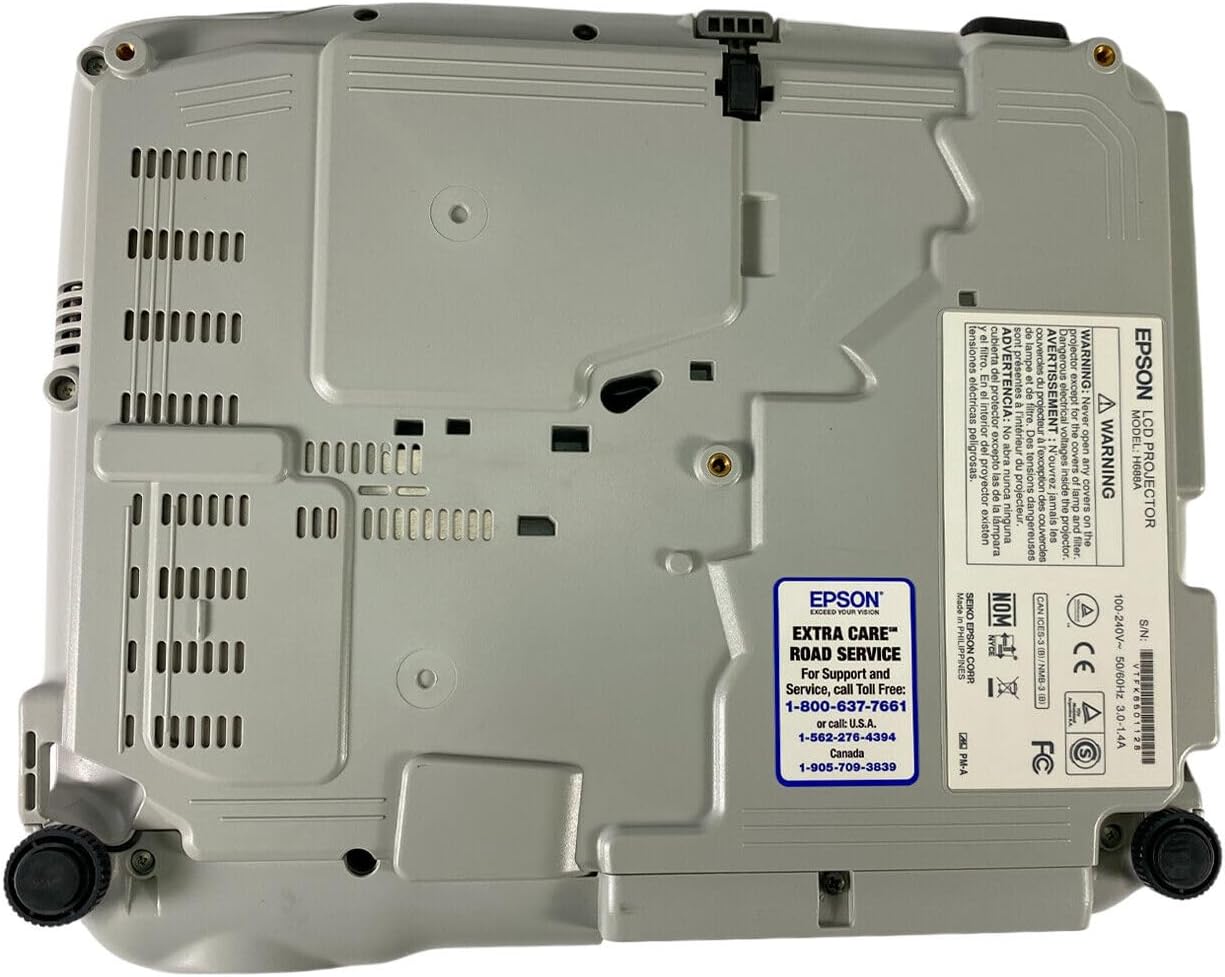
Figure 5: Bottom panel of the projector showing support contact details.
Epson Extra Care Road Service
- For support and service, call:
- USA: 1-800-637-7661
- USA: 1-866-276-4394
- Kanada: 1-905-709-3839