
1. Wprowadzenie
Thank you for choosing the Pomya 1080P Body Camera. This compact and versatile device is designed for reliable video and photo capture, offering features such as Full 1080P video recording, 12MP photo resolution, infrared night vision, and continuous loop recording. With its 1000mAh battery, it provides up to 5 hours of continuous operation, making it suitable for various applications including law enforcement and security monitoring.
2. Koniec produktuview
Familiarize yourself with the components of your Pomya Body Camera.
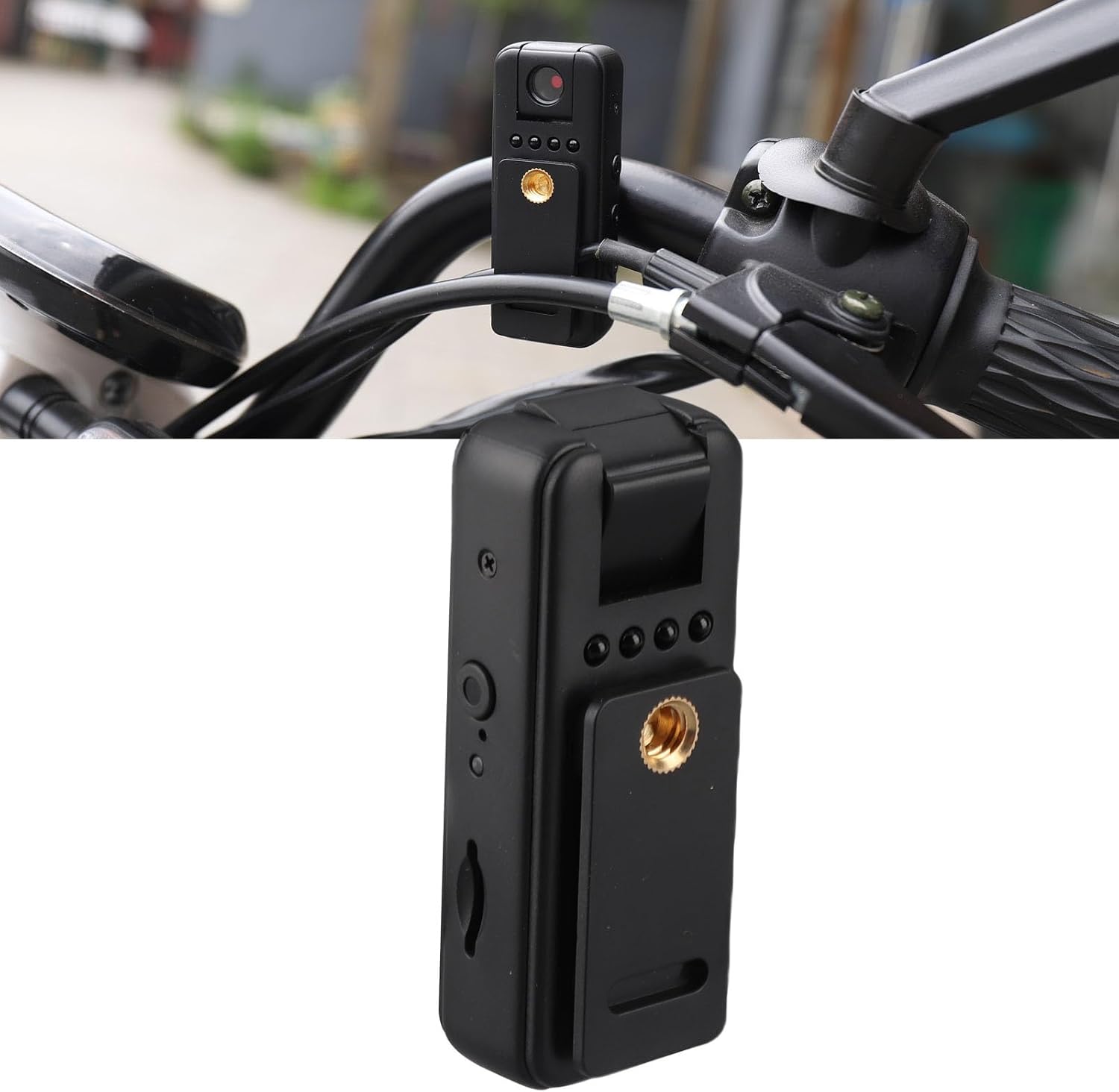
Figure 2.1: The Pomya 1080P Body Camera shown mounted, highlighting its compact design.
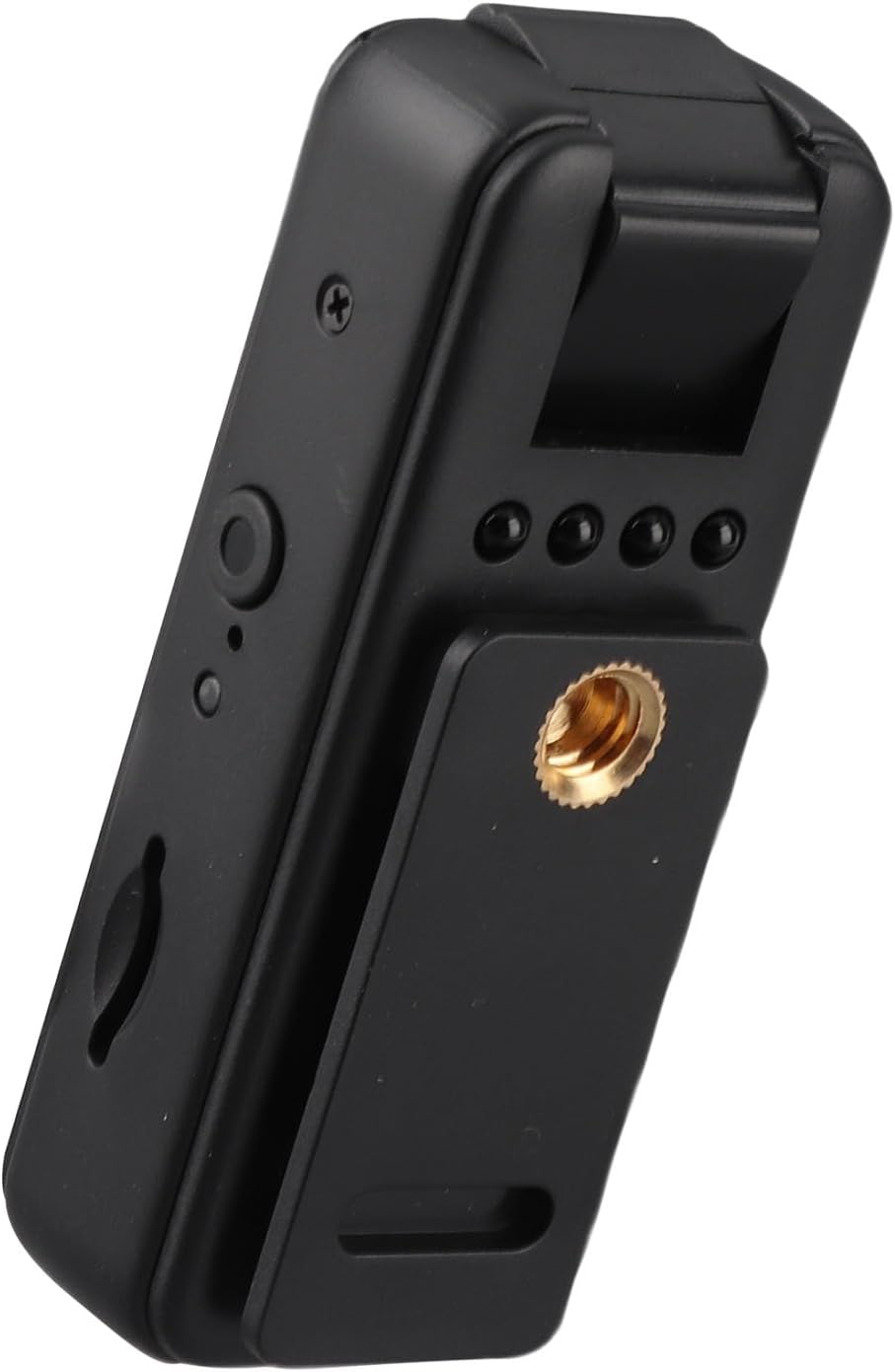
Rysunek 2.2: Strona view of the camera, illustrating the control buttons and the memory card slot.

Rysunek 2.3: Dół view of the camera, featuring the USB-C charging port.

Rysunek 2.4: Tył view of the camera, showing the rotating clip, tripod mount, and the included USB-C charging cable.
Wideo 2.1: Overview of the Pomya 1080P Body Camera, demonstrating its features and compact size.
3. Konfiguracja
- Włóż kartę pamięci: The camera requires a Micro Storage Card (not included) for recording. Locate the memory card slot on the side of the device (refer to Figure 2.2) and insert the card until it clicks into place. The camera supports up to 256GB Micro Storage cards.
- Naładuj baterię: Before first use, fully charge the camera. Connect the included USB-C cable to the camera's USB-C port (refer to Figure 2.3) and the other end to a USB power adapter (not included) or a computer. The charging indicator light will show the charging status. A full charge provides up to 5 hours of continuous video recording.
4. Instrukcja obsługi
4.1 Włączanie/wyłączanie zasilania
- Włączanie: Naciśnij i przytrzymaj przycisk zasilania przez kilka sekund, aż zaświeci się kontrolka.
- Wyłączone: Naciśnij i przytrzymaj przycisk zasilania ponownie, aż kontrolka zgaśnie.
4.2 Nagrywanie wideo
- To start 1080P video recording, press the Video Record button once. The indicator light will change to confirm recording has begun.
- To stop recording, press the Video Record button again. The indicator light will revert to standby mode.
4.3 Robienie zdjęć
- To take a 4K resolution photo, press the Photo Capture button once. The camera will briefly flash or indicate a successful capture.
4.4 Widzenie nocne
- The camera supports infrared night vision for clear recording in low-light conditions. The night vision feature activates automatically or can be manually toggled via a dedicated button (refer to product diagram for exact button location).
4.5 Nagrywanie w pętli
- The camera features loop recording. When the memory card reaches its storage capacity, the camera will automatically overwrite the oldest video files to save new recordings. Ensure important footage jest regularnie kopiowany zapasowo.
4.6 Nagrywanie dźwięku
- The camera supports one-touch audio recording with an intelligent noise reduction chip, enhancing sound clarity.
5. Konserwacja
- Obiektyw aparatu utrzymuj w czystości, przecierając go miękką, niepozostawiającą włókien ściereczką.
- Unikaj wystawiania aparatu na działanie ekstremalnych temperatur, długotrwałego bezpośredniego światła słonecznego i nadmiernej wilgoci.
- Kiedy aparat nie jest używany, przechowuj go w chłodnym i suchym miejscu.
- Regularnie twórz kopie zapasowe zarejestrowanych danych, aby zapobiec ich utracie.
6. Rozwiązywanie Problemów
| Problem | Możliwe rozwiązanie |
|---|---|
| Aparat się nie włącza | Upewnij się, że bateria jest naładowana. Podłącz ją do źródła zasilania i spróbuj ponownie. |
| Nie można nagrywać wideo/robić zdjęć | Check if a memory card is inserted and if it has sufficient free space. Format the memory card if necessary (this will erase all data). |
| Słaba jakość wideo/zdjęć | Ensure the lens is clean. Check lighting conditions; activate night vision if in a dark environment. |
| Kamera zawiesza się lub przestaje reagować | Perform a soft reset by pressing and holding the Power button until the device powers off, then restart. |
7. Specyfikacje
| Funkcja | Szczegół |
|---|---|
| Format wideo | Plik AVI |
| Format zdjęcia | Plik JPG |
| Format nagrywania | WAV 512kbps |
| Piksel | 12 Million (Effective Still Resolution) |
| Interfejs USB | USB 2.0 Typ C |
| Wsparcie magazynowania | Up to 256GB Micro Storage Card (not included) |
| Pojemność baterii | Bateria litowa 1000mAh |
| Czas pracy | Up to 5 hours continuous video recording |
| Rozdzielczość przechwytywania wideo | 1080P (Pełna rozdzielczość HD) |
| Wizja nocna | Obsługiwane (podczerwień) |
| Nagrywanie w pętli | Utrzymany |
| Redukcja szumów | Intelligent chip for improved sound clarity |
| Numer modelu | Pomyag4mqnk79cy |
| Marka | Pomya |
8. Gwarancja i wsparcie
For warranty information or technical support, please refer to the product packaging or contact Pomya customer service through the retailer where the product was purchased. Keep your purchase receipt for warranty claims.
Aby uzyskać dodatkową pomoc, możesz odwiedzić stronę Pomya Store on Amazon.