
CITYSPORTS ZX1
User Manual for CITYSPORTS Walking Pad
Model: ZX1
Marka: CITYSPORTS
1. Wprowadzenie
Thank you for choosing the CITYSPORTS Walking Pad. This 2-in-1 under desk treadmill is designed to help you maintain an active lifestyle whether you are at home or in the office. Its compact and portable design allows for easy storage and versatile use, providing a convenient way to incorporate walking or light jogging into your daily routine. This manual provides essential information for the safe and effective operation, maintenance, and troubleshooting of your new walking pad.

Image: A user demonstrating the CITYSPORTS Walking Pad in use with a standing desk, highlighting its compact design for home or office environments.
2. Informacje dotyczące bezpieczeństwa
Please read all instructions carefully before using the CITYSPORTS Walking Pad. Adhering to these safety guidelines will help prevent injury and ensure the longevity of your device.
- Upewnij się, że podkładka do chodzenia jest umieszczona na płaskiej i stabilnej powierzchni.
- Trzymaj dzieci i zwierzęta z dala od urządzenia podczas pracy.
- Nie należy przekraczać maksymalnej wagi użytkownika wynoszącej 110 kg (242 funtów).
- Always wear appropriate athletic footwear when using the walking pad.
- Do not use the walking pad if you feel dizzy, lightheaded, or experience any pain. Consult a medical professional if necessary.
- Unplug the device from the power outlet when not in use or before cleaning and maintenance.
- Trzymaj ręce i stopy z dala od ruchomych części.
- The power cord should be placed away from heated surfaces and not be walked on or pinched.
3. Konfiguracja
3.1 Rozpakowywanie i umieszczanie
Carefully remove the walking pad from its packaging. Place the unit on a level, hard surface. Ensure there is adequate clear space around the device for safe operation.
3.2 Połączenie zasilania
Connect the power cord to the walking pad and then plug it into a standard electrical outlet. Ensure the power switch on the walking pad is in the "OFF" position before plugging it in.
3.3 Kontrole wstępne
Before first use, inspect the walking belt for any signs of damage or misalignment. Ensure all components are securely in place.
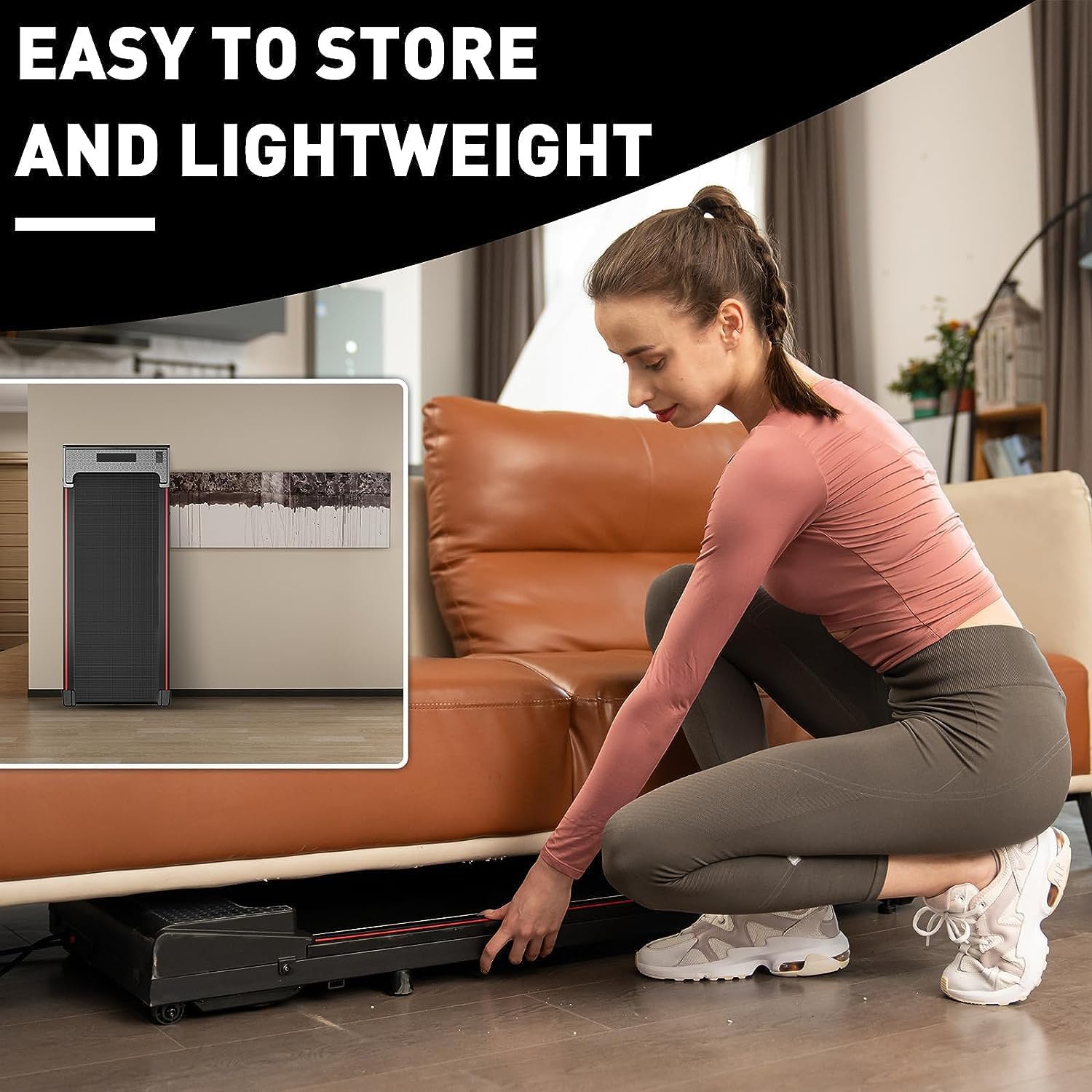
Image: A woman demonstrating how easily the walking pad can be stored under furniture, emphasizing its space-saving design.
4. Instrukcja obsługi
4.1 Pilot zdalnego sterowania
The CITYSPORTS Walking Pad is operated using the included remote control. This lightweight remote allows for easy adjustment of speed and starting/stopping the device.
- Naciśnij WŁ./WYŁ. button to start or stop the walking pad.
- Użyj + button to increase speed and the - button to decrease speed. The speed can be adjusted in 0.2 KM/H increments.
Wyświetlacz LCD 4.2
The integrated LCD display provides real-time feedback on your workout. It tracks the following metrics:
- Czas: Czas trwania treningu.
- Prędkość: Aktualna prędkość chodzenia/truchtu.
- Dystans: Całkowity dystans pokonany podczas treningu.
- Kalorie: Szacunkowa liczba spalonych kalorii.

Obraz: Zbliżenie view of the multi-function LCD display, illustrating the various workout data points it tracks, including time, speed, distance, and calories.
4.3 Tryby użytkowania
The walking pad supports various modes of use to suit your activity level:
- Tryb chodzenia: Idealne do lekkiej aktywności, zazwyczaj 0.6–1 mil na godzinę.
- Tryb pracy: Suitable for use while working at a desk, typically 1-2.5 MPH.
- Tryb joggingu: For more intense activity, typically 2.5-3.8 MPH.

Image: A visual representation of the three primary usage modes: Jogging, Working, and Walking, each with suggested speed ranges and corresponding user postures.
4.4 Oficjalny film o produkcie
Video: An official product video from the seller demonstrating the ZX1 Walking Pad Treadmill in operation, showcasing jego cech i funkcjonalności.
5. Konserwacja
Regular maintenance ensures optimal performance and extends the lifespan of your walking pad.
5.1 Czyszczenie
Przetrzyj podkładkę do chodzenia reklamąamp cloth after each use. Avoid using abrasive cleaners or solvents that could damage the surface. Ensure the device is unplugged before cleaning.
5.2 Smarowanie pasów
The walking belt requires periodic lubrication to reduce friction and wear. Refer to the specific instructions provided with your lubrication oil for frequency and application method. Generally, apply silicone lubricant under the belt every few months, depending on usage.
5.3 Regulacja paska
Over time, the walking belt may shift or become loose. If the belt is not centered or slips during use, it may need adjustment. Use the provided Allen wrench to make small, incremental adjustments to the rear rollers. Turn the adjustment bolts clockwise to tighten the belt or move it to the right, and counter-clockwise to loosen or move it to the left. Adjust in small increments (e.g., quarter turns) and test the belt after each adjustment until it runs smoothly and centrally. Incorrect adjustment can lead to further issues, so proceed with caution.
6. Rozwiązywanie Problemów
If you encounter issues with your CITYSPORTS Walking Pad, refer to the following common problems and solutions:
| Problem | Możliwa przyczyna | Rozwiązanie |
|---|---|---|
| Walking pad does not start. | Niepodłączony, wyłączony, bateria pilota słaba. | Ensure power cord is securely plugged in. Turn on the power switch. Replace remote control battery. |
| Pasek zatrzymuje się lub ślizga w czasie użytkowania. | Belt too loose; insufficient lubrication; user weight exceeds limit. | Adjust the walking belt tension (refer to Section 5.3). Lubricate the belt. Ensure user weight is within specifications. |
| Nietypowy hałas dochodzący z urządzenia. | Brak smarowania, luźne elementy, złe ustawienie paska. | Lubricate the belt. Check for and tighten any loose screws. Adjust belt alignment. |
| Wyświetlacz LCD nie działa. | Loose connection; display malfunction. | Check all connections. If problem persists, contact customer support. |
7. Specyfikacje
Key technical specifications for the CITYSPORTS Walking Pad Model ZX1:
| Funkcja | Szczegół |
|---|---|
| Marka | MIEJSKIE SPORTY |
| Nazwa modelu | ZX1 |
| Wymiary produktu | 46.46" gł. x 19.29" szer. x 4.72" wys. |
| Waga przedmiotu | 20 kilograma (ok. 44 funty) |
| Tworzywo | Aluminium |
| Maksymalna prędkość | 6 kilometrów na godzinę (ok. 3.7 mil na godzinę) |
| Maksymalna zalecana waga | 110 kilograma (ok. 242 funty) |
| Moc silnika | 550 watów |
| Typ wyświetlacza | LCD |
| Cechy specjalne | Portable, Lightweight, Brushless Motor, Shock Absorption |
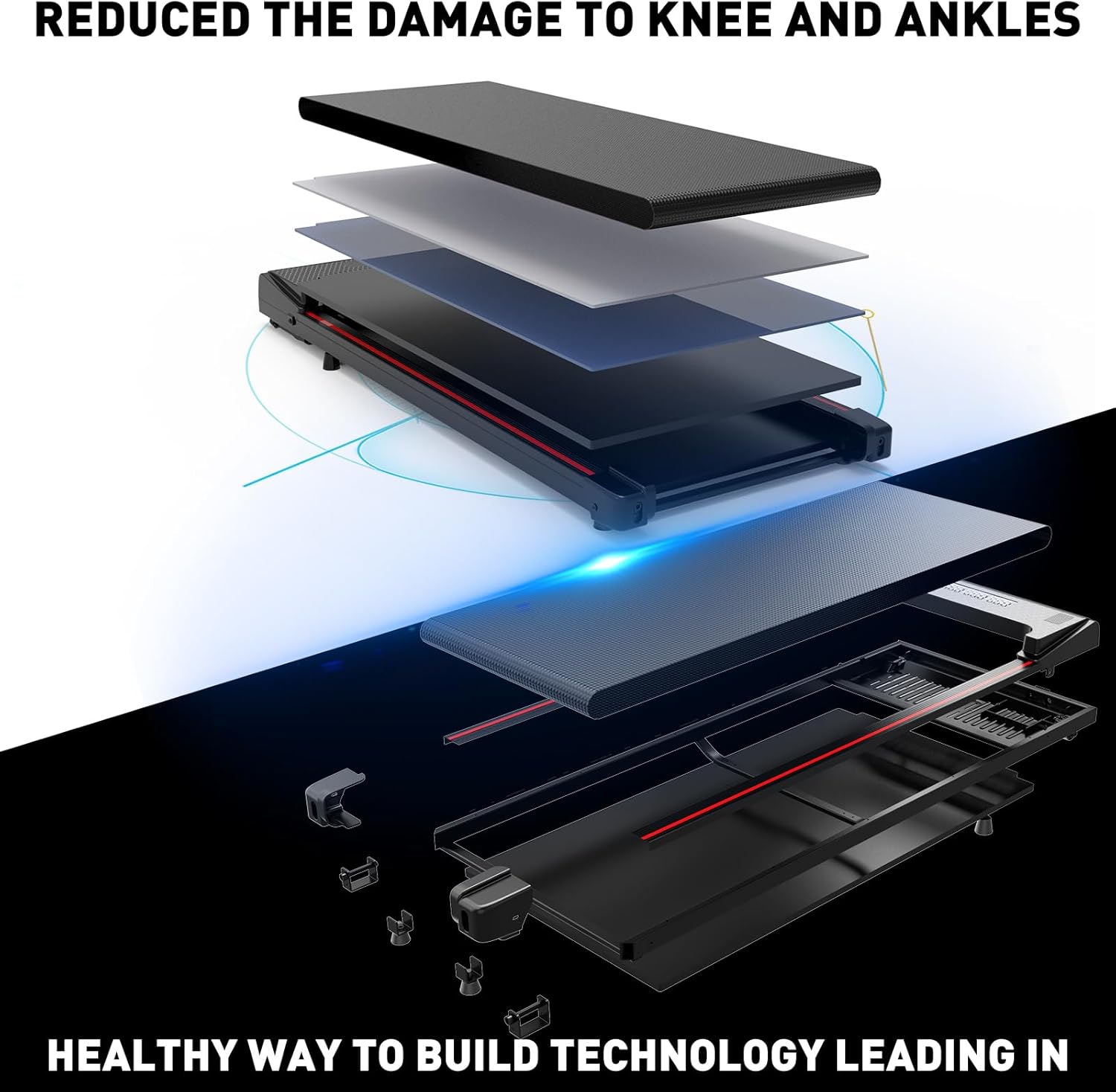
Obraz: Wybuch view diagram illustrating the multi-layer construction of the walking pad's platform, designed for shock absorption and joint protection.
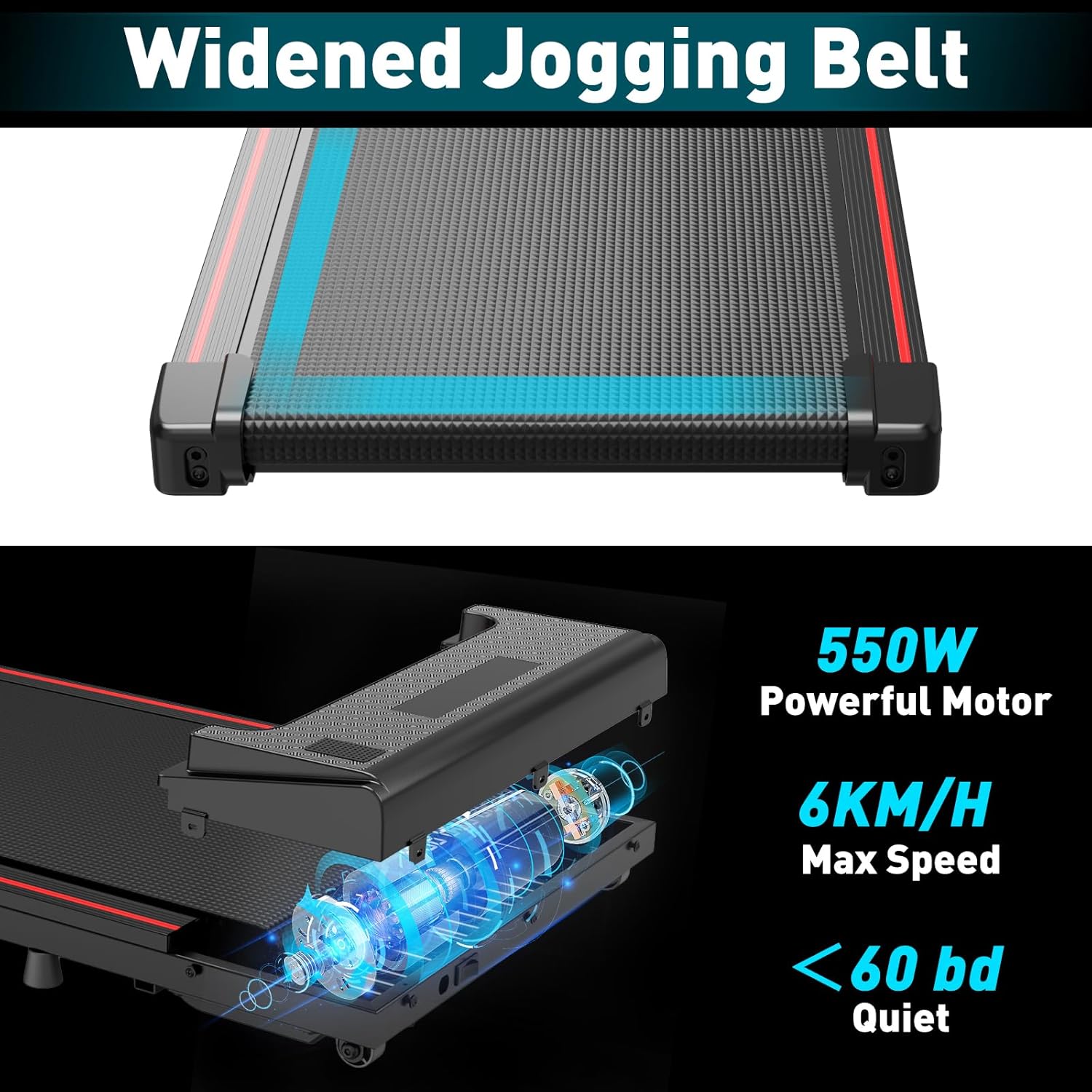
Obraz: szczegółowy view emphasizing the widened jogging belt and the powerful 550W motor, noting its quiet operation (below 60 dB) and maximum speed of 6 KM/H.
8. Gwarancja
The CITYSPORTS Walking Pad comes with a manufacturer's warranty. Please refer to the warranty card included in your product packaging or visit the official CITYSPORTS webSzczegółowe warunki gwarancji można znaleźć na naszej stronie.
9. Obsługa klienta
W przypadku pytań, pomocy technicznej lub zgłoszeń serwisowych prosimy o kontakt z działem obsługi klienta CITYSPORTS. Dane kontaktowe zazwyczaj znajdują się na opakowaniu produktu, oficjalnym logo CITYSPORTS. weblub za pośrednictwem kanałów pomocy technicznej sprzedawcy.