
1. Wprowadzenie i koniecview
Thank you for choosing the AMONIDA Bluetooth Clip-on Earbuds. These innovative open-ear headphones are designed for comfort and high-fidelity audio, featuring an ergonomic clip-on design, IPX5 water resistance, HiFi stereo sound, intuitive touch controls, and low-latency performance, making them ideal for sports and daily use.

Image: The AMONIDA Bluetooth Clip-on Earbuds resting in their open charging case, showcasing ich zwartej konstrukcji.
2. Zawartość opakowania
- AMONIDA Bluetooth Clip-on Earbuds (Left and Right)
- Etui ładujące
- Kabel ładujący USB-C
- Instrukcja obsługi (ten dokument)

Image: The earbuds in their charging case, accompanied by the USB-C charging cable, illustrating the complete package contents.
3. Konfiguracja
3.1. Ładowanie słuchawek i etui
Przed pierwszym użyciem należy w pełni naładować słuchawki douszne i etui ładujące.
- Umieść słuchawki w etui ładującym i upewnij się, że są prawidłowo osadzone.
- Podłącz kabel ładujący USB-C do portu ładowania z tyłu obudowy.
- Podłącz drugi koniec kabla do zasilacza USB (nie ma go w zestawie) lub do portu USB komputera.
- The indicator lights on the case will show charging status. Once fully charged, the lights will indicate completion (refer to specific light behavior in product packaging if available).

Obraz: Tył view of the charging case, highlighting the USB-C charging port for easy connection.
3.2. Parowanie Bluetooth
- Upewnij się, że słuchawki douszne są naładowane.
- Open the charging case. The earbuds will automatically enter pairing mode (indicator lights will flash, typically blue or white).
- Włącz Bluetooth na swoim urządzeniu (smartfonie, tablecie, komputerze).
- Szukaj "AMONIDA Earbuds" or a similar name in the list of available Bluetooth devices.
- Wybierz słuchawki douszne, które chcesz połączyć. Po połączeniu kontrolki na słuchawkach przestaną migać.
- Słuchawki douszne automatycznie połączą się ponownie z ostatnio sparowanym urządzeniem po wyjęciu z etui, jeśli w urządzeniu włączony jest Bluetooth.
3.3. Noszenie słuchawek dousznych
The AMONIDA earbuds feature an ergonomic clip-on design for a secure and comfortable fit, especially during physical activity.
- Zidentyfikuj lewą (L) i prawą (R) słuchawkę.
- Gently clip the earbud onto your ear, positioning the speaker part over your ear canal and the clip securely around the back of your ear.
- Adjust for optimal comfort and sound quality. The open-ear design allows you to remain aware of your surroundings.

Image: A person wearing an AMONIDA earbud, illustrating how the ergonomic clip-on design fits securely and comfortably on the ear.
4. Obsługa słuchawek dousznych
4.1. Włączanie/wyłączanie zasilania
- Włączanie: Słuchawki włączają się automatycznie po wyjęciu z etui ładującego.
- Wyłączone: Umieść słuchawki z powrotem w etui ładującym, aby automatycznie je wyłączyć i rozpocząć ładowanie.
4.2. Sterowanie dotykowe
The earbuds feature intuitive touch controls on their outer surface. Specific functions may vary slightly by model or firmware version. Refer to the quick start guide included with your product for precise touch commands.
| Działanie | Funkcjonować |
|---|---|
| Pojedyncze dotknięcie (L/P) | Odtwarzaj/wstrzymuj muzykę, odbieraj/kończ połączenia |
| Podwójne dotknięcie (w prawo) | Następny utwór |
| Podwójne dotknięcie (lewo) | Poprzedni utwór |
| Potrójne dotknięcie (L/P) | Aktywuj Asystenta Głosowego (Siri, Asystent Google) |
| Długie naciśnięcie (L/R) | Odrzuć połączenie |
| Long Press (Right) | Zwiększ głośność |
| Long Press (Left) | Zmniejsz głośność |
5. Konserwacja
5.1. Czyszczenie
- Wytrzyj słuchawki douszne i etui ładujące miękką, suchą i niepozostawiającą włókien ściereczką.
- Nie należy używać środków czyszczących o właściwościach ściernych, alkoholu ani rozpuszczalników chemicznych.
- Upewnij się, że styki ładowania są czyste i suche.
5.2. Przechowywanie
- Przechowuj słuchawki douszne w etui ładującym, gdy nie są używane, aby je chronić i utrzymywać w stanie naładowania.
- Przechowywać w chłodnym i suchym miejscu, z dala od ekstremalnych temperatur i bezpośredniego światła słonecznego.
5.3. Wodoodporność (IPX5)
The AMONIDA earbuds are rated IPX5, meaning they are protected against low-pressure water jets from any direction. This makes them suitable for workouts and light rain.
- Nie zanurzaj słuchawek w wodzie.
- Do not expose them to saltwater, chlorinated water, or other liquids.
- If the earbuds get wet, dry them thoroughly before placing them back in the charging case to prevent damage to the charging contacts.
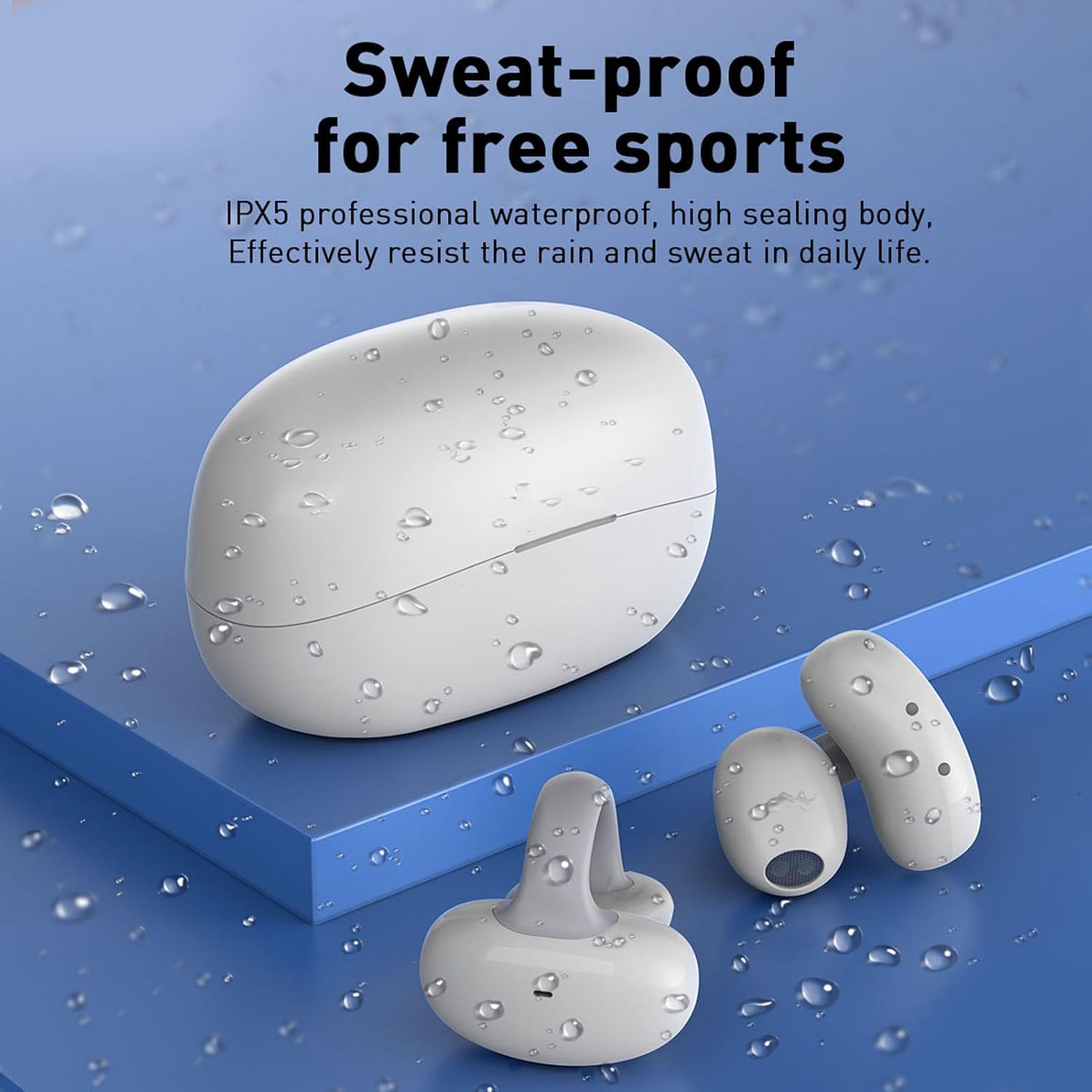
Image: The earbuds and charging case are shown with water droplets, visually representing their IPX5 sweat-proof and splash-proof capabilities.
6. Rozwiązywanie Problemów
6.1. Typowe problemy i rozwiązania
- Słuchawki nie łączą się:
- Sprawdź, czy słuchawki są naładowane i wyjęte z etui.
- Wyłącz i włącz ponownie Bluetooth w swoim urządzeniu.
- Usuń urządzenie z listy Bluetooth i spróbuj sparować je ponownie.
- Spróbuj sparować je z innym urządzeniem, aby wykluczyć problemy związane z konkretnym urządzeniem.
- Brak dźwięku lub niski poziom głośności:
- Sprawdź poziom głośności w obu słuchawkach i podłączonym urządzeniu.
- Sprawdź, czy słuchawki są prawidłowo podłączone do urządzenia.
- Wyczyść głośniki słuchawek z wszelkich zanieczyszczeń.
- Słuchawki się nie ładują:
- Upewnij się, że kabel ładujący jest prawidłowo podłączony do obudowy i źródła zasilania.
- Check if the charging contacts on the earbuds and inside the case are clean and dry.
- Wypróbuj inny kabel USB-C lub zasilacz.
6.2. Resetowanie słuchawek dousznych
If you experience persistent issues, a factory reset may resolve them. Refer to the specific instructions provided in your product's quick start guide, as reset procedures can vary. Typically, this involves placing earbuds in the case and holding a button for a certain duration.
7. Specyfikacje
| Funkcja | Szczegół |
|---|---|
| Marka | AMONIDA |
| Numer modelu | AMONIDA7xcevo2squ-11 |
| ASIN | B0CH43FH63 |
| Producent | AMONIDA |
| Kraj pochodzenia | Chiny |
| Łączność | Bluetooth (version not specified, typically 5.0 or higher) |
| Odporność na wodę | IPX5 (Sweat-proof, splash-proof) |
| Projekt | Open-ear, Clip-on, Ergonomic |
| Funkcje audio | HiFi Stereo Sound, Low Latency |
| Typ sterowania | Sterowanie dotykowe |
8. Gwarancja i wsparcie
For warranty information, please refer to the documentation included with your purchase or contact the seller directly. AMONIDA products typically come with a standard manufacturer's warranty covering defects in materials and workmanship.
For technical support, troubleshooting assistance beyond this manual, or inquiries about replacement parts, please contact the seller or visit the official AMONIDA website. Please have your model number (AMONIDA7xcevo2squ-11) and purchase details ready when seeking support.