
EBTOOLS Q33
User Manual: EBTOOLS Q33 Cordless Open Ear Headphones
Model: Q33
1. Wprowadzenie
Thank you for choosing the EBTOOLS Q33 Cordless Open Ear Headphones. These headphones utilize air conduction technology, providing a unique listening experience that allows you to remain aware of your surroundings, making them ideal for outdoor activities such as sports, running, hiking, driving, and cycling. This manual provides detailed instructions for the proper use and maintenance of your device.
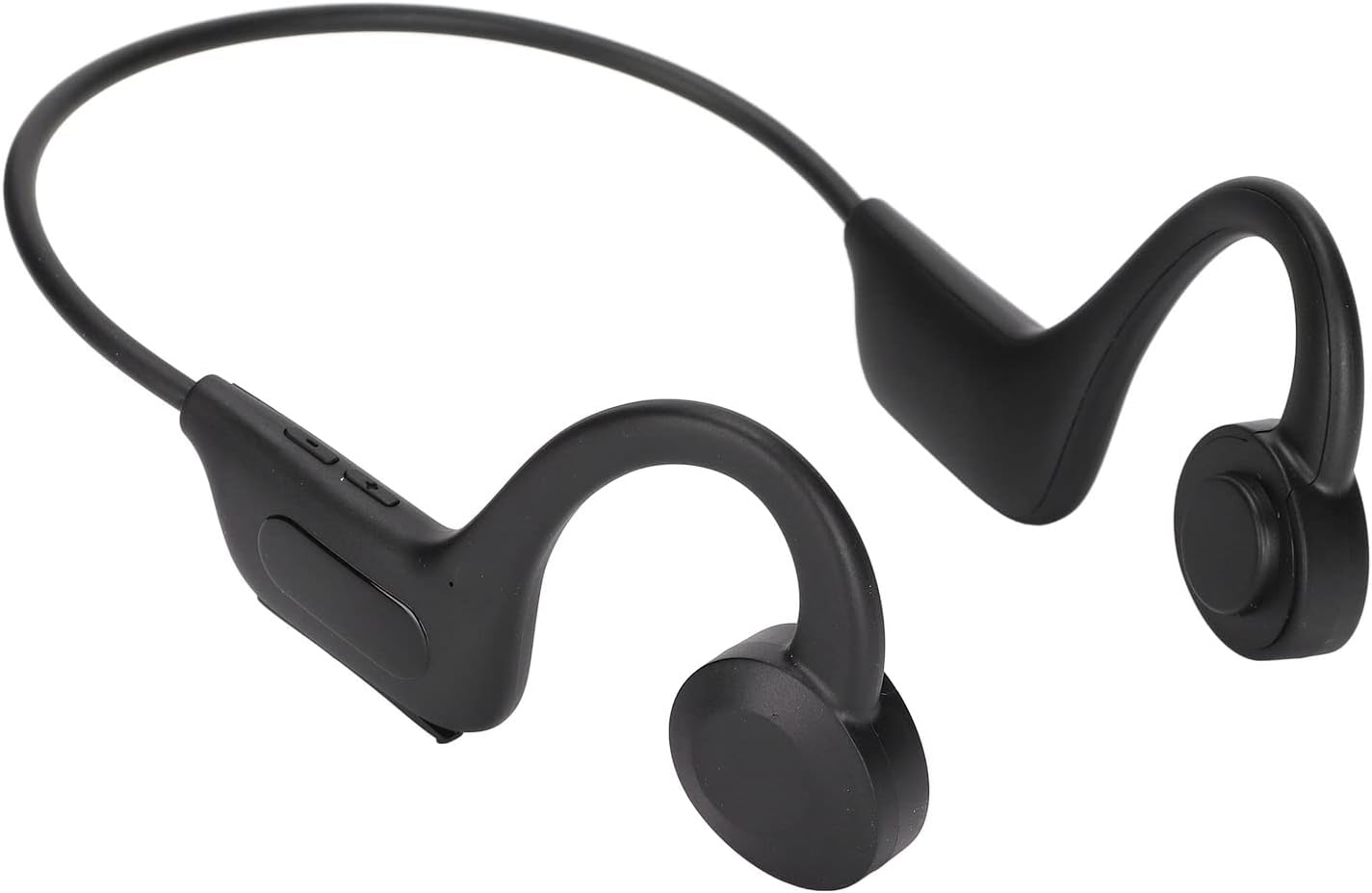
Image 1.1: EBTOOLS Q33 Cordless Open Ear Headphones. These black, lightweight headphones feature an open-ear design with a flexible band connecting the two earpieces, which rest comfortably over the ears.
2. Zawartość opakowania
Sprawdź, czy w przesyłce znajdują się wszystkie elementy:
- 1 x Cordless Open Ear Headphones (Model Q33)
- Kabel danych 1 x USB
- 1 x Instrukcja obsługi (w języku chińskim i angielskim)
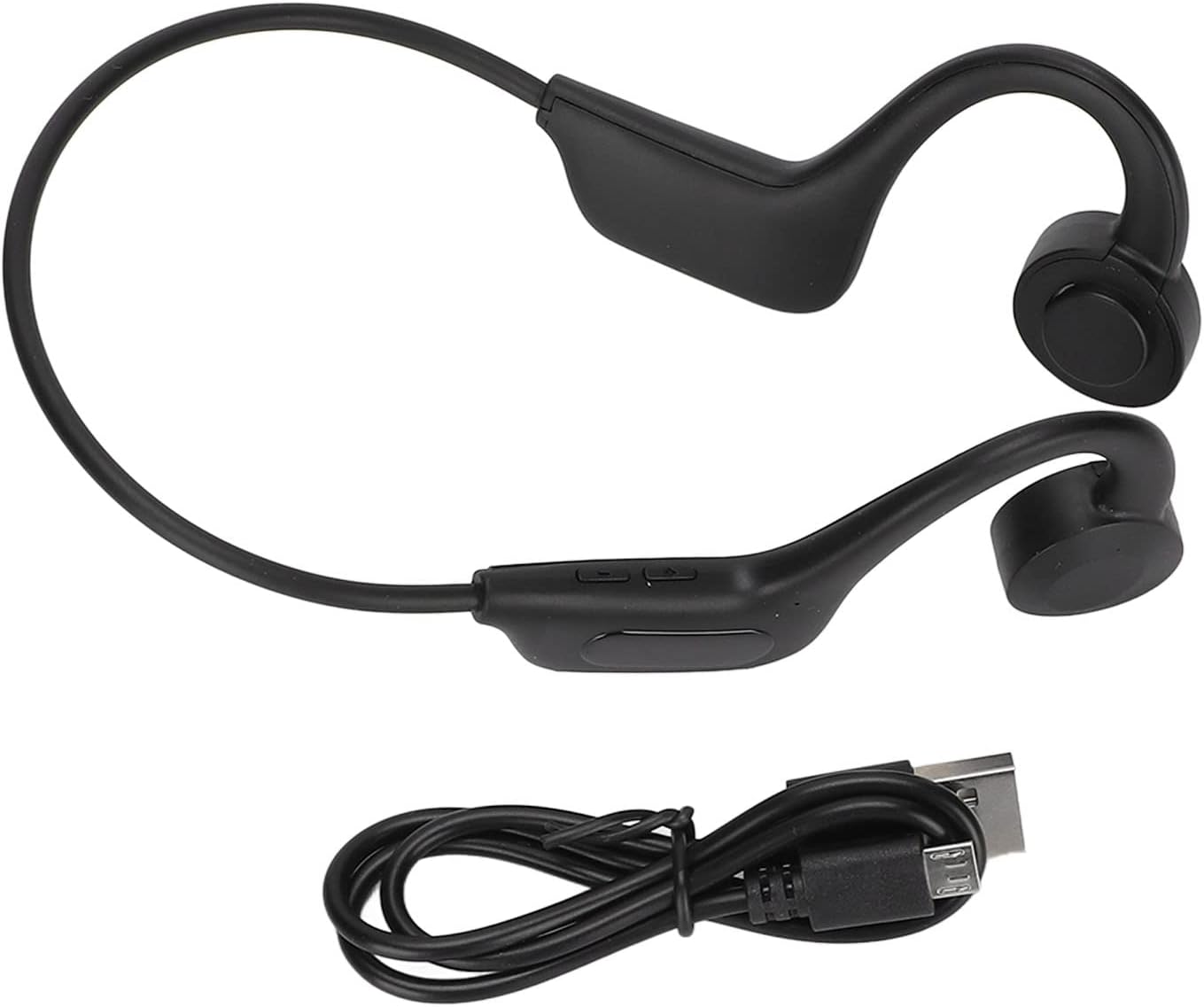
Image 2.1: The EBTOOLS Q33 headphones shown alongside the included USB charging cable. The headphones are black with a flexible neckband, and the cable is a standard black USB-A to micro-USB.
3. Specyfikacje
| Funkcja | Specyfikacja |
|---|---|
| Model | Q33 (EBTOOLSpxquhg2zcg-11) |
| Tworzywo | Tworzywo ABS |
| Typ połączenia | Bluetooth V5.1 |
| Odległość bezprzewodowa | ≥10 m / 32.8 stopy |
| Obsługiwane protokoły | A2DP1.3/HFP1.6/HSP1.2/AVRCP1.6/D11.3 |
| Typ baterii | Wbudowana bateria litowo-jonowa 180 mAh |
| Czas odtwarzania | Około 8 godzin |
| Czas czuwania | Około 80 godzin |
| Czas ładowania | Około 1 godziny |
| Współczynnik kształtu | In Ear (Open Ear Design) |
| Kolor | Czarny |
| Cechy specjalne | Lightweight, Air Conduction |
4. Konfiguracja
4.1. Ładowanie początkowe
Before first use, fully charge your EBTOOLS Q33 headphones. Connect the provided USB data cable to the charging port on the headphones and the other end to a USB power source (e.g., computer USB port, wall adapter). The charging indicator light will typically show charging status and turn off or change color when fully charged.

Obraz 4.1: Zbliżenie view of the charging port and control buttons on the EBTOOLS Q33 headphones. The micro-USB charging port is visible under a protective flap, alongside volume and power buttons.
4.2. Parowanie z urządzeniem Bluetooth
- Upewnij się, że słuchawki są wyłączone.
- Long press the V+ button (Power button) until the indicator light flashes, indicating pairing mode.
- Włącz Bluetooth na swoim urządzeniu (smartfonie, tablecie itp.) i wyszukaj dostępne urządzenia.
- Select "Q33" from the list of found devices.
- Once connected, the indicator light on the headphones will typically stop flashing or change to a steady light.
5. Instrukcja obsługi
5.1. Włączanie/wyłączanie zasilania
- Włączanie: Long press the V+ button. The headphones will power on and enter play mode.
- Wyłączone: Long press the V+ button again.
5.2. Kontrola odtwarzania
- Odtwórz/Pauza: (Specific button not detailed in input, typically a single press on a multi-function button or V+).
- Zwiększenie głośności: Short press V+ button.
- Ściszanie: Short press V- button.
- Następny utwór: (Specific button not detailed in input, typically long press V+ or double press).
- Poprzedni utwór: (Specific button not detailed in input, typically long press V- or triple press).
5.3. Switching Modes (Bluetooth / Memory Card)
The Q33 headphones support both Bluetooth mode and Memory Card mode (if a memory card is inserted). To switch between these modes:
- Double click the V- button to toggle between Bluetooth mode and Memory Card mode.

Rysunek 5.1: Szczegółowy view of the control buttons on the left earpiece of the EBTOOLS Q33 headphones. The buttons include V+ (volume up/power), V- (volume down/mode switch), and a central multi-function button.
6. Konserwacja
- Czyszczenie: Use a soft, dry cloth to wipe the headphones. Do not use abrasive cleaners or immerse the device in water.
- Składowanie: Przechowuj słuchawki w chłodnym, suchym miejscu, z dala od bezpośredniego światła słonecznego i ekstremalnych temperatur.
- Pielęgnacja baterii: Aby przedłużyć żywotność baterii, unikaj częstego całkowitego rozładowywania baterii. Regularnie ładuj słuchawki, nawet jeśli nie są używane przez dłuższy czas.
7. Rozwiązywanie Problemów
| Problem | Możliwe rozwiązanie |
|---|---|
| Słuchawki nie włączają się. | Ensure the battery is charged. Connect to a power source and charge for at least 1 hour. |
| Nie można sparować z urządzeniem. | Ensure headphones are in pairing mode (indicator light flashing). Turn off and on Bluetooth on your device. Move closer to the headphones. |
| Brak dźwięku. | Sprawdź poziom głośności zarówno w słuchawkach, jak i podłączonym urządzeniu. Upewnij się, że słuchawki są prawidłowo połączone przez Bluetooth. |
| Niska jakość dźwięku. | Ensure there are no obstructions between the headphones and the connected device. Move closer to the device. Check for interference from other wireless devices. |
8. Gwarancja i wsparcie
Aby uzyskać informacje o gwarancji i obsłudze klienta, zapoznaj się z dokumentacją dołączoną do zakupu lub skontaktuj się bezpośrednio ze sprzedawcą. Zachowaj dowód zakupu na wypadek roszczeń gwarancyjnych.
For further assistance, you may visit the official EBTOOLS store on Amazon: Sklep EBTOOLS
Ask a question about this manual
Ask about setup, troubleshooting, compatibility, parts, safety, or missing instructions. Manuals+ will review the question and use this page’s manual context to help answer it.