
1. Wprowadzenie
The HiFuture Future Zone 2 BT Smartwatch is designed to enhance your daily life by providing convenient access to fitness tracking, communication, and entertainment features directly from your wrist. This manual provides essential information on how to set up, operate, and maintain your new smartwatch.
Key features include step tracking, distance measurement, time and date display, music playback control, an AMOLED touchscreen display, and a seamless Bluetooth calling system. With an impressive 7-day battery life, the Future Zone 2 is built for extended use.
2. Koniec produktuview
2.1. Funkcje
- Śledzenie aktywności: Helps you track simple steps, distance traveled, time, and date.
- Sterowanie muzyką: Allows you to control your phone's music player directly from the watch.
- Wyświetlacz: Features a vibrant AMOLED touchscreen display.
- Połączenia Bluetooth: Enables hassle-free communication with a built-in Bluetooth calling system.
- Czas pracy baterii: Offers an impeccable battery that lasts up to 7 days on a single charge.
- Wodoodporność: IP68 certified for water resistance.
- Tryby sportowe: Supports over 100 sports modes for diverse activity tracking.
2.2. Komponenty i wyświetlacz

Rysunek 2.2.1: The HiFuture Future Zone2 Smartwatch in silver and white, showcasing its sleek design and vibrant display with activity metrics.
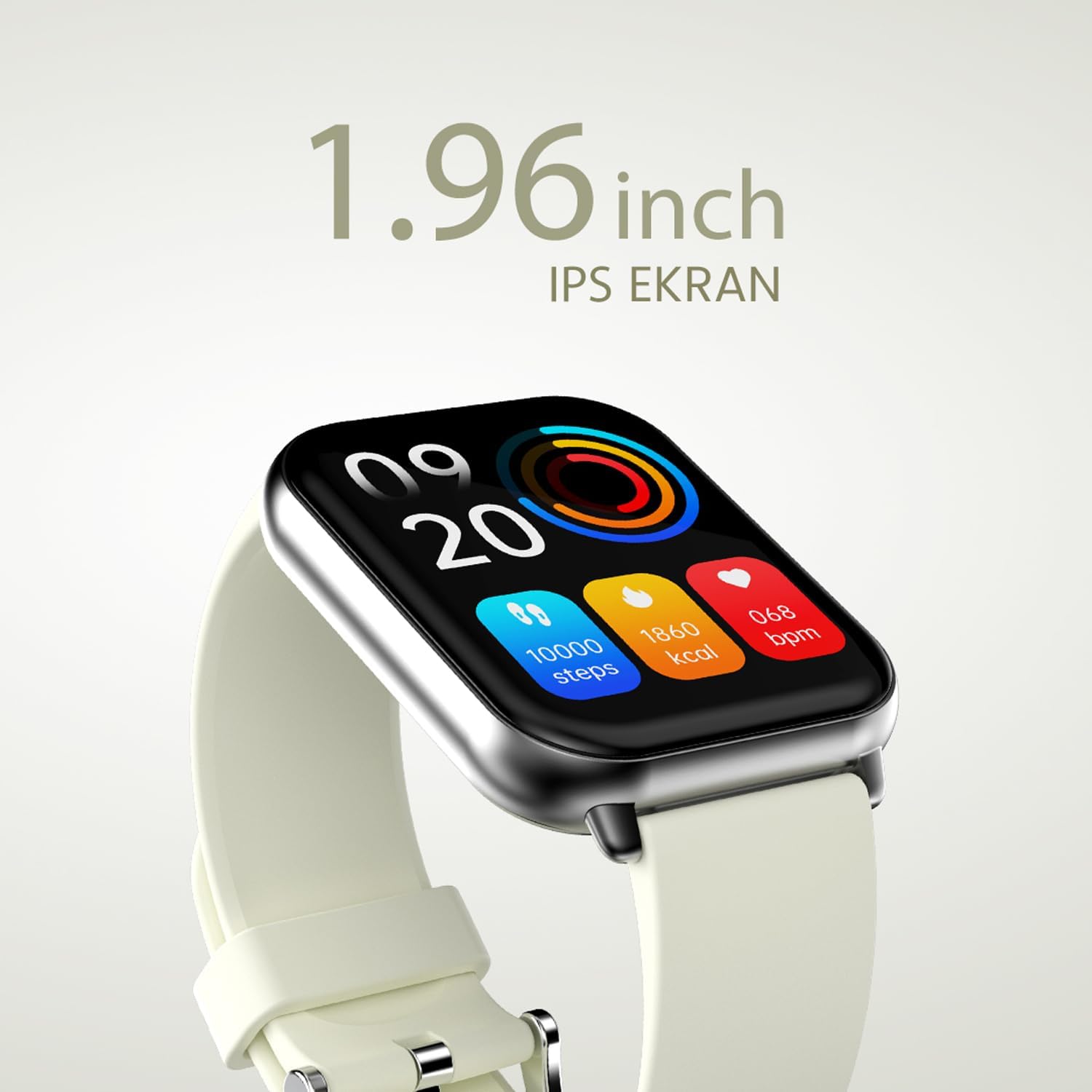
Rysunek 2.2.2: Szczegółowy view of the smartwatch display, highlighting its 1.96-inch IPS screen, which offers clear and crisp visuals.

Rysunek 2.2.3: The smartwatch accompanied by icons representing its core features: 1.96-inch IPS screen, wireless connectivity, 7-day battery life, and IP68 water resistance.

Rysunek 2.2.4: The smartwatch surrounded by various sport icons, indicating its support for over 100 different sport modes for comprehensive fitness tracking.
3. Konfiguracja
3.1. Ładowanie smartwatcha
Before first use, fully charge your HiFuture Future Zone2 Smartwatch. Connect the charging cable to the charging port on the back of the watch and plug the USB end into a compatible power adapter (not included) or a computer's USB port. The watch display will indicate charging status. A full charge typically takes approximately 2 hours.
3.2. Parowanie ze smartfonem
- Pobierz aplikację: Szukaj the official HiFuture companion app on your smartphone's app store (Google Play Store for Android or Apple App Store for iOS). Install the app.
- Włącz Bluetooth: Upewnij się, że Bluetooth jest włączony w Twoim smartfonie.
- Otwórz aplikację: Launch the HiFuture app and follow the on-screen instructions to create an account or log in.
- Dodaj urządzenie: Within the app, navigate to the "Add Device" or "Pair Device" section. The app will search for nearby smartwatches.
- Wybierz swój zegarek: Select "HiFuture Future Zone2" from the list of discovered devices.
- Potwierdź parowanie: Prośba o sparowanie pojawi się zarówno na telefonie, jak i na smartwatchu. Potwierdź parowanie na obu urządzeniach.
- Pełna konfiguracja: Once paired, the app will guide you through initial settings such as personal information, notification preferences, and watch face customization.
Note: For optimal performance, ensure your smartphone's operating system and the smartwatch app are up to date.
4. Instrukcja obsługi
4.1. Podstawowa nawigacja
- Ekran dotykowy: Przesuwaj palcem w lewo, w prawo, w górę lub w dół, aby poruszać się po menu i ekranach. Dotknij, aby wybrać opcję.
- Przycisk boczny: Press the side button to return to the home screen or wake up the display. A long press may access power options or a quick menu.
4.2. Połączenia Bluetooth
The Future Zone2 Smartwatch supports Bluetooth calling, allowing you to make and receive calls directly from your wrist when connected to your smartphone.
- Włącz dźwięk połączenia: Ensure that the smartwatch is connected to your phone for both data and call audio. This setting is usually managed within your phone's Bluetooth settings after initial pairing.
- Dzwonić: Access the dialer or contact list on your smartwatch. Tap to dial a number or select a contact to initiate a call.
- Odbieranie połączeń: Gdy ktoś dzwoni, zegarek wyświetla identyfikator dzwoniącego. Dotknij zielonej ikony, aby odebrać, lub czerwonej, aby odrzucić połączenie.
- During a Call: You can speak directly into the watch's built-in microphone and listen through its speaker. Options to mute, adjust volume, or transfer the call to your phone may be available on the watch screen.
Rysunek 4.2.1: The smartwatch screen showing a missed call notification, demonstrating its Bluetooth calling capability.
4.3. Sterowanie odtwarzaniem muzyki
Control your smartphone's music playback directly from your smartwatch.
- Access Music Control: Swipe on your watch face or navigate through the app list to find the "Music" or "Media Control" icon.
- Sterowanie odtwarzaniem: From this screen, you can play/pause, skip tracks (next/previous), and adjust the volume of the music playing on your connected smartphone.
4.4. Śledzenie aktywności
The smartwatch automatically tracks your daily steps, distance, and calories burned. You can view these metrics on the watch display or in the companion app for more detailed insights.
- Codzienna aktywność: The main watch face or a dedicated activity screen will show your current steps, calories, and heart rate (if applicable).
- Tryby sportowe: Select a specific sport mode (e.g., running, cycling, walking) from the watch's menu before starting an activity for more accurate tracking.
5. Konserwacja
5.1. Czyszczenie smartwatcha
- Przetrzyj ekran i obudowę zegarka miękką, niepozostawiającą włókien ściereczką.
- W przypadku uporczywych plam dampDelikatnie zwilż szmatkę wodą. Unikaj stosowania silnych środków chemicznych i materiałów ściernych.
- Przed ładowaniem sprawdź, czy styki ładowania są czyste i suche.
5.2. Wodoodporność (IP68)
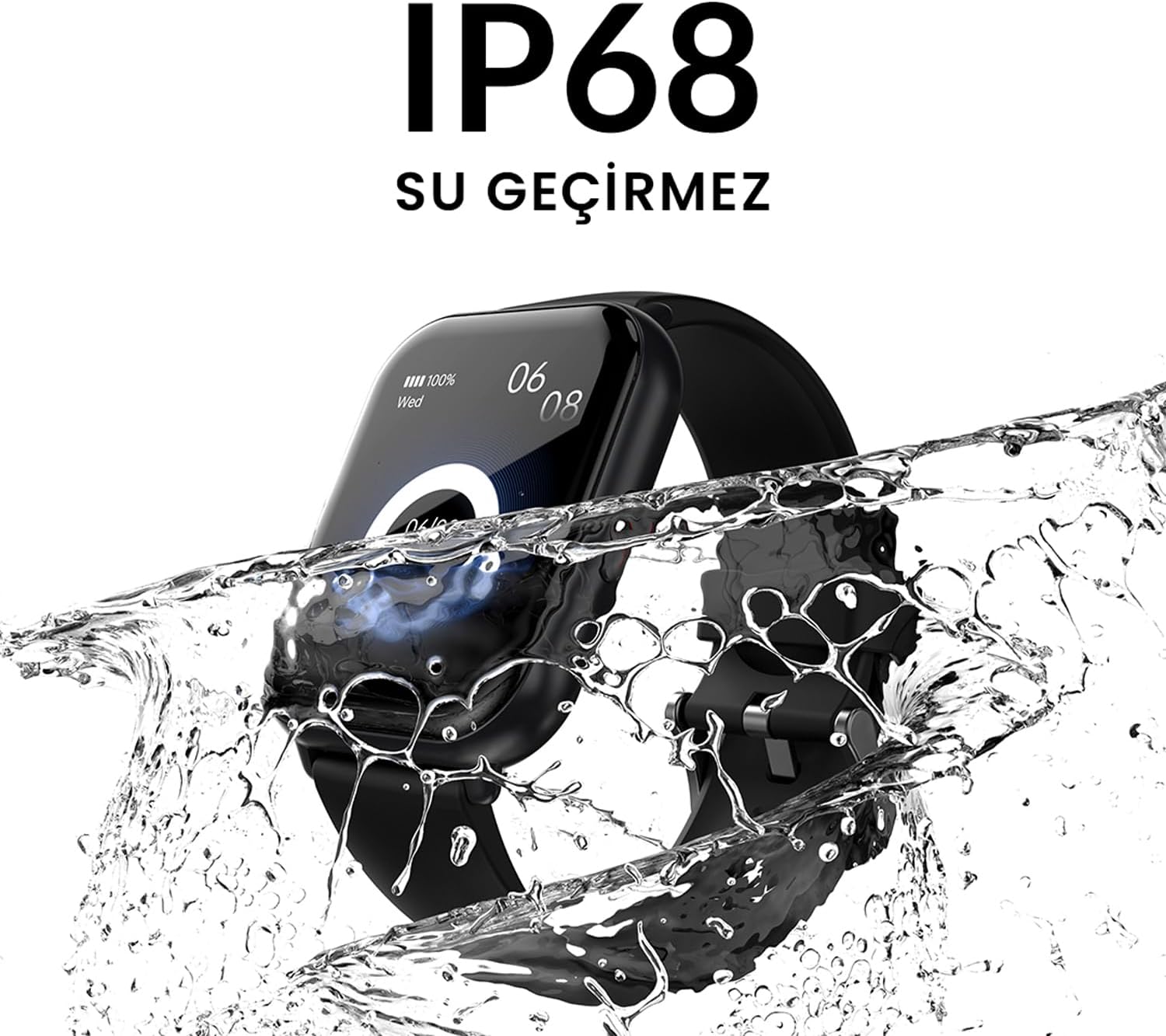
The HiFuture Future Zone2 Smartwatch is IP68 water-resistant, meaning it can withstand immersion in water up to 1.5 meters for up to 30 minutes. It is suitable for daily use, such as hand washing or light rain.
- Do not use the watch for diving, snorkeling, or high-pressure water activities.
- Avoid exposing the watch to hot water, steam, or detergents, as this may compromise its water resistance.
- Jeśli zegarek ulegnie zamoczeniu, należy go dokładnie wysuszyć przed ładowaniem lub użyciem.

Rysunek 5.2.1: The smartwatch shown with water splashing over it, illustrating its IP68 water resistance rating.
5.3. Pielęgnacja baterii
- Aby przedłużyć żywotność baterii, należy unikać częstego całkowitego rozładowywania baterii.
- Ładuj zegarek wyłącznie za pomocą dołączonego kabla ładującego.
- Jeśli zegarek nie będzie używany przez dłuższy czas, należy go przechowywać w chłodnym i suchym miejscu.
6. Rozwiązywanie Problemów
6.1. Typowe problemy i rozwiązania
| Wydanie | Możliwa przyczyna | Rozwiązanie |
|---|---|---|
| Zegarek nie włącza się | Niski poziom naładowania baterii; urządzenie zawiesza się | Charge the watch for at least 30 minutes. If still unresponsive, perform a forced restart (refer to device-specific instructions, usually a long press of the side button). |
| Nie można sparować ze smartfonem | Bluetooth wyłączony; problem z aplikacją; zegarek niemożliwy do wykrycia | Ensure Bluetooth is on for both devices. Restart both the watch and phone. Clear the app's cache or reinstall it. Make sure the watch is in pairing mode. |
| Bluetooth calling not working | Incorrect Bluetooth profile; app permissions | Check your phone's Bluetooth settings to ensure the watch is connected for "Calls" or "Phone audio." Verify app permissions for phone calls. |
| Niedokładne śledzenie aktywności | Improper wear; software glitch | Ensure the watch is worn snugly on your wrist. Restart the watch. Update the watch firmware via the app if available. |
7. Specyfikacje
| Funkcja | Szczegół |
|---|---|
| Marka | Cześć Przyszłość |
| Nazwa modelu | Smartwatch (Future Zone2) |
| Numer modelu | ZONE2 SILVER WHITE |
| Kolor | Silver and White (as per product title, though spec says Grey) |
| Rozmiar ekranu | 41 Millimeters (1.96 inches IPS) |
| Technologia łączności | Bluetooth |
| Cechy specjalne | Music Player, Distance Tracker, Bluetooth Calling |
| Kompatybilne urządzenia | Smartphone, Tablet, Other Portable Devices |
| Skład baterii | Lithium-ion (1 Lithium-polymer battery included) |
| Akumulator do ponownego ładowania | Tak |
| Odporność na wodę | Certyfikat IP68 |
| GPS | Brak GPS-u |
| Kształt | Kwadrat |
| Producent | HiFuture Group |
8. Gwarancja i wsparcie
8.1. Gwarancja na produkt
Specific warranty details for the HiFuture Future Zone2 Smartwatch are typically provided with your purchase documentation or on the manufacturer's official webStrona. Zachowaj dowód zakupu na wypadek roszczeń gwarancyjnych.
Note: Information regarding guaranteed software updates and spare parts availability is not explicitly provided.
8.2. Obsługa klienta
For technical assistance, troubleshooting beyond this manual, or warranty inquiries, please contact HiFuture customer support through their official webstronę internetową lub dane kontaktowe znajdujące się na opakowaniu produktu.
Możesz również zapoznać się z strona produktu na Amazon.com.be aby uzyskać dodatkowe informacje i obsługę klientaviews.