
1. Wprowadzenie
The TECLAST M50 is a 10.1-inch Android 13 tablet designed for versatile use, from entertainment to productivity. It features an Octa-Core processor, 12GB RAM, 128GB internal storage expandable up to 1TB, and supports Dual SIM 4G LTE connectivity. This manual provides essential information for setting up, operating, maintaining, and troubleshooting your device.
2. Co znajduje się w pudełku
Upon unboxing your TECLAST M50 tablet, please ensure all the following items are present:
- TECLAST M50 Tablet
- Zasilacz (ładowarka)
- Kabel USB typu C.
- Narzędzie do wyjmowania karty SIM
- Instrukcja obsługi
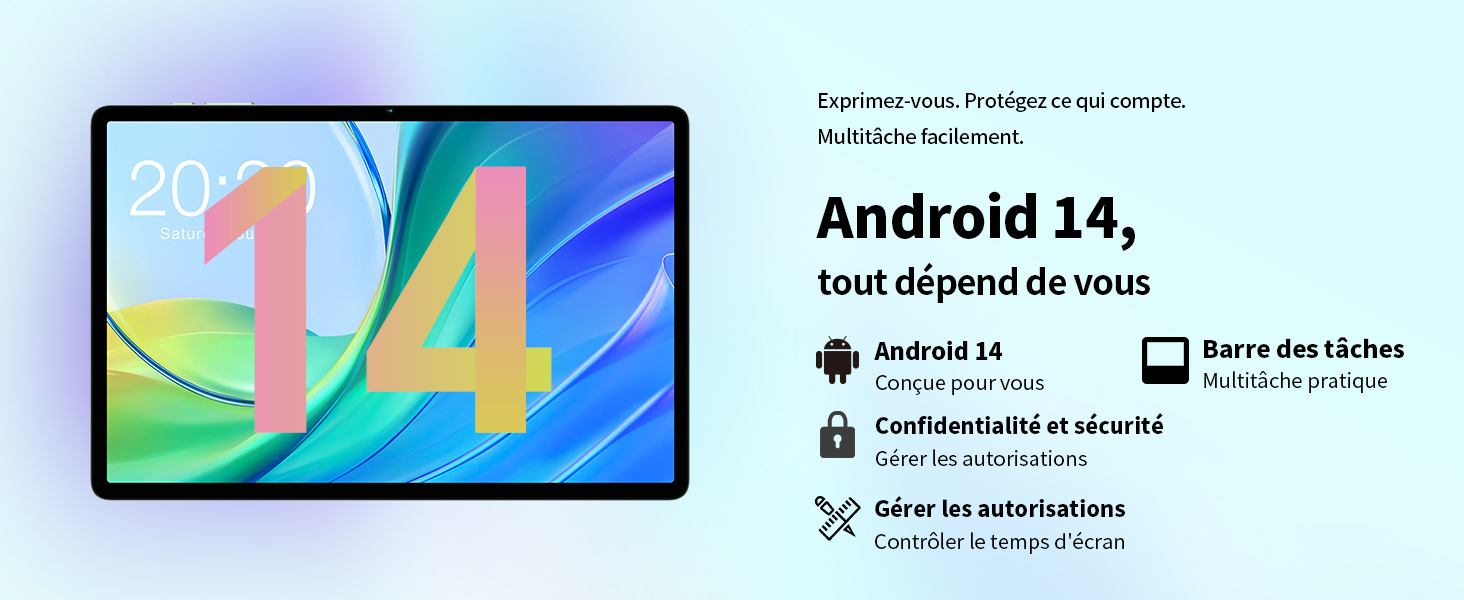
Image: Contents of the TECLAST M50 tablet box, showing the tablet, power adapter, USB cable, SIM ejector tool, and user manual.
3. Koniec produktuview
The TECLAST M50 tablet features a sleek design with a 10.1-inch display and a lightweight build of approximately 460 grams. It measures 23L x 20l x 1Ép centimeters. Familiarize yourself with the tablet's physical components:

Image: TECLAST M50 tablet from various angles, illustrating the location of the power button, volume controls, USB-C port, 3.5mm headphone jack, and speaker grilles.
Kluczowe komponenty:
- Przycisk zasilania: Znajduje się z boku urządzenia i służy do włączania/wyłączania lub wybudzania/uśpienia urządzenia.
- Przyciski głośności: Dostosuj głośność dźwięku.
- Port USB typu C: Do ładowania i przesyłania danych.
- Gniazdo słuchawkowe 3.5 mm: Podłącz słuchawki przewodowe.
- Maskownice głośników: Four stereo speakers for enhanced audio output.
- Przednia kamera: 5MP camera for video calls and facial unlock.
- Kamera tylna: Aparat 13 MP do robienia zdjęć i nagrywania filmów.
- Gniazdo karty SIM/MicroSD: Insert SIM cards for cellular connectivity and a MicroSD card for expanded storage.
4. Konfiguracja
4.1 Pierwsze ładowanie
Before first use, it is recommended to charge the TECLAST M50 tablet for at least 30 minutes. Connect the USB Type-C cable to the tablet's charging port and the power adapter to a wall outlet. The battery icon on the screen will indicate charging status.
4.2 Włączanie/wyłączanie
- Włączanie: Press and hold the Power button until the TECLAST logo appears.
- Aby wyłączyć: Naciśnij i przytrzymaj przycisk zasilania, aż pojawi się menu opcji zasilania, a następnie wybierz opcję „Wyłącz”.
- Zrestartować: Naciśnij i przytrzymaj przycisk zasilania, a następnie wybierz opcję „Uruchom ponownie”.
4.3 Wkładanie kart SIM i MicroSD
The TECLAST M50 supports dual SIM cards for 4G LTE connectivity and a MicroSD card for storage expansion up to 1TB.
- Znajdź tackę na kartę SIM/MicroSD z boku tabletu.
- Włóż narzędzie do wyjmowania karty SIM do małego otworu obok tacki i delikatnie naciśnij, aż tacka wyskoczy.
- Carefully place your Nano-SIM cards and/or MicroSD card into the designated slots on the tray. Ensure the gold contacts are facing down and the cards are correctly oriented.
- Delikatnie wsuń tackę z powrotem do tabletu, aż zatrzaśnie się na swoim miejscu.

Image: Illustration of inserting SIM cards and a MicroSD card into the tablet's tray.
4.4 Początkowa konfiguracja Androida
After powering on for the first time, follow the on-screen prompts to complete the initial setup process. This includes selecting your language, connecting to a Wi-Fi network, signing in with your Google account, and setting up security features like facial unlock.
5. Instrukcja obsługi
5.1 Funkcje wyświetlacza
The TECLAST M50 features a 10.1-inch TDDI HD display with a resolution of 1280x800 pixels. The TDDI technology integrates touch sensors directly into the LCD, providing a more responsive touch experience. It also supports Widevine L1, allowing for high-definition streaming from platforms like Disney+ and Amazon Prime Video.

Image: Visual representation of the TECLAST M50's 10.1-inch HD display with 1280x800 resolution and IPS wide viewkąt.
5.2 Wydajność i przechowywanie
Powered by an Octa-Core UNISOC T606 processor and Mali-G57 GPU, the M50 delivers efficient performance. It comes with 6GB of RAM, expandable to 12GB using virtual memory technology, and 128GB of internal storage. Storage can be further expanded up to 1TB via a MicroSD card.

Image: Details of the UNISOC T606 Octa-Core processor and Mali-G57 graphics processor.

Image: Information on RAM and ROM capacity, including expandable storage options.
5.3 Łączność
Stay connected with the TECLAST M50's comprehensive connectivity options:
- Dual SIM 4G LTE: Supports TD-LTE and FDD-LTE networks for mobile data and VoLTE calls.
- Dwupasmowe Wi-Fi: Connect to 2.4GHz and 5GHz Wi-Fi networks (802.11ac).
- Bluetooth 5.0: Do podłączania akcesoriów bezprzewodowych, np. słuchawek i klawiatur.
- Nawigacja GPS: Supports GPS, BeiDou, GLONASS, and Galileo for accurate positioning.

Obraz: Ponadview of Wi-Fi, Bluetooth, and 4G LTE capabilities.

Image: Tablet showing GPS navigation in use.
Funkcjonalność kamery 5.4
The M50 is equipped with a 13MP rear camera and a 5MP front camera. The rear camera features AI-based auxiliary optimization for improved focus and image results, especially in low-light conditions. The 5MP front camera supports facial unlock for convenient device access.

Image: Details of the tablet's front and rear cameras.
System audio 5.5
Experience immersive sound with the M50's Momentum III audio system, featuring four stereo speakers and a Smart K amplifier for clear and rich audio output.

Image: Representation of the tablet's 4-speaker audio system.
5.6 Funkcje Androida 13
The tablet runs on Android 13, offering enhanced privacy controls, a convenient taskbar for multitasking, and improved permission management. It also includes features for parental controls to manage screen time and application access.

Image: Android 13 interface showcasing privacy and multitasking features.

Image: Parental control interface for managing tablet usage.
6. Konserwacja
6.1 Pielęgnacja baterii
The TECLAST M50 is equipped with a 6000mAh battery, providing up to 15 hours of usage. To maximize battery life:
- Unikaj ekstremalnych temperatur.
- Use the provided charger and cable.
- Unikaj częstego całkowitego rozładowywania baterii.
- W przypadku długotrwałego przechowywania należy naładować tablet do około 50% i wyłączyć go.

Image: Battery capacity and charging method.
6.2 Czyszczenie
Do czyszczenia tabletu należy używać miękkiej, niepozostawiającej włókien ściereczki. W przypadku uporczywych plam należy delikatnie przetrzeć tablet.ampPrzetrzyj ściereczkę wodą lub specjalnym środkiem do czyszczenia ekranów przeznaczonym do urządzeń elektronicznych. Unikaj stosowania silnych środków chemicznych i materiałów ściernych.
6.3 Aktualizacje oprogramowania
Periodically check for system updates to ensure your tablet has the latest features and security patches. Navigate to Ustawienia > System > Aktualizacja systemu aby sprawdzić i zainstalować dostępne aktualizacje.
7. Rozwiązywanie Problemów
If you encounter issues with your TECLAST M50 tablet, try the following basic troubleshooting steps:
- Urządzenie nie włącza się: Upewnij się, że bateria jest naładowana. Podłącz ładowarkę i odczekaj kilka minut przed ponownym włączeniem.
- Ekran jest zamrożony lub nie reaguje: Naciśnij i przytrzymaj przycisk zasilania przez około 10–15 sekund, aby wymusić ponowne uruchomienie.
- Problemy z łącznością Wi-Fi/Bluetooth: Try toggling Wi-Fi/Bluetooth off and on. Restart your tablet and/or your router/Bluetooth device.
- Aplikacje ulegają awarii: Clear the cache and data for the problematic app (Settings > Apps > [App Name] > Storage > Clear cache/Clear data). If the issue persists, uninstall and reinstall the app.
- Niska wydajność: Close unnecessary background apps. Clear cached data. Consider performing a factory reset as a last resort (back up your data first).
- Karta SIM nie została wykryta: Ensure the SIM card is correctly inserted and activated with your carrier. Restart the tablet.
For more complex issues, refer to the official TECLAST support resources.
8. Specyfikacje
| Funkcja | Specyfikacja |
|---|---|
| Nazwa modelu | TECLAST M50 |
| System operacyjny | Android 13 |
| Edytor | UNISOC T606 ośmiordzeniowy (1.6 GHz) |
| Procesor graficzny | Mali-G57 MP1 |
| BARAN | 12 GB (6 GB pamięci fizycznej + 6 GB rozszerzenia) |
| Pamięć wewnętrzna | 128 GB |
| Możliwość rozbudowy pamięci masowej | MicroSD do 1 TB |
| Rozmiar ekranu | 10.1 cali |
| Rozdzielczość wyświetlacza | 1280x800 Pixels (TDDI, IPS) |
| Kamera tylna | 13 MP |
| Przednia kamera | 5 MP |
| Pojemność baterii | 6000 mAh (22 Wh) |
| Czas pracy baterii (średni) | 15 godziny |
| Łączność | 4G LTE (Dual SIM), Wi-Fi (802.11ac), Bluetooth 5.0 |
| Nawigacja | GPS, BeiDou, GLONASS, Galileo |
| Audio | 4 Stereo Speakers (Momentum III) |
| Porty | 1x USB Type-C, 1x 3.5mm Headphone Jack |
| Waga | 460 gram |
| Wymiary (dł. x szer. x wys.) | Wymiary 23 x 20 x 1 cm |
9. Gwarancja i wsparcie
9.1 Informacje o gwarancji
The TECLAST M50 tablet comes with a manufacturer's warranty of 1 rok od daty zakupu. Niniejsza gwarancja obejmuje wady materiałowe i wykonawcze wynikające z normalnego użytkowania. Prosimy zachować dowód zakupu na wypadek roszczeń gwarancyjnych.
9.2 Obsługa klienta
For any questions, technical assistance, or warranty inquiries, please contact TECLAST customer support. Our team provides professional advice and aims to respond to all inquiries within one working day. You can find contact information on the official TECLAST webna stronie internetowej lub u sprzedawcy.
Zasoby internetowe: For additional support and FAQs, please visit the official TECLAST webstrona: TECLAST Brand Store