
1. Koniecview
The BoxWave DirectSync PD Cable is a 10-foot USB-C to USB-C cable designed for efficient power delivery and high-speed data transfer. It supports up to 100 Watts of Power Delivery (PD), making it suitable for charging a wide range of devices, including laptops, tablets, and smartphones. The cable features a durable braided nylon construction and reinforced strain reliefs to ensure longevity and reliable performance.
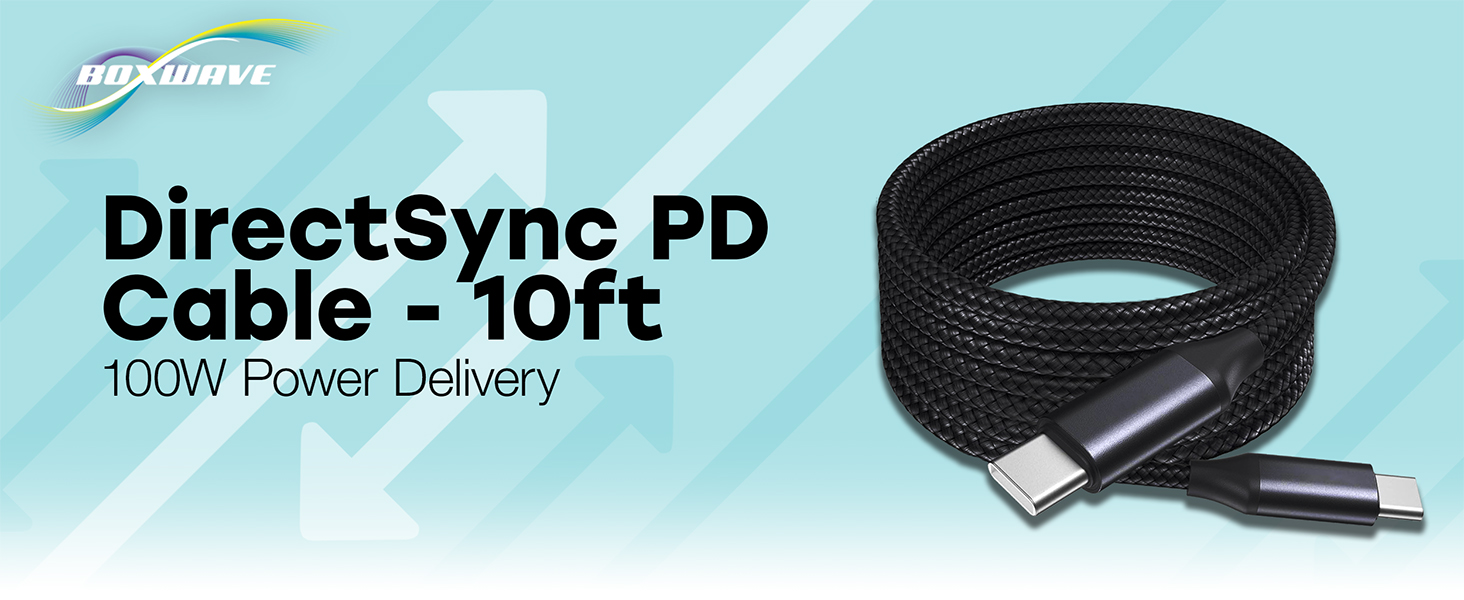
Image: The BoxWave DirectSync PD Cable, highlighting its 10-foot length and 100W Power Delivery capability.
2. Konfiguracja
Setting up your DirectSync PD Cable is straightforward. This cable is designed for universal compatibility with USB-C enabled devices.
- Identyfikacja portów: Ensure your charging adapter and device both have USB-C ports.
- Podłącz do źródła zasilania: Plug one end of the DirectSync PD Cable into a compatible USB-C power adapter or a computer's USB-C port.
- Połącz z urządzeniem: Plug the other end of the cable into your device's USB-C port.
- Sprawdź połączenie: Urządzenie powinno wskazać, że się ładuje lub jest podłączone w celu przesyłu danych.

Image: A visual representation of the DirectSync PD Cable connected to a laptop and a smartphone, illustrating simultaneous charging and data synchronization.
3. Instrukcja obsługi
The DirectSync PD Cable offers dual functionality for both charging and data transfer.
3.1 Ładowanie urządzenia
Connect the cable as described in the Setup section. The cable supports up to 100W Power Delivery, allowing for rapid charging of compatible devices. Charging speed will depend on your power adapter's output and your device's charging capabilities.
3.2 Szybki transfer danych
When connected to a computer, the DirectSync PD Cable facilitates high-speed data transfers up to 480Mbps. This allows you to sync files, photos, and videos between your device and computer efficiently while simultaneously charging.

Image: The DirectSync PD Cable connected to a laptop, illustrating its capability for high-wattage power delivery.
4. Konserwacja
To ensure the longevity and optimal performance of your BoxWave DirectSync PD Cable, follow these maintenance guidelines:
- Unikaj ostrych zakrętów: While the braided nylon is durable, avoid extreme bending or kinking, especially near the connectors.
- Czyste złącza: Periodically inspect and gently clean the USB-C connectors with a dry, soft cloth to remove dust or debris.
- Prawidłowe przechowywanie: When not in use, coil the cable loosely. Avoid tightly wrapping it around objects or pulling it taut.
- Zachowaj ostrożność: Podłączając lub odłączając kabel, zawsze chwytaj za głowicę złącza, a nie ciągnij za sam kabel.

Image: Detail of the cable's durable nylon braided exterior.

Obraz: Zbliżenie view of the reinforced rubberized strain relief at the connector, designed to prevent fraying.
5. Rozwiązywanie Problemów
If you encounter issues with your DirectSync PD Cable, refer to the following common problems and solutions:
- Urządzenie się nie ładuje:
- Sprawdź, czy oba końce kabla są prawidłowo podłączone do źródła zasilania i urządzenia.
- Sprawdź, czy zasilacz działa prawidłowo i zapewnia wystarczającą moc dla Twojego urządzenia.
- Test the cable with another compatible device or power source to rule out issues with the cable itself.
- Sprawdź, czy port ładowania urządzenia nie jest zablokowany lub uszkodzony.
- Niska prędkość ładowania:
- Confirm that your power adapter supports Power Delivery (PD) and provides adequate wattage (e.g., 100W for maximum speed).
- Ensure your device also supports fast charging via USB-C PD.
- Podczas ładowania nie należy intensywnie korzystać z urządzenia, gdyż może to spowolnić proces ładowania.
- Problemy z przesyłaniem danych:
- Ensure the cable is connected directly between your device and computer, bypassing any hubs or adapters that might not support data transfer.
- Check your device's settings to ensure data transfer mode is enabled (e.g., 'File „Przelew” lub „MTP”).
- Uruchom ponownie urządzenie i komputer.
- Wypróbuj inny port USB-C w swoim komputerze.
6. Specyfikacje
| Funkcja | Szczegół |
|---|---|
| Marka | Fala pudełkowa |
| Typ złącza | USB typu C |
| Typ kabla | USB |
| Dostarczanie mocy | Do 100 W |
| Prędkość przesyłu danych | 480 Mb/s |
| Długość kabla | 10 stopy (około 3 metrów) |
| Tworzywo | Braided Nylon Alloy |
| Kolor | Czarny jak kruk |
| Płeć złącza | Mężczyzna-mężczyzna |
| Funkcja specjalna | Braided, Strain Relief |
| Waga przedmiotu | 6 uncji |
7. Gwarancja i wsparcie
BoxWave products are designed for quality and reliability. For specific warranty information regarding your DirectSync PD Cable, please refer to the packaging or the official BoxWave website. If you require technical assistance or have questions about your product, please contact BoxWave customer support through their official channels. Support contact information can typically be found on the product packaging or on the BoxWave webstrona.
Wsparcie online: Visit the BoxWave webwitryna z odpowiedziami na często zadawane pytania, artykułami pomocy i opcjami kontaktu.
Wsparcie e-mailowe: Aby uzyskać adres e-mail działu obsługi klienta, zapoznaj się z dokumentacją produktu.