
Wstęp
Thank you for choosing the Cherry KW 3000 Wireless Keyboard. This full-size keyboard is designed for quiet and comfortable typing, featuring 2.4 GHz wireless technology for reliable connectivity with Windows and Mac operating systems. This manual provides essential information for setting up, operating, and maintaining your keyboard.
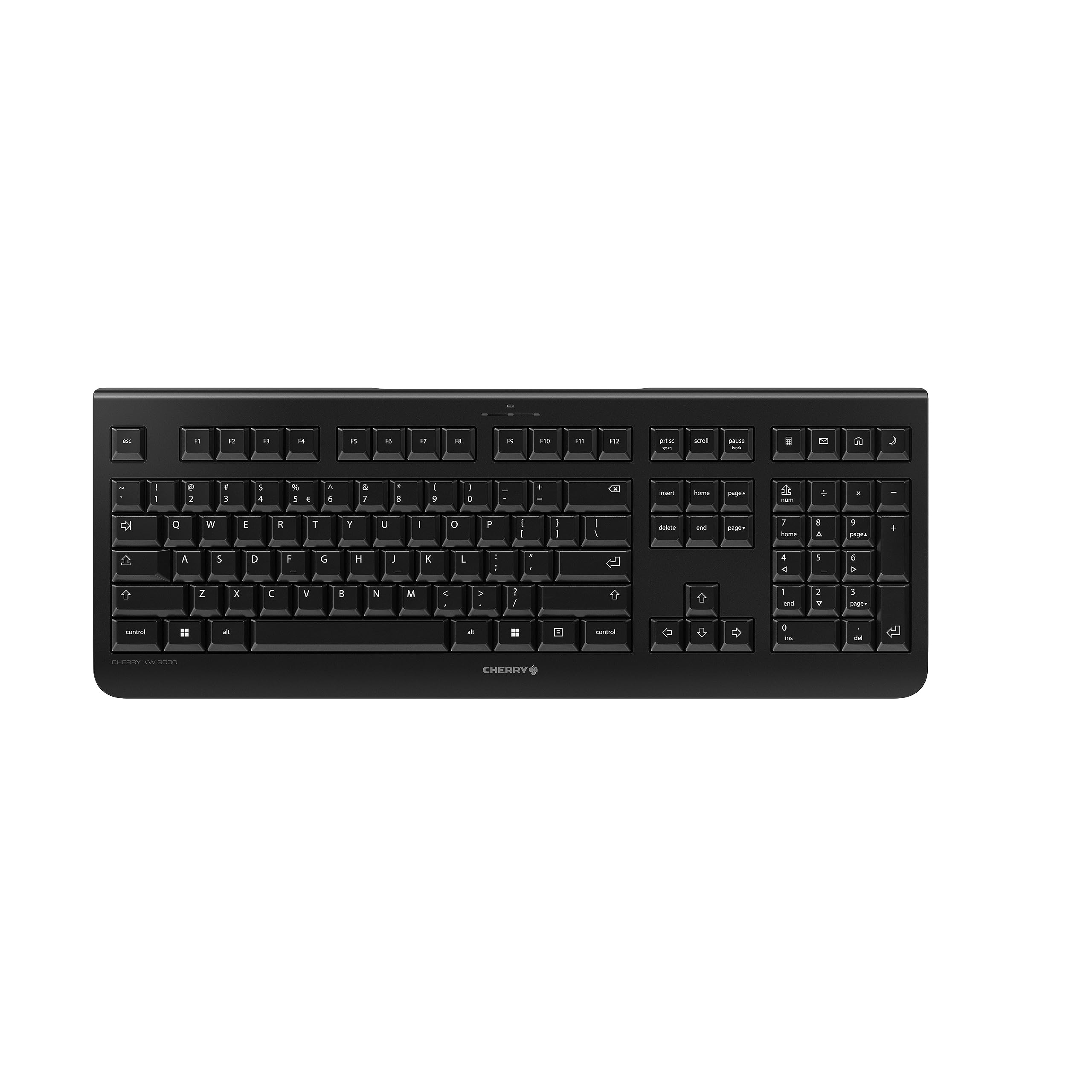
Image: The Cherry KW 3000 Wireless Keyboard, a full-size black keyboard, is shown on a light-colored desk mat. A laptop and an external monitor are visible in the background, indicating a typical office or home workspace setup. A computer mouse is also next to the keyboard.
Zawartość opakowania
Proszę sprawdzić, czy w paczce znajdują się następujące elementy:
- Cherry KW 3000 Wireless Keyboard
- USB Nano Receiver (dongle)
- 2 baterie AAA
- Szybki przewodnik (ten dokument)
Organizować coś
Follow these steps to set up your Cherry KW 3000 Wireless Keyboard:
- Włóż baterie: Locate the battery compartment on the underside of the keyboard. Open the cover and insert the two AAA batteries, ensuring correct polarity (+/-). Close the battery cover securely.
- Podłącz odbiornik USB: Plug the USB nano receiver into an available USB-A port on your computer (Windows or Mac). The operating system will automatically detect and install the necessary drivers.
- Rozpocznij pisanie: Your keyboard is now ready for use. There is no on/off switch; the keyboard enters a power-saving sleep mode automatically when not in use and wakes up with any key press.

Image: The underside of the keyboard is shown, highlighting the battery compartment. The adjustable feet are also visible in their extended position.

Image: A small black USB nano receiver, labeled 'CHERRY', is shown on a light-colored surface, ready to be plugged into a computer's USB port.
Instrukcja obsługi
Podstawowe użycie
The Cherry KW 3000 features a standard full-size QWERTY layout, including a numeric keypad and function keys. Simply begin typing as you would with any standard keyboard.
Klawisze skrótu
The keyboard includes four dedicated hotkeys for quick access to common functions:
- Kalkulator: Otwiera aplikację kalkulatora.
- E-mail: Launches your default email client.
- Przeglądarka: Otwiera domyślne web przeglądarka.
- Tryb uśpienia: Przełącza komputer w tryb uśpienia.

Obraz: Zbliżenie view of the upper right section of the keyboard, showing the four dedicated hotkeys with icons for calculator, email, web browser, and sleep mode.
Regulowane nóżki
For ergonomic comfort, the keyboard is equipped with stable fold-out feet on the underside. You can extend these feet to adjust the typing angle to your preference. The keyboard also features a non-slip bottom for stability.
Obraz: Profesjonalna stronafile of the Cherry KW 3000 keyboard, illustrating its slim design and the adjustable feet extended to provide an elevated typing angle.
Cechy
- Technologia bezprzewodowa 2.4 GHz: Provides a stable and reliable connection with a range of up to 10 meters.
- Układ pełnowymiarowy: Includes a numeric keypad and cursor keys for comprehensive functionality.
- Ciche klawisze membranowe: Designed for low-noise typing, ideal for office and home environments.
- Trwała konstrukcja: Built for longevity with a keystroke lifespan of up to 10 million actuations.
- Skróty klawiszowe: Four convenient hotkeys for quick access to essential applications.
- Regulowana ergonomia: Fold-out feet allow for customizable typing angles.
- Podłącz i graj: Easy installation without the need for complex software.

Image: A close-up of the keyboard keys, emphasizing their low-profile design and durable lettering, indicative of a quiet and long-lasting typing experience.
Konserwacja
Czyszczenie
To clean your keyboard, disconnect the USB receiver from your computer. Use a soft, lint-free cloth slightly dampened with water or a mild cleaning solution. Avoid excessive moisture and do not spray cleaners directly onto the keyboard. For cleaning between keys, use compressed air or a small brush.
Wymiana baterii
When the keyboard's performance degrades or it stops responding, it's likely time to replace the batteries. Open the battery compartment on the underside, remove the old AAA batteries, and insert new ones, observing the correct polarity. Dispose of old batteries responsibly according to local regulations.
Rozwiązywanie problemów
- Klawiatura nie odpowiada:
- Sprawdź, czy odbiornik USB jest prawidłowo podłączony do działającego portu USB w komputerze.
- Sprawdź baterie. Wymień je, jeśli są słabe lub rozładowane.
- Aby wykluczyć problemy z zasięgiem, należy przybliżyć klawiaturę do odbiornika USB.
- Spróbuj podłączyć odbiornik USB do innego portu USB.
- Klawisze są lepkie lub nie reagują:
- Clean the keyboard as described in the Maintenance section to remove any debris that might be affecting key presses.
- Przerywane połączenie:
- Ensure there are no large metal objects or other wireless devices causing interference between the keyboard and the receiver.
- Try using the keyboard in a different location to check for environmental interference.
Specyfikacje
| Funkcja | Szczegół |
|---|---|
| Numer modelu | JK-3000EU-2 |
| Technologia łączności | 2.4 GHz Wireless (USB-A receiver) |
| Opis klawiatury | Membrana |
| Kompatybilne urządzenia | Mac, Windows |
| Cechy specjalne | Durable, Hotkeys and Media Keys, Wireless |
| Kolor | Czarny |
| Tworzywo | Plastikowy |
| Wymiary produktu | 18.03 x 6.69 x 0.79 cala (45.8 x 17 x 2 cm) |
| Waga przedmiotu | 1.11 funtów (0.5 kg) |
| Baterie | 2 baterie AAA (w zestawie) |
| Producent | WIŚNIOWY |
Gwarancja i wsparcie
Cherry products are manufactured to high-quality standards. This product comes with a standard manufacturer's warranty against defects in materials and workmanship. For specific warranty terms, duration, and to access customer support, please refer to the official Cherry webOdwiedź stronę internetową lub skontaktuj się bezpośrednio z działem obsługi klienta. Zachowaj dowód zakupu na wypadek reklamacji.
Informacje dotyczące bezpieczeństwa
- Nie narażaj klawiatury na działanie płynów ani nadmiernej wilgoci.
- Unikaj ekstremalnych temperatur.
- Nie próbuj demontować ani modyfikować klawiatury. Spowoduje to unieważnienie gwarancji.
- Baterie należy przechowywać poza zasięgiem dzieci. W przypadku połknięcia natychmiast zasięgnij porady lekarza.
- Dispose of batteries and electronic waste responsibly.