
1. Koniec produktuview
The Yoidesu Light Bulb Camera is a smart home security device designed for comprehensive surveillance. It features a dual-lens system providing 360-degree panoramic monitoring, enabling simultaneous dual-screen viewing without blind spots. Key functionalities include AI humanoid tracking, real-time two-way voice intercom, and intelligent full-color night vision for 24-hour security.
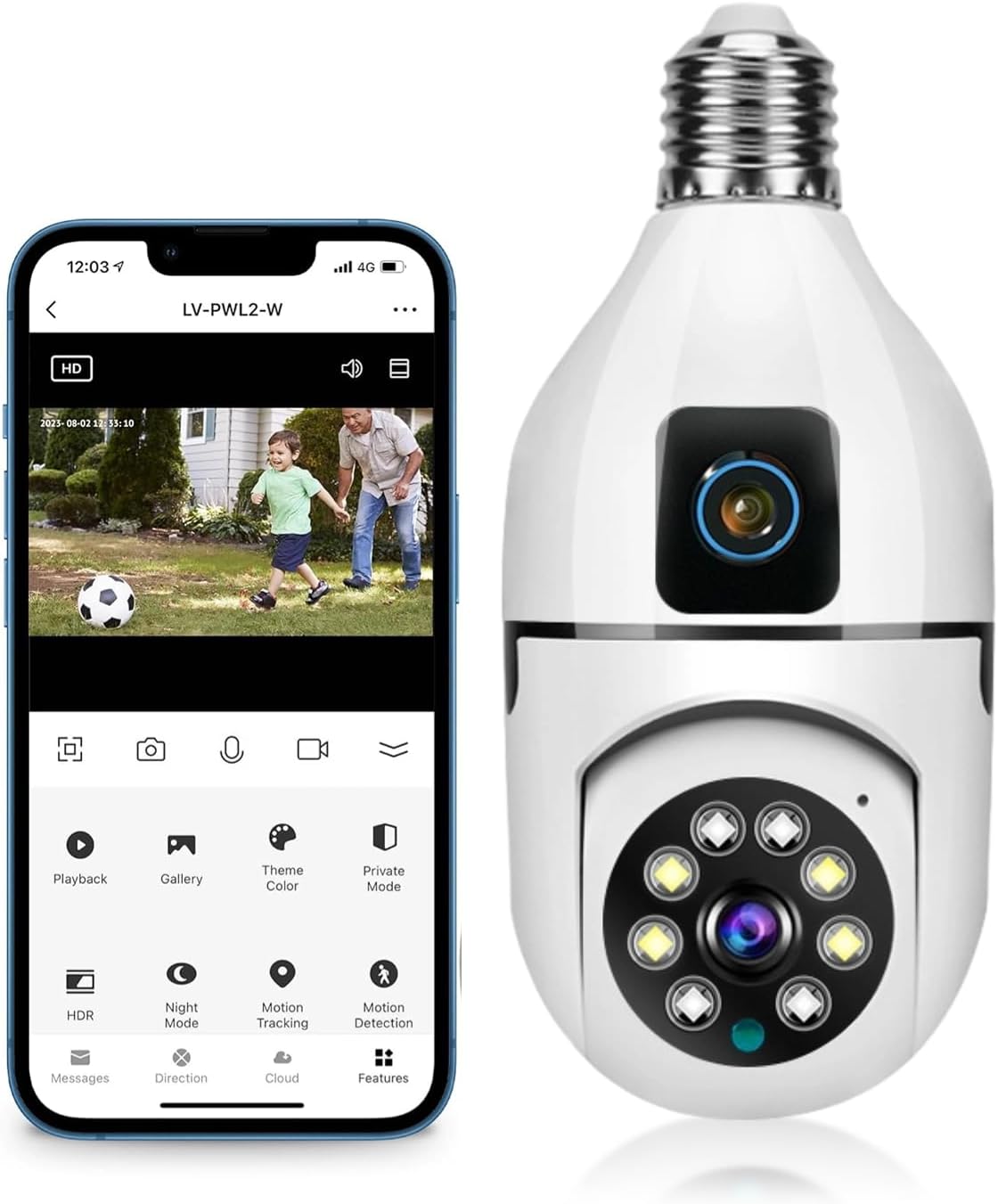
Image: Yoidesu Light Bulb Camera and its accompanying mobile application interface.
2. Zawartość opakowania
Sprawdź, czy w przesyłce znajdują się wszystkie elementy wymienione poniżej:
- 1 x Bulb Camera
- 1 x podstawa E27
- 2 x rur rozprężnych
- 2 x śruby mocujące
- 1 x Resetuj pin
- 1 x Instrukcja obsługi

Image: All components included in the Yoidesu Light Bulb Camera package.
3. Specyfikacje
| Funkcja | Szczegół |
|---|---|
| Model | Yoidesun7p0ym5th9 |
| Rezolucja | 1920 x 2160 (1MP) |
| Protokół łączności | Wi-Fi |
| Technologia komunikacji bezprzewodowej | Wi-Fi |
| Typ kontrolera | Android (kontrola aplikacji) |
| Typ montażu | Ceiling Mount (E27 Lamp Uchwyt) |
| Awiofon | Dwukierunkowy głos |
| Tryb nocny | ICR infrared filter type, intelligent night vision (full color) |
| Tripod Head Control (Pan/Tilt) | Horizontal Rotation: 355 degrees, Vertical: 90 degrees |
| Obsługa kart pamięci | Small memory card supports 128GB (not included) |
| Objętość dostawtage | 110-220 V |
| Waga przedmiotu | 9 uncji |
| Międzynarodowa Ocena Ochrony | IP54 |
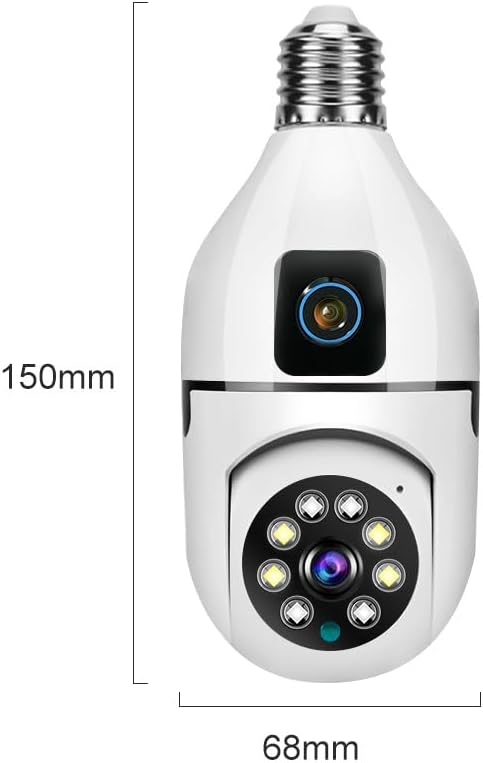
Image: Physical dimensions of the Yoidesu Light Bulb Camera.
4. Instrukcje konfiguracji
4.1 Fizyczna instalacja
- Ensure the power to the lamp holder is turned off before installation.
- Screw the bulb camera into a standard E27 lamp uchwyt.
- Turn on the power to the lamp holder. The camera will initiate and perform a self-check.
4.2 Pobieranie aplikacji i tworzenie konta
- Scan the QR code provided in the instruction manual or search for "V380Pro" in your mobile app store (iOS App Store or Google Play Store).
- Download and install the V380Pro mobile application.
- Open the app and follow the on-screen prompts to create a new user account or log in if you already have one.
4.3 Podłączenie urządzenia
- After powering on, the camera will emit a voice prompt indicating it's ready for connection.
- In the V380Pro app, select the option to add a new device.
- Choose the intelligent connection method. The app will guide you through connecting the camera to your Wi-Fi network (supports 2.4GHz Wi-Fi only).
- If prompted, scan the QR code displayed on your phone screen using the camera's lens. Maintain a distance of 15-20 cm between the phone and the camera.
- Once connected, the camera will provide a voice prompt confirming successful connection.

Image: The dual-lens design of the camera enabling panoramic monitoring.
5. Instrukcja obsługi
5.1 Na żywo View i sterowanie
- Open the V380Pro app and select your camera from the device list to access the live view.
- Use the on-screen joystick or swipe gestures to control the camera's horizontal (355°) and vertical (90°) movement.
- The dual-lens design allows for simultaneous viewing of a wide panoramic shot and a zoomed-in tracking view.
- Tap the microphone icon for two-way audio communication. Hold to speak and release to listen.
- Select 'Night Mode' to switch between intelligent full-color night vision or standard infrared mode.

Image: App interface demonstrating remote pan and tilt control of the camera.
5.2 Detekcja ruchu i śledzenie
- Enable 'AI Humanoid Tracking' in the app settings. The camera will automatically recognize and track human movement.
- Activate 'Motion Detection' to receive instant alarm messages on your mobile phone when movement is detected.
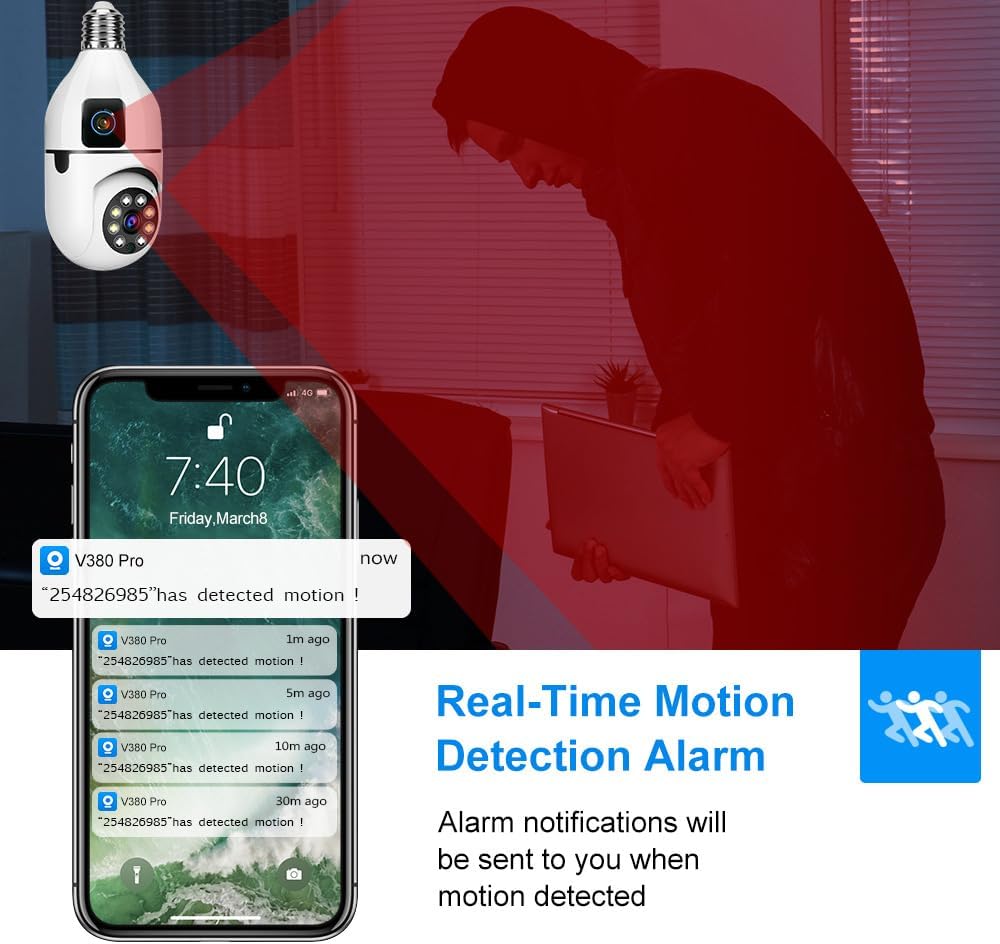
Image: Mobile phone showing real-time motion detection alarm notifications.
5.3 Rejestrowanie i przechowywanie
- The camera supports local storage via a small memory card (up to 128GB, not included). Insert the card into the designated slot on the camera.
- Cloud storage options are available through the app for continuous recording and alarm footage storage (subscription may be required).
- Uzyskaj dostęp do nagranego pliku footage through the 'Playback' or 'Gallery' sections within the app.

Image: Visual representation of the camera's storage options, including local TF card and cloud storage.
6. Konserwacja
- Czyszczenie: Delikatnie przetrzyj obiektyw i korpus aparatu miękką, suchą ściereczką. Unikaj stosowania silnych środków chemicznych i materiałów ściernych.
- Aktualizacje oprogramowania układowego: Regularly check the V380Pro app for available firmware updates to ensure optimal performance and security. Follow in-app instructions for updates.
- Cykl zasilania: If the camera experiences issues, try turning off the power to the lamp holder for a few seconds, then turn it back on to restart the device.
7. Rozwiązywanie Problemów
- Kamera offline: Ensure the camera is powered on and connected to a stable 2.4GHz Wi-Fi network. Check your router's status. If the Wi-Fi signal is weak, consider moving the camera closer to the router or using a Wi-Fi extender.
- Błąd połączenia: If the camera fails to connect, try resetting it using the provided reset pin (refer to app instructions for location). Ensure your Wi-Fi password is correct.
- Słaba jakość obrazu: Check your network connection speed. Ensure the camera lens is clean and free from obstructions. Adjust the resolution setting in the app (HD/SD).
- Brak alertów o ruchu: Verify that 'Motion Detection' and 'AI Humanoid Tracking' are enabled in the app settings. Check app notification permissions on your phone.
- Problemy z dwukierunkowym dźwiękiem: Ensure your phone's microphone and speaker are enabled for the V380Pro app. Check the camera's device volume settings in the app.
8. Gwarancja i wsparcie
For product-specific warranty information, please refer to the documentation included with your purchase or contact the seller directly. Extended protection plans may be available for purchase separately to cover your device beyond the standard manufacturer's warranty period.
For technical support or further assistance, please consult the V380Pro app's help section or contact Yoidesu customer service.
