
CITLLA L570
CITLLA L570 Wireless Bluetooth Mouse Instruction Manual
Wstęp
Thank you for choosing the CITLLA L570 Wireless Bluetooth Mouse. This advanced multi-device mouse is designed for enhanced productivity and comfort across various platforms. Please read this manual carefully to ensure proper setup and optimal performance of your new mouse.
Główne cechy
- Łączność wielourządzeniowa: Connects to up to three devices via one 2.4G USB-A receiver and two independent Bluetooth channels.
- Przewijanie w 4 kierunkach: Features a scroll wheel that supports both vertical (smart fly scroll) and horizontal movement for efficient navigation.
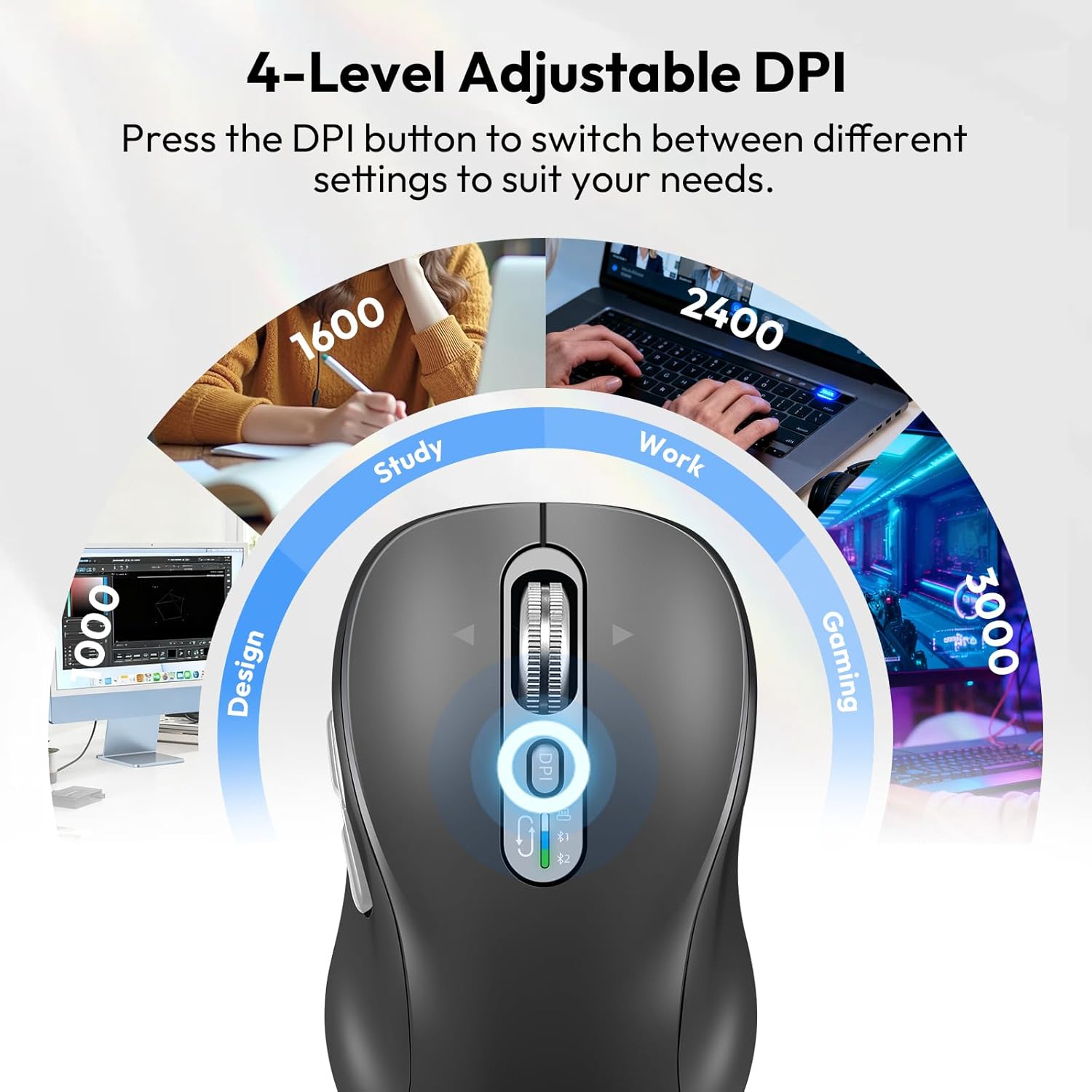
- Regulowane DPI: Four customizable DPI settings (1000/1600/2400/3000) for precision control.
- Ciche kliknięcie: Designed with quiet buttons to minimize noise and distractions.
- Akumulator: Equipped with a Type-C charging port and a long-lasting battery, providing approximately 60 days of use on a one-hour charge.
- Szeroka kompatybilność: Supports Windows, Linux, Mac, Chrome OS, iOS, and Android operating systems.
Co jest w pudełku
- CITLLA L570 Wireless Mouse
- Kabel ładujący typu C.
- Wireless USB-A Receiver
- Instrukcja obsługi
Instrukcje konfiguracji
1. Connecting via 2.4G USB-A Receiver
- Znajdź odbiornik USB-A znajdujący się w komorze baterii myszy.
- Podłącz odbiornik USB-A do wolnego portu USB w komputerze lub urządzeniu.
- Turn on the mouse using the ON/OFF switch located on the bottom. The mouse should automatically connect to your device.
2. Łączenie przez Bluetooth
- Włącz mysz za pomocą przełącznika ON/OFF znajdującego się na spodzie.
- Press and hold the device switch key (usually located near the scroll wheel or on the bottom) for three seconds until the Bluetooth indicator light starts flashing. This indicates the mouse is in pairing mode.
- Na swoim urządzeniu (laptopie, tablecie, smartfonie) przejdź do ustawień Bluetooth i wyszukaj nowe urządzenia.
- Select "CITLLA L570" or a similar name from the list of available devices to pair.
- Repeat steps 2-4 to connect to a second Bluetooth device using the other Bluetooth channel.
3. Przełączanie między urządzeniami
To switch between connected devices, simply press the device switch key on the mouse. The indicator light will show which connection (2.4G, BT1, BT2) is currently active.

Image: The CITLLA L570 mouse demonstrating its ability to connect to a desktop via 2.4G wireless, a tablet via Bluetooth 2, and a laptop via Bluetooth 1, with a visual indicator for the active connection.
Video: This video demonstrates the multi-device connectivity, 4-way navigation, adjustable DPI, and quiet click features of the CITLLA L570 Wireless Bluetooth Mouse.
Instrukcja obsługi
1. 4-Way Scrolling
The L570 mouse features a versatile scroll wheel:
- Przewijanie pionowe: Roll the scroll wheel up or down for standard vertical navigation. The smart fly scroll provides super-fast scrolling on long web stron.
- Przewijanie poziome: Press the scroll wheel to the left or right to enable horizontal scrolling across the page. Note that left and right scrolling is not high-speed.
Obraz: szczegółowy view of the CITLLA L570 mouse's 4-way scroll wheel, with arrows indicating left, right, up, and down movement for comprehensive navigation.
2. Regulacja czułości DPI
The mouse offers four adjustable DPI settings to match your preference and task:
- Press the DPI button (located near the scroll wheel) to cycle through the available settings: 1000, 1600, 2400, and 3000 DPI.
- Choose a lower DPI for precise tasks like graphic design, or a higher DPI for faster cursor movement in gaming or general browsing.

Image: The CITLLA L570 mouse with an overlay illustrating its four adjustable DPI levels (1000, 1600, 2400, 3000) and suggested applications like design, study, work, and gaming.
3. Silent Click Functionality
The L570 mouse is designed with silent click buttons to provide a quiet working environment, reducing distractions for you and those around you. The buttons have a lifespan of 10 million clicks.

Image: A user operating the CITLLA L570 mouse in a quiet office setting, highlighting the silent click feature that prevents disturbance.
Ładowanie myszy
The CITLLA L570 mouse is equipped with a rechargeable battery and a Type-C charging port.
- Connect the included Type-C charging cable to the mouse's charging port and to a USB power source.
- A full charge takes approximately one hour and provides up to 60 days of normal use.
- The low power indicator will illuminate when the remaining power is sufficient for less than 7 days of use, giving you ampczas na doładowanie.

Image: The CITLLA L570 mouse connected to a Type-C charging cable, with text indicating a 1.5-2 hour charge time for 90 days of use from its 500mAh battery.
Zgodność
The CITLLA L570 Wireless Bluetooth Mouse is compatible with a wide range of devices and operating systems:
- Systemy operacyjne: Windows (8/10/11 and later), Mac OS (10.15 and later; USB: Mac OS 10.10 and later), Chrome OS (11 and later; USB: Chrome OS 9 and later), iOS (13.4 and later), Android (5.0 and later), Linux (10 and later; USB: Linux 8 and later).
- Urządzenia: Desktops, laptops, tablets, smartphones, all-in-one PCs.

Image: A graphic displaying the compatible operating systems for the CITLLA L570 mouse, including Windows, Mac OS, Linux, Chrome OS, iOS, and Android, with specific version requirements.
Rozwiązywanie problemów
- Mysz nie odpowiada: Ensure the mouse is turned on and fully charged. Check if the USB receiver is securely plugged in or if Bluetooth is enabled and paired correctly on your device.
- Problemy z połączeniem: If using Bluetooth, ensure the mouse is in pairing mode (flashing indicator) and your device's Bluetooth is active. Try re-pairing the mouse. For 2.4G, try plugging the USB receiver into a different port.
- Ruch kursora jest nieregularny: Clean the optical sensor on the bottom of the mouse. Ensure you are using the mouse on a suitable surface. Adjust the DPI setting to a lower value if the cursor is too fast.
- Kółko przewijania nie działa: Check for any debris obstructing the scroll wheel. Ensure the mouse is properly connected.
- Wskaźnik niskiego poziomu naładowania baterii: When the indicator lights up, connect the mouse to the Type-C charging cable to recharge.
Specyfikacje
| Funkcja | Szczegół |
|---|---|
| Numer modelu | L570 |
| Technologia łączności | 2.4G USB-A Receiver, Bluetooth-1, Bluetooth-2 |
| Ustawienia DPI | 1000/1600/2400/3000 |
| Cechy specjalne | 4-Way Scrolling, Forward/Back button, Multi-Device (3 connections), Quiet Clicks (10 million click lifespan), Rechargeable (Type-C charging) |
| Wykrywanie ruchu | Optyczny |
| Bateria | Akumulator (typ C) |
| Waga przedmiotu | 5.6 uncji |
| Wymiary opakowania | 5.59 x 3.11 x 2.13 cala |
Gwarancja i wsparcie
For warranty information, technical support, or any inquiries regarding your CITLLA L570 Wireless Bluetooth Mouse, please refer to the contact information provided with your product packaging or visit the official CITLLA webstrona. Zachowaj dowód zakupu na potrzeby roszczeń gwarancyjnych.