
Wstęp
The zelotes T30 Wired Vertical Mouse is designed to enhance comfort and reduce wrist strain during prolonged computer use. Its ergonomic vertical design promotes a natural hand and wrist posture. This manual provides essential information for setting up, operating, maintaining, and troubleshooting your new mouse.

Rysunek 1: Przód-lewo view of the zelotes T30 Wired Vertical Mouse.

Figure 2: Various side views illustrating the vertical design of the mouse.
Organizować coś
The zelotes T30 Vertical Mouse is designed for simple plug-and-play operation, requiring no driver installation.
Podłączanie myszy
- Locate an available USB port on your computer (Laptop, PC, Mac).
- Insert the USB connector of the zelotes T30 mouse into the USB port.
- The mouse will be automatically recognized by your operating system (Win11, Win10, Win8, Win7, Mac OS, Linux) and ready for use.
Attaching the Detachable Palm Rest
The mouse comes with a detachable palm rest for enhanced comfort. To attach it:
- Align the palm rest with the designated slots on the bottom of the mouse.
- Gently slide the palm rest into place until it clicks securely.
- Ensure the palm rest is firmly attached before use.

Figure 3: Illustration of the detachable palm rest and its attachment points.
Instrukcja obsługi
Ergonomiczna konstrukcja i uchwyt
The vertical design of the T30 mouse positions your hand in a natural handshake posture, reducing pronation of the forearm and wrist. This design aims to alleviate discomfort associated with traditional mouse use.

Figure 4: Proper hand placement on the ergonomic vertical mouse.

Rysunek 5: Szczegółowy view of the humanized grip design, ensuring comfortable finger placement.
Regulacja czułości DPI
The mouse features 4 adjustable DPI settings: 1200, 1600, 2400, and 3200 DPI. To change the sensitivity:
- Locate the DPI button on the mouse. This button is typically positioned near the scroll wheel or thumb area.
- Press the DPI button to cycle through the available sensitivity settings. Each press will switch to the next DPI level.
- The LED illumination on the mouse may change color or pattern to indicate the current DPI setting.
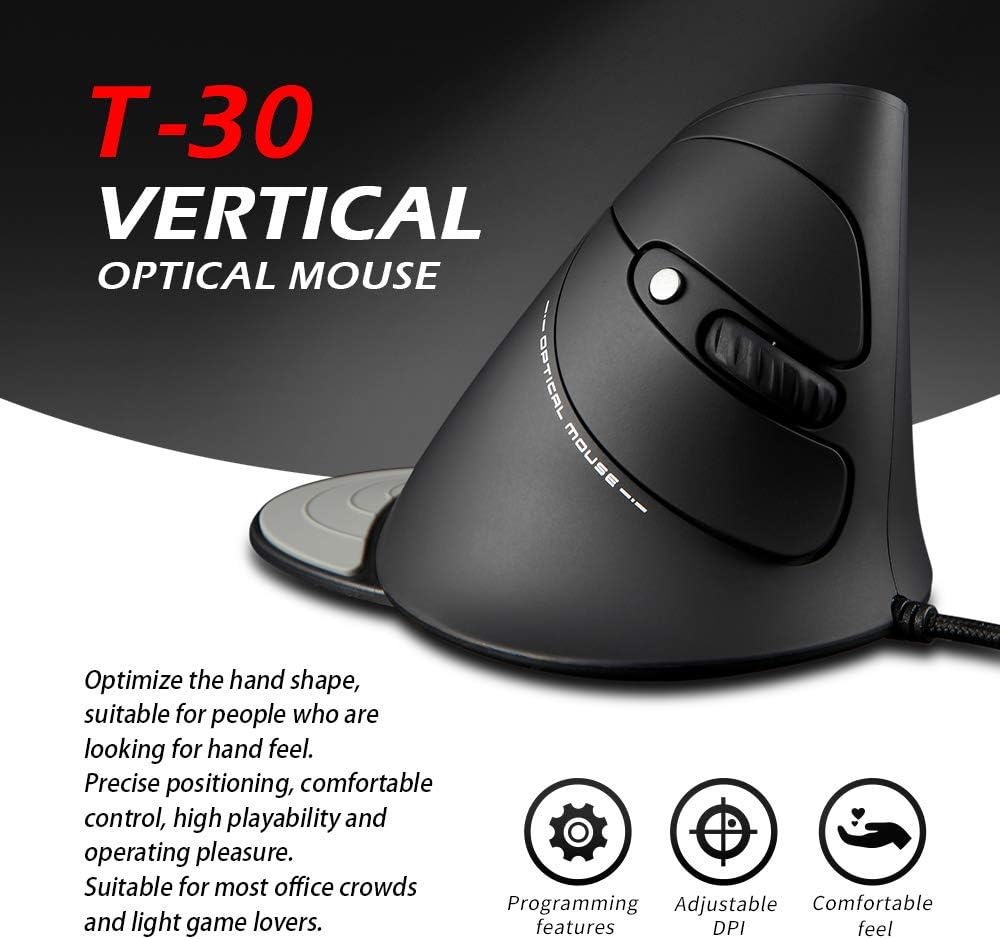
Figure 6: The T30 mouse with an emphasis on its adjustable DPI feature.
Funkcje przycisków
The zelotes T30 mouse is equipped with 6 buttons for various functions:
- Lewy przycisk myszy: Standardowa funkcja kliknięcia podstawowego.
- Przycisk prawego przycisku myszy: Standardowa funkcja dodatkowego kliknięcia.
- Kółko przewijania: Do przewijania w pionie. Można go również nacisnąć, aby uruchomić funkcję środkowego kliknięcia.
- Przycisk DPI: Dostosowuje czułość myszy (DPI).
- Przycisk do przodu: Nawiguje do przodu w web przeglądarki lub file odkrywcy.
- Przycisk Wstecz: Porusza się wstecz web przeglądarki lub file odkrywcy.
Video 1: Demonstration of the zelotes T30 Ergonomic Vertical Mouse features and usage.
Konserwacja
To ensure the longevity and optimal performance of your zelotes T30 mouse, follow these maintenance guidelines:
- Czyszczenie: Do przecierania powierzchni myszy użyj miękkiej, suchej ściereczki. W przypadku uporczywych zabrudzeń, delikatnie przetrzyj powierzchnię.amp cloth can be used, but ensure no liquid enters the mouse. Avoid harsh chemicals or abrasive cleaners.
- Składowanie: Gdy nie używasz myszy, przechowuj ją w czystym i suchym miejscu, z dala od ekstremalnych temperatur i bezpośredniego światła słonecznego.
- Pielęgnacja kabli: Unikaj nadmiernego zginania lub skręcania kabla USB, ponieważ może to spowodować uszkodzenie wewnętrznych przewodów.
Rozwiązywanie problemów
If you encounter issues with your zelotes T30 mouse, refer to the following common problems and solutions:
| Problem | Możliwa przyczyna | Rozwiązanie |
|---|---|---|
| Mysz nie reaguje | Luźne połączenie USB, uszkodzony port USB, problem z systemem operacyjnym. |
|
| Ruch kursora jest nieregularny lub skokowy | Brudny czujnik optyczny, nieodpowiednia powierzchnia podkładki pod mysz. |
|
| Regulacja DPI nie działa | Button malfunction, temporary software glitch. |
|
Specyfikacje
| Funkcja | Szczegół |
|---|---|
| Marka | zelotes |
| Numer modelu | T-30 |
| Wymiary produktu | 4.33 x 3.15 x 3.27 cala |
| Waga przedmiotu | 4.2 uncji |
| Technologia łączności | Przewodowy USB |
| Technologia wykrywania ruchu | Optyczny |
| Ustawienia DPI | 1200 / 1600 / 2400 / 3200 DPI |
| Liczba przycisków | 6 |
| Funkcja specjalna | Ergonomic Design, Detachable Wrist Rest, LED Illumination |
| Zgodność | Win11, Win10, Win8, Win7, Mac OS, Linux |

Figure 7: Detailed dimensions of the zelotes T30 Vertical Mouse.
Gwarancja i wsparcie
For warranty information and technical support, please refer to the official zelotes webOdwiedź stronę internetową lub skontaktuj się bezpośrednio z działem obsługi klienta. Zachowaj paragon zakupu na wypadek reklamacji.
Producent: zelotes