
NAPCAT N2804
NAPCAT PoE Security Camera System User Manual
Modele: N2804
1. Koniec produktuview
The NAPCAT PoE Security Camera System (N2804) is a comprehensive surveillance solution designed for home and business security. This system features 4MP Super HD cameras with F1.0 super aperture for clear and vibrant color night vision, even in low-light conditions. Equipped with advanced AI detection capabilities, it accurately identifies people and vehicles, minimizing false alarms. The Power over Ethernet (PoE) design simplifies installation, requiring only a single network cable for both power and data transmission. The included 2TB Hard Disk Drive (HDD) provides ample storage for continuous recording, and footage can be accessed remotely via a smartphone app or PC client, or viewed locally on a connected monitor.

Image: The NAPCAT PoE Security Camera System, showcasing the central NVR unit and four 4MP PoE cameras, along with an icon indicating 2TB storage and AI capabilities.
2. Co znajduje się w pudełku
Sprawdź, czy w Twoim pakiecie znajdują się wszystkie wymienione poniżej elementy:
- PoE NVR (Network Video Recorder)
- 4 x PoE Security Cameras
- Zasilacz do rejestratora NVR
- Mysz USB
- Ethernet Cables (various lengths)
- Szybki przewodnik
- Naklejki pozycjonujące śruby
- Surveillance Poster
- Reset Needle Pin
- Wodoodporna pokrywa
- Zestaw śrub

Image: A detailed layout of all components included in the NAPCAT PoE Security Camera System package, including the NVR, cameras, cables, power adapter, mouse, and various accessories.
3. Konfiguracja i instalacja
3.1 Połączenie NVR
The NVR (Network Video Recorder) serves as the central hub for your security system. It must be connected to your router via an Ethernet cable to enable remote access and system functionality. The NVR also requires a power connection using the provided power adapter.

Image: The NAPCAT NVR unit with a single Ethernet cable connecting it to a camera, illustrating the Power over Ethernet (PoE) setup for simplified wiring.
3.2 Instalacja kamery
The cameras are designed for both indoor and outdoor use, featuring an IP67 weatherproof rating. Each camera connects directly to the NVR via a single Ethernet cable, which provides both power and data (PoE). This eliminates the need for separate power outlets near the cameras.
To install a camera:
- Unscrew the base from the camera unit.
- Mount the base securely to your desired location using the provided screws. Consider placing cameras under eaves or sheltered areas to further protect them from extreme weather.
- Connect the Ethernet cable from the camera to an available PoE port on the NVR. Ensure the waterproof connector is properly used for outdoor installations.
- Screw the camera unit back onto the mounted base. The camera features a pivot point allowing for flexible angle adjustment. Tighten the base to secure the camera in your desired viewpozycja.
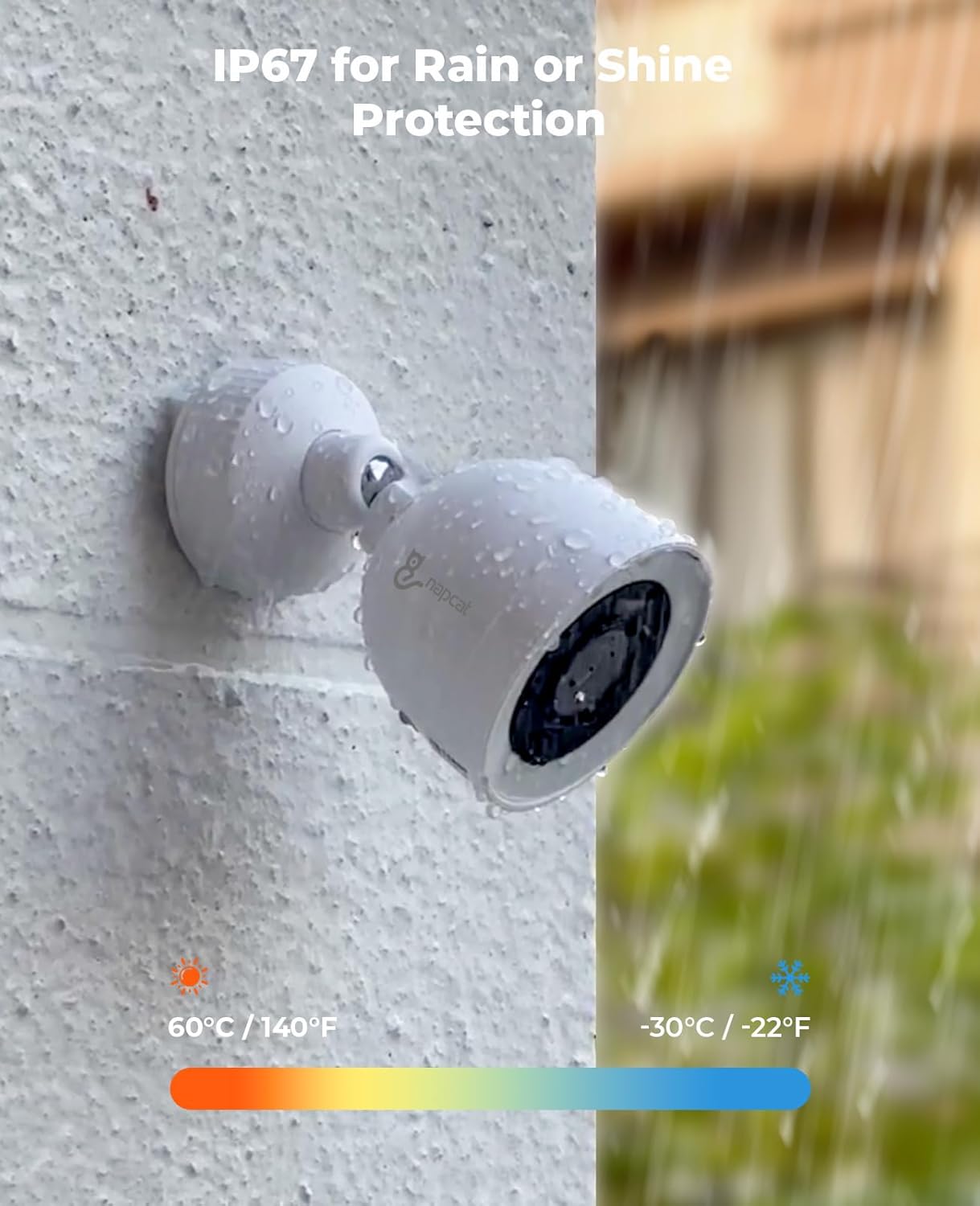
Image: A NAPCAT security camera mounted on an exterior wall, with water droplets visible, demonstrating its IP67 weatherproof rating under rainy conditions.
4. Instrukcja obsługi
4.1 Napcat Life App and PC Client
Manage your security system remotely using the Napcat Life smartphone app (available on Android and iOS) or the PC client (Windows and Mac). These platforms allow you to view transmisje na żywo, dostęp do nagranych zdjęćtage, and configure system settings from anywhere with an internet connection.
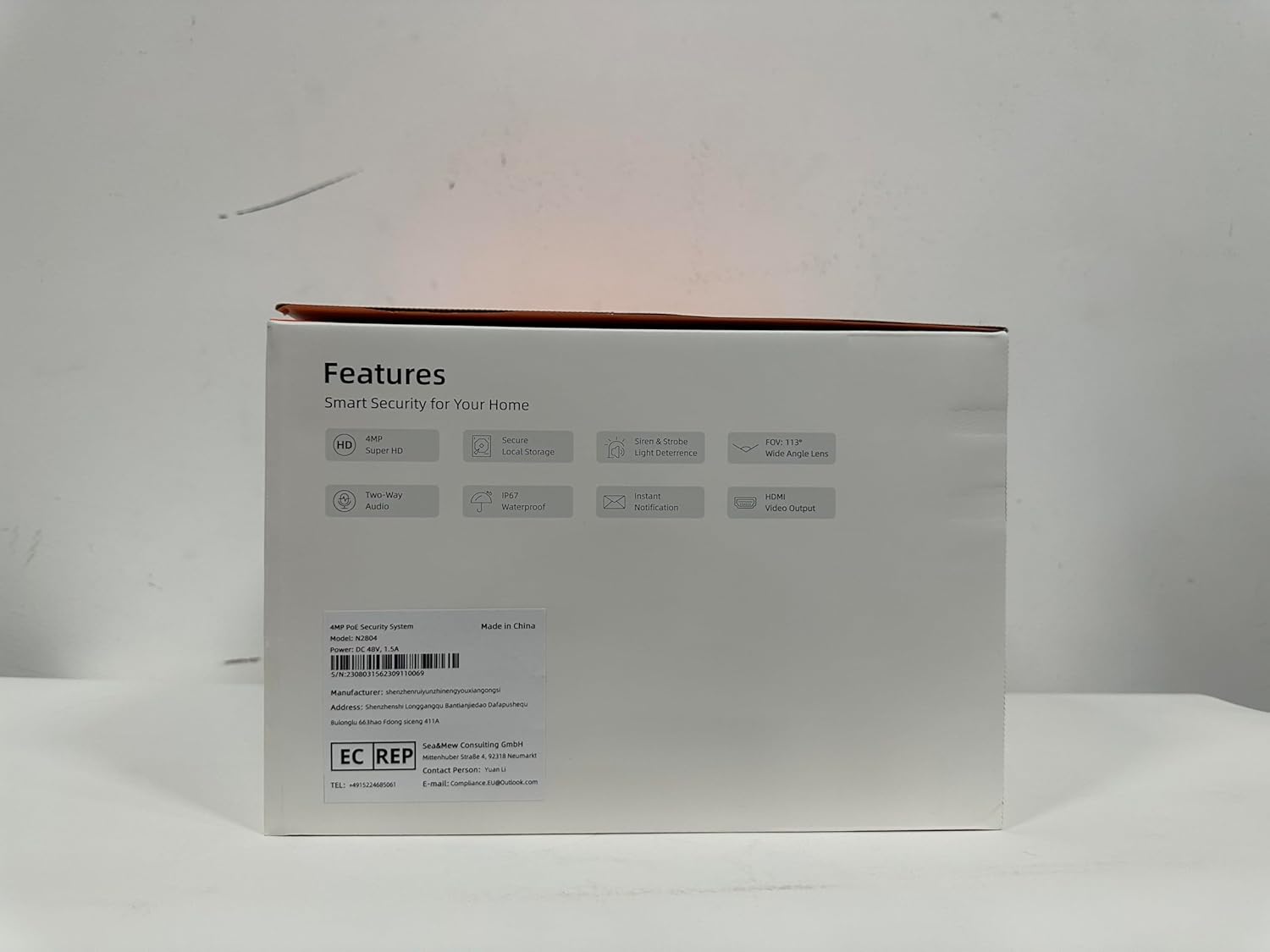
Image: Multiple devices (smartphone, tablet, and desktop PC) displaying live feeds and playback options from the NAPCAT security camera system, highlighting remote access capabilities.
4.2 AI Detection and Smart Deterrence
The system features advanced AI detection for people and vehicles, significantly reducing false alarms caused by irrelevant motion. You can customize detection zones and sensitivity settings to focus on critical areas.
Upon detection, the system can trigger smart deterrence features:
- Światła stroboskopowe: Dynamic strobe lights activate to deter intruders.
- Alarm syreny: An audible siren can be triggered to alert occupants and scare off unwanted visitors.
- Alerty w czasie rzeczywistym: Receive instant notifications on your smartphone app when an event is detected.

Image: A family unloading a car in a driveway, with overlaid graphics indicating the system's human and vehicle detection capabilities, minimizing false alarms.

Image: A split image showing a security camera activating blue strobe lights and then red strobe lights, demonstrating its dual alert smart deterrence feature against a potential intruder.
4.3 F1.0 Color Night Vision
The F1.0 super aperture lenses provide exceptional light gathering capabilities, enabling full-color night vision even in extremely low-light conditions. This ensures detailed and vibrant images 24/7, surpassing traditional black and white night vision.

Image: A hand holding a smartphone displaying a live feed from a security camera at night, showcasing crystal clear, full-color night vision due to the F1.0 Super Aperture.
4.4 Dźwięk dwukierunkowy
Each camera is equipped with a built-in microphone and speaker, allowing for two-way audio communication. This feature is useful for interacting with visitors, delivery personnel, or deterring suspicious individuals directly through the app.

Image: A person speaking through a security camera's two-way audio feature to a delivery driver at their front door, with speech bubbles indicating the conversation.
5. Konserwacja
To ensure optimal performance and longevity of your NAPCAT security camera system, regular maintenance is recommended:
- Czyszczenie soczewek: Okresowo czyść obiektywy aparatu miękką,amp szmatką, aby usunąć kurz, brud lub plamy wodne, które mogą blokować view.
- Kontrola kabla: Check all Ethernet cables for any signs of wear, damage, or loose connections, especially for outdoor runs.
- Aktualizacje oprogramowania układowego: Regularly check for and install firmware updates through the Napcat Life app or PC client to ensure your system has the latest features and security enhancements.
- Zarządzanie pamięcią masową: Podczas gdy dysk twardy o pojemności 2 TB zapewnia ample storage, consider backing up critical footage periodically. The NVR will automatically overwrite older footage gdy dysk jest pełny.
6. Rozwiązywanie Problemów
If you encounter issues with your NAPCAT security camera system, try the following basic troubleshooting steps:
- Brak transmisji wideo: Ensure all cables (power, Ethernet) are securely connected to the NVR and cameras. Check the NVR's network connection to your router.
- Offline Cameras: Verify the PoE connection for the affected camera. Restart the NVR and check if the camera reconnects.
- Fałszywe alarmy: Adjust the AI detection sensitivity and detection zones in the Napcat Life app to reduce unwanted alerts.
- Słaba widoczność w nocy: Ensure the camera lens is clean and free from obstructions. Check for any strong light sources directly facing the camera at night that might interfere with its night vision.
- Problemy ze zdalnym dostępem: Confirm your NVR is properly connected to the internet and that your mobile device has a stable network connection. Restart your router and NVR.
7. Specyfikacje
| Funkcja | Opis |
|---|---|
| Marka | NAPCAT |
| Numer modelu | N2804 |
| Technologia łączności | Przewodowy (PoE) |
| Rozdzielczość przechwytywania wideo | 4MP Super HD (2560x1440) |
| Cechy specjalne | F1.0 Color Night Vision, AI Detection, Behavior Detection, 2-Way Audio, IP67 Weatherproof, Strobe Light & Siren Alarm, Wide Viewing Angle, PoE Connection |
| Liczba kanałów | 8 |
| Pojemność pamięci masowej | 2 TB (dysk twardy) |
| Źródło zasilania | Power over Ethernet for Cameras, Plug-in Corded Electric for NVR |
| Zgodność z systemem operacyjnym | Android, iOS, Windows, Mac |
| Zalecane zastosowania | Home Security, Warehouse/Garden/Farm/Garage Security, Outdoor & Indoor Surveillance |
| Zakres noktowizora | 100 stóp |
| Viewing kąt | 113 stopni |
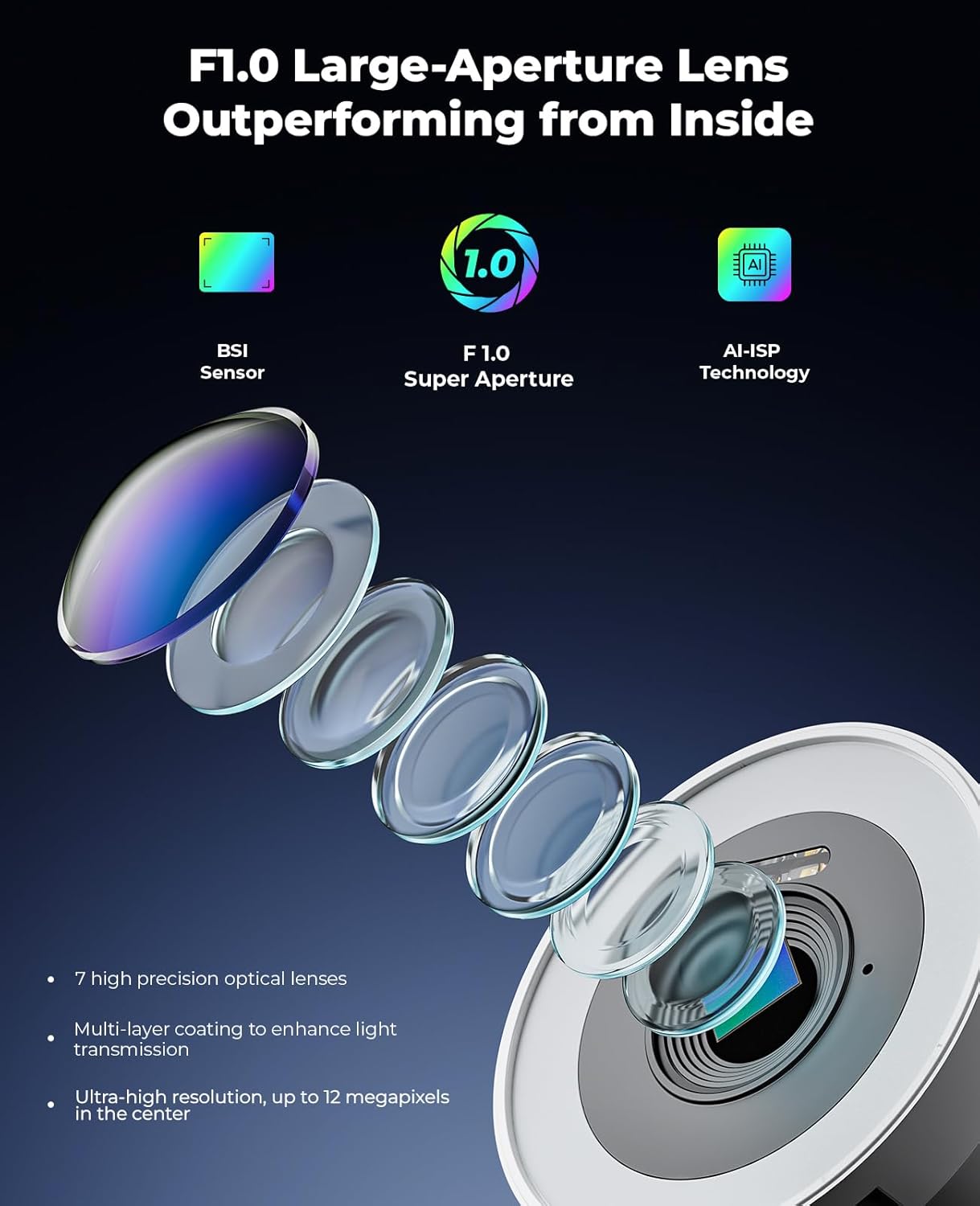
Obraz: Wybuch view diagram illustrating the internal components of the F1.0 large-aperture lens, highlighting its 7 high-precision optical lenses, multi-layer coating, and ultra-high resolution capabilities.

Obraz: Porównanie obok siebie pokazujące szerszy zakres view (113 degrees) provided by the f/2.8mm lens compared to other standard lenses, illustrated with a swimming pool scene.
8. Gwarancja i wsparcie
The NAPCAT PoE Security Camera System (N2804) comes with a 2-year manufacturer service coverage. For any questions, technical assistance, or support needs, please contact NAPCAT customer support. Lifetime customer support is provided to ensure your peace of mind.
Ask a question about this manual
Ask about setup, troubleshooting, compatibility, parts, safety, or missing instructions. Manuals+ will review the question and use this page’s manual context to help answer it.