
Wstęp
This manual provides detailed instructions for the AGPTEK A51PL 16GB Clip MP3 Player. Please read this manual thoroughly before using the device to ensure proper operation and to maximize its features. This portable music player is designed for ease of use, featuring Bluetooth connectivity, FM radio, and a convenient clip for active lifestyles.
Produkt ponadview
Familiarize yourself with the physical components and controls of your AGPTEK A51PL MP3 player.

Obraz: Ponadview of the AGPTEK A51PL MP3 Player's physical features, including the back clip, power/volume buttons, function buttons, headphone jack, and Type-C port.
Główne cechy:
- Projekt klipu: Lightweight and portable, designed for secure attachment during sports or other activities.
- Łączność Bluetooth: Connects wirelessly to Bluetooth headphones or speakers.
- Radio FM: Wbudowane radio FM umożliwiające słuchanie audycji.
- 16 GB pamięci wewnętrznej: Ample space for music files.
- Intuicyjne sterowanie: Easy-to-use buttons for navigation and playback.
Organizować coś
1. Ładowanie urządzenia
Before first use, fully charge the MP3 player. Connect the device to a computer's USB port or a USB wall adapter (not included) using the provided Type-C USB cable. The battery indicator will show charging status.
2. Przesyłanie muzyki Files
Connect the MP3 player to your computer using the Type-C USB cable. The device will appear as a removable disk. Drag and drop your music files (MP3 format supported) into the device's storage folder. Ensure the device is safely ejected from your computer before disconnecting the cable.
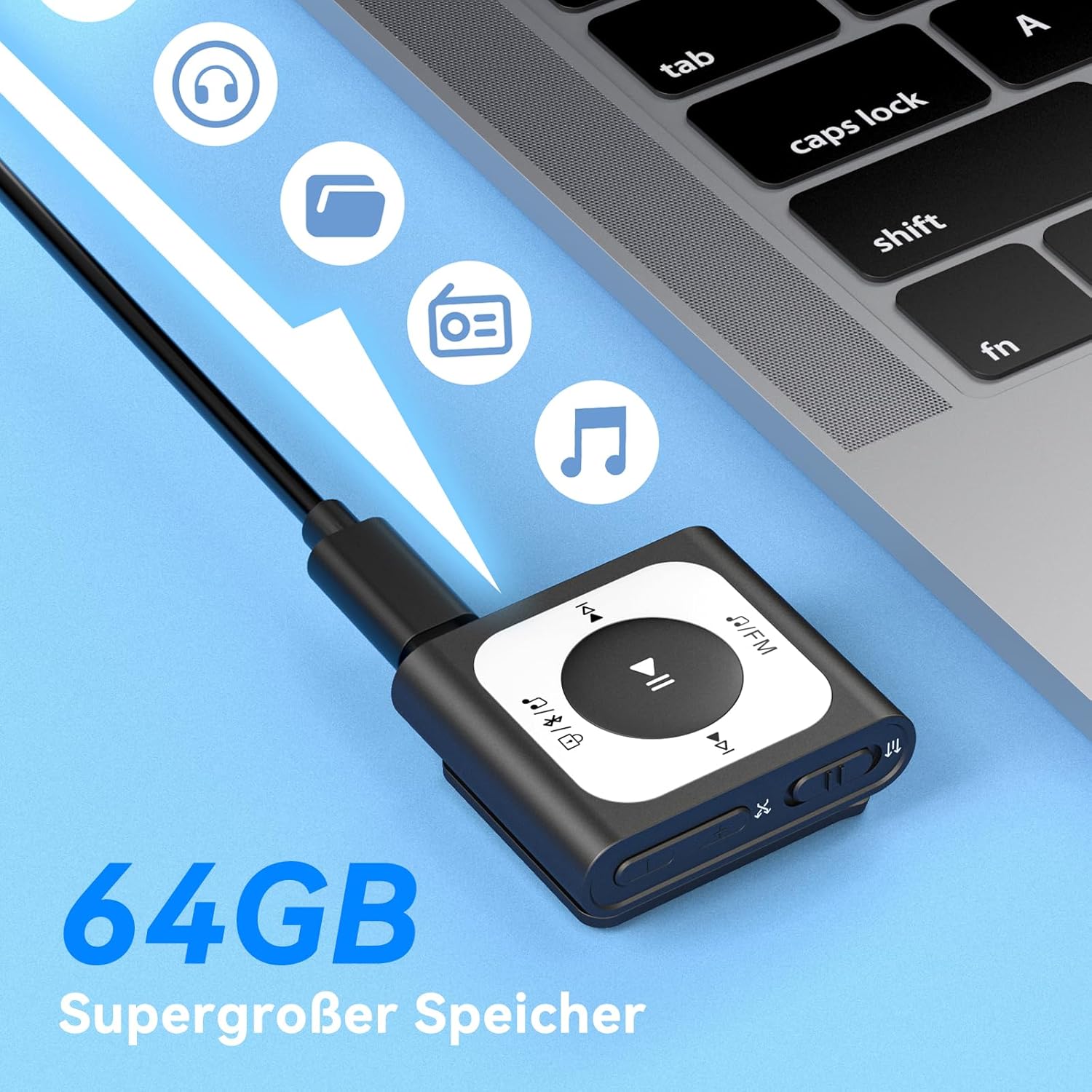
Image: The MP3 player connected to a laptop, illustrating the process of transferring music files to its internal storage. The device has 16GB of internal storage.
3. Włączanie/wyłączanie zasilania
- Włączanie: Press and hold the Power/Volume button (located on the side) for a few seconds until the screen illuminates.
- Aby wyłączyć: Press and hold the Power/Volume button until the device shuts down.
Instrukcja obsługi
1. Podstawowe odtwarzanie muzyki
- Przejdź do menu „Muzyka”.
- Select a song or playlist using the navigation buttons.
- Press the Play/Pause button (center button) to start or pause playback.
- Use the 'Previous' and 'Next' buttons to skip tracks.
- Adjust volume using the Volume Up/Down buttons on the side.
2. Połączenie Bluetooth
Aby połączyć się ze słuchawkami lub głośnikami Bluetooth:
- Upewnij się, że Twoje urządzenie audio Bluetooth jest w trybie parowania.
- On the MP3 player, go to the 'Bluetooth' menu.
- Wybierać 'Szukaj Device' or similar option.
- Choose your Bluetooth device from the list and confirm pairing.

Image: The MP3 player demonstrating its Bluetooth 5.3 compatibility, capable of connecting to various audio devices such as Bluetooth earbuds, headphones, and speakers.
3. Obsługa radia FM
Aby skorzystać z funkcji radia FM:
- Plug in wired headphones; they act as the antenna for the FM radio.
- Przejdź do menu „Radio FM”.
- Select 'Auto Search' to find available stations.
- Use the navigation buttons to switch between saved stations or manually tune.
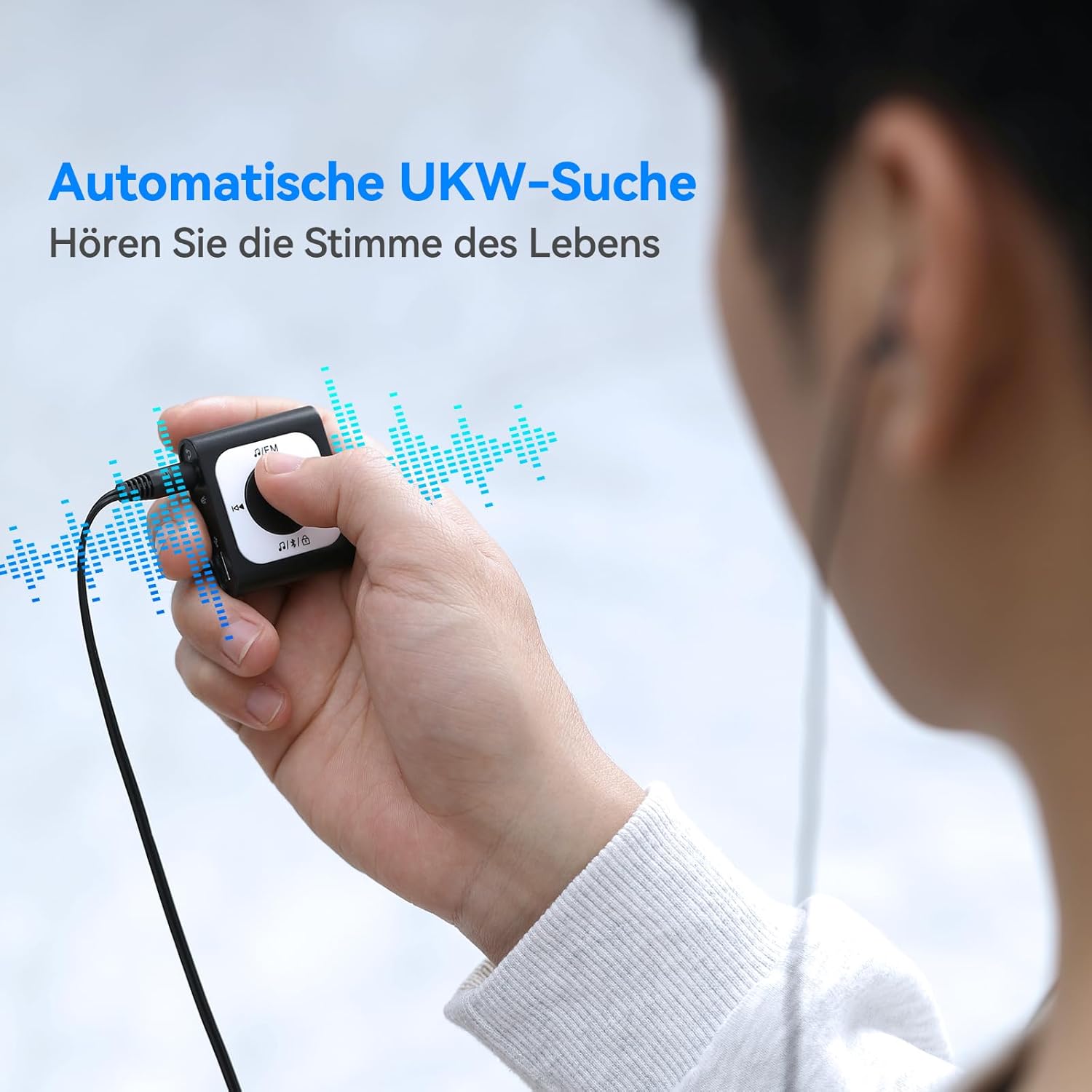
Image: A user operating the MP3 player's automatic FM search function while wearing wired headphones, which are essential for receiving radio signals.
4. Funkcja blokady ekranu
To prevent accidental button presses during activity, use the screen lock feature.
- Zablokować: Double-click the dedicated lock button (often indicated by a padlock icon).
- Aby odblokować: Double-click the lock button again.

Image: The MP3 player highlighting the lock/unlock function, activated by a double-click on the designated button to prevent unintended operations.
5. Using the Clip
The integrated clip allows you to securely attach the MP3 player to clothing, bags, or other items, making it ideal for sports and on-the-go use.

Image: Demonstrations of the MP3 player's portable clip design, showing it attached to a shirt collar, waistband, and backpack strap for convenient, hands-free use.
Konserwacja
Czyszczenie:
- Przetrzyj urządzenie miękką, suchą ściereczką.
- Do not use abrasive cleaners, alcohol, or solvents, as these can damage the surface.
Składowanie:
- Przechowywać urządzenie w chłodnym i suchym miejscu, z dala od bezpośredniego światła słonecznego i ekstremalnych temperatur.
- Unikać przechowywania w środowisku zapylonym lub wilgotnym.
Pielęgnacja baterii:
- Aby zachować sprawność baterii, ładuj ją regularnie, nawet jeśli nie używasz urządzenia często.
- Unikaj całkowitego rozładowania akumulatora przed ponownym ładowaniem.
Rozwiązywanie problemów
Urządzenie się nie włącza:
- Upewnij się, że bateria jest naładowana. Podłącz urządzenie do źródła zasilania i spróbuj ponownie.
- Press and hold the Power button for an extended period (10-15 seconds) to perform a hard reset.
Cannot Connect to Bluetooth Device:
- Make sure both the MP3 player and the Bluetooth audio device are in pairing mode and within range.
- Ensure no other devices are actively connected to either the MP3 player or the Bluetooth audio device.
- Try restarting both devices and attempting to pair again.
Brak dźwięku:
- Check the volume level on both the MP3 player and your connected headphones/speakers.
- Ensure headphones are properly plugged into the jack (if using wired).
- If using Bluetooth, verify the connection is active and the correct output device is selected.
- Test with different headphones or speakers to rule out a faulty accessory.
Files Nie przenoszę:
- Sprawdź, czy kabel USB jest prawidłowo podłączony zarówno do odtwarzacza MP3, jak i do komputera.
- Spróbuj użyć innego portu USB lub kabla.
- Sprawdź, czy to muzyka filePliki są w obsługiwanym formacie (np. MP3).
- Check if the device's storage is full.
Specyfikacje
| Wymiary produktu | 5.91 x 3.94 x 0.79 cala |
| Waga przedmiotu | 3.87 uncji |
| Marka | Talkie |
| Nazwa modelu | A51PL (SMPA51PLBN-VAEU) |
| Funkcja specjalna | Radio FM |
| Technologia łączności | Bluetooth |
| Pojemność pamięci masowej | 16 GB |
| Kolor | Czarny |
| Kompatybilne urządzenia | Urządzenia Bluetooth |
| Zawarte komponenty | Odtwarzacz MP3 |
| Obsługiwane standardy | MP3 |
Gwarancja i wsparcie
Informacje o gwarancji:
For detailed warranty information, please refer to the warranty card included with your product or visit the official AGPTEK webZachowaj paragon jako dowód zakupu na wypadek reklamacji.
Obsługa klienta:
If you encounter any issues not covered in this manual or require further assistance, please contact AGPTEK customer support through their official webstronę internetową lub dane kontaktowe znajdujące się na opakowaniu produktu.