
ATOTO P807PR
ATOTO P807PR Portable Car Stereo Instruction Manual
Model: P807PR
Wstęp
This manual provides detailed instructions for the installation, operation, and maintenance of your ATOTO P807PR Portable Car Stereo. Please read this manual thoroughly before using the device to ensure proper function and safety.
Zawartość opakowania
Sprawdź, czy w przesyłce znajdują się wszystkie elementy wymienione poniżej:
- P8 Nawigator na desce rozdzielczej
- AC-44F6 Zdalne sterowanie układem kierowniczym
- Kabel zasilający
- Podkładka klejąca
- Kabel AUX


Konfiguracja i instalacja
The ATOTO P807PR is designed for easy, plug-and-play installation without requiring complex modifications to your vehicle's existing stereo system.
Montaż urządzenia
The device can be mounted on your dashboard using the provided sticky pad and holder. Ensure the mounting surface is clean and dry for optimal adhesion.


Podłączenie zasilania
Connect the power cable to your vehicle's cigarette lighter socket. The innovative design minimizes cable clutter on your dashboard.

The P807PR is compatible with most vehicles supporting 12V/24V power supply.

Podłączanie do radia samochodowego
The P807PR offers four audio output options to connect to your car's audio system:
- Bluetooth: Connect wirelessly to your car's Bluetooth system.
- FM Transmitter (Stereo Type): Transmit audio to your car radio via an FM frequency.
- AUX (Stereo Type): Use the provided AUX cable for a wired connection.
- Wbudowany głośnik: Do bezpośredniego odtwarzania dźwięku z urządzenia P8.


Instrukcja obsługi
Bezprzewodowy CarPlay i Android Auto
The P807PR supports wireless CarPlay and Android Auto, allowing seamless integration with your smartphone for navigation, music, calls, and messages.


Most apps not compatible with CarPlay or Android Auto can be cast to the P8's large screen via AutoLink.
Wyświetlanie i sterowanie
The 7-inch QLED glare-suppressing touchscreen provides clear visibility even in bright daylight. The intuitive Linux system allows quick access to key features.
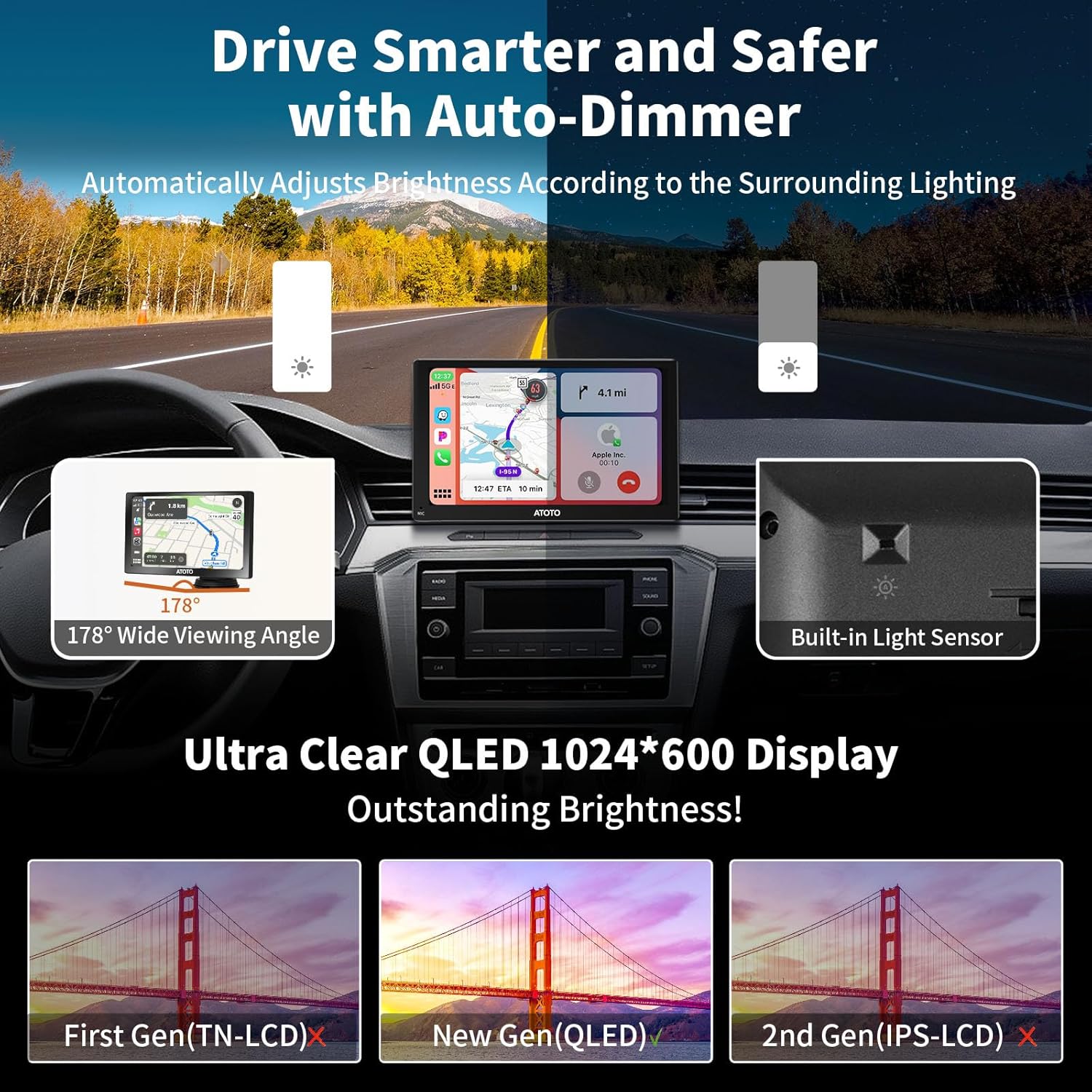


Auto-Dimmer Function
The built-in light sensor automatically adjusts the screen brightness based on ambient light conditions, such as entering or exiting a tunnel, for safer driving.

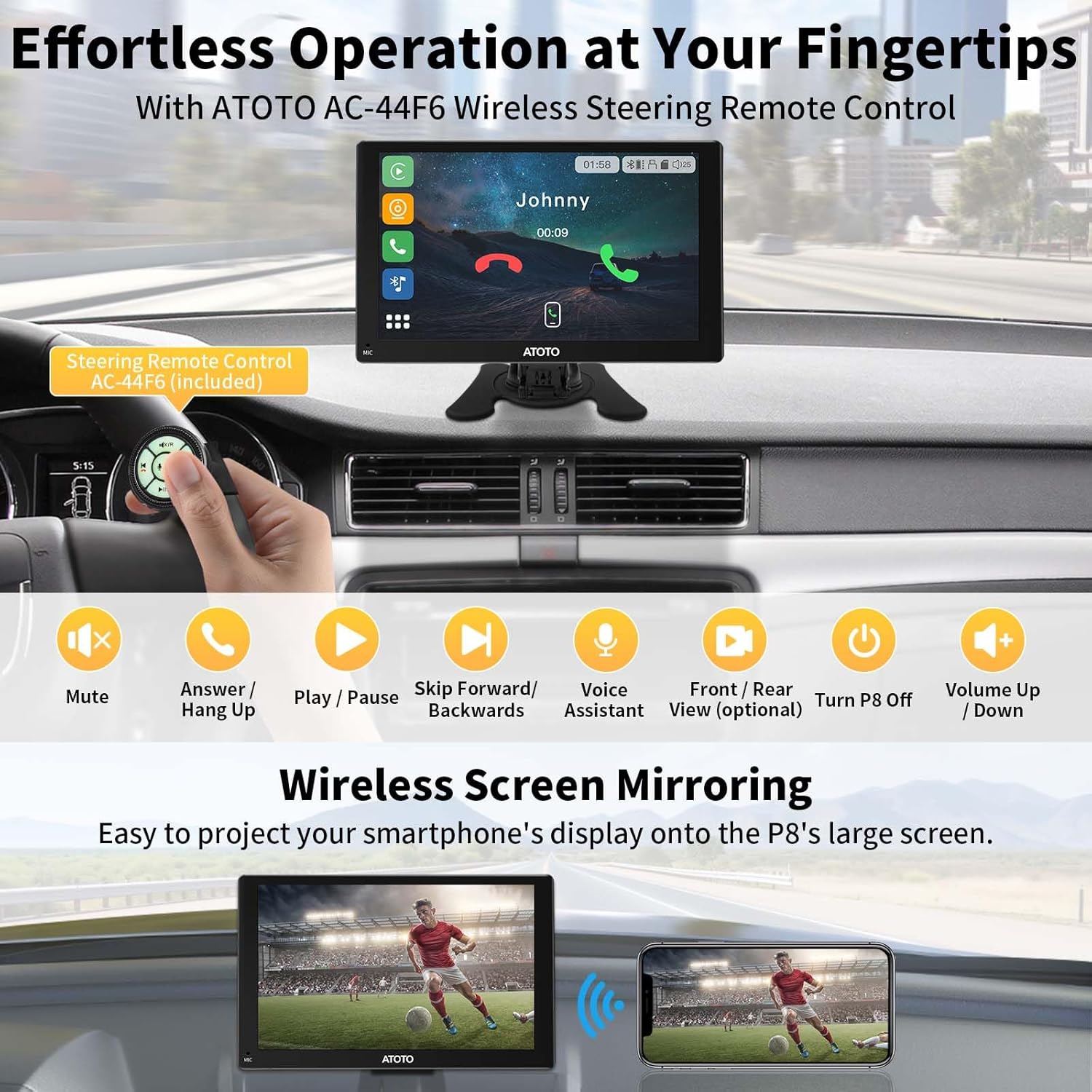
Zdalne sterowanie
The included AC-44F6 wireless remote control provides convenient access to functions like volume adjustment, track skipping, and voice assistant activation, keeping your hands on the steering wheel.

Dual Camera System (DVR)
The P807PR features HD 1080P dual cameras with a 150° viewing angle for both front and rear views. WDR (Wide Dynamic Range) and strong light suppression ensure clear recordings, even against high beams.


G-Sensor & Parking Monitor
The built-in G-sensor detects unusual gravitational changes (e.g., sudden impact) and automatically saves video footage to the emergency list. The Parking Monitor (requires additional accessories) provides 24/7 surveillance, recording incidents while parked.


Odtwarzanie wideo
Video: This video demonstrates the features of the ATOTO P8 Portable Car Stereo, including wireless CarPlay and Android Auto, auto-dimmer, quick charge, remote control, and front/rear camera input with G-sensor and parking monitor functions.
Konserwacja
Aktualizacje oprogramowania
The ATOTO P807PR supports Over-The-Air (OTA) updates to ensure your device always has the latest features and improvements. Follow the on-screen prompts or refer to the ATOTO support webInstrukcje dotyczące aktualizacji znajdują się na stronie.

Czyszczenie urządzenia
Use a soft, dry cloth to clean the screen and exterior of the device. Avoid using abrasive cleaners or solvents that may damage the QLED display or finish.
Rozwiązywanie problemów
If you encounter issues with your ATOTO P807PR, refer to the following common solutions:
- Brak zasilania: Ensure the power cable is securely connected to the cigarette lighter socket and the vehicle's ignition is on. Check the vehicle's fuse for the cigarette lighter.
- Brak wyjścia audio: Verify the selected audio output mode (Bluetooth, FM, AUX, or built-in speaker) is correctly configured and connected to your car's stereo system. Adjust volume levels on both the P8 and your car stereo.
- Problemy z łącznością CarPlay/Android Auto: Ensure your smartphone's Bluetooth and Wi-Fi are enabled and correctly paired with the P8. Restart both the P8 and your phone if connection fails.
- Odblaski ekranu: The QLED display is designed to suppress glare. Ensure the auto-dimmer function is active. If glare persists, adjust the unit's angle or consider a sunshade.
- Camera Not Recording/Saving: Check if an SD card is inserted and properly formatted. Ensure the G-sensor sensitivity is set appropriately. For Parking Monitor, confirm the ATOTO AC-P8AC12 Fast Boot Connector is installed (sold separately).
Aby uzyskać dalszą pomoc, skontaktuj się z obsługą klienta ATOTO.
Specyfikacje
| Funkcja | Szczegół |
|---|---|
| Marka | ATOTO |
| Numer modelu | P807PR (PUS09B74) |
| Rozmiar ekranu | 7 cali |
| Typ wyświetlacza | QLED |
| Rezolucja | 800x480 |
| Typ ekranu dotykowego | Pojemnościowy |
| System operacyjny | Linux |
| Technologia łączności | Bluetooth, USB, Wi-Fi |
| Cechy specjalne | 1080P Dual Camera, Anti-Glare, Auto-Dimmer, Incident Detection, Wireless CarPlay and Android Auto |
| Tryb wyjścia audio | Stereo (Bluetooth, FM Transmitter, AUX, Built-in Speaker) |
| Typ montażu | Montaż na desce rozdzielczej |
| Obsługiwany system nawigacji satelitarnej | GPS (via phone apps) |
| Pojemność pamięci masowej | 128 GB (Max. SD Card) |
| Metoda kontroli | Aplikacja, Pilot, Dotyk, Głos |
| Kompatybilne urządzenia | Android phone, iPhone |
| Typ serwisu pojazdu | Samochód |
| Zasilacz | 12 V/24 V |
Informacje o gwarancji
The ATOTO P807PR comes with a 12-month warranty by default. You can register your product to receive an additional 180 days of extended warranty coverage.

Obsługa klienta
For technical assistance, warranty claims, or any product-related inquiries, please contact ATOTO customer support. Our team is available to provide responsive and responsible support.
E-mail: wsparcie@myatoto.com


Ask a question about this manual
Ask about setup, troubleshooting, compatibility, parts, safety, or missing instructions. Manuals+ will review the question and use this page’s manual context to help answer it.