
1. Wprowadzenie
The usogood TC30 Trail Camera is designed for capturing high-quality images and videos of wildlife and for outdoor surveillance. Featuring 48-megapixel photos and 4K HD video recording at 30 frames per second, this camera provides clear and detailed footage both day and night. Its robust, waterproof design ensures reliable performance in various outdoor environments.

Figure 1: usogood TC30 Trail Camera
2. Zawartość opakowania
Przed przystąpieniem do konfiguracji należy sprawdzić, czy w opakowaniu znajdują się wszystkie elementy:
- 1x usogood TC30 Trail Camera
- 8x AA Batteries (1.5V)
- Karta SD 1x 32GB
- 1x Pasek montażowy
- 1x kabel USB
- 1x Instrukcja obsługi

Figure 2: Package contents including camera, batteries, SD card, strap, and cable.
3. Przewodnik konfiguracji
3.1 Instalacja baterii
The camera requires 8 AA batteries for operation. Ensure correct polarity when inserting the batteries.
- Otwórz kamerę casing.
- Zlokalizuj komorę baterii.
- Włóż 8 baterii AA, dopasowując bieguny dodatnie (+) i ujemne (-), jak pokazano.

Figure 3: Proper battery installation.
3.2 Wkładanie karty SD
A 32GB SD card is included for storing photos and videos.
- Otwórz kamerę i znajdź gniazdo karty SD.
- Włóż kartę SD do gniazda, aż zatrzaśnie się na miejscu. Upewnij się, że karta jest włożona prawidłowo.

Figure 4: SD card insertion.
3.3 Włączanie i wybór trybu
The camera has an ON/TEST/OFF switch to select the operating mode.
- Slide the switch to the 'TEST' position to access the menu and configure settings. The screen will activate.
- After configuring settings, slide the switch to the 'ON' position for automatic operation. The screen will turn off, and the camera will enter surveillance mode.
- Slide the switch to 'OFF' to power down the camera.

Figure 5: ON/TEST/OFF switch.
3.4 Montaż kamery
The camera is designed for outdoor use and can be mounted using the provided strap.
- Securely attach the camera to a tree or pole using the mounting strap.
- Dostosuj kąt kamery tak, aby objąć wybrany obszar nadzoru.
Rysunek 6: Kamera zamontowana na drzewie, prezentująca jej klasę wodoodporności IP66.
4. Obsługa aparatu
4.1 Możliwości widzenia w nocy
The camera features 36 850nm infrared LEDs for clear night vision without startling animals. The 4K version uses red PIR indicator lights.

Rysunek 7: Example of night vision capture.
4.2 Video and Image Quality
The TC30 captures 4K HD video at 30fps and 48-megapixel still images, ensuring high-quality recordings.
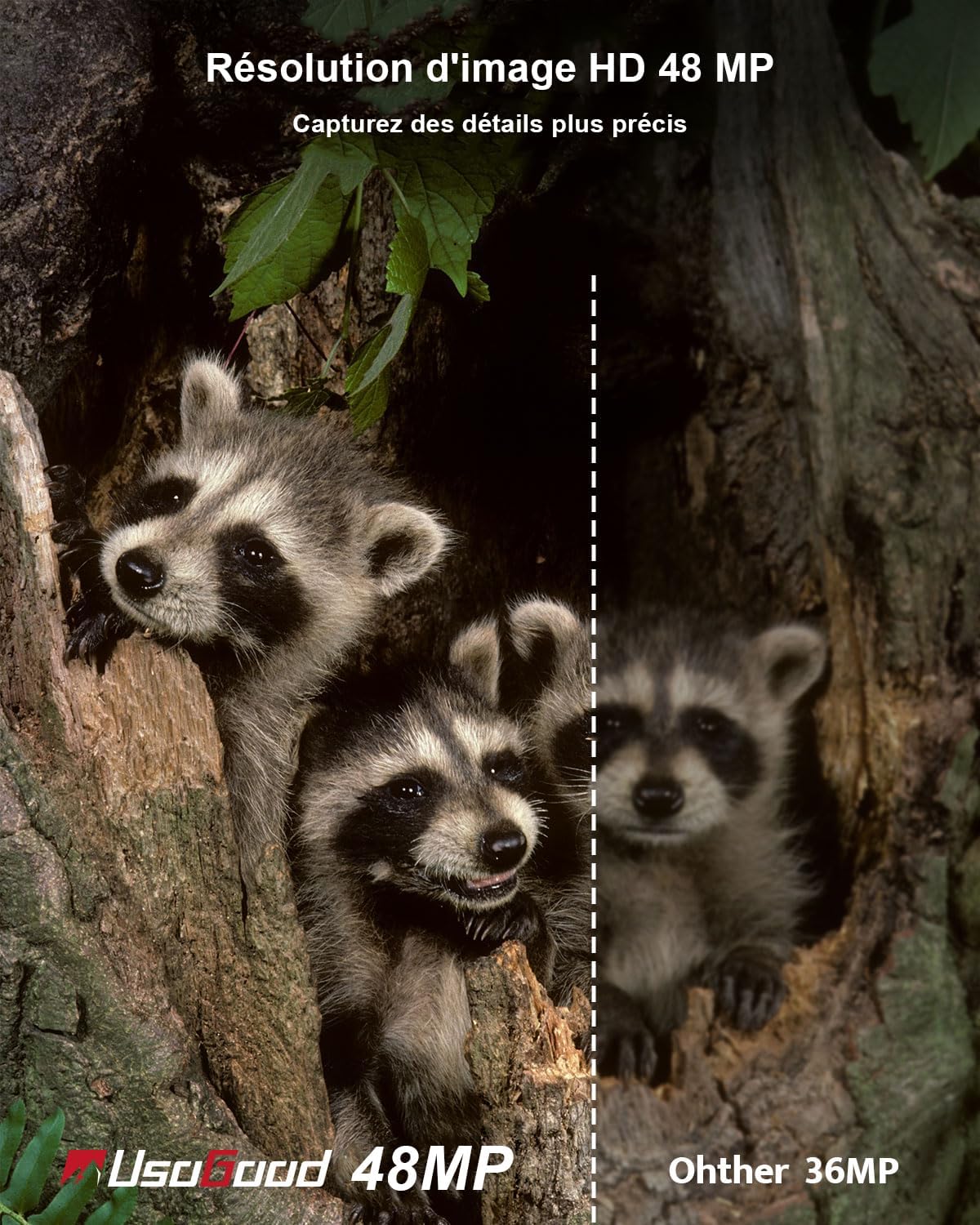
Rysunek 8: Example of 4K video quality.

Figure 9: Comparison of 48MP image resolution.
4.3 Detekcja ruchu i prędkość wyzwalania
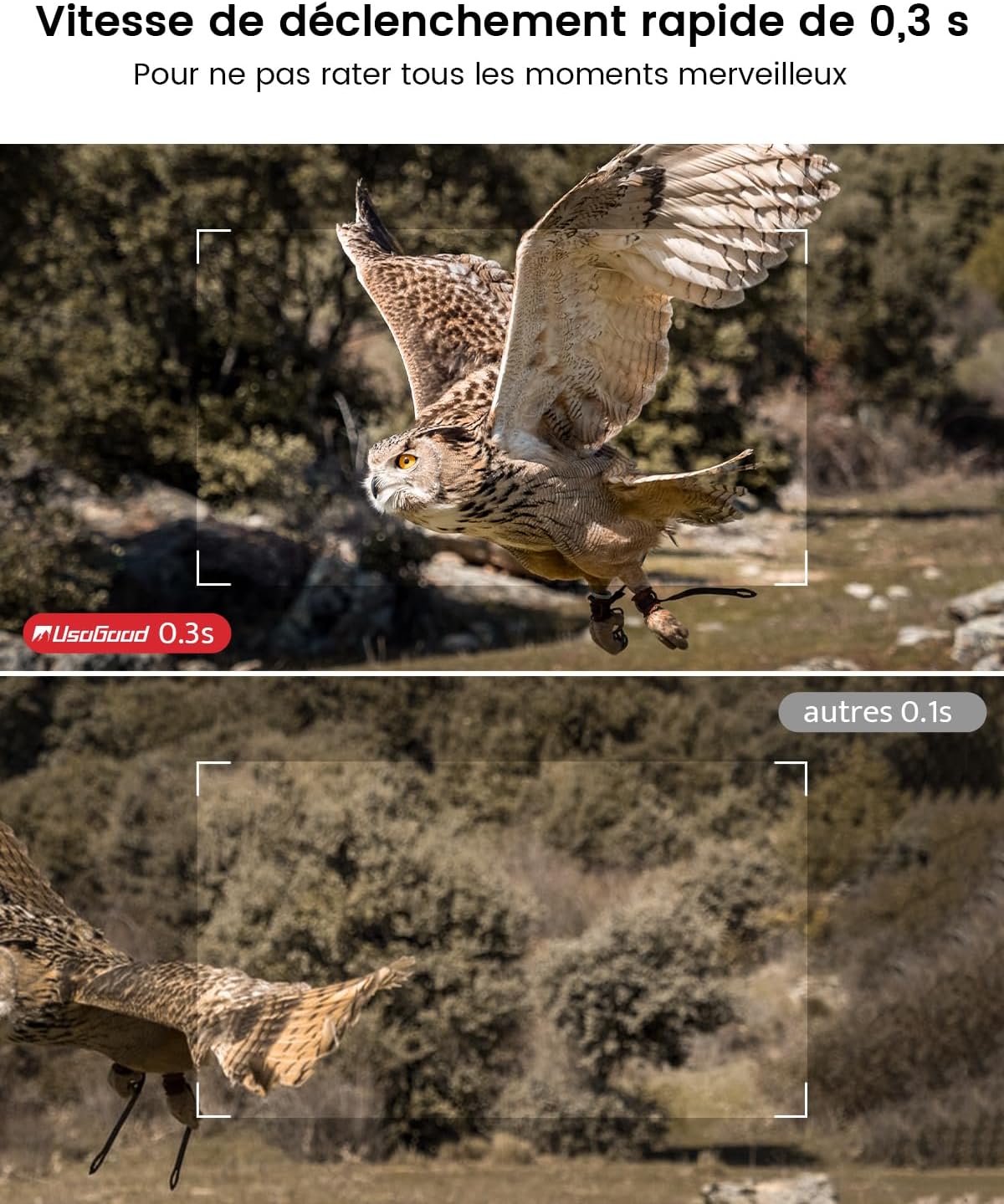
Equipped with a 120° wide-angle PIR sensor, the camera detects motion and triggers recording within 0.3 seconds.

Figure 10: 120° wide-angle PIR detection.
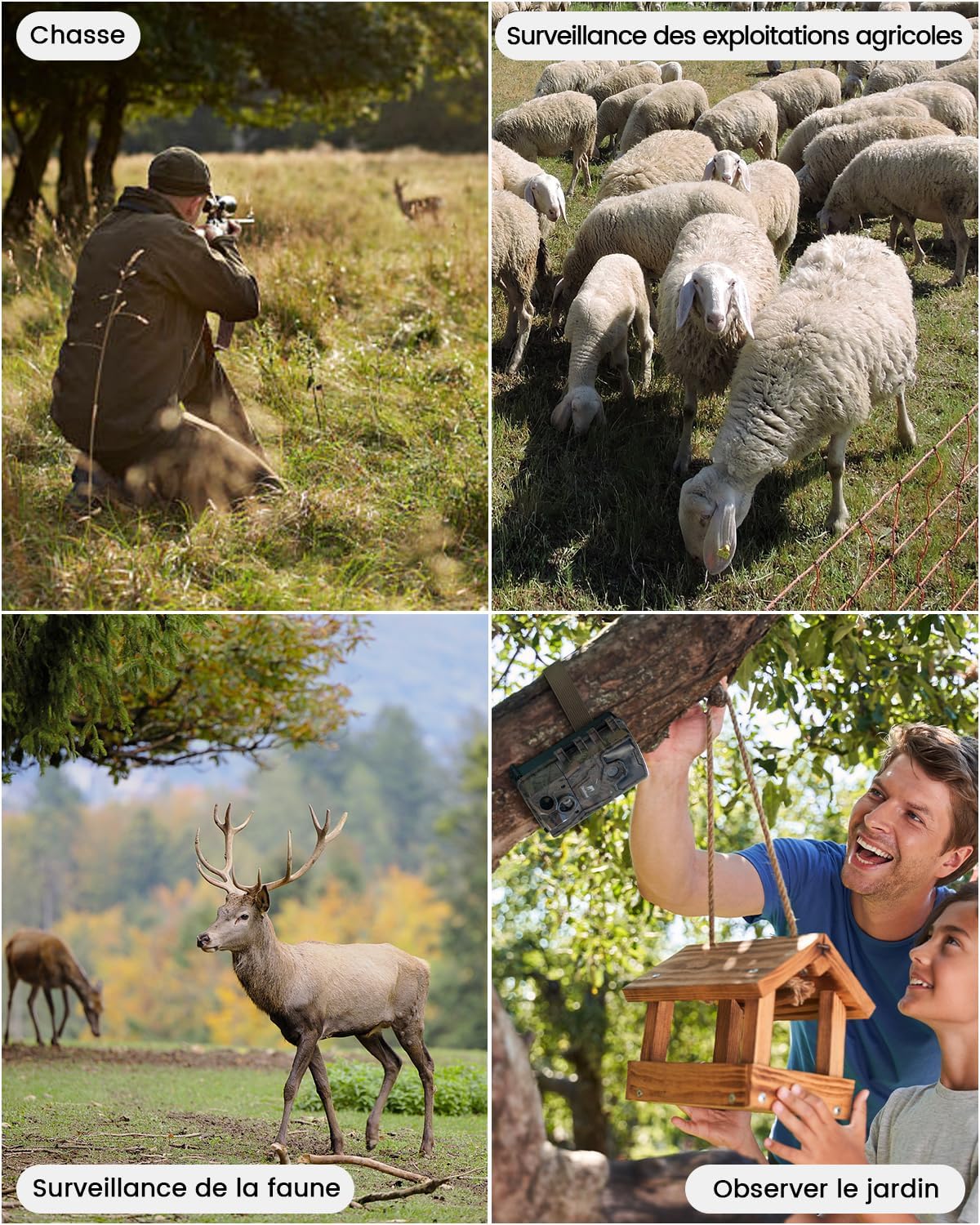
Figure 11: Fast 0.3-second trigger speed.
4.4 Funkcja poklatkowa
The camera supports time-lapse recording, allowing observation of gradual changes over time.

Figure 12: Time-lapse recording of plant growth.
5. Zarządzanie mediami
5.1 Viewi usuwanie Files
Do view or delete recorded videos and pictures:
- Slide the camera switch to the 'TEST' position.
- Press the 'MODE' button twice to enter the viewinterfejs.
- Use the 'UP' and 'DOWN' buttons to navigate through videos and pictures.
- Press the 'OK' button to play a selected video or view obrazek.
- To delete, press 'MENU', select 'Delete', then choose 'Delete Current' or 'Delete All', and confirm.
6. Aplikacje
The usogood TC30 Trail Camera is suitable for various outdoor applications:
- Obserwacja dzikiej przyrody: Capture images and videos of animals in their natural habitat.
- Polowanie: Monitoruj szlaki łowieckie i aktywność zwierząt.
- Nadzór nad nieruchomościami: Enhance security for homes, farms, or backyards.
- Garden Monitoring: Observe garden visitors or plant growth.

Figure 13: Diverse applications of the TC30 camera.

Rysunek 14: Sample images captured by the camera.
7. Rozwiązywanie Problemów
If you encounter issues with your usogood TC30 Trail Camera, consider the following:
- Kamera nie włącza się: Sprawdź instalację baterii i upewnij się, że są całkowicie naładowane.
- No recordings: Verify the SD card is correctly inserted and has sufficient space. Check motion detection settings.
- Słabe widzenie w nocy: Ensure the camera is positioned correctly and there are no obstructions blocking the IR LEDs.
- Krótka żywotność baterii: Reduce the frequency of recordings or video length in settings. Consider using high-quality alkaline batteries.
For further assistance, please contact usogood customer support.
8. Specyfikacje
| Funkcja | Specyfikacja |
|---|---|
| Nazwa modelu | TC30 |
| Rozdzielczość obrazu | 48 megapiksela |
| Rozdzielczość wideo | 4K (30 fps) |
| Wizja nocna | 36 x 850nm Infrared LEDs |
| Kąt wykrywania PIR | 120 stopni |
| Szybkość wyzwalania | 0.3 sekund |
| Stopień wodoodporności | IP66 |
| Źródło zasilania | 8 baterii AA (w zestawie) |
| Składowanie | Karta SD 32 GB (w zestawie) |
| Technologia łączności | Brak WiFi |
| Tworzywo | Plastikowy |
| Wymiary (dł. x szer. x wys.) | Wymiary 13.3 x 9 x 5.2 cm |
| Waga | 720 gramów |
9. Gwarancja i wsparcie
The usogood TC30 Trail Camera comes with a 2-year manufacturer's warranty.
For product support, warranty claims, or any questions, please refer to the contact information provided in your package or visit the official usogood webstrona.
You can also scan the QR codes below for official usogood resources:
