
Produkt ponadview
The DOOGEE S110 is a robust and high-performance rugged smartphone designed for durability and extensive use. It features a large battery, advanced camera system, and a unique rear display for enhanced convenience.
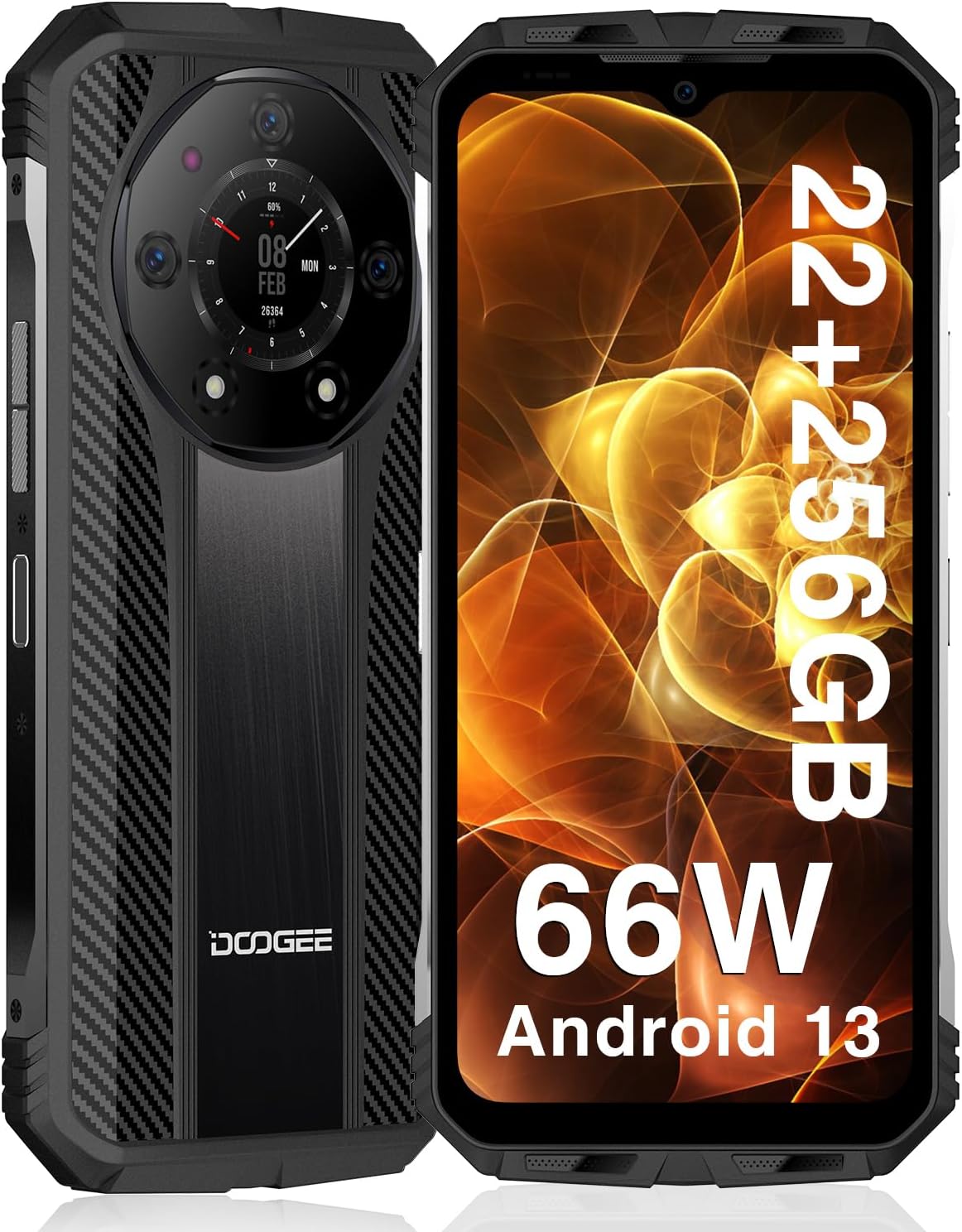
Przód i tył view of the DOOGEE S110 Rugged Smartphone, highlighting its robust design and rear display.
- Wysoka wydajność: Equipped with 22GB RAM (12GB fixed + 10GB virtual) and 256GB ROM, expandable up to 2TB via TF card, powered by a 6nm chipset clocked at up to 2.2GHz.
- Długotrwała bateria: Features a 10800mAh battery with 66W super fast charging, providing up to 960 hours standby time and 45 hours talk time. Supports reverse charging.
- Innovative Rear Display: A 1.09-inch rear display for quick access to functions like battery level, music playback, and call management.
- Zaawansowany system kamer: Includes a 50MP main camera, 32MP front camera, and a 24MP night vision camera for versatile photography.
- Wytrzymała trwałość: IP68/IP69K waterproof, dust-resistant, and MIL-STD-810H certified for drop resistance up to 1.5 meters.
- Łączność: Supports Dual Nano SIM, NFC for Google Pay, Wi-Fi 2.4G/5G, Bluetooth 5.2, and multiple positioning modes (GPS, Glonass, Galileo, Beidou).
Przewodnik po konfiguracji
1. Wkładanie kart SIM i karty TF
The DOOGEE S110 supports two Nano SIM cards or one Nano SIM card and one TF (microSD) card for expanded storage.
- Znajdź tackę na kartę SIM znajdującą się z boku urządzenia.
- Otwórz tackę za pomocą dołączonego narzędzia do wyjmowania karty SIM.
- Ostrożnie umieść kartę(y) Nano SIM i/lub kartę TF w wyznaczonych gniazdach na tacce. Upewnij się, że złote styki są skierowane w dół.
- Delikatnie wsuń tackę z powrotem do urządzenia, aż będzie przylegać do powierzchni.
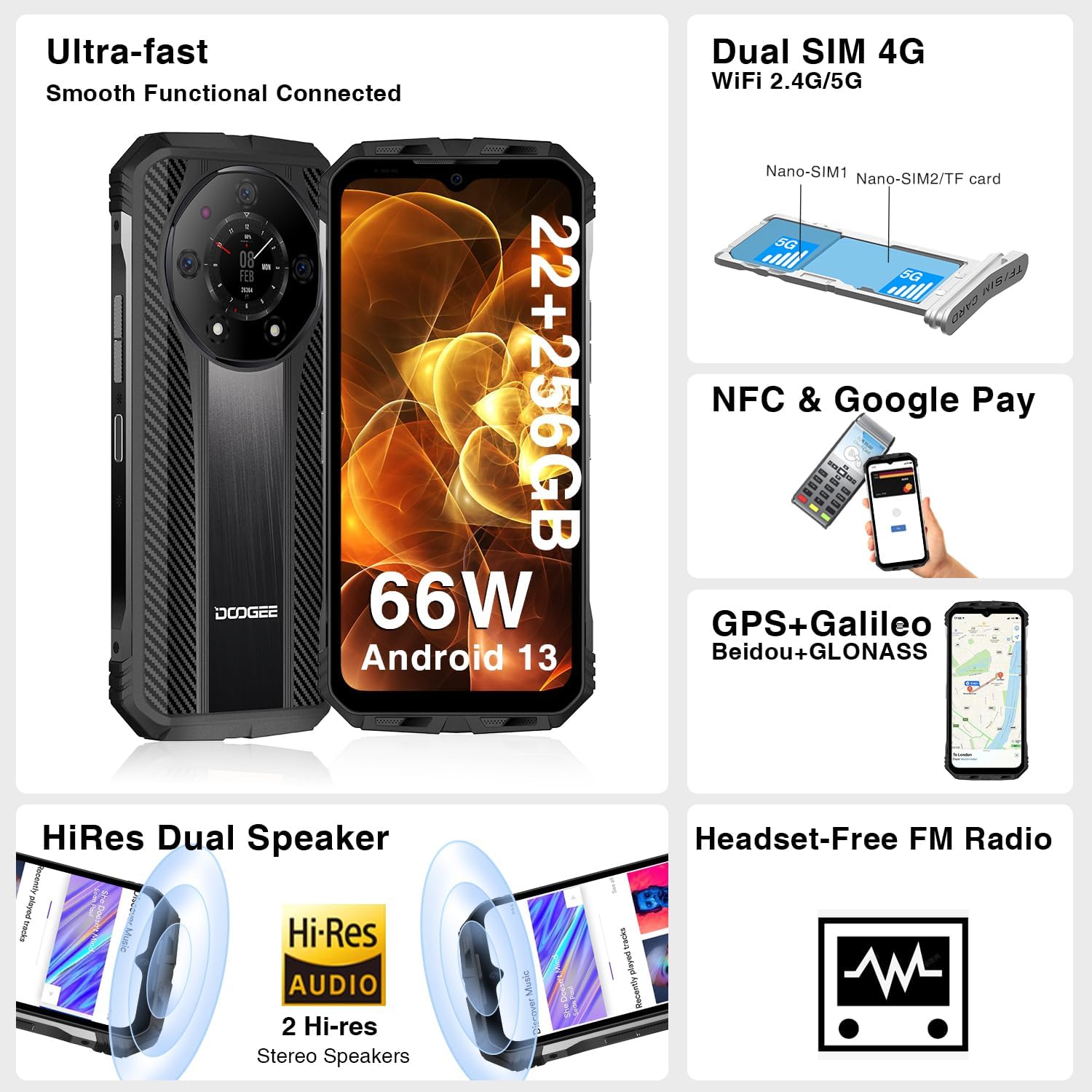
Illustration of inserting Nano SIM cards and a TF card into the DOOGEE S110's card tray.
2. Pierwsze ładowanie i włączanie
Przed pierwszym użyciem zaleca się pełne naładowanie urządzenia.
- Podłącz kabel USB typu C do portu ładowania znajdującego się na dole telefonu.
- Connect the other end of the cable to the 66W fast charger and plug it into a power outlet.
- Pozostaw telefon do naładowania, aż wskaźnik baterii pokaże 100%.
- To power on, press and hold the Power button (located on the side) until the DOOGEE logo appears on the screen.

The DOOGEE S110 connected to its 66W fast charger, illustrating the rapid charging capability.
Instrukcja obsługi
Wyświetlacz i interakcja
The DOOGEE S110 features a 6.6-inch FHD+ display with a 120Hz refresh rate for smooth visuals. It is protected by Corning Gorilla Glass.

The vibrant 6.6-inch FHD+ display of the DOOGEE S110, showcasing jego jakość wizualna.
Funkcje aparatu
Rób wysokiej jakości zdjęcia i filmy dzięki wszechstronnemu systemowi aparatów.
- Główny aparat 50 MP: For detailed and clear images in various lighting conditions.
- Przedni aparat 32 MP: Idealny do robienia selfie i rozmów wideo.
- Kamera noktowizyjna 24 MP: Wykorzystuje czujniki podczerwieni w celu rejestrowania wyraźnych obrazów w całkowitej ciemności.

Ponadview of the DOOGEE S110's camera capabilities, including the 50MP main, 32MP front, and 24MP night vision cameras.
Using the Innovative Rear Display
The 1.09-inch rear display provides quick access to essential information and controls without needing to activate the main screen.
- Obudź się: Double-click the rear display, flip the phone, or synchronize with the main screen to activate it.
- Funkcje: Check battery level, manage music playback, view incoming call reminders, and capture quick photos.

The DOOGEE S110's innovative rear display showing various functions like battery check, music control, and call management.
Funkcje łączności
The S110 offers robust connectivity options for seamless communication and navigation.
- NFC: For contactless payments via Google Pay and quick data transfer.
- Dual SIM 4G: Obsługuje dwie karty Nano SIM, co zapewnia elastyczność korzystania z sieci.
- Wi-Fi: Supports 2.4G/5G for fast internet access.
- GPS: Integrated GPS, GLONASS, Galileo, and Beidou for accurate positioning.
Konserwacja
The DOOGEE S110 is built to withstand harsh environments, but proper maintenance ensures its longevity.

Visual representation of the DOOGEE S110's MIL-STD-810H, IP68, and IP69K ratings, demonstrating its durability against drops, water, and dust.
- Czyszczenie: Przetrzyj urządzenie miękką, damp płótno. Unikaj stosowania ostrych chemikaliów lub materiałów ściernych.
- Ochrona portu: Ensure all port covers (USB-C, SIM tray) are securely closed to maintain water and dust resistance, especially before exposure to liquids or dusty environments.
- Temperatura: Avoid exposing the phone to extreme temperatures (very hot or very cold) for prolonged periods, as this can affect battery life and internal components.
- Uderzenie: While rugged, avoid unnecessary drops or impacts. The MIL-STD-810H rating provides protection but is not a guarantee against all damage.
Rozwiązywanie problemów
W tej sekcji opisano typowe problemy, jakie mogą wystąpić w urządzeniu DOOGEE S110.
- Urządzenie nie włącza się: Ensure the battery is charged. Connect to the charger and wait a few minutes before attempting to power on again. If unresponsive, try a forced restart by holding the Power button for 10-15 seconds.
- Poor Signal/Connectivity: Check if SIM cards are correctly inserted. Ensure you are within network coverage. Try toggling Airplane Mode on and off. If issues persist, contact your carrier.
- Awarie aplikacji/powolne działanie: Close background applications. Clear app cache (Settings > Apps > [App Name] > Storage > Clear Cache). Restart the device. Ensure sufficient storage space is available.
- Szybkie rozładowywanie baterii: Reduce screen brightness. Disable unused features like Wi-Fi, Bluetooth, GPS when not needed. Limit background app refresh. Check battery usage in settings to identify power-hungry apps.
- Rear Display Not Responding: Ensure the main screen is active or try double-tapping the rear display. Check for any system updates that might resolve software glitches.
For persistent issues, consider performing a factory reset (backup your data first) or contact customer support.
Specyfikacje
| Funkcja | Szczegół |
|---|---|
| Nazwa modelu | DOOGEE S110 |
| System operacyjny | Android 13.0 |
| Rozmiar zainstalowanej pamięci RAM | 22 GB (12 GB + 10 GB wirtualnej) |
| Pojemność pamięci masowej | 256 GB (Expandable up to 2TB TF) |
| Rozmiar ekranu | 6.58 cali |
| Rezolucja | 1920 x 1080 (FHD+) |
| Częstotliwość odświeżania | 120 Hz |
| Prędkość procesora | 2.2 GHz |
| Pojemność baterii | 10800 mlnamp Godziny |
| Ładowanie | Szybkie ładowanie 66 W |
| Główna kamera | 50MP |
| Przednia kamera | 32MP |
| Kamera Night Vision | 24MP |
| Wyświetlacz tylny | 1.09 cali |
| Oceny trwałości | IP68, IP69K, MIL-STD-810H |
| Łączność | NFC, Wi-Fi, Bluetooth, GPS |
| Waga przedmiotu | 1.57 funta |
Gwarancja i wsparcie
DOOGEE is committed to providing excellent customer service and support for your S110 Rugged Smartphone.
- 2-letnia gwarancja: The DOOGEE S110 comes with a 2-year limited warranty covering manufacturing defects.
- 30-dniowa gwarancja zwrotu pieniędzy: Skorzystaj z 30-dniowej gwarancji zwrotu pieniędzy i bezpłatnego zwrotu.
- Wsparcie techniczne 24/7: Access to 24/7 online technical support for any queries or assistance you may need.
For warranty claims or technical assistance, please visit the official DOOGEE support webodwiedź stronę internetową lub skontaktuj się bezpośrednio z działem obsługi klienta.