
1. Wprowadzenie
This manual provides instructions for the proper setup, operation, and maintenance of your Tera 3106-2 1D USB Wired Barcode Scanner. Please read this manual thoroughly before using the device to ensure optimal performance and longevity.
2. Koniec produktuview
The Tera 3106-2 is a high-speed, accurate 1D barcode scanner designed for various applications including retail, small businesses, libraries, and warehouses. It features a plug-and-play USB connection and supports multiple customization options.

Rysunek 2.1: The Tera 3106-2 scanner is designed to be eye-safe, operating without a visible laser.
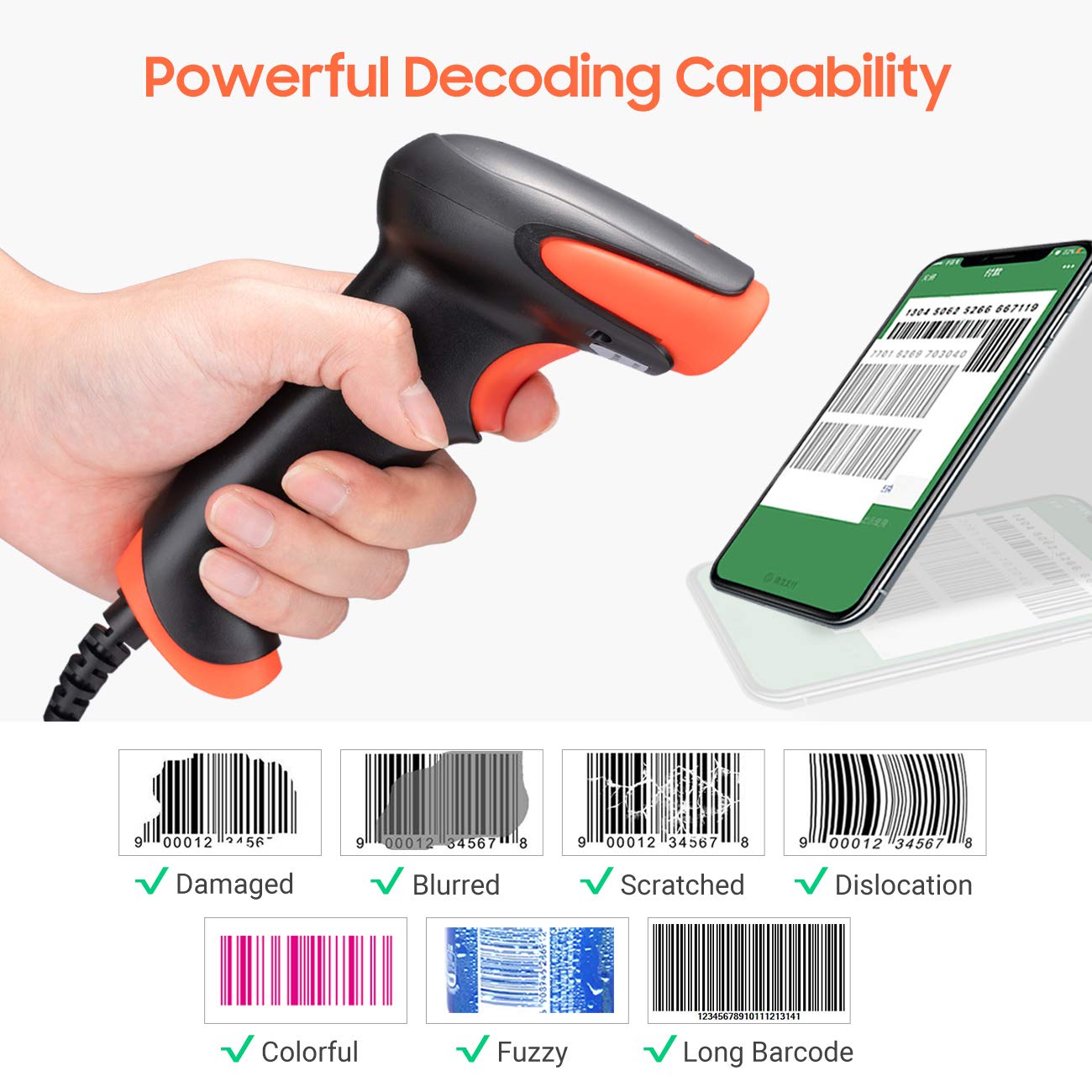
Rysunek 2.2: The scanner offers powerful decoding capabilities, accurately reading damaged, blurred, scratched, dislocated, colorful, fuzzy, and long 1D barcodes.
3. Zawartość opakowania
- Tera 3106-2 Barcode Scanner x1
- Instrukcja obsługi x1
4. Konfiguracja
The Tera 3106-2 barcode scanner is designed for simple plug-and-play operation. No additional drivers or software installation is required for most systems.
- Podłącz kabel USB: Plug the USB cable of the scanner into an available USB 2.0 port on your computer (desktop or laptop).
- Rozpoznawanie systemu: Your operating system (Windows, Linux, macOS, iOS, Android) will automatically detect and install the necessary device drivers. This process may take a few moments.
- Gotowy do użycia: Once the system indicates that the device is ready, the scanner can be used with applications such as Word, Excel, Novell, or other common software that accepts keyboard input.

Rysunek 4.1: The scanner is compatible with various devices and operating systems, including Windows, Linux, macOS, iOS, and Android.
5. Instrukcja obsługi
5.1 Podstawowe skanowanie
To scan a barcode, aim the scanner's light beam at the center of the barcode. A successful scan will typically be indicated by an audible beep and/or a visual confirmation (e.g., LED indicator). The decoded data will appear in the active input field on your connected device.
5.2 Tryby skanowania
The scanner supports two primary scanning modes:
- Skanowanie ręczne: Press the trigger button to initiate a scan. This is the default mode.
- Auto Continuous Scanning: The scanner continuously emits a scan beam, automatically reading barcodes presented to it without needing to press the trigger.
To switch between these modes, refer to the configuration barcodes provided in the supplementary user guide or quick start sheet that came with your scanner. Scan the appropriate barcode to change the mode.
6. Opcje dostosowywania
The Tera 3106-2 scanner offers various customization settings to adapt to your specific needs. These settings are typically configured by scanning special barcodes found in the included user guide.
- Prefiks/Sufiks: Dodaj niestandardowe znaki przed lub po zeskanowaniu danych.
- Tom: Adjust the sound level of the scan confirmation beep.
- Terminator: Configure the character sent after the barcode data (e.g., Carriage Return, Tab).
- Upper/Lower Case: Convert scanned data to all uppercase or all lowercase.
- Język klawiatury: Select the appropriate keyboard layout for your region. Supported languages include English, Spanish, German, French, Italian, Japanese, and more.
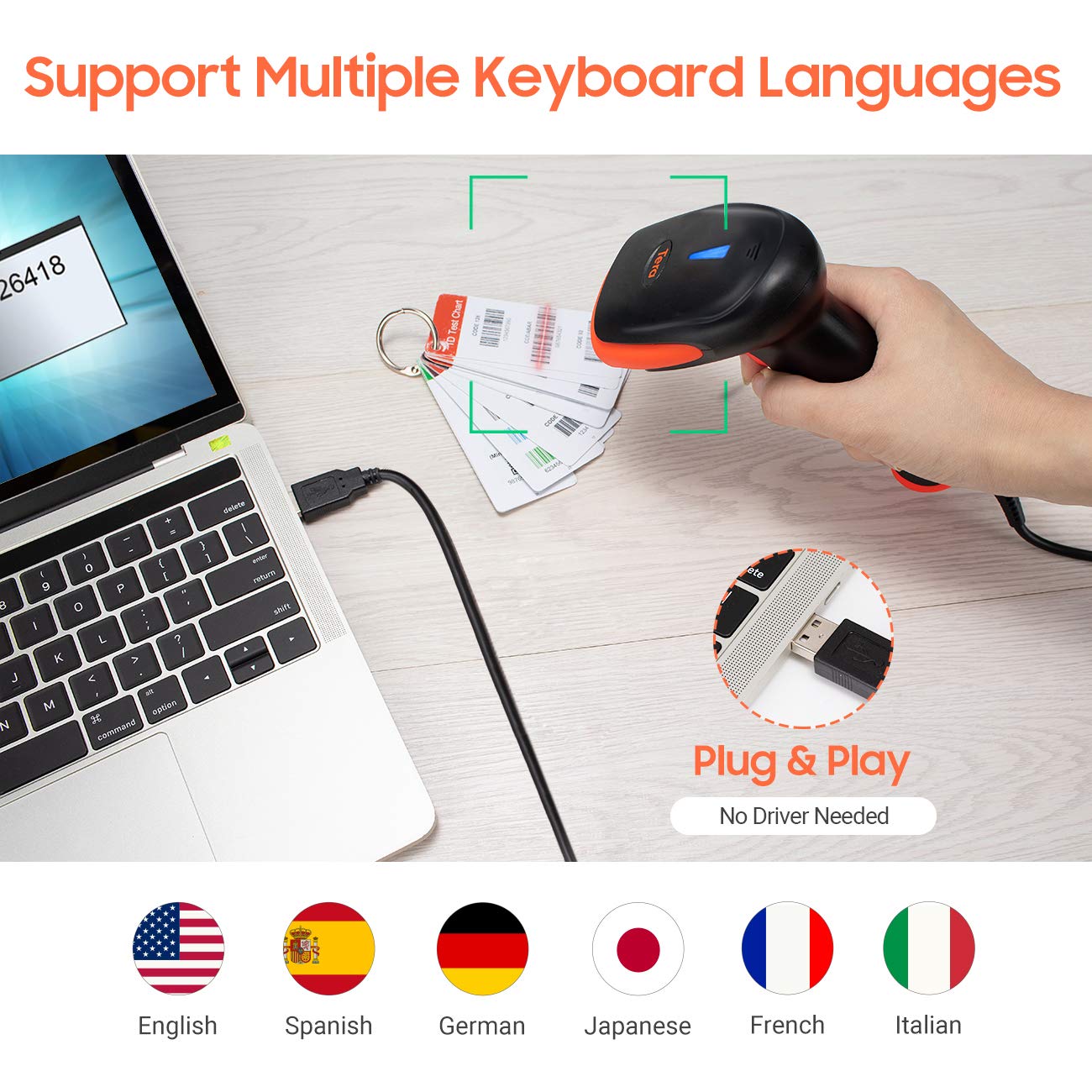
Rysunek 6.1: The scanner supports multiple keyboard languages for diverse international use.

Rysunek 6.2: Customize barcode output by adding prefixes, suffixes, or hiding specific digits.
7. Obsługiwane kody kreskowe
This scanner is compatible with a wide range of 1D barcode symbologies, including but not limited to:
- UPC&EAN (UPC-A, UPC-E, EAN-8, EAN-13)
- Kod 39, KOD32, Kod 93, KOD11, Kod 128, UCC-EAN128
- ISSN, ISBN
- CODABAR, MSI
- Interleaved 2 of 5, Matrix 2 of 5, Industrial 2 of 5
- I więcej.
The scanner also supports reading 1D barcodes directly from digital screens.
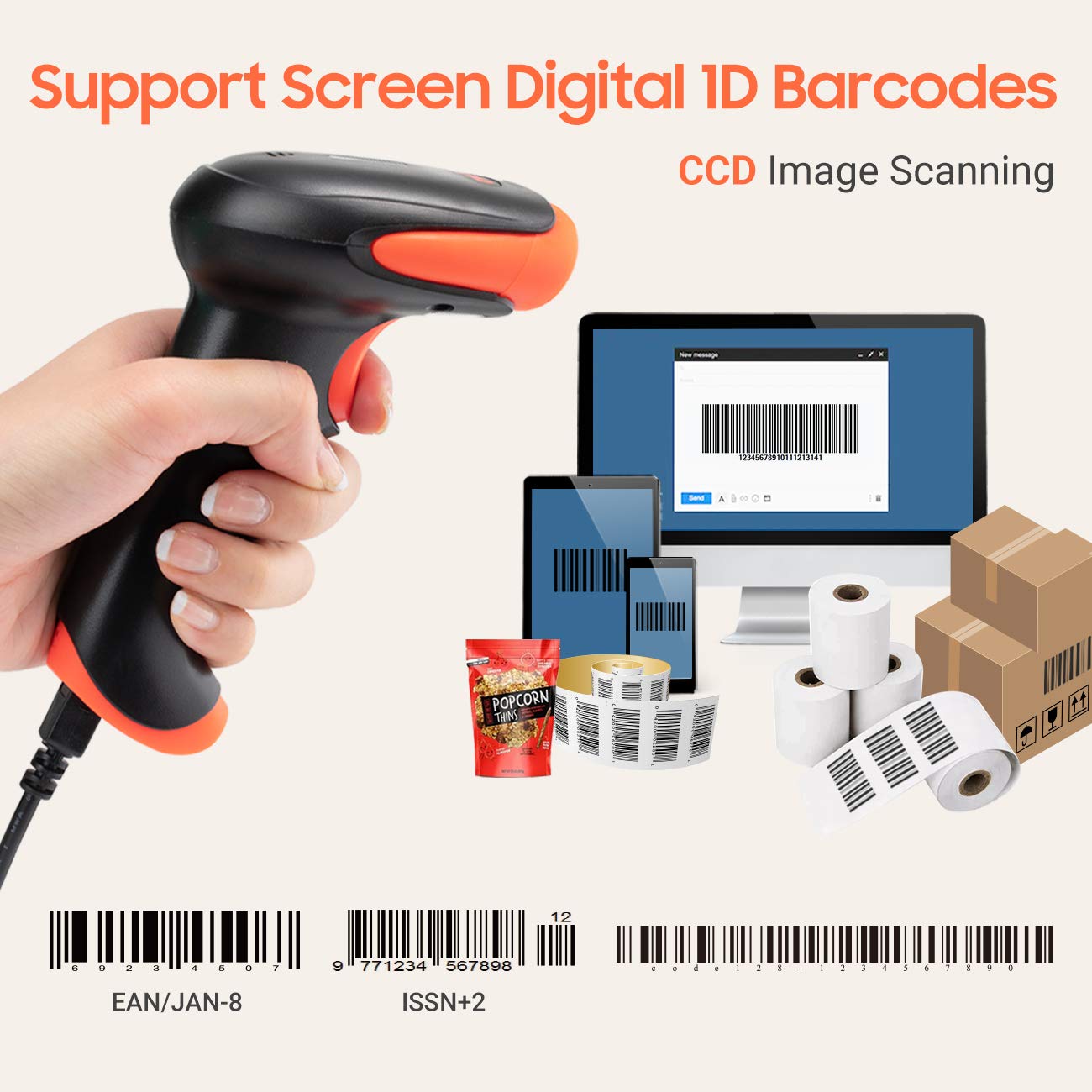
Rysunek 7.1: The scanner supports reading 1D barcodes from various sources, including digital screens and printed labels.
8. Konserwacja
- Czyszczenie: Do czyszczenia zewnętrznej części skanera użyj miękkiej, suchej ściereczki. Do czyszczenia okna skanowania użyj miękkiej, niepozostawiającej włókien ściereczki, delikatnie przetrzyj.ampSpłukać wodą lub delikatnym, nieściernym środkiem czyszczącym. Unikać silnych środków chemicznych.
- Składowanie: Przechowuj skaner w chłodnym i suchym miejscu, z dala od bezpośredniego światła słonecznego i ekstremalnych temperatur.
- Obsługiwanie: Avoid dropping the scanner or subjecting it to strong impacts. Do not attempt to disassemble the device.
9. Rozwiązywanie Problemów
| Problem | Możliwa przyczyna | Rozwiązanie |
|---|---|---|
| Skaner nie włącza się lub nie odpowiada. | Kabel USB nie jest prawidłowo podłączony lub port USB jest uszkodzony. | Ensure the USB cable is securely plugged into both the scanner and the computer. Try a different USB port. |
| Scanner reads barcodes slowly or inaccurately. | Barcode is damaged, blurred, or poorly printed. Insufficient lighting. Scanner window is dirty. | Ensure the barcode is clear and well-lit. Clean the scanner window. Try scanning from a different angle or distance. |
| Scanner does not read barcodes from digital screens. | Screen brightness is too low or glare is present. | Increase screen brightness. Adjust the angle of the scanner to minimize glare. Ensure the barcode is fully displayed on the screen. |
| Scanned data appears incorrectly (e.g., wrong characters, missing digits). | Incorrect keyboard language setting. Prefix/suffix or other data formatting settings are active. | Verify the keyboard language setting matches your computer's keyboard layout. Review and adjust prefix/suffix or other data formatting settings using the configuration barcodes. |
| Skaner wydaje sygnał dźwiękowy, ale dane nie są przesyłane. | Aplikacja nie jest aktywna lub nie akceptuje danych wejściowych. | Ensure the cursor is in the desired input field of your application. Test with a simple text editor like Notepad. |
10. Specyfikacje
| Funkcja | Szczegół |
|---|---|
| Model | 3106-2 |
| Typ skanowania | 1D Laser (Eye Safe) |
| Łączność | Przewodowy USB (USB 2.0) |
| Prędkość skanowania | Up to 300 scans per second |
| Współczynnik błędów | 1 in 5 million scans |
| Kompatybilne urządzenia | Komputer stacjonarny, laptop |
| Kompatybilne systemy | Windows, Linux, macOS, iOS, Android |
| Źródło zasilania | Elektryczny przewodowy (przez USB) |
| Wymiary produktu (Gł. x Szer. x Wys.) | 7.9 x 19.3 x 10.4 centymetrów |
| Obsługiwane kody kreskowe 1D | UPC&EAN, UPC-A, UPC-E, Code 39, CODE32, Code 93, CODE11, Code 128, UCC-EAN128, EAN-8, EAN-13, ISSN, ISBN, CODABAR, MSI, Interleaved 2 of 5, Matrix 2 of 5, Industrial 2 of 5, etc. |
11. Gwarancja i wsparcie
For warranty information, technical support, or service inquiries, please refer to the contact details provided with your purchase documentation or visit the official Tera webStrona. Zachowaj dowód zakupu na wypadek roszczeń gwarancyjnych.