Wstęp
Thank you for choosing Kinganda Bluetooth Headphones. This user manual provides detailed instructions on how to set up, operate, and maintain your new headphones. Please read this manual thoroughly before use to ensure optimal performance and longevity of your device.
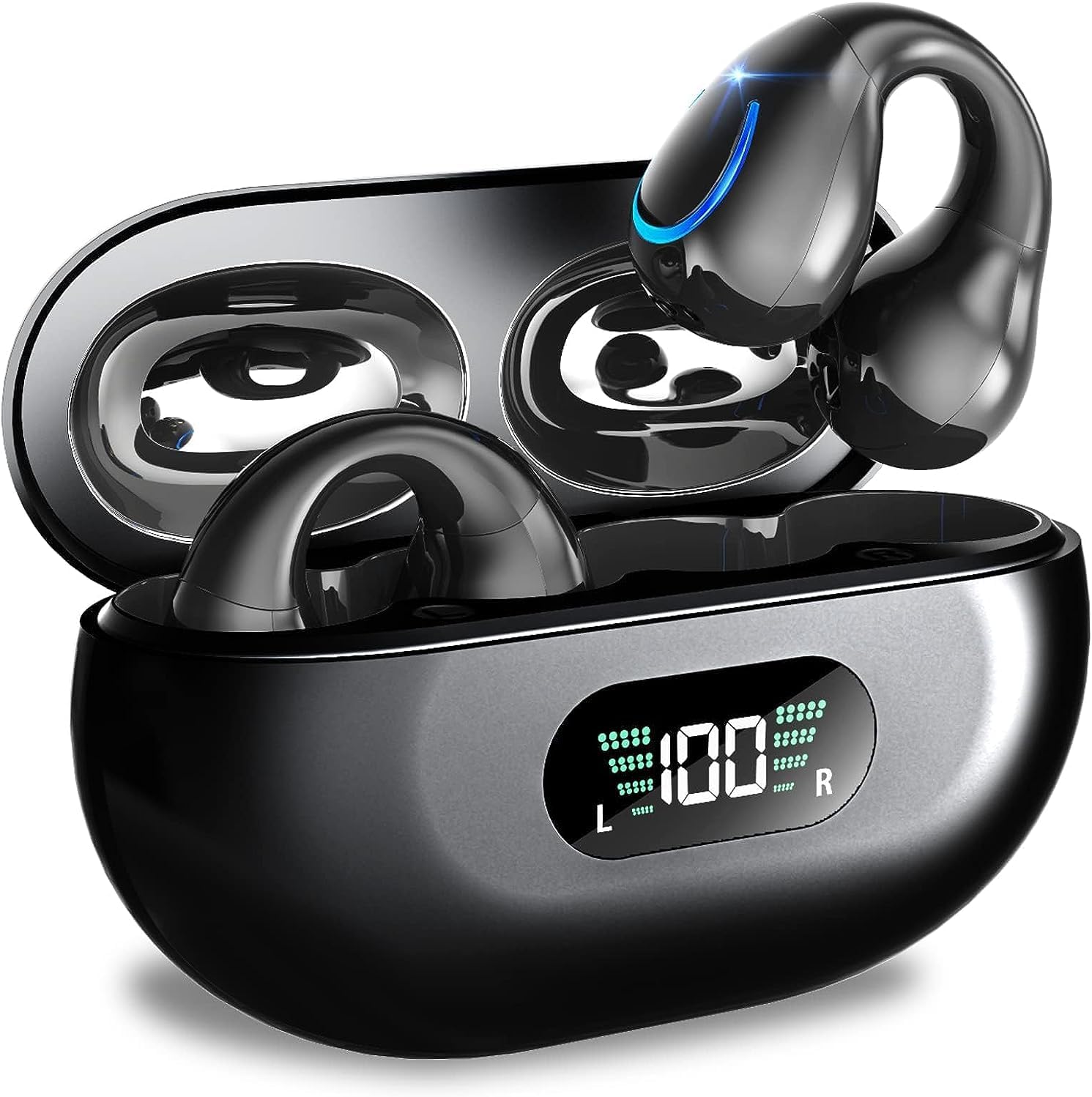
Image: Kinganda Bluetooth Headphones (Model Q71) in their charging case, showcasing the sleek design and LED display.
Co jest w pudełku
Sprawdź zawartość paczki, aby upewnić się, że znajdują się w niej wszystkie elementy:
- Wireless Headphones (Left and Right)
- Etui z ładowaniem bezprzewodowym
- Kabel ładujący USB-C
- Instrukcja obsługi

Image: An illustration showing the Kinganda headphones, charging case, USB-C cable, and user manual, representing the package contents.
Informacje dotyczące bezpieczeństwa
To ensure safe operation and prevent damage to your headphones, please observe the following safety guidelines:
- Do not swim underwater or take hot baths with the headphones. Exposure to high temperatures or prolonged submersion can cause damage to the internal components.
- Keep the headphones and charging case away from extreme temperatures, direct sunlight, and high humidity.
- Unikaj upuszczania i narażania urządzenia na silne uderzenia.
- Do not attempt to disassemble, repair, or modify the headphones yourself. Contact qualified service personnel for any repairs.
- Przechowywać w miejscu niedostępnym dla dzieci i zwierząt domowych.
Produkt ponadview i funkcje
The Kinganda Q71 headphones are designed for comfort and high-quality audio, featuring advanced technology for an enhanced listening experience.
Główne cechy:
- Zaawansowana technologia Bluetooth 5.3: Ensures a stable, low-latency connection with lower power consumption and faster transmission.
- Comfortable Open Ear Clip Design: Ergonomically designed to fit the contours of the ear, providing a secure and comfortable fit without entering the ear canal. This design allows you to remain aware of your surroundings.
- 36 godzin odtwarzania: Enjoy up to 6 hours of continuous playback on a single charge, with an additional 30 hours provided by the compact magnetic charging case.
- Cyfrowy wyświetlacz LED: The charging case features an LED screen that clearly shows the remaining power of both the headphones and the charging case.
- Stopień wodoodporności IPX7: Designed to withstand sweat and light rain, making them suitable for various activities.
- Przetworniki 10 mm: Deliver deep bass and stereo sound for a rich audio experience.
- Built-in ENC Mic: Enhanced Noise Cancellation microphone for clear calls.
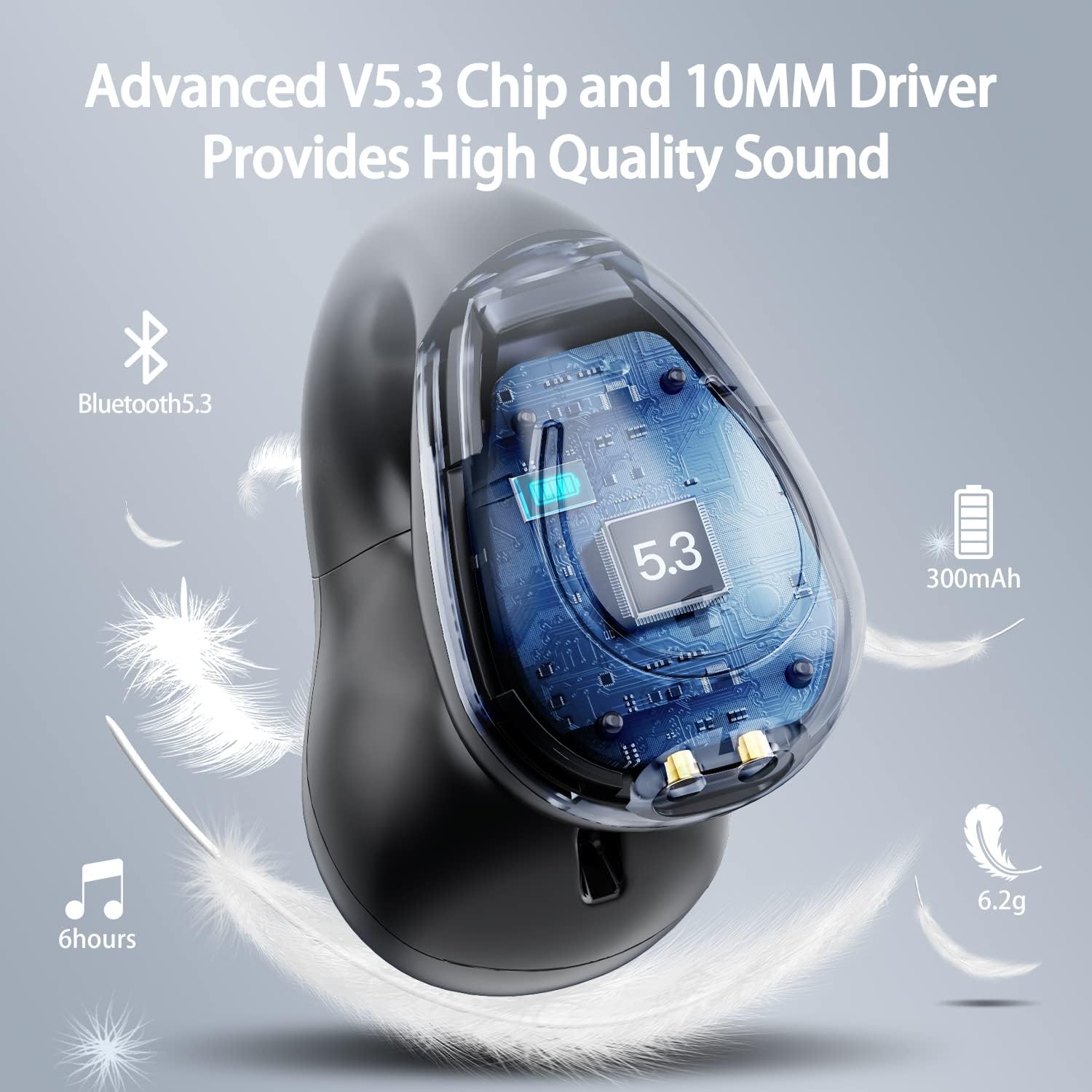
Obraz: przekrój view of the Kinganda earbud, highlighting the advanced V5.3 chip and 10mm driver for high-quality sound.

Image: A person wearing the Kinganda Q71 headphones, demonstrating the comfortable and secure open-ear clip design.
Organizować coś
Pairing Your Headphones:
- Naładuj słuchawki: Before first use, ensure both the headphones and the charging case are fully charged. Place the earbuds into the charging case and connect the USB-C cable to a power source. The LED display on the case will indicate charging status.
- Włączanie: Otwórz etui ładujące. Słuchawki automatycznie włączą się i przejdą w tryb parowania.
- Aktywuj Bluetooth: On your device (smartphone, tablet, laptop, etc.), go to the Bluetooth settings and turn on Bluetooth.
- Wybierz urządzenie: In the list of available Bluetooth devices, look for "YYK-Q71" and select it to connect.
- Potwierdzenie: Once connected, you will hear an audio prompt from the headphones, and the device will show "YYK-Q71" as connected.
The headphones are widely compatible with iOS, Android, and Windows devices.

Image: An illustration demonstrating the simple one-step pairing process and wide compatibility of the Kinganda Q71 headphones with various devices.
Instrukcja obsługi
Charging the Headphones and Case:
- Ładowanie słuchawek: Place the earbuds back into the charging case. They will automatically begin charging. The LED display on the case will show the charging status of each earbud.
- Ładowanie obudowy: Connect the provided USB-C cable to the charging port on the case and the other end to a USB power adapter (not included). The LED display will show the battery percentage of the case.
- A full charge of the earbuds provides approximately 6 hours of playtime. The charging case provides an additional 30 hours of battery life, allowing for multiple recharges on the go.
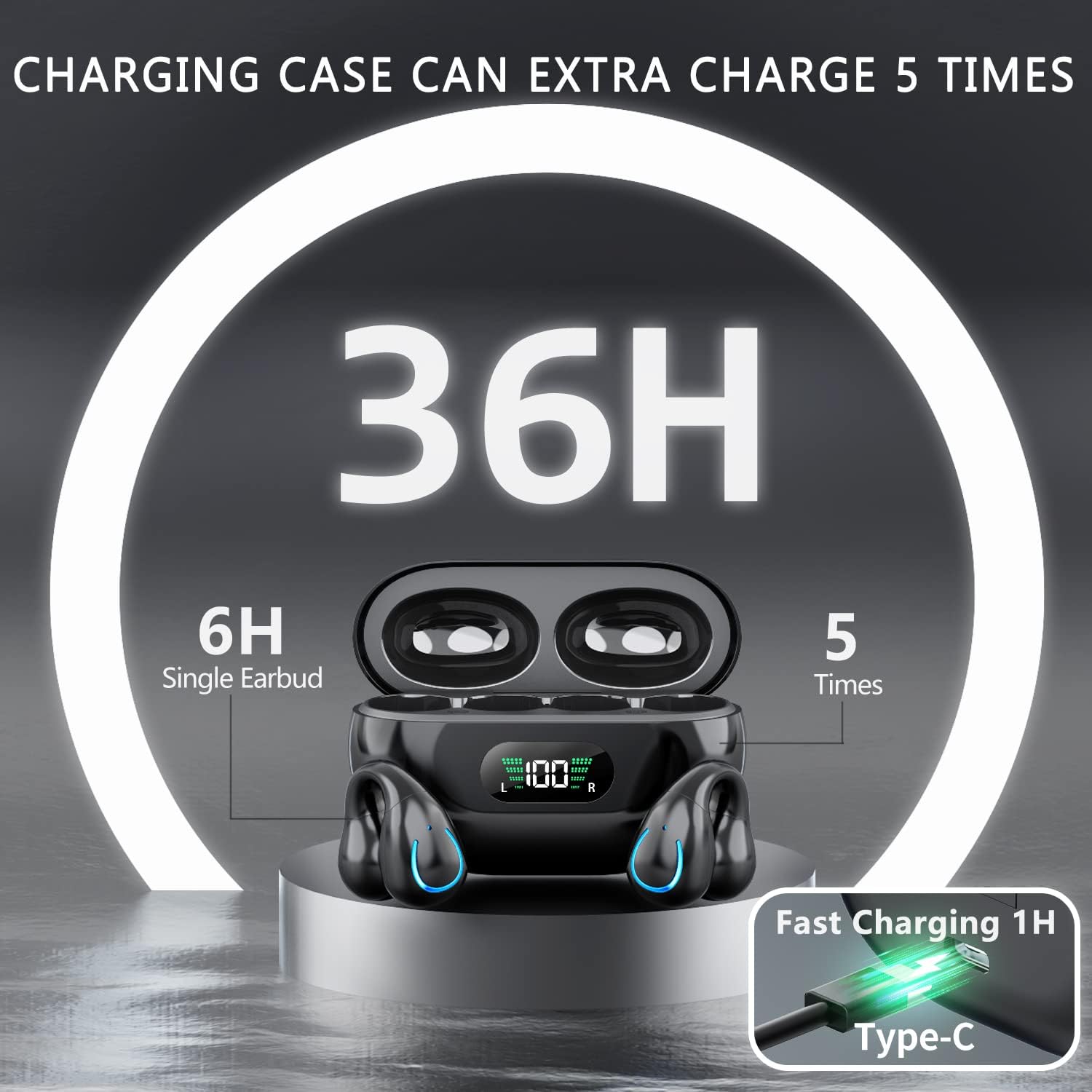
Image: The Kinganda charging case displaying "36H" total playtime, indicating 6 hours from a single earbud charge and 5 additional charges from the case.
Sterowanie dotykowe:
The Kinganda Q71 headphones feature physical buttons for precise control, preventing accidental touches.
| Działanie | Kontrola |
|---|---|
| Włączanie/wyłączanie zasilania | Automatically On/Off when taken out/put into case. |
| Odbierz/Zakończ połączenie | Click 1 time (either earbud) |
| Odrzuć połączenie | Naciśnij i przytrzymaj (dowolną słuchawkę) |
| Odtwórz/wstrzymaj muzykę | Click 1 time (either earbud) |
| Następny utwór | Click Right earbud 2 times |
| Poprzedni utwór | Click Left earbud 2 times |
| Aktywuj Asystenta Głosowego (Siri, Asystent Google) | Click 3 times (either earbud) |

Image: Diagram illustrating the one-button physical controls for the Kinganda headphones, including call management, music playback, and voice assistant activation.
Konserwacja
Proper maintenance will extend the life of your Kinganda headphones:
- Czyszczenie: Do czyszczenia słuchawek i etui ładującego używaj miękkiej, suchej i niepozostawiającej włókien ściereczki. Nie używaj silnych środków chemicznych, rozpuszczalników ani detergentów.
- Składowanie: Gdy nie używasz słuchawek, przechowuj je w etui ładującym, aby chronić je przed kurzem i uszkodzeniami. Przechowuj w chłodnym, suchym miejscu.
- Wodoodporność: While the headphones are IPX7 waterproof (resistant to sweat and light rain), they are not designed for swimming or submersion in water. Avoid exposure to hot water or steam.
- Pielęgnacja baterii: To preserve battery life, charge the headphones regularly, even if not used for extended periods. Avoid fully draining the battery frequently.
Rozwiązywanie problemów
Jeśli napotkasz jakiekolwiek problemy ze słuchawkami, zapoznaj się z poniższymi typowymi problemami i ich rozwiązaniami:
Słuchawki nie łączą się:
- Sprawdź, czy obie słuchawki są w pełni naładowane.
- Upewnij się, że Bluetooth jest włączony w Twoim urządzeniu.
- Umieść słuchawki z powrotem w etui ładującym, zamknij pokrywę, odczekaj kilka sekund, a następnie ponownie otwórz pokrywę, aby ponownie wejść w tryb parowania.
- Forget "YYK-Q71" from your device's Bluetooth list and try pairing again.
- Ensure the headphones are within the effective Bluetooth range (typically 10 meters/33 feet) of your device.
Działa tylko jedna słuchawka:
- Umieść obie słuchawki z powrotem w etui ładującym i sprawdź, czy ładują się prawidłowo.
- Take both earbuds out simultaneously. They should automatically connect to each other.
- If the issue persists, try resetting the headphones (refer to the manufacturer's website or contact support for specific reset instructions if not detailed here).
Słaba jakość dźwięku lub rozłączenia:
- Ensure there are no obstructions between your device and the headphones.
- Zbliż się do urządzenia, aby zmniejszyć zakłócenia.
- Check if the earbuds are clean and free of debris.
- Spróbuj odtworzyć dźwięk z innego źródła lub aplikacji.
Słuchawki się nie ładują:
- Ensure the USB-C charging cable is securely connected to both the case and the power source.
- Spróbuj użyć innego kabla USB-C lub zasilacza.
- Wyczyść styki ładowania na słuchawkach dousznych oraz wewnątrz etui ładującego suchym wacikiem.
Specyfikacje
| Funkcja | Szczegół |
|---|---|
| Numer modelu | Q71 (YYK-Q71) |
| Marka | Kinganda |
| Technologia łączności | Bezprzewodowa (Bluetooth 5.3) |
| Umieszczenie ucha | Otwarte ucho |
| Współczynnik kształtu | Przypnij |
| Kontrola hałasu | Sound Isolation (via ENC Mic) |
| Wymiary produktu | 3 x 3 x 3 cm; 6.2 g (per earbud) |
| Baterie | 2 baterie litowo-polimerowe (w zestawie) |
| Zawarte komponenty | Wireless Headphones, User Manual, USB-C Charging Cable, Wireless Charging Case |
| Kolor | Czarny |
| Producent | Kinganda |
Gwarancja i wsparcie
Kinganda products are manufactured to the highest quality standards. For any warranty claims or technical support, please contact your original retailer or the manufacturer directly. Please retain your proof of purchase for warranty service.
For further assistance, please refer to the contact information provided with your purchase or visit the official Kinganda webstrona.