Wstęp
This document provides essential instructions for the setup, operation, and maintenance of your Generic IR replacement remote control. This remote is designed to function with specific projector models, ensuring convenient control over your device.
Please read this manual thoroughly before using the remote control to ensure proper functionality and to avoid potential issues.
Zgodność
This remote control is specifically designed as a replacement for the following projector models:
- WiMiUS W6
- WiMiUS K8
- WiMiUS P60
- Crenova XPE660
- Thundeal TD97
- Gzunelic M8 5G Mini DLP Portable 1080P WiFi Movie Projector
Note: This remote is only compatible with the models listed above. Functionality with other models is not guaranteed.
Produkt ponadview
The Generic replacement remote control features a compact, ergonomic design with clearly labeled buttons for intuitive operation. It utilizes infrared (IR) technology to communicate with your projector.

Obraz: kątowy view of the remote control, showcasing its overall shape and button layout.

Obraz: Przód view of the remote control, highlighting the power button, navigation pad, and media controls.
The remote includes a power button, navigation controls (up, down, left, right, OK), menu access, volume adjustments, and media playback buttons. Familiarize yourself with the button layout for efficient use.
Organizować coś
Instalacja baterii
The remote control requires two AAA batteries (not included) for operation. Follow these steps to install them:
- Znajdź komorę baterii z tyłu pilota.
- Gently slide the battery compartment cover downwards or outwards to open it.
- Włóż dwie baterie AAA, upewniając się, że bieguny dodatni (+) i ujemny (-) są prawidłowo ustawione względem oznaczeń wewnątrz komory.
- Przesuń pokrywę komory baterii z powrotem na miejsce, aż zatrzaśnie się pewnie.

Obraz: Tył view of the remote control with the battery cover detached, revealing the empty battery slots.

Image: Another angle of the remote's back with the battery cover off, showing the orientation for battery insertion.
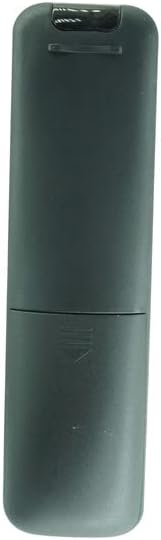
Obraz: Tył view of the remote control with the battery cover securely closed.
Instrukcja obsługi
To operate your projector using this remote control:
- Point the Remote: Ensure the remote control is pointed directly at the IR receiver on your projector. Obstructions between the remote and the projector can interfere with the signal.
- Włączanie/wyłączanie: Naciśnij Moc button (usually red or orange) to turn the projector on or off.
- Nawigacja: Use the directional arrow buttons (Up, Down, Left, Right) to navigate through menus and options on your projector screen.
- Wybierz/Potwierdź: Naciśnij OK button in the center of the navigation pad to confirm selections.
- Regulacja głośności: Użyj Zwiększanie głośności (+) I Ściszanie (-) buttons to adjust the audio output.
- Niemy: Naciśnij Niemy przycisk, aby tymczasowo wyciszyć dźwięk.
- Menu/Źródło: Buttons labeled 'M' (Menu) or 'S' (Source) may be present to access the projector's main menu or switch input sources.
Konserwacja
Właściwa pielęgnacja wydłuży żywotność Twojego pilota:
- Czyszczenie: Przetrzyj pilota miękką, suchą ściereczką. Nie używaj płynnych środków czyszczących ani materiałów ściernych.
- Wymiana baterii: Replace batteries when the remote's response becomes sluggish or stops working. Always replace both batteries at the same time with new ones.
- Składowanie: Przechowuj pilota w chłodnym, suchym miejscu, z dala od bezpośredniego światła słonecznego i ekstremalnych temperatur.
- Unikaj kropli: Chroń pilota przed uderzeniami, gdyż upuszczenie go może spowodować uszkodzenie podzespołów wewnętrznych.
Rozwiązywanie problemów
- Pilot nie odpowiada:
- Sprawdź, czy baterie zostały włożone prawidłowo, z zachowaniem właściwej polaryzacji.
- Wymień stare baterie na nowe.
- Upewnij się, że nie ma żadnych przeszkód między pilotem a odbiornikiem podczerwieni projektora.
- Confirm the remote is pointed directly at the projector.
- Ograniczona funkcjonalność:
- Verify that your projector model is listed in the compatibility section of this manual. This is a replacement remote and may not offer all functions of an original remote.
- Some advanced functions may require direct interaction with the projector's physical buttons or on-screen menu.
Specyfikacje
| Technologia łączności | Podczerwieni (IR) |
| Kompatybilne urządzenia | Projectors (Specific models listed in Compatibility section) |
| Źródło zasilania | Baterie 2 x AAA (brak w zestawie) |
| Funkcja specjalna | Replacement remote compatible with listed models |
Gwarancja i wsparcie
No specific warranty information is provided with this replacement remote control. For any product-related inquiries, technical support, or issues, please contact the seller directly through your purchase platform.


