
1. Wprowadzenie
The eppfun AK8675B Pro is a versatile Bluetooth 5.2 audio adapter designed to function as both a transmitter (TX) and a receiver (RX). It features advanced Qualcomm QCC3040 chip technology, supporting various aptX codecs including aptX-Adaptive, aptX HD, and aptX Low Latency, ensuring high-quality audio with minimal delay. This device allows you to wirelessly stream audio from non-Bluetooth devices (like TVs or PCs) to Bluetooth headphones/speakers, or from Bluetooth-enabled devices (like smartphones) to wired audio systems.
2. Zawartość opakowania
Sprawdź, czy w przesyłce znajdują się wszystkie elementy wymienione poniżej:
- eppfun AK8675B Pro Bluetooth Transmitter/Receiver
- Kabel ładujący USB-C
- Kabel audio AUX 3.5 mm
- Optical Fiber Audio Cable
- Instrukcja obsługi (ten dokument)

Image: Contents of the eppfun AK8675B Pro package, including the device, various cables, and the user manual.
3. Koniec produktuview i sterowanie
Zapoznaj się z podzespołami i elementami sterowania urządzenia:

Image: Diagram of the eppfun AK8675B Pro device with key interfaces and buttons labeled.
- Odp.: przycisk zasilania - Press and hold to turn the device on or off.
- B: RX/TX Mode Switching - Slide switch to select Transmitter (TX) or Receiver (RX) mode.
- C: Pairing Button - Press to initiate Bluetooth pairing mode.
- D: AUX 3.5mm Interface - For connecting audio devices via a 3.5mm audio cable.
- E: Volume Adjusting - Buttons to increase or decrease audio volume.
- F: One Click Mute, Double Click Audio Decoding Switch - Single press for mute/unmute; double press to cycle through audio decoding options.
- G: USB Charging - USB-C port for charging the device.
- H: Optical Interface - For connecting audio devices via an optical fiber cable.
4. Setup and Operation Modes
The AK8675B Pro operates in two primary modes: Transmitter (TX) and Receiver (RX). Select the appropriate mode using the RX/TX mode switching slider (B).

Image: Comparison of Transmitter and Receiver modes, showing usage time, compatible codecs, and simultaneous linking capabilities.
4.1. Tryb nadajnika (TX)
In TX mode, the device transmits audio from a non-Bluetooth source (e.g., TV, PC) to Bluetooth-enabled headphones or speakers.
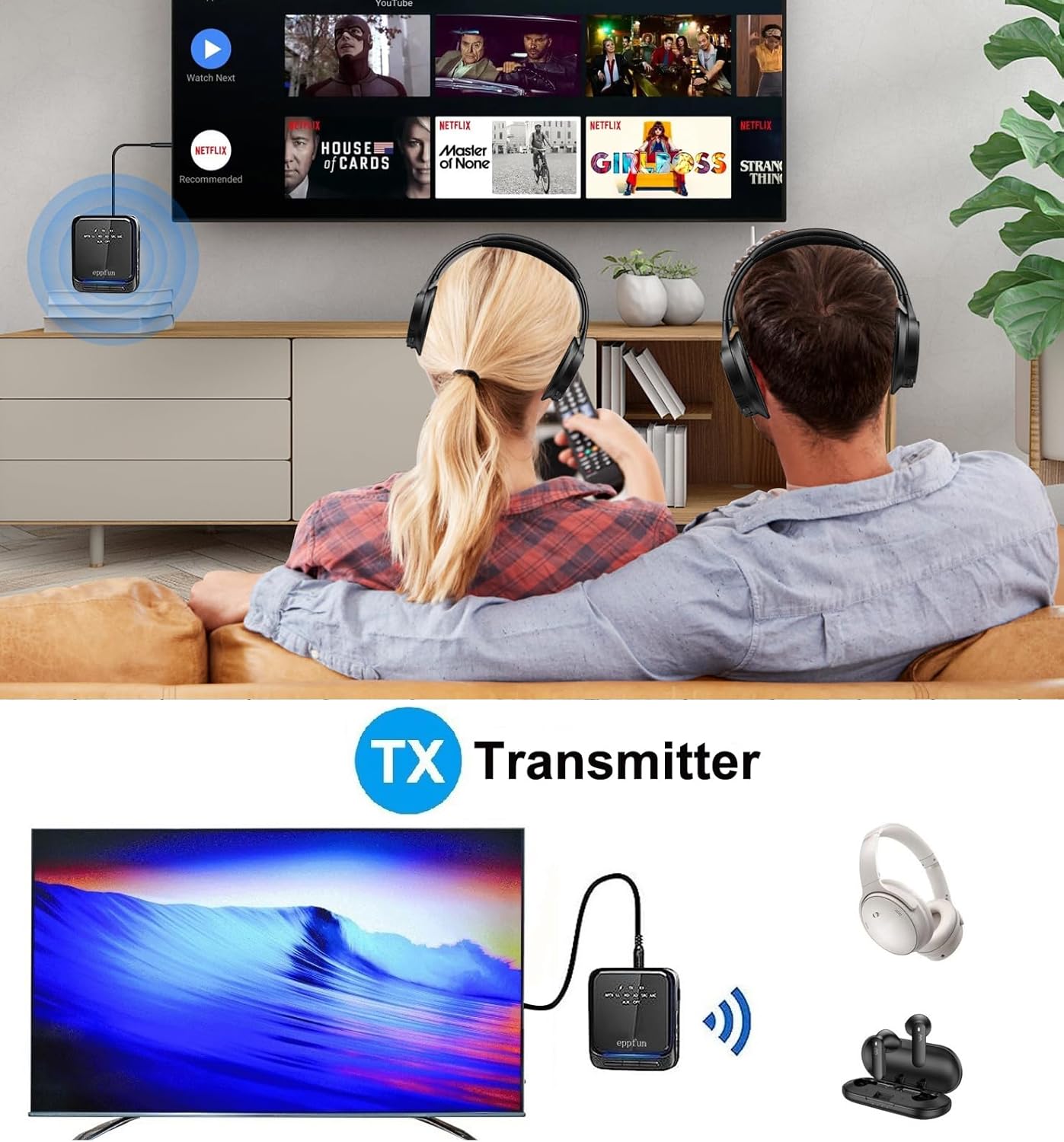
Image: An illustration of the eppfun AK8675B Pro connected to a TV, transmitting audio wirelessly to two pairs of Bluetooth headphones.
- Slide the mode switch (B) to TX.
- Connect the AK8675B Pro to your audio source (e.g., TV, PC) using either the 3.5mm AUX cable (D) or the Optical Fiber cable (H).
- Turn on the AK8675B Pro by pressing and holding the Power Button (A).
- Przełącz słuchawki lub głośniki Bluetooth w tryb parowania.
- Press the Pairing Button (C) on the AK8675B Pro to initiate pairing. The LED indicator will show pairing status.
- Once connected, audio from your source will stream wirelessly to your Bluetooth device(s).
TX Mode Features:
- Kompatybilne kodeki: aptX, aptX-Adaptive, aptX LL (Low Latency), aptX HD, SBC.
- Godziny pracy: Około 12 godzin po pełnym naładowaniu.
- Podwójne połączenie: Supports connecting two Bluetooth headphones/earbuds simultaneously with aptX LL technology.
4.2. Tryb odbiornika (RX)
In RX mode, the device receives audio wirelessly from a Bluetooth-enabled source (e.g., smartphone, tablet) and outputs it to a wired audio system (e.g., wired headphones, speakers).

Image: An illustration of the eppfun AK8675B Pro connected to wired speakers, receiving audio wirelessly from a smartphone.
- Slide the mode switch (B) to RX.
- Connect the AK8675B Pro to your wired audio output device (e.g., speakers, wired headphones) using the 3.5mm AUX cable (D).
- Turn on the AK8675B Pro by pressing and holding the Power Button (A).
- Enable Bluetooth on your smartphone or other Bluetooth audio source and search for available devices.
- Select "eppfun AK8675B Pro" from the list of available Bluetooth devices to pair. The LED indicator will confirm connection.
- Once connected, audio from your Bluetooth source will play through your wired audio system.
RX Mode Features:
- Kompatybilne kodeki: aptX, aptX-Adaptive, aptX HD, SBC, AAC.
- Godziny pracy: Około 20 godzin po pełnym naładowaniu.
5. Ładowanie urządzenia
To charge the eppfun AK8675B Pro:
- Connect the supplied USB-C cable to the USB Charging port (G) on the device.
- Podłącz drugi koniec kabla USB-C do standardowego zasilacza USB (brak w zestawie) lub do portu USB komputera.
- The LED indicator will show the charging status. A full charge typically takes about 2 hours.
Note: The device cannot be used while it is charging.
6. Konserwacja
To ensure the longevity and optimal performance of your eppfun AK8675B Pro:
- Utrzymuj urządzenie w suchości. Unikaj narażenia na wilgoć, deszcz i płyny.
- Czyść urządzenie miękką, suchą ściereczką. Nie używaj silnych środków chemicznych ani ściernych środków czyszczących.
- Przechowuj urządzenie w chłodnym, suchym miejscu, gdy nie jest używane.
- Unikaj ekstremalnych temperatur.
- Nie należy podejmować prób demontażu lub modyfikacji urządzenia, gdyż spowoduje to utratę gwarancji i może spowodować uszkodzenia.
7. Rozwiązywanie Problemów
If you encounter issues with your AK8675B Pro, refer to the following common solutions:
- Urządzenie nie włącza się:
- Upewnij się, że urządzenie jest w pełni naładowane. Podłącz je do źródła zasilania za pomocą kabla USB-C.
- Press and hold the Power Button (A) for a few seconds.
- Nie można sparować z urządzeniem Bluetooth:
- Ensure the AK8675B Pro is in the correct mode (TX for transmitting, RX for receiving).
- Make sure both devices are in pairing mode and within the 10-meter communication range.
- Clear previous pairing records on both the AK8675B Pro and your Bluetooth device, then attempt to pair again.
- Restart both the AK8675B Pro and your Bluetooth device.
- Brak wyjścia/wejścia audio:
- Check all cable connections (3.5mm AUX or Optical Fiber) to ensure they are secure and in the correct ports.
- Verify that the volume on both the AK8675B Pro (E) and the connected audio device is not muted or set too low.
- Ensure the correct audio input/output is selected on your source device (e.g., TV audio settings).
- Confirm that the AK8675B Pro is successfully paired and connected to the desired Bluetooth device.
- Audio delay or poor quality:
- Ensure both the AK8675B Pro and your connected Bluetooth device support aptX Low Latency (aptX LL) for minimal delay, especially in TX mode.
- Reduce the distance between the AK8675B Pro and the connected Bluetooth device, and remove any obstacles.
- Sprawdź, czy nie występują potencjalne zakłócenia ze strony innych urządzeń bezprzewodowych.
8. Specyfikacje
| Funkcja | Specyfikacja |
|---|---|
| Nazwa modelu | AK8675B Pro |
| Wersja Bluetooth | 5.2 |
| Chipset Bluetooth | Qualcomm QCC3040 |
| Obsługiwane kodeki (TX) | aptX, aptX-Adaptive, aptX LL, aptX HD, SBC |
| Obsługiwane kodeki (RX) | aptX, aptX-Adaptive, aptX HD, SBC, AAC |
| Pasmo częstotliwości | 2.402 GHz - 2.480 GHz |
| Odległość komunikacyjna | Do 10 metrów (33 stóp) |
| Czas pracy w trybie TX | Około 12 godzin |
| Czas pracy trybu RX | Około 20 godzin |
| Czas ładowania | Około 2 godzin |
| Port ładowania | USB-C |
| Wejście/wyjście audio | 3.5mm AUX, Optical TOSLINK |
| Typ baterii | Litowo-jonowy (w zestawie) |
| Wymiary produktu | 75 mm x 66 mm x 18 mm (w przybliżeniu) |
| Waga produktu | 60.5g (około) |
9. Gwarancja i wsparcie
Produkty eppfun zostały zaprojektowane z myślą o niezawodności i wydajności. Informacje o gwarancji i pomocy technicznej można znaleźć na oficjalnej stronie eppfun. webOdwiedź witrynę lub skontaktuj się ze sprzedawcą. Zachowaj paragon jako dowód zakupu na wypadek reklamacji.


