
1. Koniecview
The Retevis RA79 is a versatile dual-band amateur radio designed for reliable communication across various environments. It features multi-frequency reception, including aviation AM band, and offers flexible programming options. This manual provides essential information for setting up, operating, and maintaining your RA79 walkie-talkie.
- Multi-frequency Reception: Supports 2m/70cm/FM/AM bands, including aviation AM reception, for diverse communication needs.
- Akumulator: Equipped with a 1400mAh Li-ion battery, offering extended standby and usage times. Features a convenient Type-C charging interface and USB charging port.
- Elastyczne programowanie: Channels can be programmed manually via the keypad or using software with a data cable and CPS (Customer Programming Software).
- Zintegrowane radio FM: Allows for listening to FM broadcasts, providing entertainment during travel or downtime.
- Komunikacja dalekiego zasięgu: Utilizes higher power output and a longer antenna to extend its effective range, suitable for amateur radio enthusiasts, hunters, and travelers.
- Przyjazny dla użytkownika projekt: Features an intuitive operating interface and user-friendly design, making it accessible for beginners.
2. Co znajduje się w pudełku
Upon unpacking your Retevis RA79, please ensure all items listed below are present:
- 2x Retevis RA79 Walkie-Talkie
- 2x Klips do paska
- 2x pasek na rękę
- 2x anteny
- 2x USB Desktop Charger
- 2x Multi-language User's Manual

3. Funkcje produktu
The Retevis RA79 is equipped with several features to enhance your communication experience:
- AM Aviation Receiving: Monitor aircraft and tower communications.
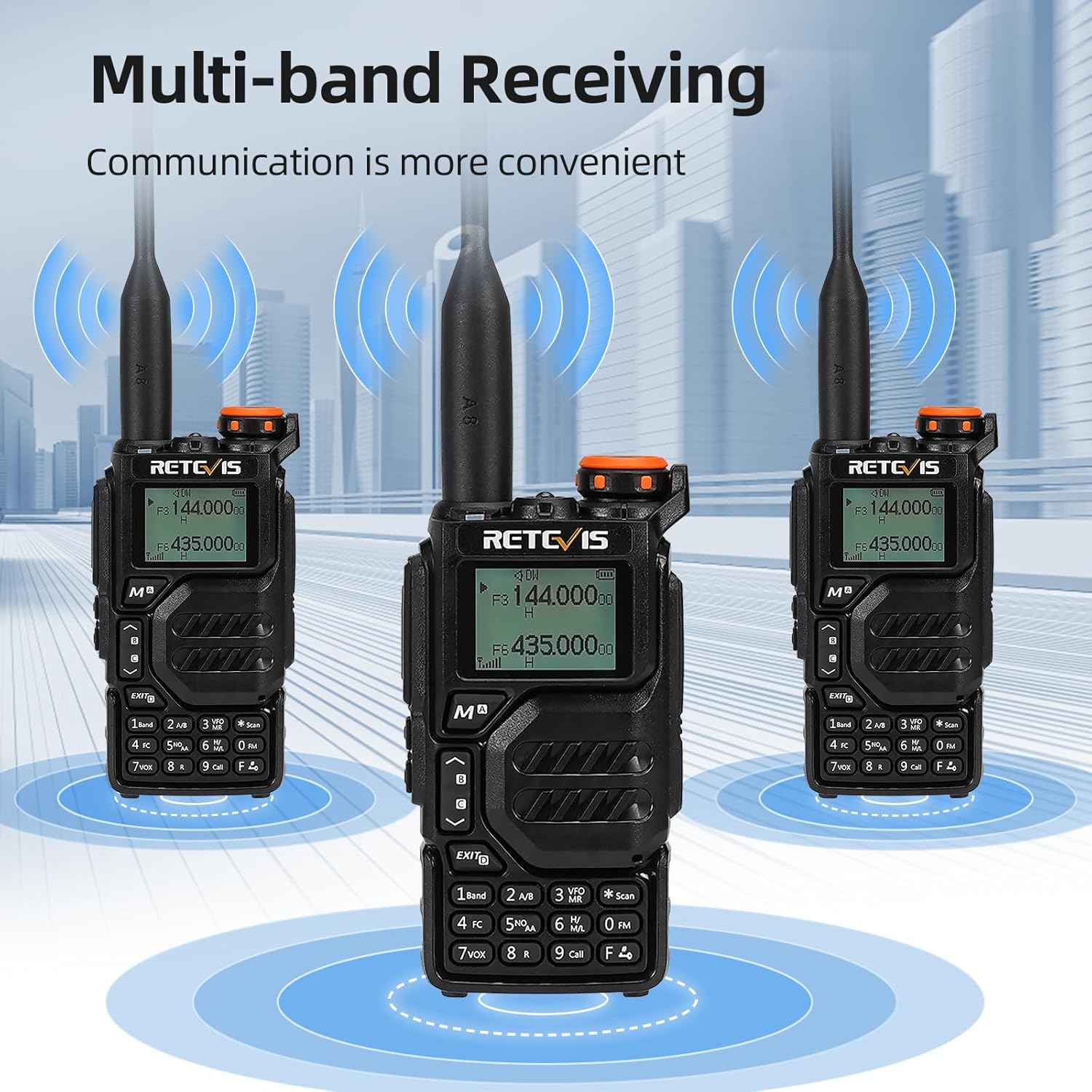
- Multi-band Receiving: Access 2m/70cm/FM/AM frequencies.
- One-Step Channel Capture: Easily pair two-way radios.
- Wireless Frequency Pairing: Convenient for outdoor team use.
- Mikrofon głośnikowy: Enhances communication clarity and security.
- Ładowanie przez USB typu C: Multiple charging options including adapter, power bank, PC, and vehicle.
- VFO Function: Change radio settings directly without a computer.



4. Konfiguracja
4.1 Instalacja baterii
- Dopasuj akumulator do tylnej części radia.
- Przesuń baterię do góry, aż zatrzaśnie się na miejscu.
- To remove, press the release latch and slide the battery downwards.
4.2 Mocowanie anteny
- Screw the antenna clockwise into the connector on top of the radio until it is firmly seated.
- Nie dokręcaj zbyt mocno.
4.3 Montaż klipsa do paska
- Dopasuj klips do paska do wyznaczonych otworów z tyłu radia.
- Zamocuj klips do paska za pomocą dołączonych śrub.
4.4 Ładowanie akumulatora
The RA79 can be charged using the included USB desktop charger or directly via its Type-C port.
- Connect the USB desktop charger to a power source.
- Place the radio (with battery installed) into the charging cradle. The indicator light will show charging status.
- Alternatively, connect a USB Type-C cable directly to the radio's charging port.
5. Instrukcja obsługi
5.1 Włączanie/wyłączanie i regulacja głośności
- Aby włączyć urządzenie, należy przekręcić pokrętło zasilania/głośności zgodnie z ruchem wskazówek zegara.
- Kontynuuj obracanie, aby dostosować głośność.
- Aby wyłączyć zasilanie, należy przekręcić pokrętło w kierunku przeciwnym do ruchu wskazówek zegara, aż do usłyszenia kliknięcia.
5.2 Wybór kanału
The RA79 supports both Channel Mode and VFO (Frequency Mode).
- Tryb kanału: Use the UP/DOWN arrow keys to select a pre-programmed channel.
- Tryb VFO: Enter frequencies directly using the keypad. Press the 'VFO/MR' button to switch between modes.
5.3 Przesyłanie i odbieranie
- Aby nadawać, naciśnij i przytrzymaj przycisk PTT (Push-To-Talk) z boku radia. Mów wyraźnie do mikrofonu.
- Zwolnij przycisk PTT, aby odebrać.
- Ensure the selected channel/frequency is clear before transmitting.
5.4 Obsługa radia FM
Aby aktywować funkcję radia FM:
- Press the 'FM' button (often a dedicated button or a function key).
- Use the UP/DOWN arrow keys to scan for stations or enter a frequency directly.
5.5 Advanced Programming via Mobile App (Ailunce HA2 Example)
The RA79 may support mobile app connectivity for advanced channel and setting modifications. Refer to the specific app instructions for your model.
6. Konserwacja
6.1 Czyszczenie
Regularnie czyść zewnętrzną część radia miękką, miękką szmatką.amp płótno. Unikaj stosowania ostrych środków chemicznych lub ściernych środków czyszczących.
6.2 Pielęgnacja baterii
Aby przedłużyć żywotność baterii:
- Unikaj przeładowywania lub całkowitego rozładowania akumulatora.
- Przechowuj radio i akumulator w chłodnym i suchym miejscu, gdy nie są używane.
7. Rozwiązywanie Problemów
| Problem | Możliwa przyczyna | Rozwiązanie |
|---|---|---|
| Radio się nie włącza | Low or dead battery; incorrect battery installation | Naładuj akumulator i sprawdź, czy jest prawidłowo zainstalowany. |
| Nie można przesyłać ani odbierać | Incorrect frequency/channel; antenna not properly attached; out of range | Verify frequency/channel settings; check antenna connection; move closer to other radios. |
| Słaba jakość dźwięku | Low volume; interference; damaged speaker/microphone | Adjust volume; move away from sources of interference; contact support if hardware is damaged. |
8. Specyfikacje
- Marka: Retevis
- Numer modelu: RA79
- Kolor: Czarny
- Liczba kanałów: 200
- Dodatek specjalny: Dwuzakresowy
- Zakres częstotliwości: Częstotliwość: 144-146 MHz; 430-440 MHz
- Maksymalny zasięg: 5 kilometry
- Tomtage: 7.4 V (prąd stały)
- Poziom wodoodporności: Nie wodoodporny
- Wymiary produktu: 65P x 28l x 115H milimetrów
- Liczba baterii: 1 litowo-jonowy (w zestawie)
- Zgodne urządzenia: Two-way radios operating in 144-146 MHz and 430-440 MHz frequency ranges
- Typ tunera: U;V
- Kraj pochodzenia: Chiny
9. Gwarancja i wsparcie
Retevis offers a 2-year warranty for the radio body and a 1-year warranty for accessories. A 30-day return policy is also provided without specific reason required. Beyond the warranty period, maintenance services are available, with buyers responsible for associated costs. For support, please contact Retevis on Amazon, and a response will be provided within 12 hours.