
1. Wprowadzenie
This manual provides essential information for the proper setup, operation, and maintenance of your Xiaomi Mi Band 7 Pro. Designed as a comprehensive activity fitness tracker, the Mi Band 7 Pro features a high-resolution AMOLED display, extended battery life, and advanced health monitoring capabilities. Please read this manual thoroughly to ensure optimal performance and longevity of your device.

Image 1.1: The Xiaomi Mi Band 7 Pro, featuring a rectangular black display and a black silicone strap.
2. Konfiguracja
2.1 Rozpakowanie i opłata początkowa
- Carefully remove all components from the packaging. Verify that the Xiaomi Mi Band 7 Pro device, charging cable, and this user manual are present.
- Connect the charging cable to the charging contacts on the back of the Mi Band 7 Pro. Plug the USB end of the cable into a standard USB power adapter (5V/1A recommended) or a computer's USB port.
- Allow the device to charge fully before first use. A full charge typically takes approximately 2 hours. The display will indicate charging status.
2.2 Parowanie ze smartfonem
- Pobierz Moja Fitness aplikację ze sklepu z aplikacjami na Twoim smartfonie (dostępnego na iOS i Android).
- Upewnij się, że Bluetooth jest włączony w Twoim smartfonie.
- Open the Mi Fitness app, create an account or log in, and follow the on-screen instructions to add a new device.
- Select "Xiaomi Smart Band 7 Pro" from the list of available devices.
- Confirm the pairing request on both your smartphone and the Mi Band 7 Pro display.
2.3 Noszenie urządzenia
For accurate heart rate and SpO₂ monitoring, wear the Mi Band 7 Pro snugly on your wrist, about one finger's width above your wrist bone. The sensor should be in contact with your skin. Avoid wearing it too tightly, which can restrict blood flow, or too loosely, which can affect sensor accuracy.
3. Instrukcja obsługi
3.1 Podstawowa nawigacja
- Przesuń w górę/w dół: Przewijaj menu i powiadomienia.
- Przesuń w lewo/w prawo: Uzyskaj szybki dostęp do funkcji lub widżetów (np. sterowanie muzyką, pogoda).
- Uzyskiwać: Wybierz element lub potwierdź czynność.
- Naciśnij i przytrzymaj: Możesz dostosować tarcze zegarka na ekranie głównym.
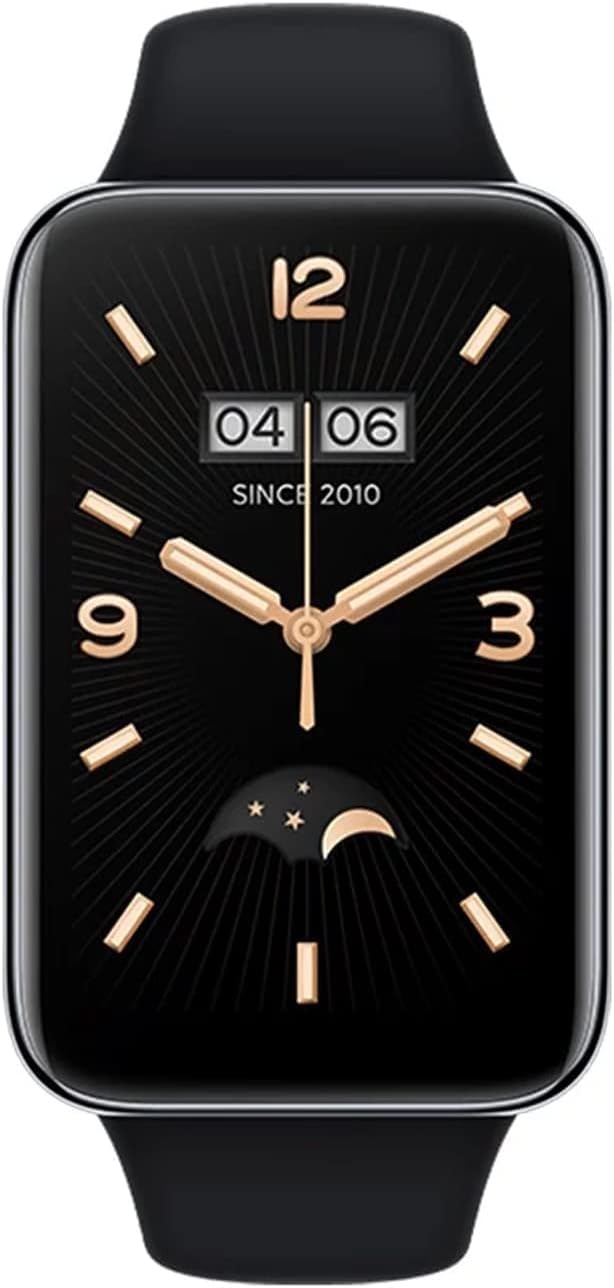
Image 3.1: A close-up of the Xiaomi Mi Band 7 Pro display showing a classic watch face with time and date.
3.2 Monitorowanie stanu zdrowia
- Tętno: Access the Heart Rate app on the band to view real-time heart rate. Continuous monitoring can be enabled in the Mi Fitness app.
- SpO₂ (Blood Oxygen): Navigate to the SpO₂ app to measure your blood oxygen saturation. Ensure your arm is still during measurement.
- Monitorowanie snu: The band automatically tracks your sleep patterns when worn during sleep. Detailed analysis is available in the Mi Fitness app.
- Monitorowanie stresu: The band can estimate your stress levels. View data in the Mi Fitness app.
3.3 Tryby sportowe i GPS
The Mi Band 7 Pro supports over 110 sports modes. To start a workout:
- Swipe on the band to find the "Workout" or "Sports" icon and tap it.
- Wybierz interesującą Cię aktywność (np. bieganie na świeżym powietrzu, jazda na rowerze, pływanie).
- For outdoor activities, the built-in GNSS (GPS) module will automatically search for a signal to track your route, distance, and pace independently.
- Tap the screen to start, pause, or end your workout.
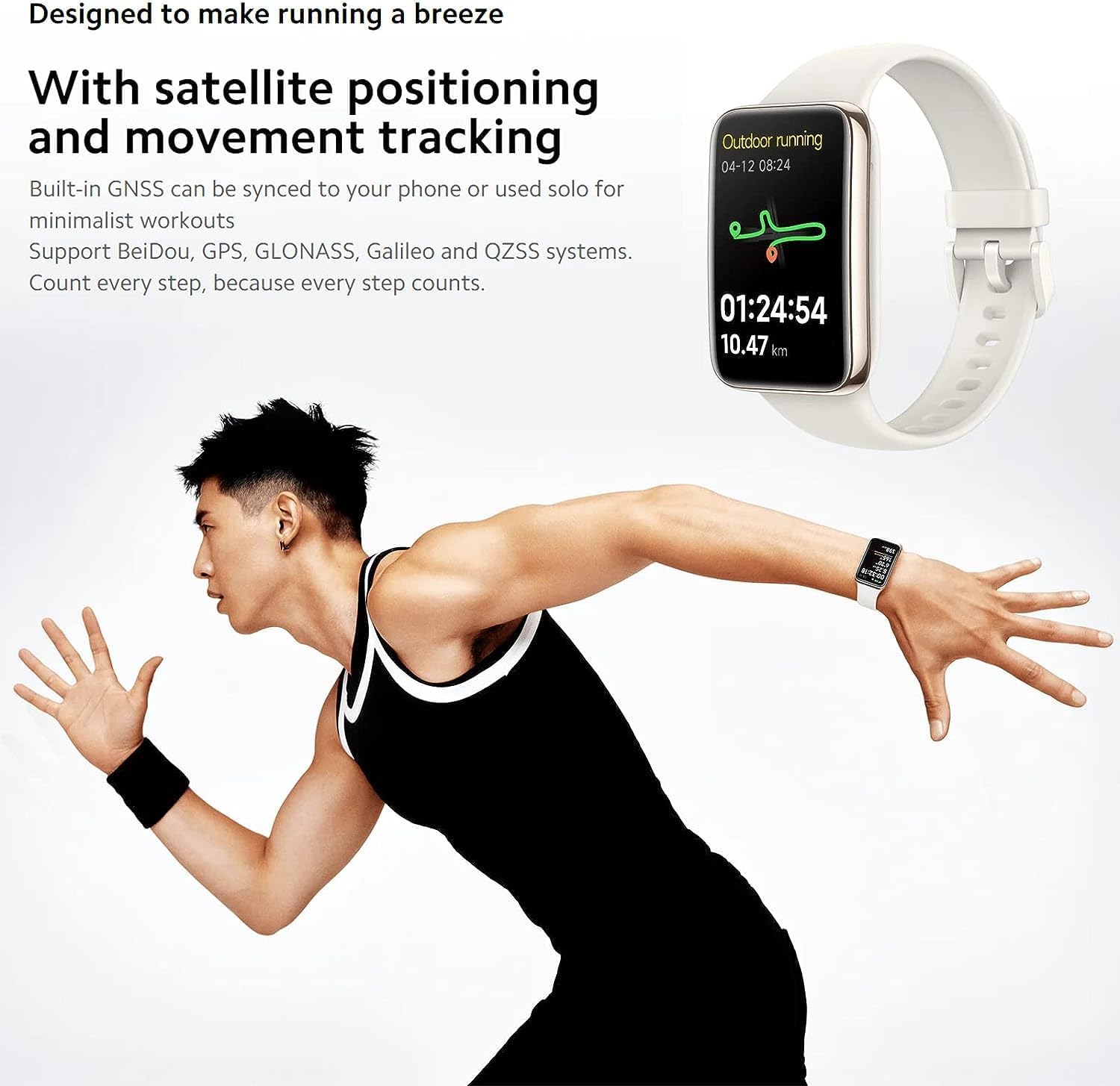
Image 3.2: The Mi Band 7 Pro displaying an outdoor running session with GPS tracking, showing duration and distance.

Image 3.3: Two Xiaomi Mi Band 7 Pro devices showing on-wrist running courses, one indicating 'Speed up' and another showing 'New record!'.
NIGDY nie można dostosowywać
- Tarcze zegarka: Change watch faces directly on the band by pressing and holding the home screen, or explore a wider selection in the Mi Fitness app.
- Powiadomienia: Manage app notifications and call alerts through the Mi Fitness app settings.
- Alarmy i przypomnienia: Set alarms and sedentary reminders via the Mi Fitness app.
4. Główne cechy
- Wyświetlacz AMOLED 1.64": A large, full-color rectangular screen offering clear visuals and easy interaction.
- Built-in GNSS: Supports Beidou, GPS, GLONASS, Galileo, and QZSS for accurate, independent outdoor activity tracking.
- Ponad 110 trybów sportowych: Comprehensive tracking for a wide range of physical activities.
- Żywotność baterii 12 dni: Extended usage on a single charge under typical usage conditions.
- 24H Heart Rate & SpO₂ Monitoring: Continuous tracking of vital health metrics.
- Monitorowanie snu: Monitoruje sentagi dostarcza informacji na temat jakości snu.
- Wodoodporność 5 ATM: Nadaje się do pływania i brania prysznica.

Obraz 4.1: Ponadview of the Xiaomi Mi Band 7 Pro's key features, including its AMOLED display, GNSS, sports modes, battery life, and health monitoring.
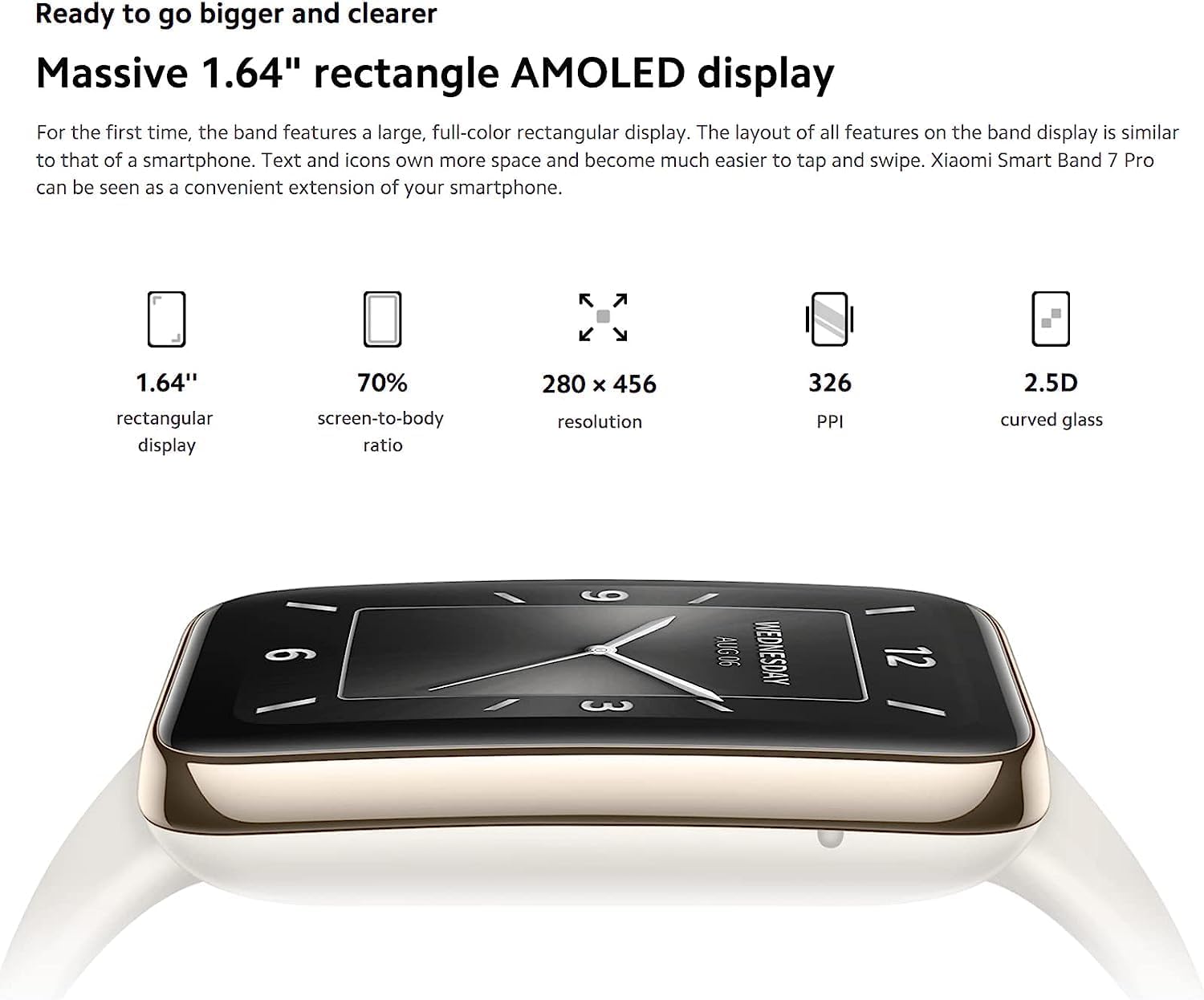
Image 4.2: Detailed specifications of the 1.64-inch rectangular AMOLED display, including 280x456 resolution and 326 PPI.

Image 4.3: Visual representation of the Mi Band 7 Pro's extended battery life (12 days typical) and 5 ATM water resistance.
5. Konserwacja
5.1 Czyszczenie urządzenia
- Regularnie czyść opaskę i obudowę urządzenia miękką,amp płótno.
- Unikaj stosowania silnych środków chemicznych, ściernych środków czyszczących i rozpuszczalników, gdyż mogą one uszkodzić materiały.
- Aby zapobiec korozji, przed ładowaniem należy upewnić się, że styki ładowania są czyste i suche.
5.2 Wodoodporność
The Xiaomi Mi Band 7 Pro has a 5 ATM water resistance rating, meaning it can withstand pressures equivalent to a depth of 50 meters. This makes it suitable for showering and swimming in shallow water. However, it is not suitable for hot showers, saunas, diving, or high-speed water sports, as steam, hot water, or high-pressure water jets can compromise the seal.
5.3 Pielęgnacja baterii
- Unikaj częstego całkowitego rozładowywania akumulatora.
- Przechowuj urządzenie w chłodnym i suchym miejscu, jeśli nie będziesz go używać przez dłuższy czas.
- Use only the provided charging cable or a certified replacement.
6. Rozwiązywanie Problemów
6.1 Device Not Turning On or Responding
- Upewnij się, że urządzenie jest w pełni naładowane. Podłącz je do ładowarki na co najmniej 30 minut.
- If unresponsive, try a soft reset by connecting it to the charger; some models automatically restart.
6.2 Problemy z parowaniem
- Make sure Bluetooth is enabled on your smartphone and the Mi Band 7 Pro is within range.
- Restart both your smartphone and the Mi Band 7 Pro.
- Wyczyść pamięć podręczną Bluetooth w telefonie (Android) lub zapomnij urządzenie w ustawieniach Bluetooth (iOS/Android), a następnie spróbuj sparować ponownie.
- Ensure the Mi Fitness app is updated to the latest version.
6.3 Niedokładne dane dotyczące zdrowia
- Verify the band is worn correctly: snug, one finger's width above the wrist bone, with the sensor in contact with the skin.
- Clean the sensor on the back of the device to remove any dirt or sweat residue.
- Avoid excessive movement during SpO₂ measurements.
6.4 Krótki czas pracy baterii
- Disable features you don't frequently use, such as always-on display, continuous heart rate monitoring, or excessive notifications.
- Zmniejsz jasność ekranu.
- Ensure the firmware is up to date via the Mi Fitness app.
7. Specyfikacje
| Funkcja | Specyfikacja |
|---|---|
| Nazwa modelu | Xiaomi Smart Band 7 Pro |
| Numer modelu | M2141B1 |
| Wyświetlacz | 1.64" AMOLED, 280 x 456 pixels, 326 PPI |
| Łączność | Bluetooth |
| GPS | Built-in GNSS (Beidou, GPS, GLONASS, Galileo, QZSS) |
| Odporność na wodę | 5 bankomatów |
| Żywotność baterii | Do 12 dni (typowe użytkowanie) |
| Czujniki | Heart Rate, SpO₂, Accelerometer, Gyroscope, Ambient Light Sensor |
| Waga przedmiotu | 2.22 uncji |
| Kolor | Czarny |
8. Gwarancja i wsparcie
The Xiaomi Mi Band 7 Pro comes with a standard manufacturer's warranty. For specific warranty terms, duration, and conditions, please refer to the warranty card included with your product or visit the official XIAOMI webstrona.
For technical support, service, or further inquiries, please visit the official XIAOMI support page or contact their customer service. You can find more information and resources on the Sklep XIAOMI na Amazon.