
1. Koniec produktuview
The MESTEK TH10 is a high-precision digital temperature and humidity meter designed for accurate and quick environmental measurements. It integrates functions for ambient temperature, relative humidity, wet bulb temperature, and dew point temperature. Featuring a Swiss-made semiconductor sensor, this compact and portable device offers reliable performance across various applications.

Image: The MESTEK TH10 meter showing its multi-functional display for ambient temperature, relative humidity, wet bulb temperature, and dew point temperature.
Główne cechy:
- Czujnik o wysokiej precyzji: Utilizes an upgraded SHT30 semiconductor sensor from Switzerland for accurate and rapid measurements.
- Wielofunkcyjny: Mierzy temperaturę otoczenia, wilgotność względną, temperaturę mokrego termometru i temperaturę punktu rosy.
- Podwójny wyświetlacz: Simultaneously shows humidity and temperature readings.
- Przyjazny dla użytkownika: Features °C/°F unit conversion, LCD backlight, and low battery indicator.
- Trwała konstrukcja: Ergonomic, double injection precision case with anti-dust, anti-skip, and anti-drop protection.
2. Konfiguracja
2.1 Instalacja baterii
- Znajdź komorę baterii z tyłu urządzenia.
- Za pomocą dołączonego śrubokręta otwórz pokrywę komory baterii.
- Włóż dwie baterie AAA, zwracając uwagę na prawidłową biegunowość (+/-).
- Załóż pokrywę komory baterii i zabezpiecz ją śrubą.

Obraz: Tył view of the MESTEK TH10 meter indicating the battery compartment for two AAA batteries and overall dimensions.
2.2 Włączanie/wyłączanie
- Aby włączyć, naciśnij i przytrzymaj Przycisk zasilania (⑂) for approximately one second. The LCD backlight will illuminate.
- Aby wyłączyć, naciśnij i przytrzymaj Przycisk zasilania (⑂) again for approximately one second.
3. Instrukcja obsługi
3.1 Wyświetl ponadview
The device features a backlit LCD that displays both humidity and temperature readings simultaneously. Indicators for Wet Bulb (WB), Dew Point (DP), Relative Humidity (%RH), and temperature units (°C/°F) are clearly visible.
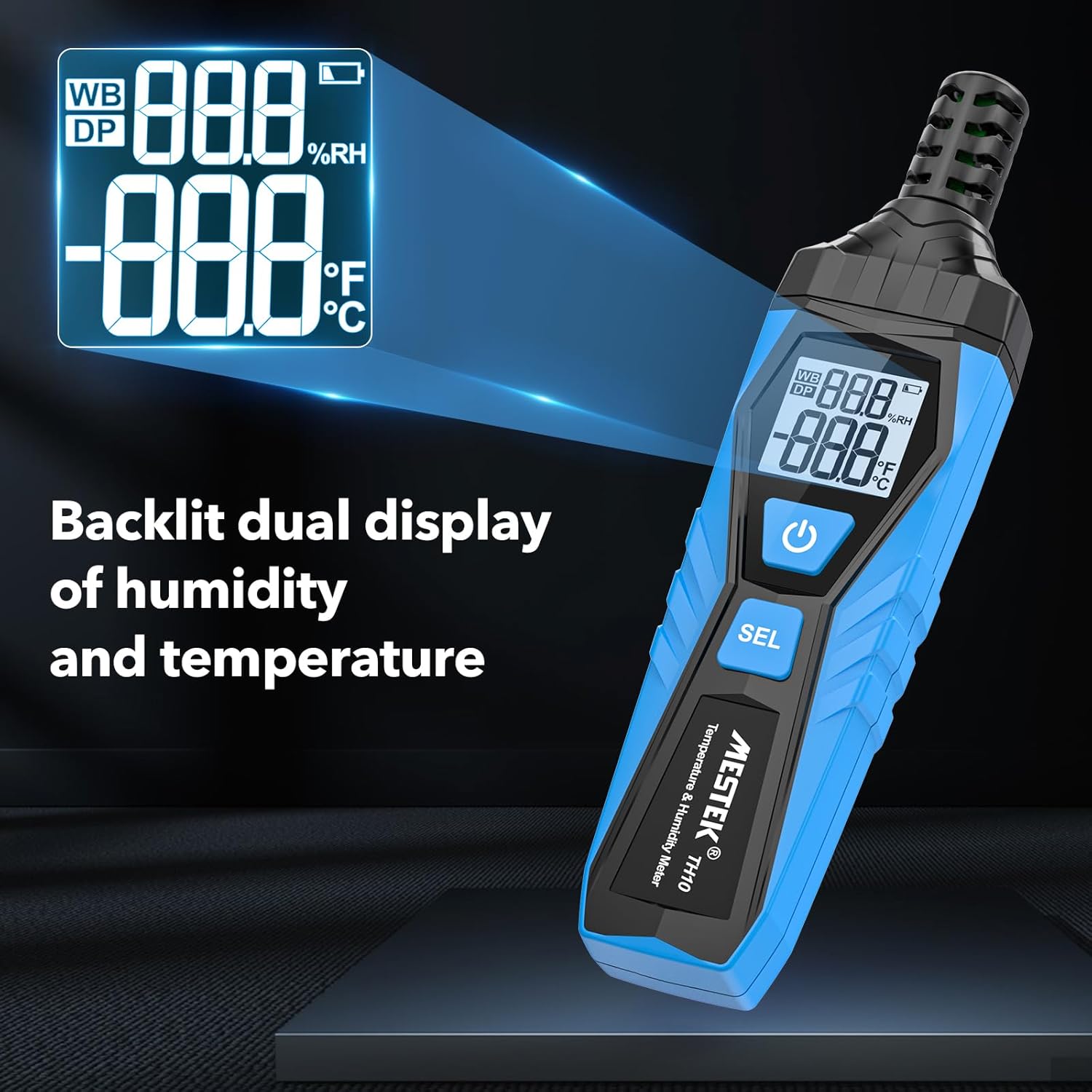
Image: Close-up of the MESTEK TH10's backlit dual display, showing both humidity and temperature readings for clear visibility.
3.2 Konwersja jednostek (°C/°F)
- Gdy urządzenie jest włączone, naciśnij i przytrzymaj przycisk Przycisk SEL for a few seconds to switch between Celsius (°C) and Fahrenheit (°F) temperature units.
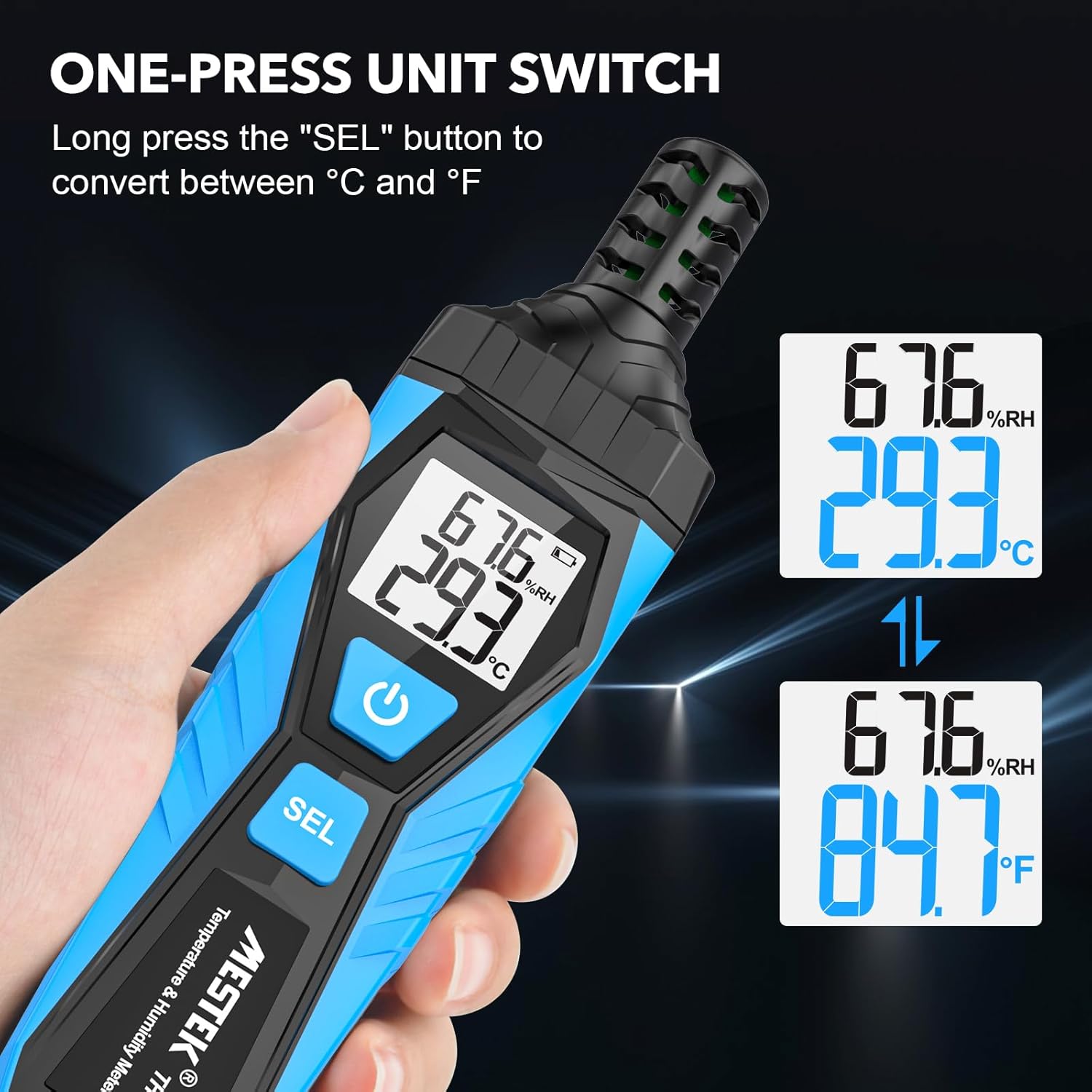
Image: The MESTEK TH10 demonstrating the unit switch function, converting temperature readings between Celsius and Fahrenheit by pressing the 'SEL' button.
3.3 Measurement Mode Selection
- Naciśnij krótko Przycisk SEL to cycle through the different measurement modes: Ambient Temperature/Relative Humidity, Dew Point Temperature (DP), and Wet Bulb Temperature (WB).
- The active mode (DP or WB) will be indicated on the display.
Video: This video demonstrates the operation of the MESTEK TH10 Temperature and Humidity Meter, including powering on, switching between Celsius and Fahrenheit, and cycling through Dew Point and Wet Bulb measurement modes in various environments like a greenhouse, warehouse, and machine room.
4. Konserwacja
4.1 Czyszczenie
- Przetrzyj urządzenie miękką, suchą ściereczką. Nie używaj środków czyszczących o właściwościach ściernych ani rozpuszczalników.
- Keep the sensor probe free from dust and debris to ensure accurate readings.
4.2 Wymiana baterii
- When the low battery indicator appears on the display, replace the batteries as described in the 'Battery Installation' section.
- Zawsze używaj nowych baterii alkalicznych AAA.
4.3 Przechowywanie
- Przechowywać urządzenie w chłodnym i suchym miejscu, z dala od bezpośredniego światła słonecznego i ekstremalnych temperatur.
- Aby zapobiec wyciekowi baterii, wyjmij je, jeśli urządzenie nie będzie używane przez dłuższy czas.
5. Rozwiązywanie Problemów
5.1 Niedokładne odczyty
- Sprawdź czujnik: Ensure the sensor probe is clean and unobstructed.
- Zezwól na stabilizację: Temperature and humidity readings may take a minute or two to stabilize, especially after moving the device between environments with significant differences.
- Czynniki środowiskowe: Avoid placing the device near heat sources, direct sunlight, or strong air currents that could affect readings.
5.2 No Power/Display Issues
- Sprawdź baterie: Verify that batteries are correctly installed and have sufficient charge. Replace if necessary.
- Przycisk zasilania: Ensure the power button is pressed and held for the required duration to turn the device on.
6. Specyfikacje
| Specyfikacja | Wartość |
|---|---|
| Marka | MESTEK |
| Numer modelu | TH10 |
| Kolor | Niebieski |
| Waga przedmiotu | 130 gramów (4.6 uncji) |
| Wymiary produktu | 6.61 x 1.69 x 0.98 cala |
| Źródło zasilania | Zasilany bateryjnie |
| Baterie | Wymagane 2 baterie AAA (w zestawie) |
| Typ ogniwa baterii | Alkaliczny |
| Wilgotność robocza | 0% - 99% wilgotności względnej |
| Zakres temperatur | -20℃ (-4℉) do 60℃ (140℉) |
| Zakres temperatury punktu rosy | -50℃ (-58℉) do 60℃ (140℉) |
| Zakres temperatur mokrego termometru | -20℃ (-4℉) do 60℃ (140℉) |
| Dokładność pomiaru | ±0.1 |
| Orzecznictwo | CE |
| Cechy specjalne | Wysoka dokładność |
7. Aplikacje
The MESTEK TH10 is suitable for a wide range of applications where real-time environmental information is crucial:
- Systemy HVAC
- Ustawienia przemysłowe
- Agriculture (e.g., greenhouses)
- Meteorologia
- Medicine and laboratories
- Zarządzanie magazynem
- Piwnice winiarskie
- Machine rooms and data storerooms
- Higiena żywności
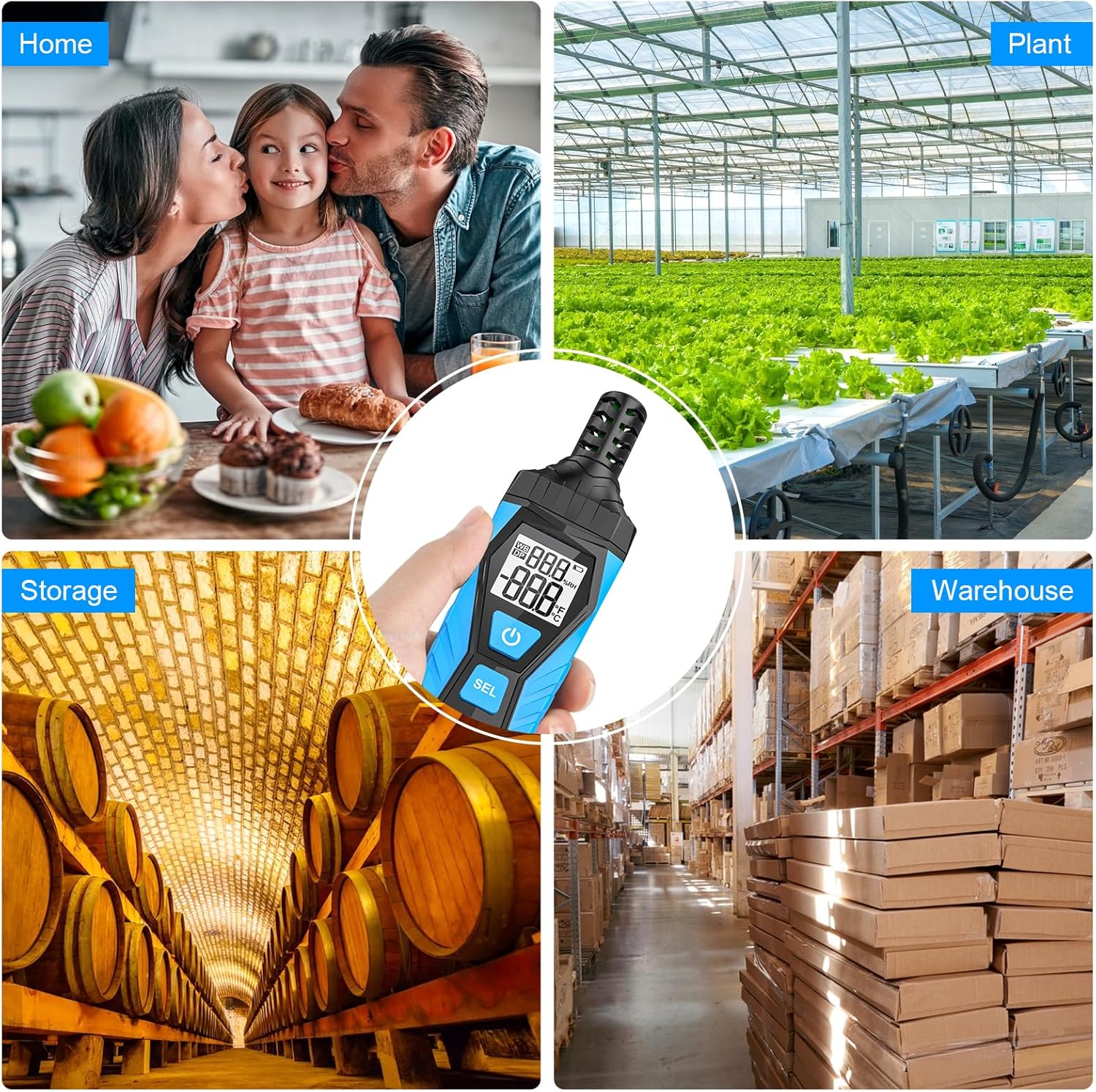
Image: The MESTEK TH10 meter shown in different application scenarios, including a home, plant nursery, storage facility, and warehouse, highlighting its versatility.
8. Gwarancja i wsparcie
MESTEK provides 36 months of after-sale service and lifetime technical support for the TH10 Temperature and Humidity Meter. For any inquiries or assistance, please refer to the contact information provided with your purchase or visit the official MESTEK webstrona.