
1. Wprowadzenie
Thank you for choosing the HOCO EW50 Bluetooth 5.3 TWS Earbuds. These earbuds are designed to provide a high-quality audio experience with features such as Active Noise Cancellation, deep bass, and touch controls. This manual will guide you through the setup, operation, and maintenance of your new earbuds.
2. Informacje dotyczące bezpieczeństwa
- Nie rozmontowuj i nie modyfikuj produktu.
- Keep the earbuds and charging case away from extreme temperatures, humidity, and liquids.
- Aby zapobiec uszkodzeniu słuchu, należy unikać długotrwałego słuchania muzyki na wysokim poziomie głośności.
- Czyść słuchawki douszne i etui ładujące miękką, suchą ściereczką. Nie używaj silnych środków chemicznych.
- Produkt należy utylizować w sposób odpowiedzialny, zgodnie z lokalnymi przepisami.
3. Koniec produktuview
The HOCO EW50 earbuds consist of two wireless earbuds and a portable charging case. The case not only protects the earbuds but also recharges them on the go.
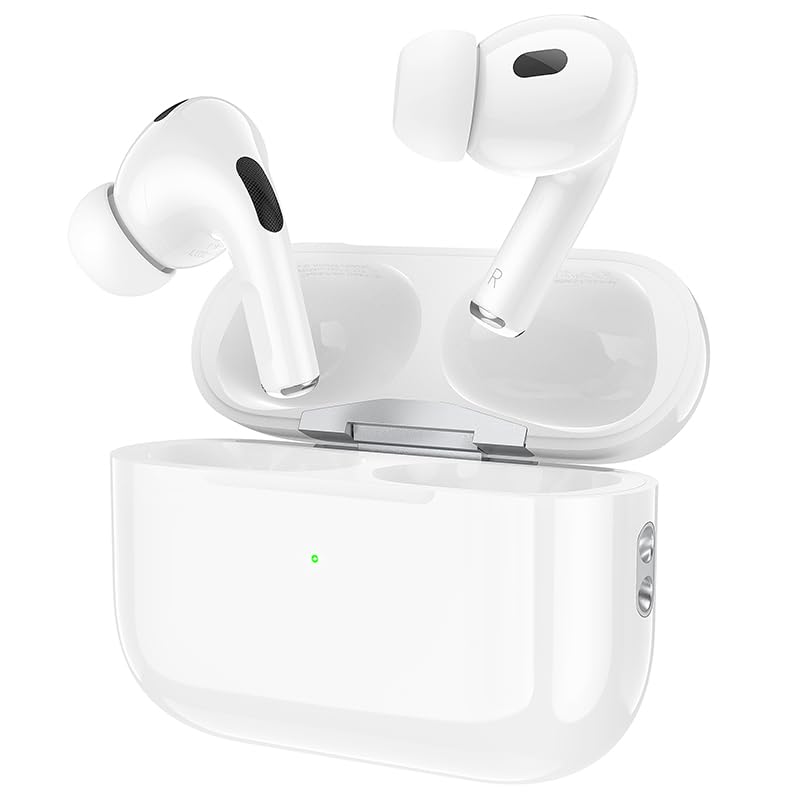
Image: HOCO EW50 Earbuds shown inside their open charging case.
Zawartość pudełka:
- HOCO EW50 Earbuds (Left and Right)
- Etui z ładowaniem bezprzewodowym
- Kabel ładujący USB
- Nauszniki (różne rozmiary)
- Etui ochronne
- Instrukcja obsługi
4. Konfiguracja
4.1 Ładowanie słuchawek dousznych i etui
Before first use, fully charge the earbuds and the charging case. Place the earbuds into the charging case. Connect the charging case to a USB power source using the provided USB cable. The indicator light on the case will show the charging status.
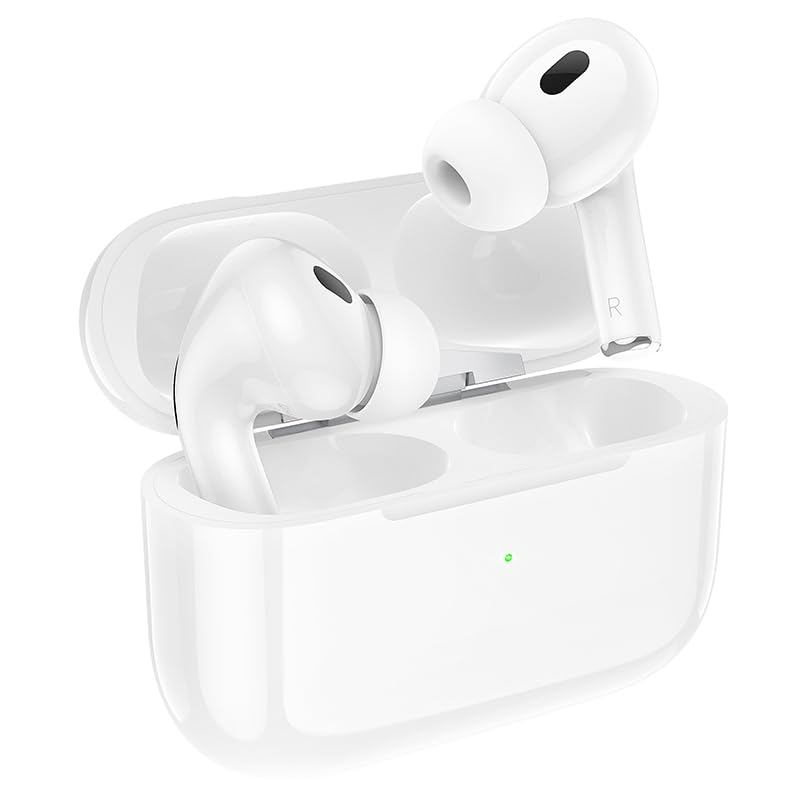
Image: HOCO EW50 Earbuds resting in their charging case, with a visible charging indicator light.
- Akumulator etui ładującego: 300mAh
- Czas odtwarzania w słuchawkach: Do 50 godzin (z etui ładującym)
- Czas ładowania: Approximately 1 hour for full charge.
4.2 Parowanie z urządzeniem
- Sprawdź, czy słuchawki są naładowane i umieszczone w etui ładującym.
- Open the charging case lid. The earbuds will automatically enter pairing mode, and an indicator light will flash.
- Włącz Bluetooth na swoim urządzeniu (smartfonie, tablecie, laptopie).
- Szukaj available Bluetooth devices and select "HOCO EW50" from the list.
- Po nawiązaniu połączenia usłyszysz komunikat głosowy potwierdzający pomyślne sparowanie.
- Słuchawki douszne automatycznie połączą się z ostatnio sparowanym urządzeniem po wyjęciu z etui.
5. Instrukcja obsługi
5.1 Włączanie/wyłączanie zasilania
- Włączanie: Otwórz etui z funkcją ładowania, a słuchawki włączą się automatycznie.
- Wyłączone: Włóż słuchawki douszne z powrotem do etui ładującego i zamknij pokrywę. Słuchawki automatycznie się wyłączą i rozpoczną ładowanie.
5.2 Sterowanie dotykowe
The HOCO EW50 earbuds feature pressure-sensitive touch controls on each earbud for easy management of music and calls.
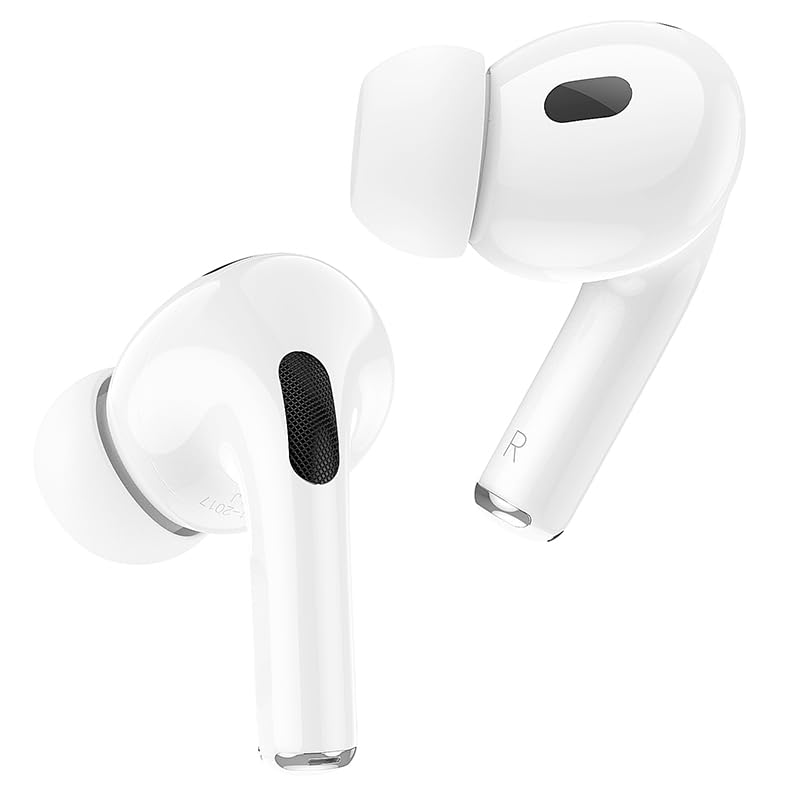
Image: Individual HOCO EW50 Earbuds displayed outside their charging case, highlighting their design.
| Działanie | Funkcjonować |
|---|---|
| Pojedyncze dotknięcie (lewo/prawo) | Odtwarzaj/wstrzymuj muzykę, odbieraj/kończ połączenia |
| Podwójne dotknięcie (w prawo) | Następny utwór |
| Podwójne dotknięcie (lewo) | Poprzedni utwór |
| Potrójne dotknięcie (lewo/prawo) | Aktywuj Asystenta Głosowego (Siri, Asystent Google) |
| Długie naciśnięcie (w lewo/w prawo) | Przełącz tryb aktywnej redukcji szumów (ANC) / tryb przezroczystości |
| Długie naciśnięcie (połączenie przychodzące) | Odrzuć połączenie |
5.3 Aktywna redukcja szumów (ANC) / Tryb przezroczystości
The HOCO EW50 features Active Noise Cancellation to reduce ambient noise and Transparency Mode to allow you to hear your surroundings. Long press either earbud to cycle through ANC On, Transparency Mode, and ANC Off.
5.4 Tryb gry
For an enhanced gaming experience with reduced audio latency, activate Gaming Mode. Refer to the specific instructions for activating Gaming Mode, usually a specific touch gesture or setting within a companion app if available.
5.5 Wykonywanie/odbieranie połączeń
- Odbierz połączenie: Pojedyncze dotknięcie dowolnej słuchawki.
- Zakończ połączenie: Pojedyncze dotknięcie dowolnej słuchawki podczas połączenia.
- Odrzuć połączenie: Long press either earbud during an incoming call.
- The built-in microphone ensures clear communication during calls.
6. Konserwacja
6.1 Czyszczenie
- Regularly clean the earbuds and charging case to maintain optimal performance.
- Do przecierania powierzchni należy używać miękkiej, suchej i niepozostawiającej włókien ściereczki.
- Delikatnie usuń woskowinę uszną i zanieczyszczenia z siateczki słuchawek dousznych oraz styków ładowania za pomocą czystego, suchego wacika bawełnianego lub małej, miękkiej szczoteczki.
- Do not use liquids, sprays, or chemical cleaners.
6.2 Przechowywanie
- Gdy nie używasz słuchawek, przechowuj je w etui ładującym, aby je chronić i utrzymać naładowanie.
- Przechowywać produkt w chłodnym i suchym miejscu, z dala od bezpośredniego światła słonecznego i ekstremalnych temperatur.
6.3 Wodoodporność
The HOCO EW50 earbuds are sweatproof and water-resistant, making them suitable for workouts and outdoor activities. However, they are not waterproof and should not be submerged in water. Avoid exposure to heavy rain or showering with the earbuds.
7. Rozwiązywanie Problemów
If you encounter any issues with your HOCO EW50 earbuds, please refer to the following common solutions:
| Problem | Rozwiązanie |
|---|---|
| Słuchawki douszne nie parują się | Ensure earbuds are charged. Place them in the case, close, then open the lid to re-enter pairing mode. Turn off and on Bluetooth on your device. Forget "HOCO EW50" from your device's Bluetooth list and try pairing again. |
| Brak dźwięku z jednej słuchawki | Check battery level of both earbuds. Place both earbuds back in the case, close the lid, then take them out again. Re-pair with your device. |
| Słuchawki nie ładują się | Ensure the charging cable is securely connected to both the case and the power source. Check if the charging contacts on the earbuds and in the case are clean and free of debris. Try a different charging cable or power adapter. |
| Niska głośność lub słaba jakość dźwięku | Adjust volume on both your device and the earbuds. Ensure earbud tips are clean and properly seated in your ears for a good seal. Try different sized ear cushions. |
| Sterowanie dotykowe nie odpowiada | Upewnij się, że Twoje palce są czyste i suche. Spróbuj ponownie uruchomić słuchawki, umieszczając je w etui i wyjmując je ponownie. |
8. Specyfikacje
| Funkcja | Szczegół |
|---|---|
| Nazwa modelu | EW50 |
| Technologia łączności | Bezprzewodowa (Bluetooth 5.3) |
| Kontrola hałasu | Aktywna redukcja szumów |
| Metoda kontroli | Dotykać |
| Czas odtwarzania | Do 50 godzin (z etui ładującym) |
| Etui ładujące Bateria | 300mAh |
| Poziom wodoodporności | Wodoodporny (odporny na pot) |
| Zawarte komponenty | Cable, Ear Cushions, Protective Case, Wireless Charging Case |
| Waga przedmiotu | 57 gram |
| Wymiary produktu | Wymiary 4.5 x 6 x 2 cm |
| Tworzywo | Plastikowy |
| Umieszczenie ucha | W uchu |
9. Gwarancja i wsparcie
The HOCO EW50 Earbuds come with a 1-letnia gwarancja od daty zakupu. Niniejsza gwarancja obejmuje wady produkcyjne i zapewnia, że produkt jest wolny od wad materiałowych i wykonawczych przy normalnym użytkowaniu.
For warranty claims, technical support, or any inquiries, please contact your retailer or the HOCO customer service department. Please retain your proof of purchase for warranty validation.