
HOCO ES64_Green
Instrukcja obsługi słuchawek dousznych HOCO Bluetooth Neck Band
Model: ES64_Green | Brand: HOCO
1. Wprowadzenie
The HOCO Bluetooth Neck Band In-Ear Earphones (Model ES64_Green) are designed to provide a high-quality audio experience with extended playback time and convenient features. This manual provides essential information for setting up, operating, and maintaining your earphones.
Główne cechy obejmują:
- Bluetooth 5.3 connectivity for stable and efficient pairing.
- Do 30 godzin ciągłej pracy na jednym ładowaniu.
- Ergonomic neckband design for comfortable wear.
- Toggle switch button for convenient operation.
- Lightweight design at 26.5g.
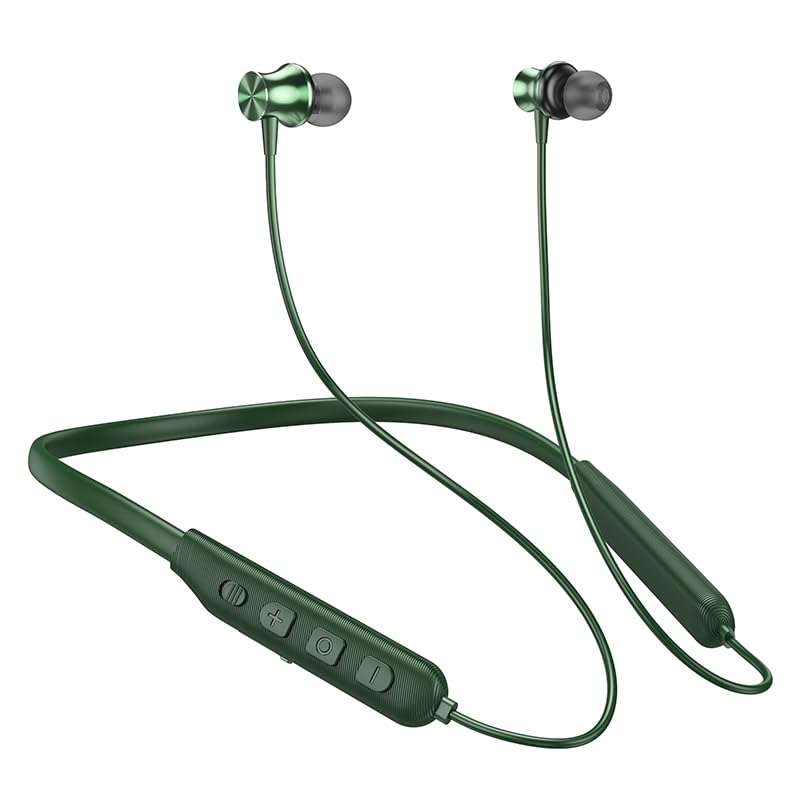
Image: The HOCO Bluetooth Neck Band in green, showcasing its in-ear design and flexible neckband.
2. Zawartość opakowania
Proszę sprawdzić, czy w paczce znajdują się następujące elementy:
- HOCO Bluetooth Neck Band In-Ear Earphones (ES64_Green)
- Ear Cushions (additional sizes may be included)
- Instrukcja obsługi (ten dokument)
- Charging Cable (not explicitly listed in "whats_in_the_box" but implied for charging)
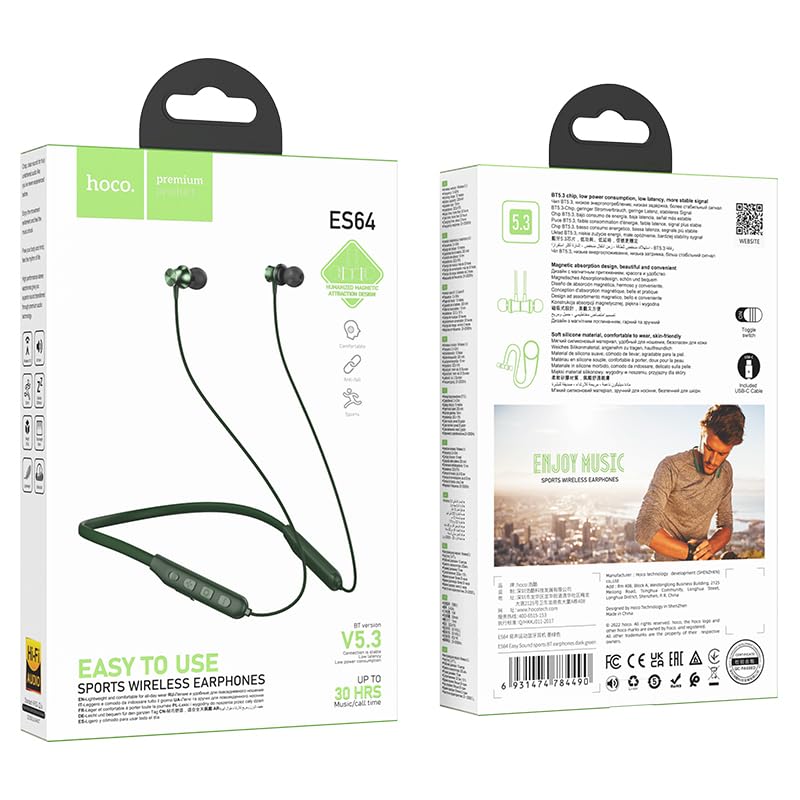
Obraz: przód i tył view of the HOCO Bluetooth Neck Band product packaging, showing the earphones and key features.
3. Koniec produktuview
Familiarize yourself with the components and controls of your HOCO Bluetooth Neck Band.
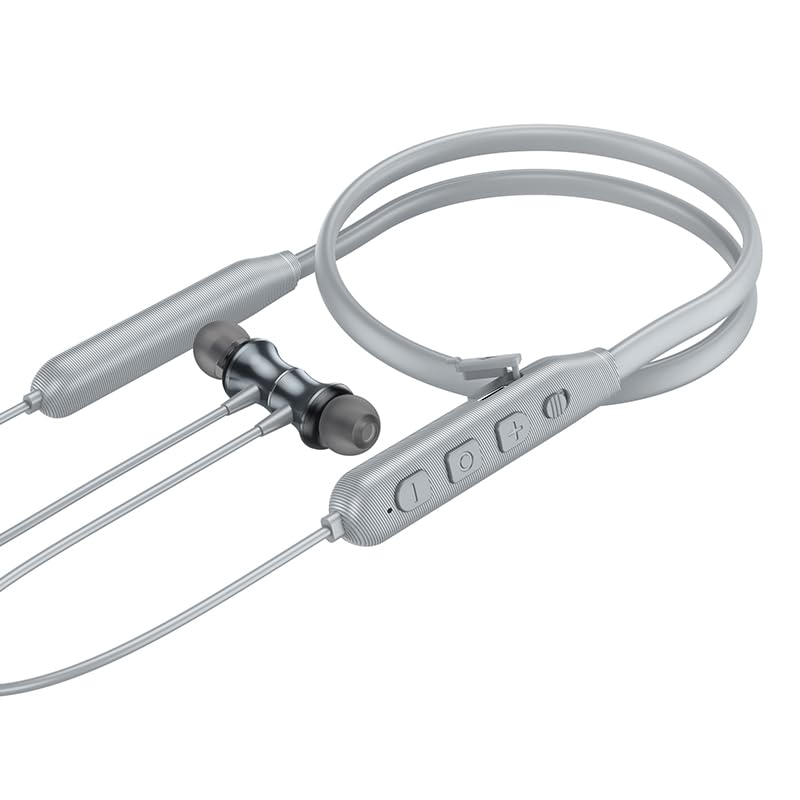
Obraz: Zbliżenie view of the control panel on the HOCO Bluetooth Neck Band, showing the toggle switch, volume buttons, and multi-function button.
Sterownica:
- Przycisk wielofunkcyjny (MFB): Włączanie/wyłączanie, odtwarzanie/pauza, odbieranie/kończenie połączeń.
- Zwiększanie głośności (+): Zwiększ głośność, Następny utwór (długie naciśnięcie).
- Ściszanie (-): Zmniejszenie głośności, Poprzedni utwór (długie naciśnięcie).
- Przełącznik: Dla wygodnej kontroli mocy.
- Port ładowania: USB Type-C (implied by modern devices, though not specified as Type-C).
- Wskaźnik LED: Pokazuje stan zasilania, parowania i ładowania.
4. Konfiguracja
4.1 Ładowanie słuchawek
Before first use, fully charge your earphones. A full charge takes approximately 2 hours.
- Connect the charging cable to the charging port on the neckband.
- Podłącz drugi koniec kabla do zasilacza USB (nie ma go w zestawie) lub do portu USB komputera.
- The LED indicator will show the charging status (e.g., red while charging, blue when fully charged).
The ASAP Charge feature allows for quick charging to provide additional playtime with a short charge.
4.2 Parowanie z urządzeniem Bluetooth
Follow these steps to pair your HOCO Bluetooth Neck Band with your smartphone or other Bluetooth-enabled device:
- Upewnij się, że słuchawki są całkowicie naładowane i wyłączone.
- Slide the toggle switch to the "On" position or long-press the MFB until the LED indicator flashes rapidly (usually blue and red alternately), indicating pairing mode.
- Włącz na swoim urządzeniu Bluetooth i wyszukaj dostępne urządzenia.
- Select "HOCO ES64" (or similar name) from the list of found devices.
- Once connected, the LED indicator will typically show a slow blue flash or turn off, and you will hear an audible confirmation.
The earphones support Bluetooth v5.3 for stable connection and can connect to two devices simultaneously (specific instructions for dual pairing may vary by device, refer to your device's manual).
5. Instrukcja obsługi
5.1 Włączanie/wyłączanie zasilania
- Włączanie: Slide the toggle switch to "On" or long-press the MFB until the LED indicator lights up.
- Wyłączone: Slide the toggle switch to "Off" or long-press the MFB until the LED indicator turns off.
5.2 Odtwarzanie muzyki
- Odtwórz/Pauza: Krótko naciśnij MFB.
- Zwiększenie głośności: Naciśnij krótko przycisk „+”.
- Ściszanie: Naciśnij krótko przycisk "-".
- Następny utwór: Naciśnij i przytrzymaj przycisk „+”.
- Poprzedni utwór: Naciśnij i przytrzymaj przycisk „-”.
5.3 Zarządzanie połączeniami
- Odbierz połączenie: Naciśnij krótko przycisk MFB, gdy zadzwoni połączenie przychodzące.
- Zakończ połączenie: Naciśnij krótko przycisk MFB podczas połączenia.
- Odrzuć połączenie: Long press the MFB when an incoming call rings.
- Ponowne wybieranie ostatniego numeru: Naciśnij dwukrotnie MFB.

Image: A person wearing the HOCO Bluetooth Neck Band during a run, demonstrating its comfortable and secure fit for active use.
5.4 Demonstracja wideo
For a visual guide on the product's features and usage, please watch the official product video below:
Video: Official HOCO product video demonstrating the features and usage of the Bluetooth Neck Band, including its long playback time, ASAP Charge, and Bluetooth pairing capabilities.
6. Konserwacja
Proper care will extend the lifespan of your earphones:
- Czyszczenie: Do czyszczenia słuchawek używaj miękkiej, suchej ściereczki. Nie używaj silnych środków chemicznych ani materiałów ściernych.
- Składowanie: Przechowuj słuchawki w chłodnym, suchym miejscu, z dala od bezpośredniego światła słonecznego i ekstremalnych temperatur.
- Wodoodporność: The earphones are water resistant. Avoid submerging them in water or exposing them to heavy rain for prolonged periods. Dry them thoroughly if they get wet.
- Ładowanie: Do not overcharge the battery. Disconnect the charger once the earphones are fully charged.
7. Rozwiązywanie Problemów
If you encounter issues with your HOCO Bluetooth Neck Band, try the following solutions:
| Problem | Możliwe rozwiązanie |
|---|---|
| Nie można włączyć | Upewnij się, że bateria jest naładowana. Podłącz ją do źródła zasilania i spróbuj ponownie. |
| Nie można sparować z urządzeniem |
|
| Brak dźwięku lub niska głośność |
|
| Przerywane połączenie |
|
8. Specyfikacje
| Funkcja | Szczegół |
|---|---|
| Nazwa modelu | ES64_Green |
| Technologia łączności | Bezprzewodowy (Bluetooth) |
| Wersja Bluetooth | 5.3 (chip: JL AC7003) |
| Pojemność baterii | 200mAh |
| Czas ładowania | Około 2 godzin |
| Użyj czasu | 30 godziny |
| Czas czuwania | 350 godziny |
| Earphones Total Length | 85cm |
| Waga | 26.5g |
| Tworzywo | Plastikowy |
| Typ sterowania | Physical Button, Toggle Switch |
| Poziom wodoodporności | Wodoodporny |
| Zawiera akumulator | Tak |
| Producent | HOCO |
| Kraj pochodzenia | Chiny |
9. Gwarancja i wsparcie
Your HOCO Bluetooth Neck Band In-Ear Earphones come with a 1-letnia gwarancja od daty zakupu. Niniejsza gwarancja obejmuje wady produkcyjne i zapewnia, że produkt działa zgodnie z przeznaczeniem przy normalnym użytkowaniu.
For warranty claims, technical support, or any inquiries, please contact your retailer or the official HOCO customer service. Keep your purchase receipt as proof of purchase.
For more information, you may visit the official HOCO website (if available, a placeholder link would be here, but since none is provided, I will omit a specific URL).