
Yamiry YR01
Yamiry Smart Lock YR01 with WiFi Gateway User Manual
Wstęp
Welcome to your new Yamiry Smart Lock YR01. This manual provides detailed instructions for the installation, setup, operation, and maintenance of your smart lock and its included WiFi gateway. Please read this manual thoroughly before use to ensure proper functionality and safety.
Produkt ponadview
The Yamiry Smart Lock YR01 offers multiple secure access methods, including biometric fingerprint, phone application, keypad code, key fob, and traditional keys. The included WiFi gateway enables remote control and voice assistant integration, enhancing your home security and convenience.
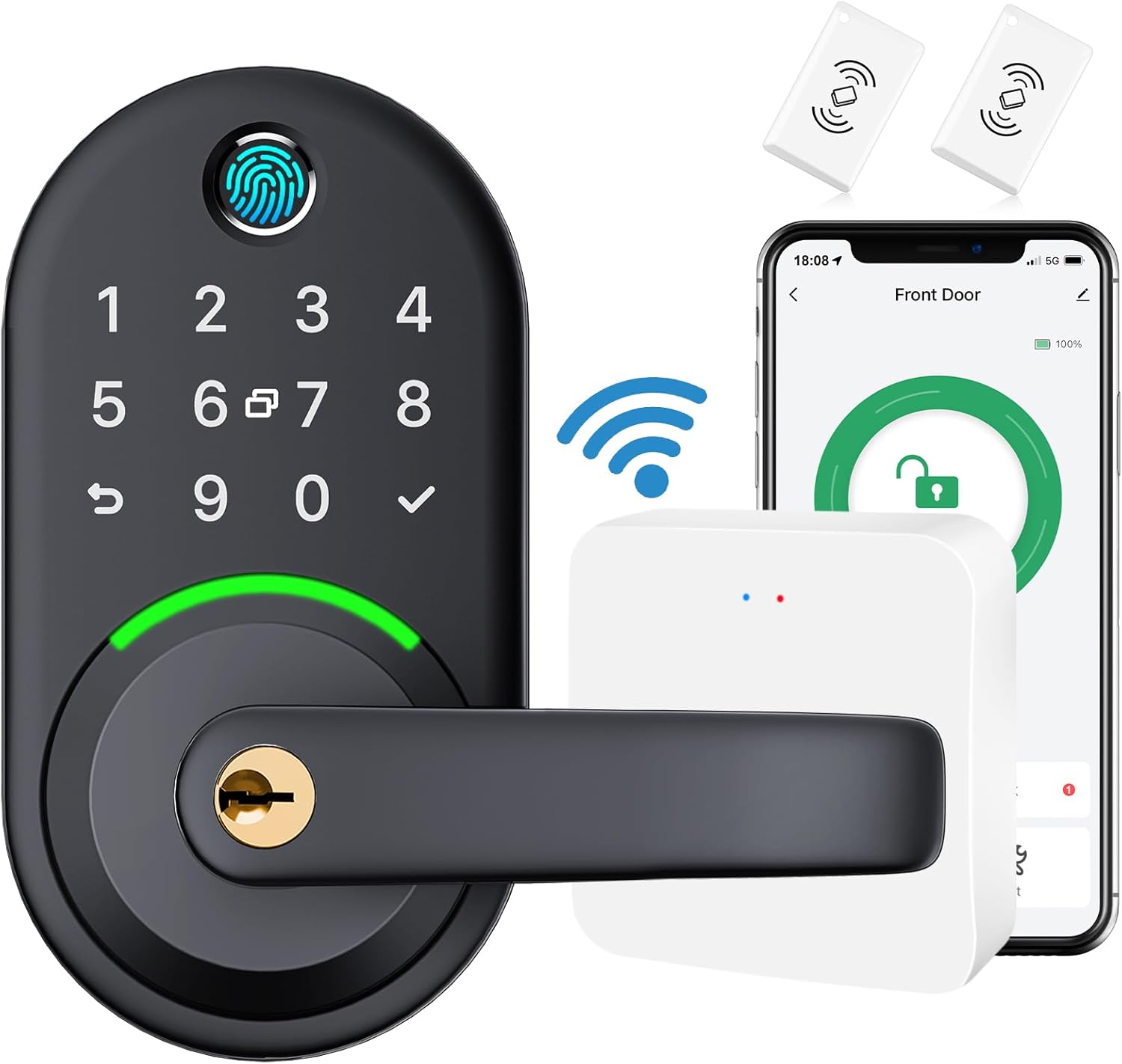
This image displays the complete Yamiry Smart Lock YR01 system, featuring the main lock unit with a numeric keypad and fingerprint scanner, the door handle, the compact white WiFi gateway, and two key fobs for convenient access.
Co jest zawarte
The Yamiry Smart Lock YR01 package typically includes the following components:
- Smart Lock Unit (with Biometric Fingerprint Sensor and Keypad)
- Bramka Wi-Fi
- Breloczki
- Regular Keys
- Sprzęt montażowy (śruby, blacha zaczepowa itp.)

An exploded diagram showing all the individual components of the Yamiry Smart Lock YR01, illustrating the interior and exterior lock assemblies, the deadbolt mechanism, strike plate, mounting screws, and physical keys required for installation.
Specyfikacje
| Funkcja | Szczegół |
|---|---|
| Marka | Yamiry |
| Funkcja specjalna | Bezkluczykowy |
| Typ zamka | Biometryczny, klawiatura |
| Tworzywo | Metal |
| Zalecane zastosowania | Home security, office security, keyless access control, smart home integration |
| Styl | Smart Lock with WIFI Gateway, Remote Control |
| Kolor | Czarny |
| Zawarte komponenty | Bramka Wi-Fi |
| Typ kontrolera | Amazon Alexa |
| Kształt | Prostokątny |
| Metoda kontroli | Głos |
| Protokół łączności | Bluetooth |
| Nazwa modelu | Smart Lock YR01 |
| Numer modelu przedmiotu | YR01 |
Instrukcja instalacji
The Yamiry Smart Lock YR01 is designed for easy installation, typically replacing an existing deadbolt without requiring additional drilling. It fits door thicknesses from 1-3/8 inches to 1-3/4 inches.
Instalacja fizyczna
Follow the detailed instructions provided in the product packaging for physical installation of the lock components. A screwdriver is generally the only tool required for this process.
Gateway Setup and App Integration
To enable remote control and voice assistant features, the included WiFi gateway must be set up and connected to the Nice Digi App. The following video provides a visual guide:
Instructional video demonstrating the setup process for the Yamiry WiFi Gateway with the Nice Digi App. This guide covers powering on the gateway, checking indicator lights, adding it to the app, and linking your smart lock devices.
Steps for Gateway Setup:
- Włączanie bramki: Connect the WiFi gateway to a power source using the provided Micro USB cable.
- Sprawdź kontrolki: Ensure the blue light is always on and the red light is blinking. This indicates the gateway is powered and ready for pairing.
- Add Gateway to Nice Digi App: Open the Nice Digi App on your smartphone. Tap "Add Device" and follow the on-screen prompts to connect the gateway to your 2.4GHz Wi-Fi network. (Note: The gateway only works with 2.4GHz Wi-Fi, not 5GHz).
- Add Existing Devices to Gateway: Within the app, tap on the newly added gateway, then select "Add Device" to link your smart lock to the gateway. Ensure your lock is already added to the app via Bluetooth before this step.

A close-up image of the compact Yamiry WiFi Gateway, highlighting its dimensions (2.36"x2.36"x0.59"), and indicating its power input (5V/500mA) and Micro USB interface.
Instrukcja obsługi
Your Yamiry Smart Lock YR01 offers various convenient and secure methods for locking and unlocking your door.
Remote Control via Nice Digi App
With the WiFi Gateway successfully connected, you can control your lock from anywhere with an internet connection using the Nice Digi App. This includes unlocking, locking, programming temporary or permanent access codes, managing e-keys, and viewing real-time access records.

An image showing a person using the Nice Digi App on their smartphone to remotely lock or unlock the smart lock, demonstrating the convenience of controlling the lock from any location with an internet connection.
Sterowanie głosowe za pomocą Alexy i Google Home
The smart lock integrates seamlessly with Amazon Alexa and Google Home for convenient voice control. Ensure your Nice Digi account is linked to your smart assistant's app (Alexa App or Google Home App) and that voice unlock features are enabled in the lock's settings within the respective app.

This image illustrates the voice control functionality, with a person speaking to an Amazon Echo device to unlock the door, and the Yamiry Smart Lock visible on a door in the background, confirming the action.
Other Access Methods
- Biometryczny odcisk palca: Register your fingerprints through the Nice Digi App for quick and secure access.
- Kod klawiatury: Use a personalized numeric code on the lock's keypad for entry.
- Brelok: Tap the provided key fob to the designated area on the lock to unlock the door.
- Regular Keys: Traditional physical key access is always available as a reliable backup.
Konserwacja
To ensure optimal performance and longevity of your Yamiry Smart Lock YR01, regular maintenance is recommended:
- Wymiana baterii: Replace batteries promptly when the low battery indicator appears in the app or on the lock. Use high-quality alkaline batteries for best performance.
- Czyszczenie: Clean the keypad and fingerprint sensor with a soft, dry cloth. Avoid abrasive cleaners, solvents, or excessive moisture, as these can damage the electronic components.
- Aktualizacje oprogramowania układowego: Regularly check the Nice Digi App for available firmware updates. Installing updates ensures your lock has the latest features, security enhancements, and bug fixes.
- Kontrola mechaniczna: Periodically check that all mounting screws are tight and that the lock's mechanical components operate smoothly without obstruction.
Rozwiązywanie problemów
If you encounter issues with your Yamiry Smart Lock YR01, refer to the following common solutions:
- Zamek nie odpowiada: Check battery levels. If batteries are low, replace them immediately. Ensure the lock is within Bluetooth range of your phone or within Wi-Fi range of the gateway if using remote features.
- Problemy z czujnikiem linii papilarnych: Ensure your finger is clean and dry when using the sensor. Try re-registering your fingerprint in the Nice Digi App if issues persist.
- Problemy z łącznością aplikacji: Verify your WiFi gateway is powered on and successfully connected to your 2.4GHz Wi-Fi network. Restart the gateway and your home router if necessary. Ensure the Nice Digi App is updated to the latest version on your smartphone.
- Sterowanie głosowe nie działa: Confirm that your Nice Digi account is correctly linked to your Amazon Alexa or Google Home app. Check that "unlock by voice" is enabled in the smart assistant's settings for the specific lock, and that you are providing the correct voice confirmation code if required.
- Remote Unlock/Lock Delays: This could be due to network congestion or poor Wi-Fi signal strength between the gateway and your router, or between your phone and the internet. Ensure the gateway is placed in an optimal location for strong signal reception.
Aby uzyskać dalszą pomoc, skontaktuj się z obsługą klienta.
Gwarancja i wsparcie
Yamiry offers a 30-day money-back guarantee and a 1-year product warranty from the date of purchase for your Smart Lock YR01. Lifetime customer support is also provided to assist you with any questions or issues you may encounter.
The Nice Digi App, which controls your smart lock, is free to use forever, with no subscription or extra fees required.
For support, please refer to the contact information provided in your product packaging or visit the official Yamiry webwitryna zawierająca najnowsze zasoby pomocy technicznej.