
Wstęp
The STATIK 100W GaN Charger is a high-performance, multi-port wall charger designed for efficient and fast charging of various electronic devices. Utilizing advanced GaN (Gallium Nitride) technology, this charger offers a compact design, reduced heat generation, and improved power efficiency. It features multiple USB-C and USB-A ports to charge up to four devices simultaneously.
- Superszybkie ładowanie: Delivers up to 100W of power for rapid charging.
- Zaawansowana technologia GaN: Ensures a compact size, lower heat, and higher charging efficiency.
- Uniwersalna kompatybilność: Supports a wide range of devices including MacBook Pro/Air, iPad, iPhone, Samsung Galaxy, Nintendo Switch, and more.
- Overheat and Overload Protection: Built-in safety features protect against overheating, overloading, and short circuits.
- Kompaktowy i przenośny: Designed for easy travel and everyday use with a foldable plug.

Image: The STATIK 100W GaN Charger in use, demonstrating its high-speed charging for a laptop.

Image: The compact design of the STATIK 100W GaN Charger compared to a larger standard charger.
Zawartość opakowania
Sprawdź, czy w przesyłce znajdują się wszystkie elementy:
- STATIK 100W GaN Charger (Model: PUP-0295)
- Instrukcja obsługi (ten dokument)
Organizować coś
Follow these steps to set up your STATIK 100W GaN Charger:
- Rozłóż wtyczkę: Gently unfold the AC prongs from the charger body. The charger features a foldable plug for portability.
- Podłącz do gniazdka elektrycznego: Insert the charger's prongs into a standard wall power outlet. Ensure it is securely plugged in.
- Podłącz urządzenia: Za pomocą odpowiednich kabli ładujących (niedołączonych do zestawu) podłącz urządzenia do dostępnych portów USB-C lub USB-A w ładowarce.

Image: The STATIK 100W GaN Charger showing its four ports (3 USB-C, 1 USB-A) and the foldable AC plug in both folded and unfolded positions.

Image: The charger plugged into a wall socket, demonstrating its use with multiple devices.
Instrukcja obsługi
The STATIK 100W GaN Charger is designed for simple plug-and-play operation. It automatically detects connected devices and delivers optimal charging power.
Ładowanie pojedynczego urządzenia:
Connect your device to any available USB-C or USB-A port using a compatible cable. For maximum speed, especially for laptops or high-power devices, use one of the USB-C ports (USB-C1 or USB-C2) which can deliver up to 100W individually.
Ładowanie wielu urządzeń:
The charger can power up to four devices simultaneously. The total 100W power output is dynamically distributed among the connected ports. Refer to the power distribution guide below for typical scenarios.
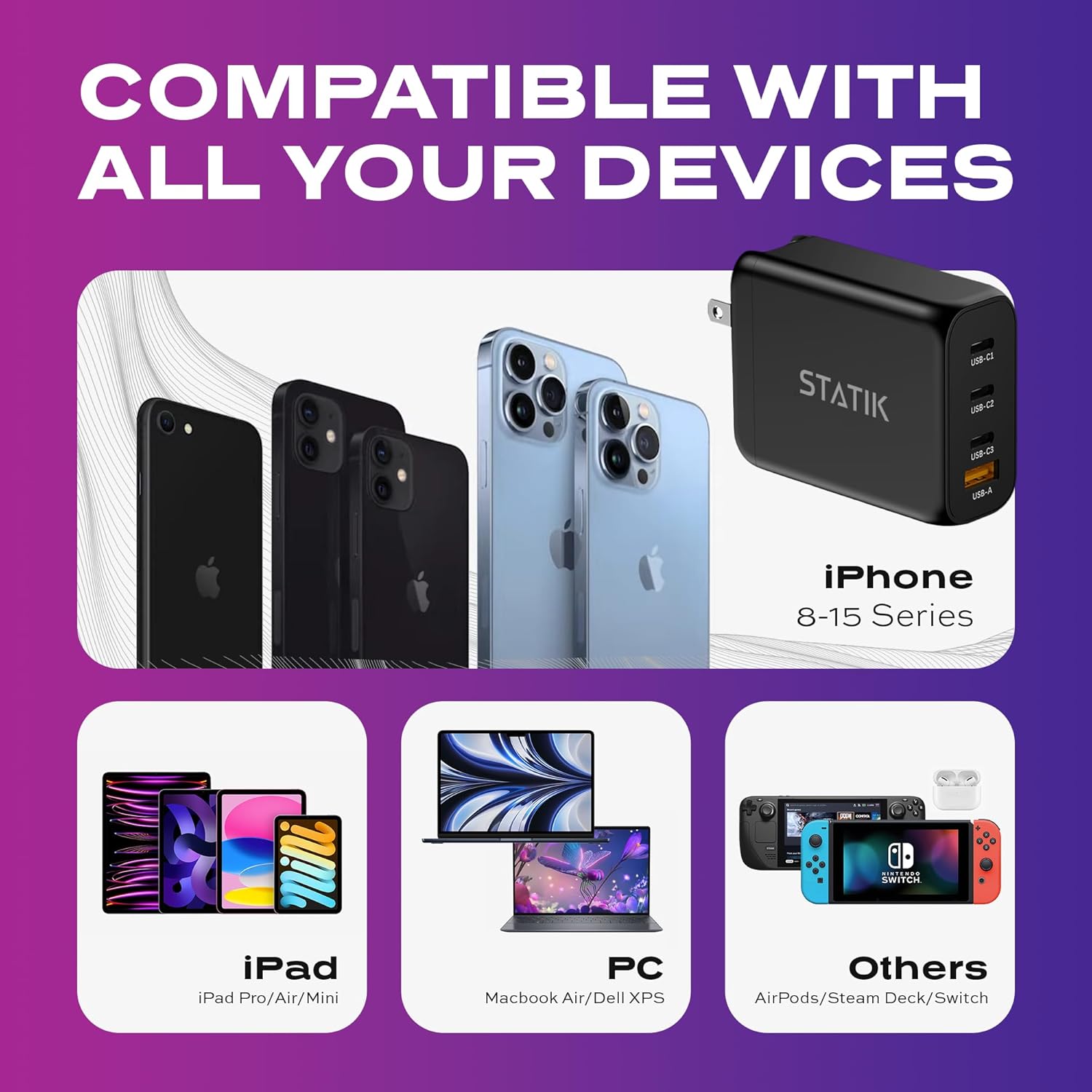
Image: The charger's universal compatibility with a range of devices including iPhones, iPads, laptops, and gaming consoles.

Image: The charger actively charging four devices at once, including a laptop, tablet, smartphone, and wireless earbuds.
Power Output Configuration:
The charger intelligently adjusts power output based on the number and type of connected devices. Below are common power distribution scenarios:
- Pojedyncze urządzenie: USB-C1 or USB-C2: Up to 100W; USB-C3: Up to 65W; USB-A: Up to 30W.
- Two Devices:
- USB-C1 (65 W) + USB-C2 (30 W)
- USB-C1 (65 W) + USB-C3 (30 W)
- USB-C1 (65 W) + USB-A (30 W)
- USB-C2 (65 W) + USB-C3 (30 W)
- USB-C2 (65 W) + USB-A (30 W)
- USB-C3 (30 W) + USB-A (30 W)
- Three Devices:
- USB-C1 (45W) + USB-C2 (30W) + USB-C3 (7.5W)
- USB-C1 (45W) + USB-C2 (30W) + USB-A (7.5W)
- Four Devices: USB-C1 (45W) + USB-C2 (35W) + USB-C3 (7.5W) + USB-A (7.5W)

Image: Visual representation of the charging guide, illustrating maximum power output for single and multiple device connections across USB-C and USB-A ports.
Konserwacja
Aby zapewnić długą żywotność i optymalną wydajność ładowarki, należy przestrzegać poniższych wskazówek dotyczących konserwacji:
- Czyszczenie: Przed czyszczeniem odłącz ładowarkę od gniazdka elektrycznego i wszystkie urządzenia. Do przecierania powierzchni użyj miękkiej, suchej ściereczki. Nie używaj płynnych środków czyszczących ani aerozoli.
- Składowanie: Gdy ładowarka nie jest używana, należy ją przechowywać w chłodnym, suchym miejscu, z dala od bezpośredniego światła słonecznego i ekstremalnych temperatur. Złóż bolce, aby ułatwić przechowywanie.
- Unikaj wilgoci: Nie wystawiaj ładowarki na działanie wody ani nadmiernej wilgoci.
- Zachowaj ostrożność: Unikaj upuszczania ładowarki i narażania jej na silne uderzenia.
Rozwiązywanie problemów
If you encounter issues with your STATIK 100W GaN Charger, refer to the following common problems and solutions:
| Problem | Możliwa przyczyna | Rozwiązanie |
|---|---|---|
| Urządzenie się nie ładuje. |
|
|
| Niska prędkość ładowania. |
|
|
| Ładowarka jest ciepła. |
|
|
Specyfikacje
| Numer modelu | PUP-0295 |
| Marka | Statyk |
| Cotage | 100 watów (maks.) |
| Łączna liczba portów USB | 4 (3x USB-C, 1x USB-A) |
| Typ złącza | USB C + USB-A |
| Wejście Voltage | Prąd zmienny 100-240 V, 50/60 Hz |
| Maksymalna wydajność Ampwymazać | 5 Amps |
| Cechy specjalne | Foldable Plug, Lightweight, Portable, Fast Charging, Smart Overheat & Overcharge Protection |
| Wymiary | 4.13 x 3.43 x 1.34 cala |
| Waga przedmiotu | 8.4 uncji |
Informacje dotyczące bezpieczeństwa
Your safety and the safety of your devices are paramount. The STATIK 100W GaN Charger incorporates multiple safety features:
- Zabezpieczenie przed przegrzaniem: Zapobiega przekroczeniu bezpiecznej temperatury roboczej ładowarki.
- Zabezpieczenie przed przeciążeniem: Zabezpieczenia przed nadmiernym poborem prądu.
- Zabezpieczenie przed zwarciem: Protects against damage from short circuits.
Always use the charger in a well-ventilated area and avoid covering it during operation. Do not attempt to disassemble or modify the charger.
Gwarancja i wsparcie
For product support, technical assistance, or warranty inquiries, please contact Statik customer service. Refer to the official Statik webAby uzyskać dane kontaktowe, odwiedź witrynę lub dokumentację zakupu.
This product is manufactured by Curv Group LLC.