
Statik PUP-0290
STATIK 65W GaN Charger User Manual
Model: PUP-0290
Wstęp
Thank you for choosing the Statik 65W GaN Charger. This high-performance charger is designed to provide fast, efficient, and safe power delivery to a wide range of your electronic devices. Featuring advanced GaN technology and multiple output ports, it offers a compact and versatile charging solution for both home and travel.

Image: The Statik 65W GaN Charger, showcasing its two USB-C ports and one USB-A port, designed for versatile charging.
Główne cechy
- Superszybkie ładowanie: Delivers an impressive 65W of power, significantly reducing charging times for compatible devices.
- Technologia GaN: Utilizes Gallium Nitride (GaN) technology for a smaller, lighter, and more efficient charger with reduced heat generation.
- Uniwersalna kompatybilność: Supports a broad range of devices including MacBook Pro/Air, iPad Pro, iPhone 14/13 series, Samsung Galaxy S23/S22, Nintendo Switch, and more.
- Zaawansowane funkcje bezpieczeństwa: Built-in protection against overheating, overloading, and short circuits ensures the safety of your devices.
- Kompaktowy i przenośny: Designed for easy travel and everyday use, fitting comfortably in your hand or bag.
- Wiele portów: Equipped with two USB-C ports and one USB-A port for simultaneous charging of multiple devices.

Image: The Statik 65W GaN Charger connected to a wall outlet, simultaneously charging a laptop, a tablet, and a smartphone, demonstrating its multi-device capability.
Przewodnik po konfiguracji
Setting up your Statik 65W GaN Charger is straightforward. Follow these steps to begin charging your devices:
- Rozpakuj ładowarkę: Carefully remove the Statik 65W GaN Power Adapter from its packaging.
- Rozłóż wtyczkę: If the plug prongs are folded, gently unfold them until they click into place.
- Podłącz do gniazdka elektrycznego: Insert the charger into a standard wall power outlet (100-240V AC).
- Prepare Your Device Cables: Ensure you have the appropriate USB-C or USB-A cables for your devices.
- Podłącz urządzenia: Plug one end of your device's charging cable into the corresponding port (USB-C1, USB-C2, or USB-A) on the Statik charger, and the other end into your device.
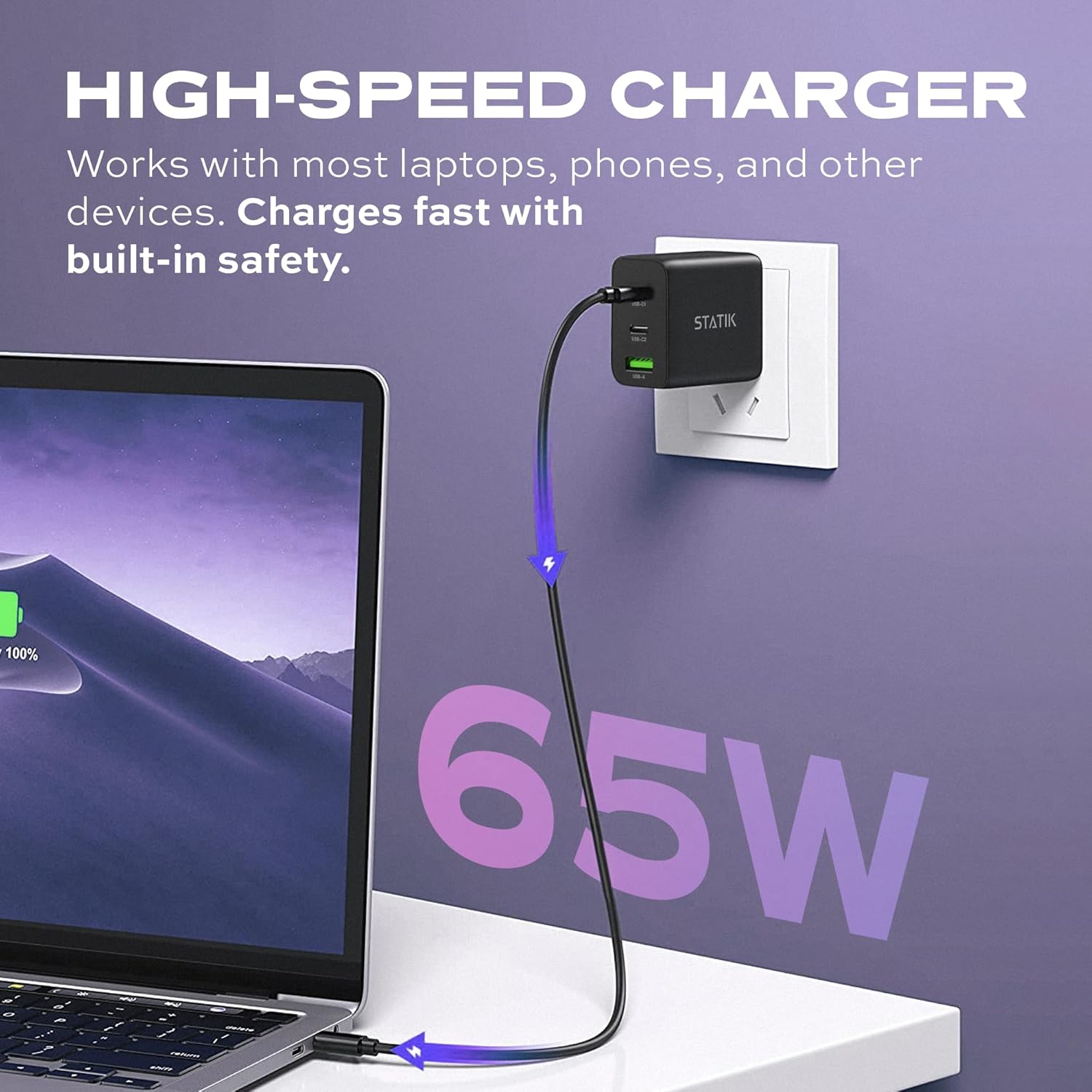
Image: The Statik 65W GaN Charger plugged into a wall socket, with a USB-C cable extending to a laptop, illustrating high-speed charging.
Instrukcja obsługi
The Statik 65W GaN Charger is designed for intelligent power distribution. Here's how to optimize its use:
- Ładowanie pojedynczego urządzenia: When only one device is connected, the charger will deliver up to 65W of power through either USB-C port, or up to 18W through the USB-A port, depending on the device's requirements and cable capabilities.
- Ładowanie wielu urządzeń:
- When two devices are connected (e.g., USB-C1 and USB-C2), the power will be intelligently distributed, typically 45W from USB-C1 and 20W from USB-C2.
- When three devices are connected (USB-C1, USB-C2, and USB-A), the power distribution will adjust, for example, 45W from USB-C1, 7.5W from USB-C2, and 7.5W from USB-A.
- The charger automatically detects the connected devices and adjusts power output to provide optimal and safe charging.
- Smart Overheat & Overcharge Protection: The charger incorporates built-in safeguards to prevent damage from excessive heat or overcharging. You can charge your devices with confidence.

Image: A diagram illustrating the smart energy distribution of the Statik 65W GaN Charger, showing different power outputs across its USB-C and USB-A ports when one, two, or three devices are connected.
Pielęgnacja i konserwacja
To ensure the longevity and optimal performance of your Statik 65W GaN Charger, please follow these maintenance guidelines:
- Czyszczenie: Przed czyszczeniem odłącz ładowarkę od gniazdka elektrycznego. Do przecierania powierzchni użyj miękkiej, suchej ściereczki. Nie używaj płynnych ani aerozolowych środków czyszczących.
- Składowanie: Przechowuj ładowarkę w chłodnym, suchym miejscu, z dala od bezpośredniego światła słonecznego i ekstremalnych temperatur.
- Obsługiwanie: Unikaj upuszczania ładowarki i narażania jej na silne uderzenia. Nie próbuj demontować ani modyfikować ładowarki.
- Wilgoć: Trzymaj ładowarkę z dala od wody i innych płynów. W przypadku kontaktu z płynem, natychmiast ją odłącz i pozostaw do całkowitego wyschnięcia przed ponownym użyciem.
Rozwiązywanie problemów
If you encounter issues with your Statik 65W GaN Charger, refer to the following common problems and solutions:
| Problem | Możliwa przyczyna | Rozwiązanie |
|---|---|---|
| Urządzenie się nie ładuje. |
|
|
| Powolne ładowanie. |
|
|
| Ładowarka jest ciepła. |
|
|
Specyfikacja produktu
| Funkcja | Szczegół |
|---|---|
| Numer modelu | PUP-0290 |
| Marka | Statyk |
| Moc wyjściowa | 65W Max |
| Porty | 2x USB-C, 1x USB-A |
| Wejście Voltage | 100-240 V AC |
| Technologia | GaN (azotek galu) |
| Cechy specjalne | Foldable Plug, Lightweight, Portable, Fast Charging, Smart Overheat & Overcharge Protection |
| Wymiary | 4.02 x 4.02 x 1.89 cala |
| Waga przedmiotu | 4.2 uncji |
| Zawarte komponenty | Zasilacz GaN 65 W |
| Producent | Curv Group LLC |
| Kraj pochodzenia | Chiny |
Gwarancja i wsparcie
Statik products are built with quality and reliability in mind. For information regarding warranty coverage and customer support, please refer to the official Statik webodwiedź witrynę lub skontaktuj się bezpośrednio z działem obsługi klienta.
Możesz odwiedzić Statik Store on Amazon Aby uzyskać więcej informacji o produkcie i zasobach pomocy.
Ask a question about this manual
Ask about setup, troubleshooting, compatibility, parts, safety, or missing instructions. Manuals+ will review the question and use this page’s manual context to help answer it.