
1. Wprowadzenie
Thank you for choosing the Jeecoo A30 Wired Computer Speaker Bar. This manual provides essential information for setting up, operating, and maintaining your speaker bar to ensure optimal performance and longevity. Please read these instructions carefully before use.
Co jest w pudełku
- Jeecoo A30 PC Speaker Bar (with integrated USB power cable and 3.5mm AUX audio cable)
2. Funkcje
- Kompaktowa konstrukcja: The Jeecoo A30 features a simple and modern design, ideal for desktop setups. Dimensions: 13.78 x 2.56 x 2.56 inches.
- Czysty dźwięk: Equipped with two 5W powerful driver units, providing clear and loud audio with well-balanced highs, mids, and enhanced bass.
- Łatwa regulacja głośności: A large dial allows for convenient volume adjustment and power on/off.
- Szeroka kompatybilność: Connects via 3.5mm AUX for audio input and USB for power, compatible with various PCs, laptops, desktops, tablets, and smartphones. (Note: Not compatible with Xbox).
- Ruchliwość: Weighing 1.2 lbs (560 grams), it is suitable for both office/home use and portable outdoor activities.

Image: The Jeecoo A30 Wired Computer Speaker Bar, showcasing its sleek black design and integrated cables.

Obraz: Wybuch view of the Jeecoo A30 speaker bar, highlighting its two 5W powerful driver units for clear and balanced audio with enhanced bass.
3. Konfiguracja
Follow these steps to connect your Jeecoo A30 speaker bar to your device:
- Podłącz zasilanie USB: Plug the USB-A cable from the speaker bar into an available USB port on your computer, laptop, or a certified 5V/1A USB power adapter. This provides power to the speaker.
- Connect 3.5mm AUX Audio: Plug the 3.5mm AUX cable from the speaker bar into the headphone jack or audio output port of your device (PC, laptop, tablet, smartphone).
- Włączanie: Rotate the large volume dial clockwise until you hear a click or see an indicator light, turning the speaker on.
- Dostosuj głośność: Continue rotating the dial clockwise to increase the volume.
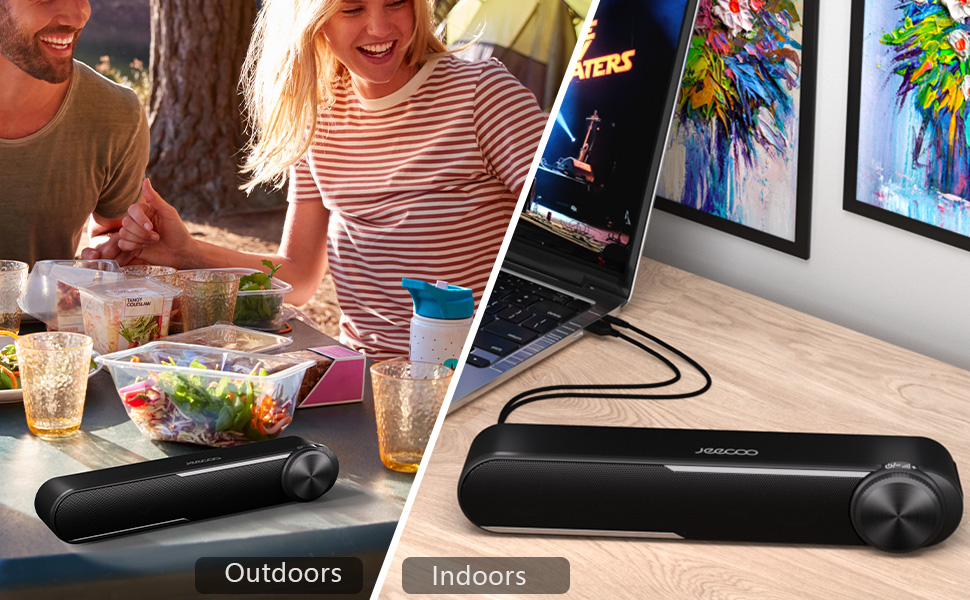
Image: Diagram showing how to connect the USB cable for power and the 3.5mm AUX cable for audio input to a laptop.
Video: Official Jeecoo video demonstrating the connection of the A30 Computer Speaker Bar with 3.5mm AUX input to a laptop.
4. Działanie
Regulacja głośności i zasilania
The Jeecoo A30 features a large, integrated dial for convenient control:
- Power On/Increase Volume: Rotate the dial clockwise. The speaker will power on with a click, and continued rotation will increase the volume.
- Decrease Volume/Power Off: Rotate the dial anti-clockwise. The volume will decrease, and continued rotation past the minimum volume will power off the speaker with a click.

Image: A close-up of the large volume dial on the Jeecoo A30, illustrating how to rotate it clockwise to increase volume and anti-clockwise to decrease volume or power off.
5. Specyfikacje
| Funkcja | Szczegół |
|---|---|
| Nazwa modelu | Jeecoo A30 |
| Typ głośnika | Soundbar |
| Technologia łączności | Pomocniczy (gniazdo 3.5 mm) |
| Źródło zasilania | USB (przewodowy elektryczny) |
| Wejście Voltage | 5 wolty |
| Maksymalna moc wyjściowa głośnika | 10 watów (5 W x 2) |
| Tryb wyjścia audio | Stereofoniczny |
| Konfiguracja kanału dźwięku przestrzennego | 2.0 |
| Rozmiar głośnika | 2 cali (średnica głośnika niskotonowego) |
| Typ sterownika audio | Dynamiczny sterownik |
| Stosunek sygnału do szumu | 65dB |
| Frequency Response (Max) | 18 kHz |
| Impedancja | 4 omy |
| Wymiary produktu (Gł. x Szer. x Wys.) | 2.56" x 13.78" x 2.56" |
| Waga przedmiotu | 1.2 funta (560 gramów) |
| Tworzywo | Plastikowy |
| Kolor | Czarny |
| Typ montażu | Uchwyt na blat |
| Kompatybilne urządzenia | PC Laptops, Desktop Computers, Macbook Air/Pro, iMac, iPad, Smartphones, Tablets |
| Funkcja specjalna | PC Speaker Bar with Clear Audio & Enhanced Bass |
6. Rozwiązywanie Problemów
If you encounter any issues with your Jeecoo A30 speaker bar, please refer to the following common troubleshooting steps:
- Brak zasilania:
- Ensure the USB power cable is securely connected to a powered USB port or a 5V/1A USB adapter.
- Rotate the volume dial clockwise to ensure the speaker is powered on.
- Brak dźwięku:
- Verify that the 3.5mm AUX audio cable is fully inserted into both the speaker bar and your device's audio output jack.
- Check the volume level on both the speaker bar (using the dial) and your connected device.
- Ensure your device's audio output is set to the correct output (e.g., "Headphones" or "External Speakers").
- Test the speaker with a different audio source or device to rule out device-specific issues.
- Distorted Sound / Static:
- Reduce the volume on both the speaker bar and your connected device. High volume levels can sometimes cause distortion.
- Upewnij się, że wszystkie połączenia kablowe są bezpieczne.
- Avoid placing the speaker near sources of electromagnetic interference (e.g., Wi-Fi routers, power adapters).
- Jeżeli to możliwe, przetestuj przy użyciu innego źródła dźwięku lub kabla.
7. Konserwacja
To maintain the performance and appearance of your speaker bar:
- Czyść głośnik miękką, suchą ściereczką. Nie używaj płynnych środków czyszczących ani aerozoli.
- Avoid exposing the speaker to excessive moisture, heat, or direct sunlight.
- Nie należy podejmować prób samodzielnego demontażu lub naprawy głośnika, gdyż spowoduje to utratę gwarancji.
8. Gwarancja i wsparcie
The Jeecoo A30 Wired Computer Speaker Bar comes with a limited warranty. For detailed warranty information, product support, or technical assistance, please contact Jeecoo customer service through the retailer where you purchased the product or visit the official Jeecoo webstrona.
Proszę zachować dowód zakupu na potrzeby roszczeń gwarancyjnych.