
AZATOM AZSPTLSBK1
Instrukcja obsługi przenośnego radia cyfrowego FM DAB/DAB+ Spitalfields 2
Model: AZSPTLSBK1 | Brand: AZATOM
Wstęp
Dziękujemy za zakupasing the AZATOM Spitalfields 2 Portable DAB/DAB+ Digital FM Radio. This manual provides essential information for setting up, operating, and maintaining your new radio. Please read this manual thoroughly before use to ensure proper functionality and to maximize your listening experience.
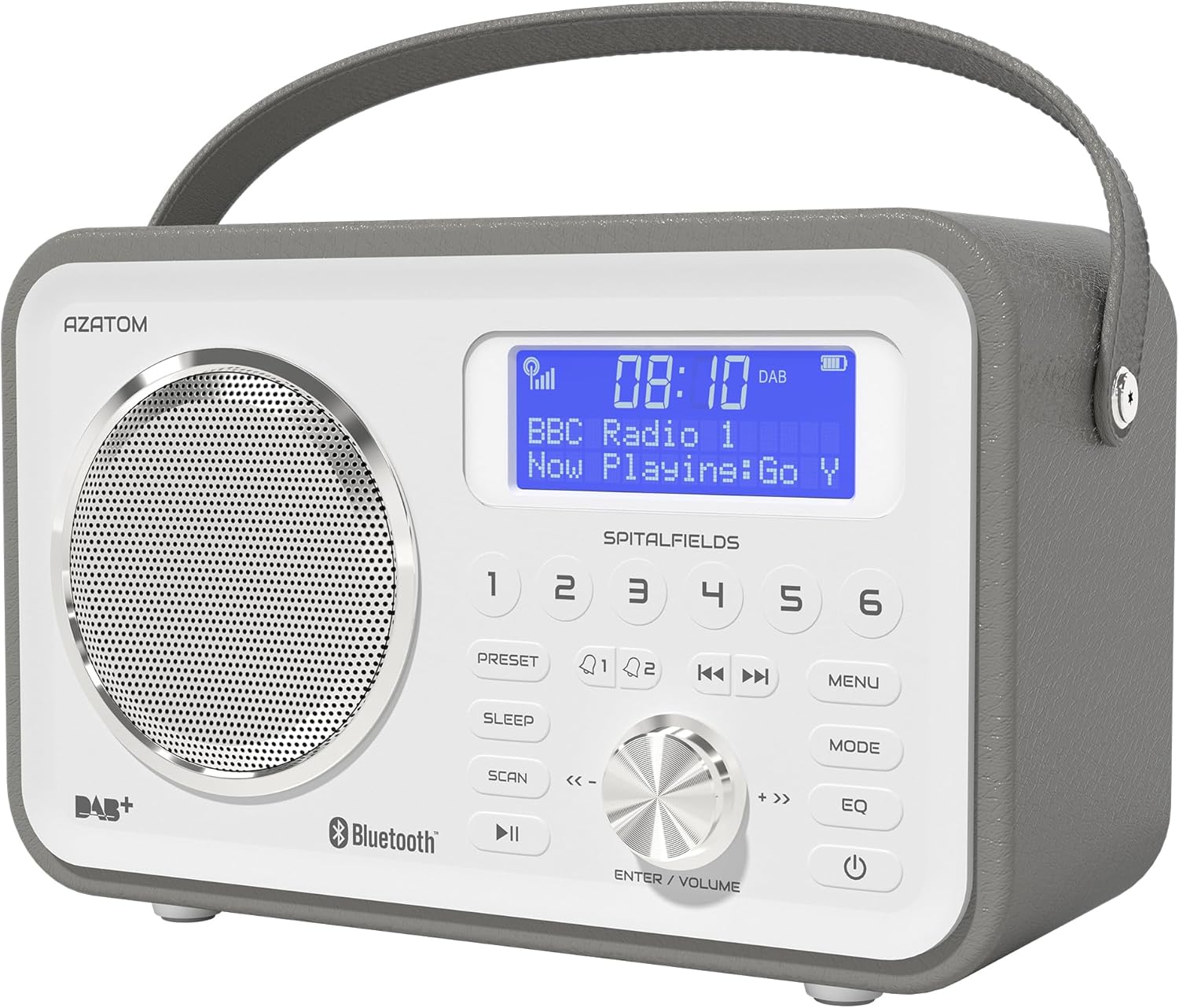
The AZATOM Spitalfields 2 radio features a classic retro design with a modern digital display and intuitive controls.
Ważne instrukcje bezpieczeństwa
Always follow these basic safety precautions when using your radio:
- Nie wystawiaj urządzenia na działanie deszczu, wilgoci ani ekstremalnych temperatur.
- Nie rozmontowuj ani nie modyfikuj urządzenia. Wszelkie prace serwisowe zlecaj wykwalifikowanemu personelowi.
- Zapewnij odpowiednią wentylację wokół urządzenia, aby zapobiec przegrzaniu.
- Używaj wyłącznie zasilacza dostarczonego wraz z urządzeniem.
- Trzymaj urządzenie z dala od silnych pól magnetycznych.
- Aby zapobiec uszkodzeniu słuchu, należy unikać długotrwałego słuchania muzyki przy zbyt wysokiej głośności.
Główne cechy
- Radio DAB/DAB+ i FM: Enjoy a wide range of digital and analog radio stations.
- Łączność Bluetooth 5.0: Wirelessly stream audio from your compatible devices.
- Funkcja budzika: Set multiple alarms with snooze and sleep timer features.
- Akumulator: Wbudowany akumulator umożliwiający przenośne użytkowanie.
- Zaprogramowane stacje: Zapisz swoje ulubione stacje DAB i FM, aby mieć do nich szybki dostęp.
- Zdalne sterowanie: Conveniently operate the radio from a distance.
- Quality Stereo Sound: Enhanced audio experience with a built-in subwoofer.
DAB/DAB+/FM Radio

Experience crystal-clear digital radio with DAB/DAB+ or tune into traditional FM broadcasts.
Łączność Bluetooth 5.0

Effortlessly stream music from your smartphone, tablet, or other Bluetooth-enabled devices.
Alarm Clock & Sleep Timer

Wake up to your favorite station or a buzzer with the integrated alarm clock, and drift off to sleep with the adjustable sleep timer.
Pre-set Stations

Quickly access your preferred radio stations by saving them to the dedicated preset buttons.
Akumulator do ponownego ładowania

The built-in rechargeable battery allows for convenient portable use, perfect for any room or on the go.
Premier Control with Remote
Control all functions of your radio from the comfort of your couch using the included remote control.
Zawartość opakowania
Sprawdź, czy wszystkie elementy są obecne:
- AZATOM Spitalfields 2 DAB/DAB+ Digital FM Radio
- Zasilacz
- Zdalne sterowanie
- Instrukcja obsługi (ten dokument)
Produkt ponadview
Familiarize yourself with the controls and display of your Spitalfields 2 radio.
The front panel features a clear display, speaker, and various control buttons.
Elementy sterujące na panelu przednim
- Ekran wyświetlacza: Pokazuje czas, informacje o stacji i opcje menu.
- Przyciski ustawień wstępnych (1-6): Zachowuj i przywołuj swoje ulubione stacje.
- Przycisk PRESET: Access preset memory.
- Przycisk spania: Ustaw wyłącznik czasowy.
- Przycisk SKANUJ: Automatically scan for stations.
- Przycisk ODTWARZANIA/PAUZY: Play/pause in Bluetooth mode.
- Przycisk MENU: Uzyskaj dostęp do ustawień systemu.
- Przycisk TRYB: Przełączaj się między trybami DAB, FM i Bluetooth.
- Przycisk korektora: Dostosuj ustawienia korektora.
- Przycisk zasilania: Włącz/wyłącz urządzenie.
- ENTER/VOLUME Knob: Rotate to adjust volume or navigate menus; press to confirm selection.
- SKIP Buttons (<<, >>): Poruszaj się po utworach w trybie Bluetooth lub po stacjach w trybie radiowym.
Organizować coś
Włączanie
- Aby uzyskać optymalny odbiór, całkowicie rozłóż antenę teleskopową.
- Connect the supplied power adapter to the DC IN port on the back of the radio and plug it into a wall outlet. The internal battery will begin charging.
- Naciśnij MOC przycisk, aby włączyć radio.
Initial Scan (DAB/FM)
Upon first power-on, the radio will automatically perform a full scan for DAB stations. This may take a few minutes. Once complete, the radio will tune to the first available station.
- To manually initiate a scan in DAB mode, press the SKANDOWAĆ przycisk.
- W trybie FM naciśnij i przytrzymaj SKANDOWAĆ button to auto-scan for the next available station.
Ustawianie czasu i daty
The time and date are usually automatically set via DAB signal. If not, or if you wish to adjust manually:
- Naciśnij MENU przycisk.
- Obróć ENTER/VOLUME knob to navigate to 'System Settings' and press the knob to confirm.
- Navigate to 'Time/Date' and press to confirm.
- Select 'Set Time/Date' or 'Auto Update' as desired and follow the on-screen prompts.
Instrukcja obsługi
Radio Modes (DAB, FM)
Naciśnij TRYB przycisk do przełączania między trybami radia DAB i FM.
Tryb DAB
- Obróć ENTER/VOLUME knob to browse available DAB stations. Press the knob to select a station.
- Naciskać SKANDOWAĆ to perform a full scan for new stations.
Tryb FM
- Obróć ENTER/VOLUME pokrętło do precyzyjnego dostrojenia częstotliwości.
- Naciśnij i przytrzymaj SKANDOWAĆ button to automatically tune to the next strong station.
Działanie Bluetooth
- Naciśnij TRYB button until 'Bluetooth' is displayed. The radio will enter pairing mode.
- On your Bluetooth-enabled device (e.g., smartphone), search for 'Spitalfields 2' in the Bluetooth settings and select it to pair.
- Once paired, you can stream audio from your device to the radio. Use the ODTWÓRZ/PAUZA I POMINĄĆ buttons on the radio or remote to control playback.
Funkcja budzika
- Naciśnij MENU button and navigate to 'Alarms'.
- Select 'Alarm 1' or 'Alarm 2' to configure.
- Set the alarm time, duration, source (Buzzer, DAB, FM), and frequency (Daily, Once, Weekdays, Weekends).
- Upewnij się, że alarm jest ustawiony na „Włączony”.
- Gdy zabrzmi alarm, naciśnij przycisk MOC button to snooze, or press any other button to turn off the alarm.
Timer snu
Timer uśpienia umożliwia automatyczne wyłączenie radia po upływie ustawionego czasu.
- Naciśnij SPAĆ button repeatedly to cycle through sleep timer options (e.g., 15, 30, 45, 60, 90, 120 minutes, Off).
- The selected time will be displayed briefly.
Ustawienia wstępne
Zapisywanie ustawień wstępnych
- Wybierz żądaną stację DAB lub FM.
- Press and hold one of the numbered USTAWIENIE WSTĘPNE buttons (1-6) until 'Preset Stored' appears on the display.
Przywoływanie Presetu
- Briefly press the corresponding numbered USTAWIENIE WSTĘPNE button (1-6) to recall a stored station.
Ustawienia dźwięku (EQ)
Dostosuj dźwiękfile według Twoich preferencji.
- Naciśnij EQ button repeatedly to cycle through equalizer presets (e.g., Normal, Flat, Jazz, Rock, Classical, Pop, News, My EQ).
- If 'My EQ' is selected, you can customize bass and treble settings via the menu.
Korzystanie z pilota zdalnego sterowania
The remote control provides full functionality of the radio from a distance. Ensure the remote has working batteries and is pointed towards the front of the radio.
- All buttons on the remote correspond to functions available on the radio's front panel.
- Use the numeric buttons (0-9) to directly enter preset numbers or navigate menus.
Konserwacja i pielęgnacja
- Czyszczenie: Przetrzyj radio miękką, suchą ściereczką. Nie używaj środków czyszczących ani rozpuszczalników o działaniu ściernym.
- Pielęgnacja baterii: For optimal battery life, avoid fully discharging the battery frequently. If storing the radio for an extended period, charge it fully every few months.
- Antena: Handle the telescopic antenna with care to prevent damage.
- Składowanie: Przechowuj radio w chłodnym i suchym miejscu, z dala od bezpośredniego światła słonecznego i ekstremalnych temperatur.
Rozwiązywanie problemów
| Problem | Możliwa przyczyna | Rozwiązanie |
|---|---|---|
| Brak zasilania | Power adapter not connected; battery depleted. | Sprawdź, czy zasilacz jest prawidłowo podłączony i prawidłowo włożony. Naładuj akumulator. |
| Brak dźwięku / Słaba jakość dźwięku | Volume too low; poor signal; incorrect mode. | Increase volume. Extend antenna fully. Re-scan for stations. Ensure correct mode (DAB/FM/Bluetooth). |
| Nie znaleziono stacji DAB | Weak DAB signal; no full scan performed. | Ensure antenna is fully extended. Perform a full DAB scan. Try repositioning the radio. |
| Bluetooth nie łączy się | Radio not in Bluetooth mode; device too far; previously paired. | Switch radio to Bluetooth mode. Ensure device is within range. Forget 'Spitalfields 2' on your device and try pairing again. |
| Pilot nie działa | Batteries depleted; obstruction; not pointed correctly. | Replace remote control batteries. Ensure no obstruction between remote and radio. Point remote directly at the radio's front panel. |
Specyfikacje
| Funkcja | Szczegół |
|---|---|
| Marka | AZATOM |
| Numer modelu | AZSPTLSBK1 |
| Waga | 750 gram |
| Interfejs sprzętowy | 3.5 mm Audio, Bluetooth, Headphones |
| Maksymalna moc wyjściowa głośnika | 30 watów |
| UPC | 718157745964 |
Informacje o gwarancji
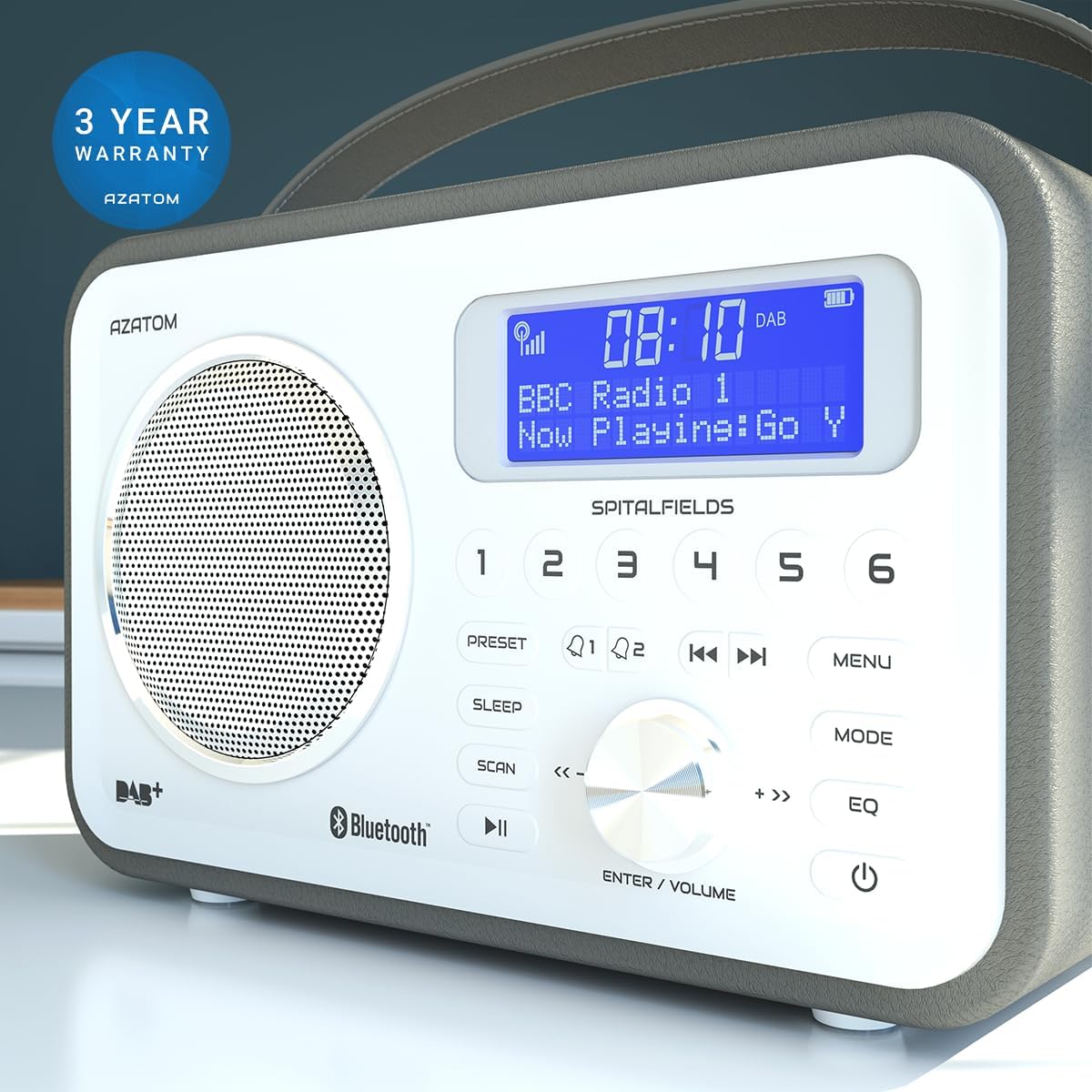
The AZATOM Spitalfields 2 radio comes with a 3-letnia gwarancja from the date of purchase. This warranty covers manufacturing defects and faulty workmanship under normal use. Please retain your proof of purchase for warranty claims.
The product is backed by a 3-year warranty, ensuring peace of mind.
The warranty does not cover damage caused by misuse, accident, unauthorized modification, or normal wear and tear. For full terms and conditions, please refer to the AZATOM official webodwiedź witrynę lub skontaktuj się z działem obsługi klienta.
Obsługa klienta
If you encounter any issues not covered in this manual or require further assistance, please visit the official AZATOM webwitryna zawierająca zasoby pomocy technicznej, odpowiedzi na często zadawane pytania i informacje kontaktowe.
Webstrona: www.azatom.com
Please have your model number (AZSPTLSBK1) and purchase details ready when contacting support.
Ask a question about this manual
Ask about setup, troubleshooting, compatibility, parts, safety, or missing instructions. Manuals+ will review the question and use this page’s manual context to help answer it.