
1. Koniec produktuview
The ELECCTV w1 is a 2K QHD battery-powered wireless security camera designed for outdoor use. It features dual-band 2.4GHz and 5GHz WiFi connectivity, AI motion detection, color night vision, two-way audio, and is IP65 weatherproof. This manual provides instructions for setting up, operating, and maintaining your camera.

Image 1.1: ELECCTV w1 2K Dual-Band WiFi Security Camera.
2. Konfiguracja i instalacja
2.1 Ładowanie akumulatora
Before initial use, fully charge the camera's built-in rechargeable battery. The camera can operate for 1-3 months on a full charge, depending on usage and power-saving settings configured in the app.
2.2 Instalacja aplikacji
Pobierz i zainstaluj O-KAM Pro application on your smartphone (available for iOS and Android devices). This app is essential for camera setup, live viewi zarządzanie ustawieniami.
2.3 Łączenie z Wi-Fi
The camera supports both 2.4GHz and 5GHz dual-band wireless connectivity. Follow the in-app instructions for a one-touch quick setup. Bluetooth can also be used for simplified initial pairing.

Image 2.1: The O-KAM Pro app interface showing Bluetooth setup for the camera.
2.4 Montaż kamery
The ELECCTV w1 is 100% wire-free and IP65 waterproof, allowing flexible installation indoors or outdoors. Choose a location with good Wi-Fi signal and a clear view of the area you wish to monitor. Use the provided mounting hardware to secure the camera to a wall or under an eave.

Image 2.2: The camera shown in a rain-resistant outdoor environment, highlighting its IP65 waterproof rating.
3. Działanie
3.1 Na żywo View i nagrywanie
Access the O-KAM Pro app to view live 2K QHD video streams. The camera features a 130° wide-angle lens for extensive coverage. Recordings are triggered by motion detection.
3.2 Widzenie nocne
The camera offers Kolorowa wizja nocna, providing clear, full-color images even in low-light conditions. It utilizes 2 PIR LEDs and 2 white lights. Infrared night vision is also available.

Image 3.1: Comparison of infrared night vision and color night vision, demonstrating the camera's capability.
3.3 Dźwięk dwukierunkowy
Utilize the built-in speaker and microphone for two-way communication through the app. This allows you to speak to individuals near the camera.

Image 3.2: A person speaking through the camera to a delivery person, illustrating the two-way audio feature.
3.4 Detekcja ruchu i alerty
The camera features AI motion detection to identify human movement and reduce false alarms. You can customize detection areas and sensitivity within the app. Upon detection, the camera can send real-time notifications to your phone, activate a spotlight, and sound a siren (with customizable alert sounds).
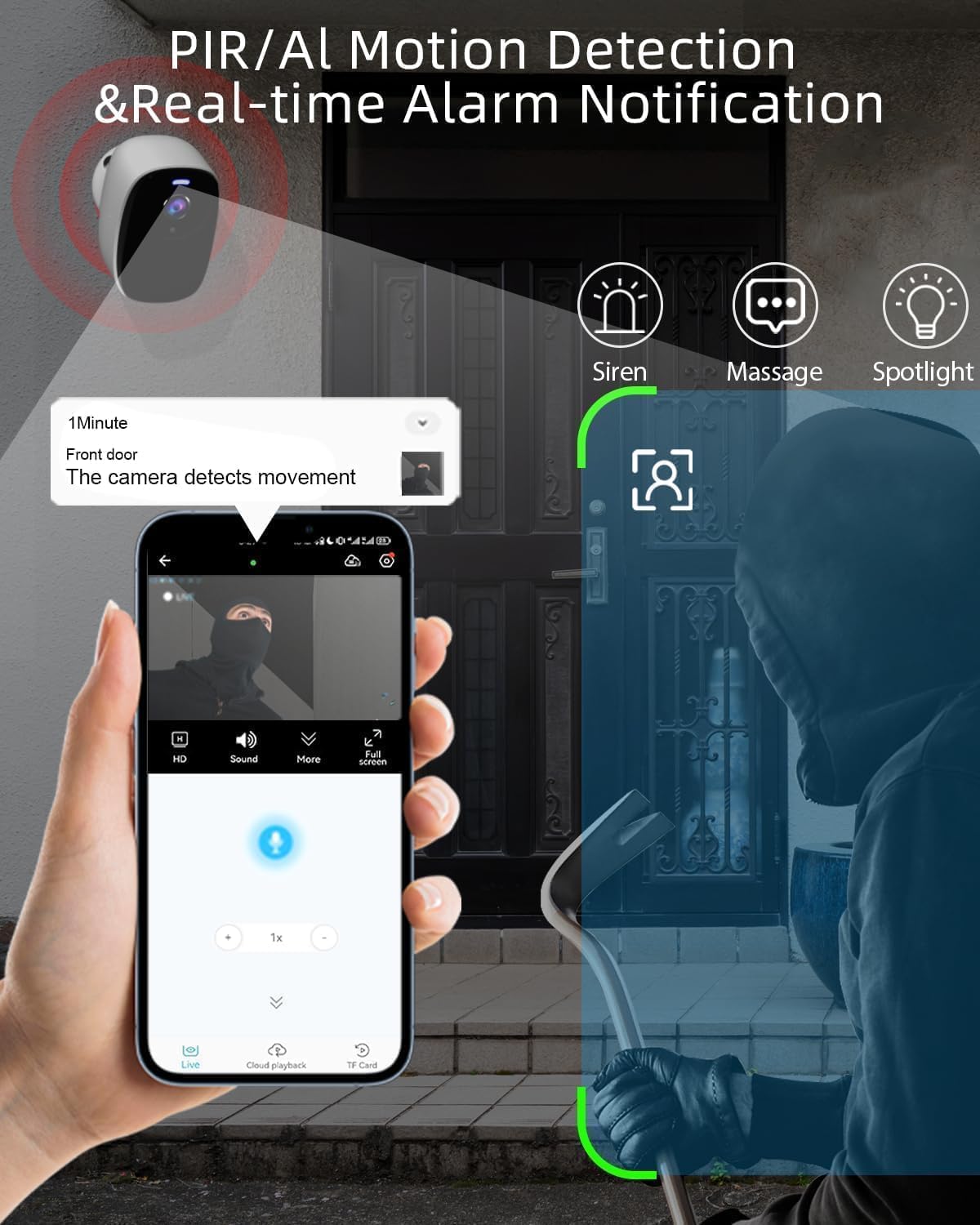
Image 3.3: An illustration of the camera detecting motion and sending an alert to a smartphone, with options for siren, message, and spotlight.
3.5 Opcje przechowywania
Nagrane wideo footage można przechowywać na dwa sposoby:
- Przechowywanie w chmurze: Free 1-day rolling cloud storage is provided for life without a subscription.
- Karta micro sd: The camera supports a Micro SD card (not included) up to 256GB for local storage.

Image 3.4: Visual representation of cloud storage and Micro SD card storage options for the camera.
3.6 Integracja z Alexą
The ELECCTV w1 camera is compatible with Amazon Alexa. You can integrate it with your smart home system for voice control and viewing live feeds on compatible Alexa devices.
4. Konserwacja
4.1 Zarządzanie baterią
Monitor the battery level through the O-KAM Pro app. Recharge the camera when the battery is low to ensure continuous operation. Adjust power-saving modes in the app to optimize battery life.
4.2 Czyszczenie
Okresowo czyść obiektyw i obudowę aparatu miękką,amp Ściereczką usuń kurz i zanieczyszczenia. Unikaj stosowania silnych środków chemicznych lub materiałów ściernych, które mogłyby uszkodzić wykończenie aparatu lub obiektyw.
5. Rozwiązywanie Problemów
5.1 Problemy z łącznością
- Upewnij się, że Twoja sieć Wi-Fi jest aktywna i kamera znajduje się w zasięgu.
- Verify that you have selected the correct 2.4GHz or 5GHz network during setup.
- Uruchom ponownie router i kamerę.
5.2 Problemy z żywotnością baterii
- Częste wykrywanie ruchu na żywo view access, and siren activations can reduce battery life.
- Adjust motion detection sensitivity and recording duration in the app.
- Ensure the camera is fully charged before deployment.
5.3 Detekcja ruchu nie działa
- Check the motion detection settings in the O-KAM Pro app.
- Ensure the detection area is correctly delineated and not too small.
- Sprawdź, czy obiektyw aparatu jest czysty i nie ma w nim żadnych przeszkód.
5.4 Inne kwestie
For any other issues not covered here, please refer to the in-app help section or contact ELECCTV customer support.
6. Specyfikacje produktu
| Funkcja | Szczegół |
|---|---|
| Nazwa modelu | w1 |
| Zastosowanie wewnątrz/na zewnątrz | Plenerowy |
| Źródło zasilania | Zasilany bateryjnie |
| Protokół łączności | Wi-Fi (2.4 GHz i 5 GHz) |
| Rozdzielczość przechwytywania wideo | 2K QHD (2304*1296) |
| Cechy specjalne | 2-Way Audio, Color Night Vision, Local Recording, Built-In Light, Motion Sensor, AI Detection |
| Poziom wodoodporności | IP65 |
| Pojemność baterii | 5200 mlnamp Godziny |
| Kąt obiektywu | Szeroki kąt 130° |
| Opcje przechowywania | Cloud (1-day free rolling), Micro SD (up to 256GB) |
| Kompatybilne urządzenia | Smartfon, Amazon Alexa |
| Wymiary produktu | 8 x 2 x 2.7 cala |
| Waga przedmiotu | 12.6 uncji |
7. Gwarancja i wsparcie
7.1 Informacje o gwarancji
For specific warranty details regarding your ELECCTV w1 camera, please refer to the product packaging or contact ELECCTV customer service directly. Warranty terms typically cover manufacturing defects for a specified period from the date of purchase.
7.2 Obsługa klienta
If you encounter any issues or have questions about your ELECCTV w1 camera, please utilize the support resources available through the O-KAM Pro app. You may also contact ELECCTV customer support for assistance. Contact information can usually be found on the manufacturer's official webmiejscu lub w opakowaniu produktu.