
Wstęp
This user manual provides essential information for the safe and effective operation of your HETP 5200mAh Portable USB-C Power Bank. Please read this manual thoroughly before using the device and retain it for future reference.
The HETP 5200mAh Portable USB-C Power Bank is a compact and lightweight external battery designed for on-the-go charging of USB-C compatible devices, including iPhone 15 series, Samsung Galaxy, Motorola, and Google Pixel phones. It features a built-in USB-C connector for direct plug-in charging, an LCD display for battery status, and supports PD fast recharging.
Zawartość opakowania
- 1 x HETP 5200mAh USB-C Portable Charger
- Kabel ładujący 1 x USB-C
- 1 x Instrukcja obsługi
Produkt ponadview
The HETP 5200mAh Portable USB-C Power Bank is designed for convenience and portability. It features a direct plug-in USB-C connector, eliminating the need for extra cables when charging compatible devices. The integrated LCD display provides real-time battery percentage.

Image: The HETP 5200mAh Portable USB-C Power Bank in light purple, directly plugged into the bottom of a smartphone, displaying "100%" on its digital screen. This illustrates the compact, cable-free charging design.

Image: A hand holding the HETP 5200mAh Portable USB-C Power Bank, with a lipstick and a smartphone blurred in the background. This image highlights the extremely mini, pocket-sized design of the power bank, making it easy to carry without a cable.
Organizować coś
Pierwsze ładowanie Power Banka
Before first use, fully charge your HETP Portable USB-C Power Bank. Use the provided USB-C cable to connect the power bank's USB-C input/output port to a compatible USB wall adapter (not included).
- Connect the small end of the USB-C cable to the USB-C port on the left side of the power bank.
- Connect the other end of the USB-C cable to a USB wall charger.
- Na wyświetlaczu LCD będzie widoczny postęp ładowania, wskazujący procent naładowania baterii.tage.
- Gdy na wyświetlaczu pojawi się „100%”, power bank jest w pełni naładowany i gotowy do użycia.
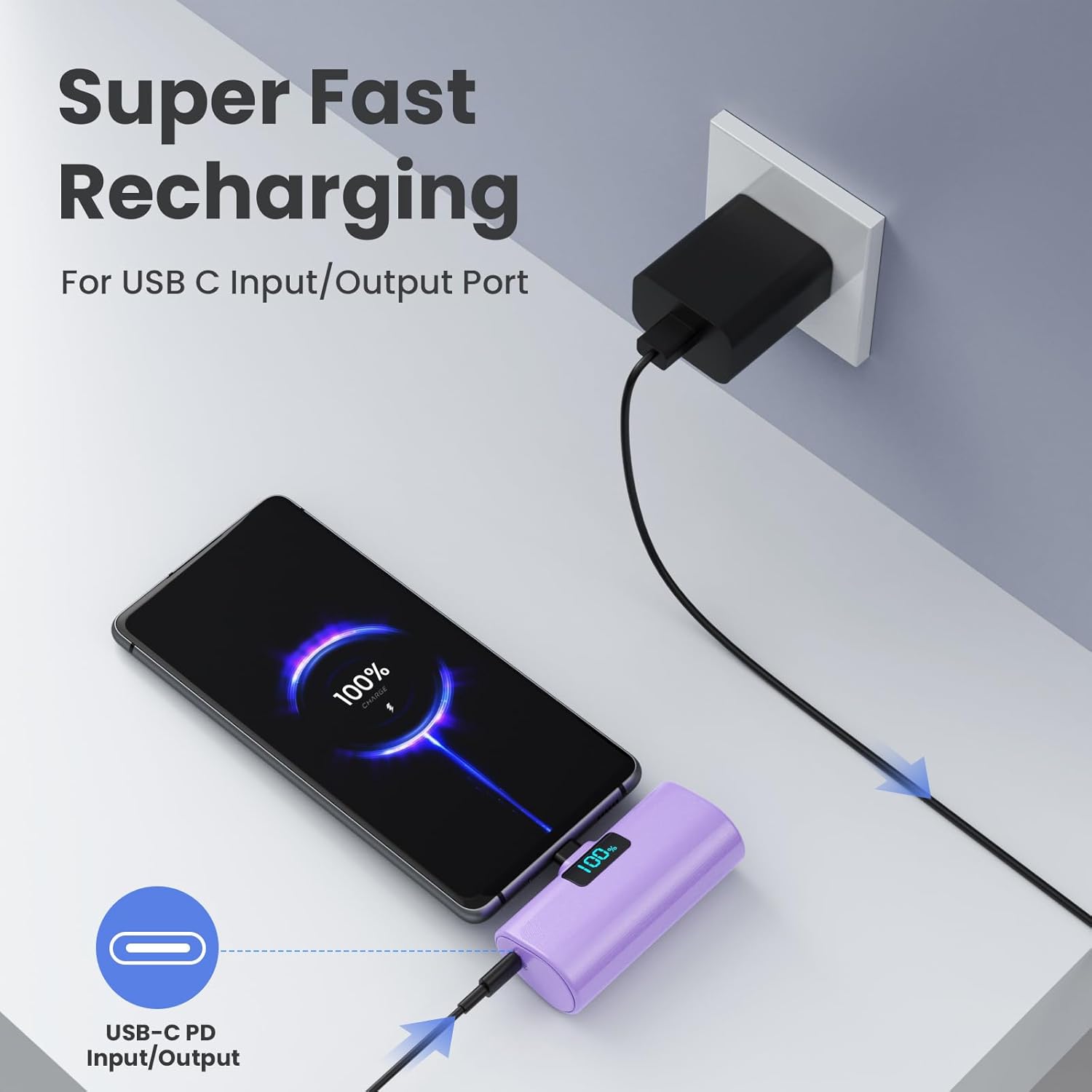
Image: The HETP 5200mAh Portable USB-C Power Bank is shown connected to a wall charger via its USB-C input/output port, indicating "Super Fast Recharging." A smartphone is also connected to the power bank, demonstrating its ability to charge devices while being recharged itself (pass-through charging).
Instrukcja obsługi
Ładowanie urządzenia
The HETP Portable USB-C Power Bank is designed for direct plug-in charging of USB-C compatible devices.
- Ensure your device has a USB-C charging port. This power bank is compatible with iPhone 15 series (iPhone 15/15 Plus/15 Pro/15 Pro Max), Samsung Galaxy, Motorola, Google Pixel, LG Android phones, and other USB-C devices.
- Directly plug the built-in USB-C connector of the power bank into your phone's USB-C charging port.
- The power bank will automatically begin charging your device. The LCD display on the power bank will show its remaining battery percentage.
- For optimal connection, ensure your phone case thickness is less than 4mm.

Image: A visual guide displaying the compatibility of the HETP 5200mAh Portable USB-C Power Bank with various USB-C devices, including Samsung (S22/S21/S20, Note 22/21, Z Flip/Fold), LG (G6/G7, V30/V40), Google (Pixel), and the iPhone 15 series (15/15P, 15 Pro/15 Pro Max).
Ładowanie przelotowe
The power bank supports pass-through charging, allowing you to charge your phone while simultaneously recharging the power bank itself.
- Plug your phone into the power bank using its built-in USB-C connector.
- Connect the power bank to a wall charger using the provided USB-C cable.
- Both your phone and the power bank will charge concurrently.

Image: The HETP 5200mAh Portable USB-C Power Bank is shown plugged into a smartphone, which is then connected to a wall charger. This setup illustrates the pass-through charging capability, allowing both the phone and the power bank to charge simultaneously.
Konserwacja
- Przechowuj powerbank w suchym miejscu. Nie wystawiaj go na działanie wilgoci ani płynów.
- Unikać ekstremalnych temperatur. Nie przechowywać w bardzo gorącym lub zimnym otoczeniu.
- Czyść urządzenie miękką, suchą ściereczką. Nie używaj silnych środków chemicznych ani ściernych środków czyszczących.
- Store the power bank with a partial charge (around 50%) if not used for extended periods to preserve battery life.
- Unikaj upuszczania i narażania power banku na silne uderzenia.
Rozwiązywanie problemów
| Problem | Możliwa przyczyna | Rozwiązanie |
|---|---|---|
| Power bank nie ładuje urządzenia. | Low battery on power bank; incorrect connection; device not compatible. | Recharge the power bank; ensure the USB-C connector is fully inserted; verify device compatibility (USB-C port). |
| Powerbank nie ładuje się. | Faulty USB-C cable or wall adapter; power bank port issue. | Try a different USB-C cable and wall adapter; ensure the cable is fully inserted into the power bank's input/output port. |
| Wyświetlacz LCD nie działa. | Power bank is completely drained or damaged. | Attempt to recharge the power bank. If it remains unresponsive, contact customer support. |
| Phone case prevents proper connection. | Phone case is too thick. | Remove the phone case before plugging in the power bank, or use a case with a thinner bottom edge (less than 4mm). |
Specyfikacje
- Model: HX45X9
- Pojemność baterii: 5200 mlnamp Godziny (mAh)
- Typ baterii: Polimer litowy
- Typ złącza: Built-in USB Type-C, USB Type-C Input/Output Port
- Wymiary: 3.9 x 3.5 x 1 cala
- Waga: 5 uncji (około 98 g)
- Cechy szczególne: Plug-in USB-C Portable Charger, Lipstick Size, Case-friendly (for cases < 4mm), LCD Digital Display, PD Fast Recharging, Pass-Through Charging.
Gwarancja i wsparcie
Your HETP 5200mAh Portable USB-C Power Bank comes with a 365-day warranty guarantee od daty zakupu.
For any product inquiries, technical support, or warranty claims, please contact HETP customer service. Our team is available for Przyjazna obsługa klienta dostępna 24 godziny na dobę.
Proszę zapoznać się z dokumentacją zakupu lub informacjami u sprzedawcy. webodwiedź witrynę, aby uzyskać szczegółowe informacje kontaktowe.