
1. Koniec produktuview
The Ctronics 4K CTIPC-660C surveillance camera offers exceptional 8-megapixel image quality, capturing every detail with stunning clarity. Its lens, pivoting 355° horizontally and 90° vertically, allows you to monitor an extended area without blind spots. Powerful 25-meter night vision ensures continuous surveillance even in total darkness. Designed for outdoor security, this camera offers advanced functionalities and a robust construction, providing lasting peace of mind.
Key features include 4K (3840x2160) resolution with a SONY 1/2.8” IMX415 CMOS sensor, advanced backlight compensation, dual-band 2.4G/5G Wi-Fi and wired LAN connectivity, IK10 vandal resistance, IP66 weatherproofing, and AI-powered detection for humans, vehicles, and animals.

Figure 1: Ctronics 4K CTIPC-660C Outdoor Surveillance Camera.
2. Konfiguracja i instalacja
2.1 Zawartość opakowania
- Ctronics 4K Surveillance Camera
- Zasilacz
- Śruby montażowe i kołki ścienne
- Zestaw wodoodporny do kabla sieciowego
- Szybki przewodnik
2.2 Fizyczna instalacja
The camera supports both ceiling and wall mounting. A wall mount bracket is sold separately if required. Ensure the mounting surface is strong enough to support the camera's weight (approximately 1 kg).
- Wybierz odpowiednie miejsce instalacji, zapewniając optymalną viewkąt nachylenia i siła sygnału Wi-Fi.
- Use the provided drilling template (if included) to mark the screw holes on the mounting surface.
- Wywierć otwory i włóż kołki rozporowe.
- Secure the camera base to the surface using the provided screws.
- Podłącz zasilacz do aparatu i gniazdka elektrycznego.

Figure 2: Proper ceiling installation of the camera. The camera is designed for easy installation without complex disassembly.
2.3 Połączenie sieciowe
The camera supports both wired (LAN) and wireless (2.4G/5G Wi-Fi) connections.
- Połączenie przewodowe: Podłącz kabel Ethernet do routera i portu LAN kamery.
- Połączenie bezprzewodowe: The camera supports dual-band Wi-Fi (2.4GHz and 5GHz). Follow the in-app instructions to connect the camera to your Wi-Fi network. The 2.4GHz band offers a longer transmission distance, while the 5GHz band provides a stronger network signal.

Figure 3: Dual-band Wi-Fi connectivity. The camera supports both 2.4GHz for longer range and 5GHz for stronger signal.
2.4 Instalacja aplikacji i oprogramowania
Aby zarządzać i view your camera feed, download the Ctronics Pro app on your smartphone or tablet. PC client software is also available.
- Aplikacja mobilna: Szukaj "Ctronics Pro" in your device's app store (iOS/Android).
- Klient PC: Download the "HiP2P Client" software from the official Ctronics website for Windows or Mac OS.
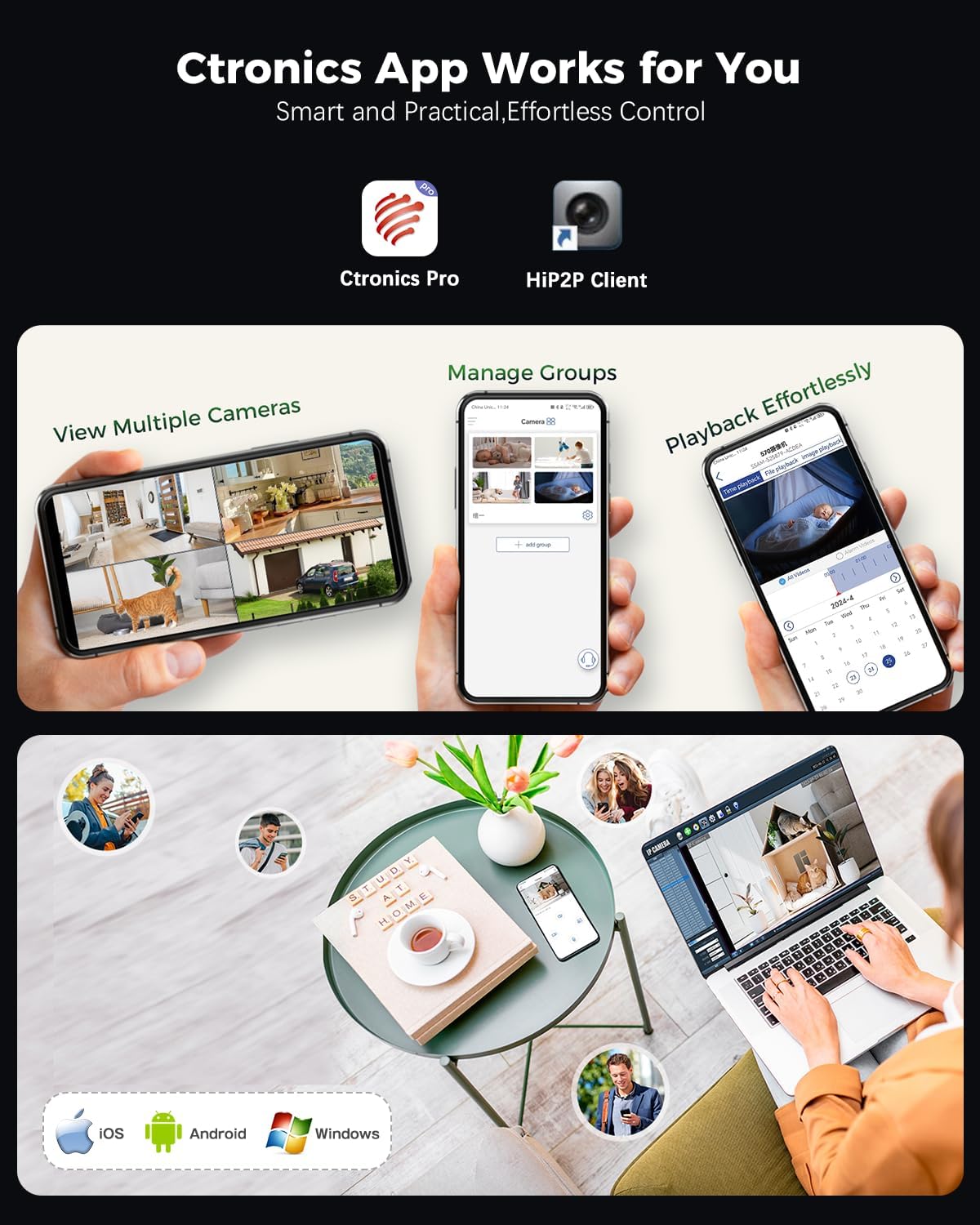
Figure 4: Ctronics Pro app interface for managing multiple cameras, playback, and group management.
3. Działanie
3.1 Na żywo View i zdalny dostęp
Access your camera feed anytime, anywhere via the Ctronics Pro app or PC client. The camera provides 24/7 surveillance capabilities.
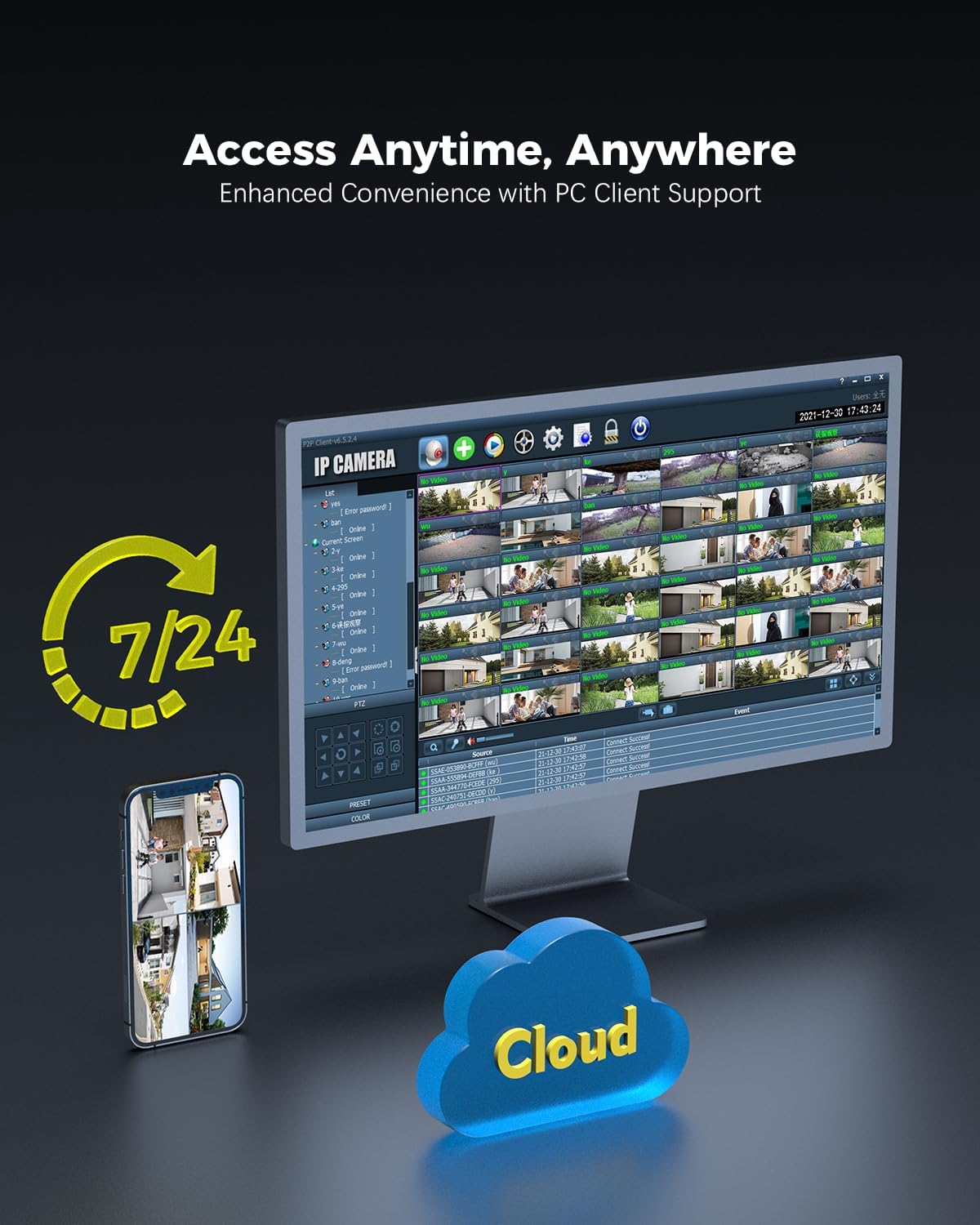
Figure 5: Remote access to camera feeds via PC client and smartphone app, with cloud storage options.
3.2 Wykrywanie sztucznej inteligencji i automatyczne śledzenie
The camera features advanced AI detection to identify and track people, vehicles, and animals. When motion is detected, the camera can automatically track the subject and send instant push notifications to your device.

Figure 6: Smart detection and tracking capabilities. The camera identifies and tracks humans, vehicles, and animals.
3.3 Pan-Tilt Control and Preset Positions
Control the camera's pan (355°) and tilt (90°) movements remotely via the app. You can configure up to 8 preset positions for quick access to specific viewing angles. Customize detection zones and sensitivity settings to suit your surveillance needs.

Figure 7: Setting preset positions and customizing motion detection zones for tailored security.
3.4 Opcje przechowywania
The camera offers flexible storage solutions for recorded footage:
- Karta MicroSD: Obsługuje karty MicroSD o pojemności do 256 GB do przechowywania danych lokalnych.
- NVR (sieciowy rejestrator wideo): Compatible with ONVIF-enabled NVRs for centralized recording.
- FTP-(File Transfer Protocol): Supports FTP for uploading recordings to a server.
- Przechowywanie w chmurze: Cloud storage options are available (subscription may be required).

Figure 8: Multiple storage options including MicroSD card, NAS, and FTP for secure data access.
4. Konserwacja
- Czyszczenie: Okresowo czyść obiektyw i obudowę aparatu miękką,amp ściereczką, aby zapewnić wysoką jakość obrazu. Nie używaj silnych środków chemicznych.
- Aktualizacje oprogramowania układowego: Check for and install firmware updates regularly through the Ctronics Pro app or official webaby zapewnić optymalną wydajność i bezpieczeństwo witryny.
- Kontrola kabla: Inspect power and network cables for any signs of wear or damage, especially for outdoor installations.
- Zarządzanie pamięcią masową: Regularnie ponownieview nagrano footage and manage storage space, especially if using a MicroSD card, to prevent it from becoming full.
5. Rozwiązywanie Problemów
| Problem | Możliwa przyczyna | Rozwiązanie |
|---|---|---|
| Kamera nie włącza się | Brak zasilania, uszkodzony adapter. | Check power connection. Ensure the adapter is working and connected to a live outlet. |
| Nie można połączyć się z siecią Wi-Fi | Nieprawidłowe hasło Wi-Fi; kamera znajduje się za daleko od routera; problemy z routerem. | Verify Wi-Fi password. Move camera closer to the router or use a Wi-Fi extender. Restart your router. Ensure you are connecting to the correct 2.4GHz or 5GHz band. |
| QR code not scanning during setup | Poor lighting; dirty lens; incorrect distance. | Ensure sufficient lighting. Clean the camera lens. Adjust the distance between the camera and the QR code on your phone screen. |
| Brak obrazu/wideo | Network disconnection; camera malfunction. | Check network connection (wired/wireless). Restart the camera. If the problem persists, contact support. |
| Wykrywanie ruchu nie działa | Detection settings incorrect; environmental factors. | Review motion detection settings in the app (sensitivity, zones). Ensure no obstructions are blocking the camera's view. |
6. Specyfikacje produktu
| Funkcja | Szczegół |
|---|---|
| Numer modelu | CTIPC-660C |
| Rezolucja | 4K (3840x2160), 8 Megapixels |
| Transduktor | SONY 1/2.8” IMX415 CMOS |
| Pan / Tilt Angle | Pan 355 °, pochylenie 90 ° |
| Zakres noktowizora | Up to 25 meters (Starlight) |
| Łączność | Wired (LAN), Wi-Fi (2.4GHz/5GHz) |
| Opcje przechowywania | MicroSD (up to 256GB), ONVIF NVR, FTP, Cloud |
| Ochrona przed uderzeniami | IK10 Vandal-Resistant |
| Odporność na warunki atmosferyczne | IP66 |
| Źródło zasilania | AC Power, 24 Watts |
| Szybkość klatek | 15 klatek na sekundę |
| View Kąt | 90 stopni |
| Typ powiększenia | Digital Zoom (4x ratio) |
| Kompatybilne urządzenia | Komputer, laptop, smartfon, tablet |
| Wymiary (dł. x szer. x wys.) | Wymiary 13 x 13 x 19 cm |
| Waga | 1 kilogram |

Figure 9: Internal lens structure highlighting the SONY 415 CMOS sensor for high-quality imaging.

Figure 10: IK10 vandal-resistant design, built to withstand impact and protect the camera.
7. Informacje o gwarancji
Ctronics products typically come with a standard manufacturer's warranty. Please refer to the warranty card included in your product packaging or visit the official Ctronics webSzczegółowe warunki gwarancji dla Twojego regionu i daty zakupu znajdziesz na stronie. Zachowaj dowód zakupu na wypadek roszczeń gwarancyjnych.
8. Obsługa klienta
For technical assistance, product inquiries, or support, please contact Ctronics customer service through one of the following methods:
- Urzędnik Webstrona: Odwiedź oficjalną stronę Ctronics webwitryna z odpowiedziami na często zadawane pytania, artykułami pomocy i formularzami kontaktowymi.
- Wsparcie e-mailowe: Zapoznaj się z opakowaniem produktu lub oficjalnym webstrona zawierająca adres e-mail działu obsługi klienta.
- Wsparcie w aplikacji: Some issues can be resolved directly through the Ctronics Pro application's support section.
When contacting support, please have your product model number (CTIPC-660C) and purchase information ready.