
Wstęp
Thank you for choosing the XtremeMac Wireless 5000 mAh Power Bank. This compact and powerful portable charger is designed to provide convenient wireless and wired charging for your compatible devices, especially optimized for iPhone models with MagSafe technology. Please read this manual thoroughly before using the product to ensure safe and optimal performance.
Zawartość opakowania
- XtremeMac Wireless 5000 mAh Power Bank (Model: XWH-PMS2-13)
- Kabel ładujący USB-C
- Instrukcja obsługi (ten dokument)
Produkt ponadview
Familiarize yourself with the components of your XtremeMac Wireless Power Bank.

Rysunek 1: XtremeMac Wireless Power Bank - Front, Back, and Side Views. This image illustrates the device's compact design, the magnetic charging area on the front, the USB-C port, and the power button on the side.
- Powierzchnia ładowania magnetycznego: For wireless charging of compatible devices.
- Port USB-C: For charging the power bank and for wired output charging.
- Przycisk zasilania: Activates wireless charging and checks battery level.
- Wskaźniki LED: Pokaż poziom naładowania baterii i status ładowania.
Organizować coś
1. Pierwsze ładowanie powerbanku
Before first use, fully charge your XtremeMac Wireless Power Bank.
- Podłącz dołączony kabel USB-C do portu USB-C w powerbanku.
- Podłącz drugi koniec kabla USB-C do kompatybilnego zasilacza USB (nie ma go w zestawie).
- Wskaźniki LED zaświecą się, pokazując postęp ładowania. Wszystkie diody LED będą świecić światłem ciągłym po pełnym naładowaniu.
2. Attaching to Your iPhone (MagSafe)
The power bank is designed for seamless magnetic attachment to MagSafe-compatible iPhones (iPhone 12, 13, 14, and 15 series).

Rysunek 2: Magnetic Attachment for iPhone. This image demonstrates how the power bank securely clicks onto the back of a compatible iPhone for wireless charging.
- Align the power bank with the back of your MagSafe-compatible iPhone.
- The magnets will automatically snap the power bank into place, ensuring proper alignment for wireless charging.
Instrukcja obsługi
1. Ładowanie bezprzewodowe (MagSafe)
To charge your iPhone wirelessly:

Rysunek 3: Wireless Charging in Progress. This image shows an iPhone receiving a wireless charge from the power bank, indicated by the charging animation on the phone screen.
- Attach the power bank to the back of your MagSafe-compatible iPhone.
- Press the power button on the side of the power bank. Wireless charging will begin within 5 seconds.
- The LED indicators on the power bank will show its remaining charge. Your iPhone screen will also indicate charging.
- To stop charging, simply detach the power bank or press the power button again.
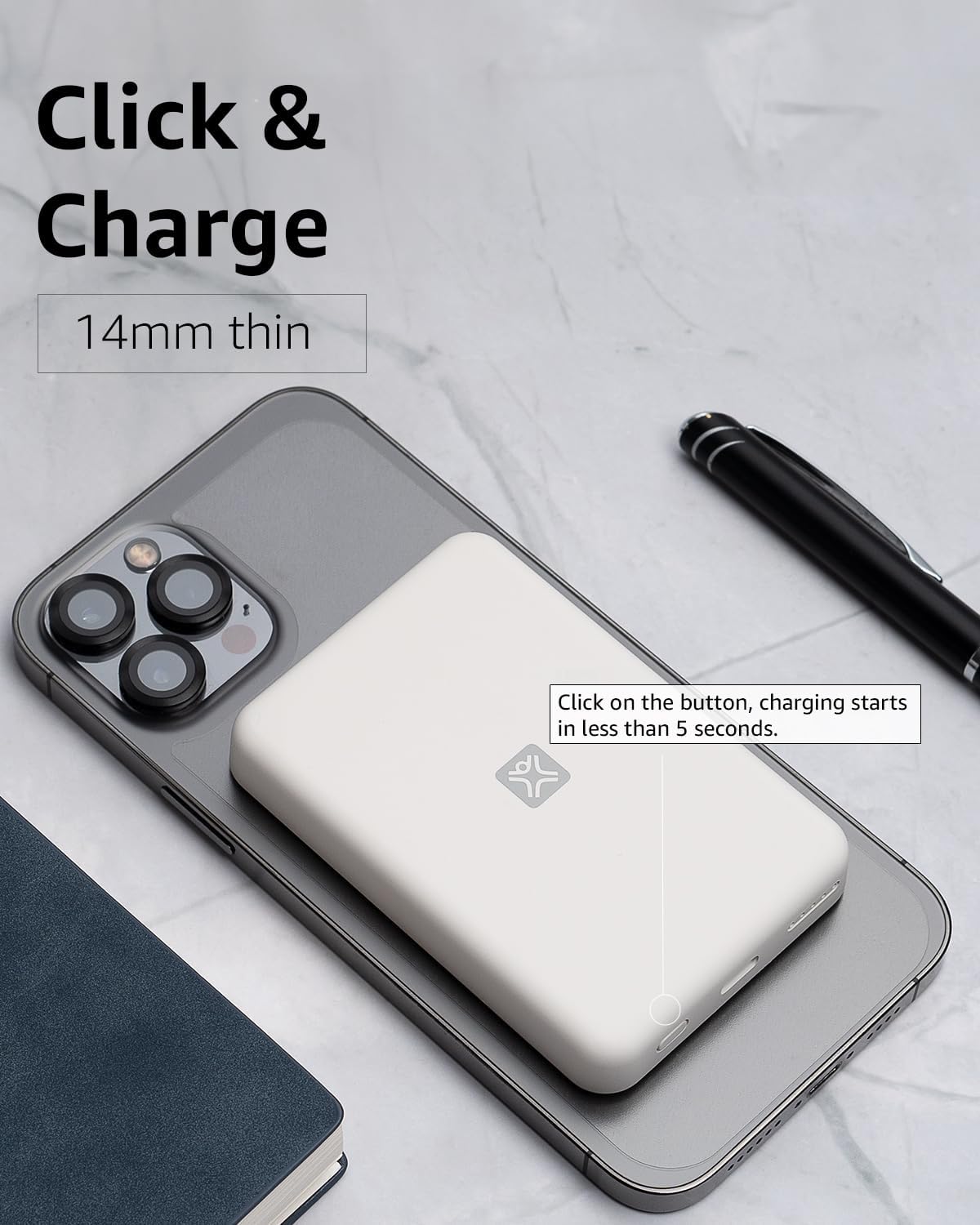
Rysunek 4: Activating Wireless Charge. This image highlights the power button and the quick activation of wireless charging.
2. Wired Charging (USB-C PD)
For faster charging or to charge non-wireless devices, use the USB-C port.

Rysunek 5: Wired Charging via USB-C. This image shows the power bank connected to a phone using a USB-C cable, demonstrating its faster wired charging capability.
- Connect one end of a USB-C cable (or a compatible cable for your device) to the USB-C port on the power bank.
- Podłącz drugi koniec do portu ładowania urządzenia.
- Charging will typically begin automatically. If not, press the power button on the power bank.
3. Sprawdzanie poziomu baterii
Naciśnij przycisk zasilania raz, aby sprawdzić poziom naładowania baterii wskazywany przez diody LED.
Konserwacja
- Czyszczenie: Do czyszczenia powierzchni powerbanku używaj miękkiej, suchej ściereczki. Nie używaj płynów ani aerozoli czyszczących.
- Składowanie: Przechowuj powerbank w chłodnym i suchym miejscu, z dala od bezpośredniego światła słonecznego i ekstremalnych temperatur.
- Pielęgnacja baterii: Aby przedłużyć żywotność baterii, ładuj power bank w pełni co najmniej raz na trzy miesiące, jeśli nie używasz go regularnie.
Rozwiązywanie problemów
| Problem | Możliwa przyczyna | Rozwiązanie |
|---|---|---|
| Power bank nie ładuje. | Kabel nie jest prawidłowo podłączony; kabel/adapter jest uszkodzony; power bank jest w pełni naładowany. | Ensure cable is securely connected. Try a different USB-C cable and power adapter. Check LED indicators; if all are solid, it's fully charged. |
| Urządzenie nie ładuje się bezprzewodowo. | Device not MagSafe compatible; misaligned; power bank low on charge; power button not pressed. | Ensure your device is MagSafe compatible (iPhone 12/13/14/15 series). Realign the power bank. Recharge the power bank. Press the power button to activate. |
| Device not charging via cable. | Cable not connected properly; faulty cable/device; power bank low on charge. | Ensure cable is securely connected. Try a different cable. Recharge the power bank. |
| Powolne ładowanie. | Using a non-PD charger/cable; device case interfering with wireless charging. | For wired charging, ensure you are using a USB-C PD compatible charger and cable. For wireless, remove thick or metallic phone cases. |
Specyfikacje
| Funkcja | Szczegół |
|---|---|
| Numer modelu | XWH-PMS2-13 |
| Pojemność baterii | 5000 mAh |
| Wyjście bezprzewodowe | Do 7.5 W (kompatybilny z MagSafe) |
| Wired Output/Input | USB-C (Power Delivery compatible) |
| Wymiary | Około 17.1 x 8.9 x 2.2 cm (6.7 x 3.5 x 0.9 cala) |
| Waga | Około 85 g (3 uncji) |
| Typ baterii | Litowo-jonowy |
| Zgodność | MagSafe compatible iPhones (12, 13, 14, 15 series) for wireless charging; USB-C devices for wired charging. |

Rysunek 6: 5000 mAh Capacity and Charge Estimates. This image provides an overview of the power bank's capacity and estimated number of full charges for various iPhone models.
Informacje dotyczące bezpieczeństwa
- Nie wystawiaj powerbanku na działanie ekstremalnych temperatur, bezpośredniego światła słonecznego ani wysokiej wilgotności.
- Nie rozmontowuj, nie modyfikuj ani nie podejmuj prób naprawy urządzenia.
- Przechowywać w miejscu niedostępnym dla dzieci.
- Unikaj upuszczania i narażania power banku na silne uderzenia.
- Nie używaj powerbanku, jeśli jest uszkodzony lub spuchnięty.
- Produkt należy utylizować w sposób odpowiedzialny, zgodnie z lokalnymi przepisami.
Gwarancja i wsparcie
For warranty information, technical support, or customer service inquiries, please refer to the official XtremeMac webOdwiedź stronę internetową lub skontaktuj się bezpośrednio z obsługą klienta. Zachowaj paragon jako dowód zakupu.