
1. Wprowadzenie
This manual provides detailed instructions for the installation, operation, and maintenance of your ciciglow TX-1200 Dual-Band PCIe WiFi Card. This device integrates high-speed Wi-Fi connectivity and Bluetooth 4.0 into your desktop computer, enhancing your wireless experience.
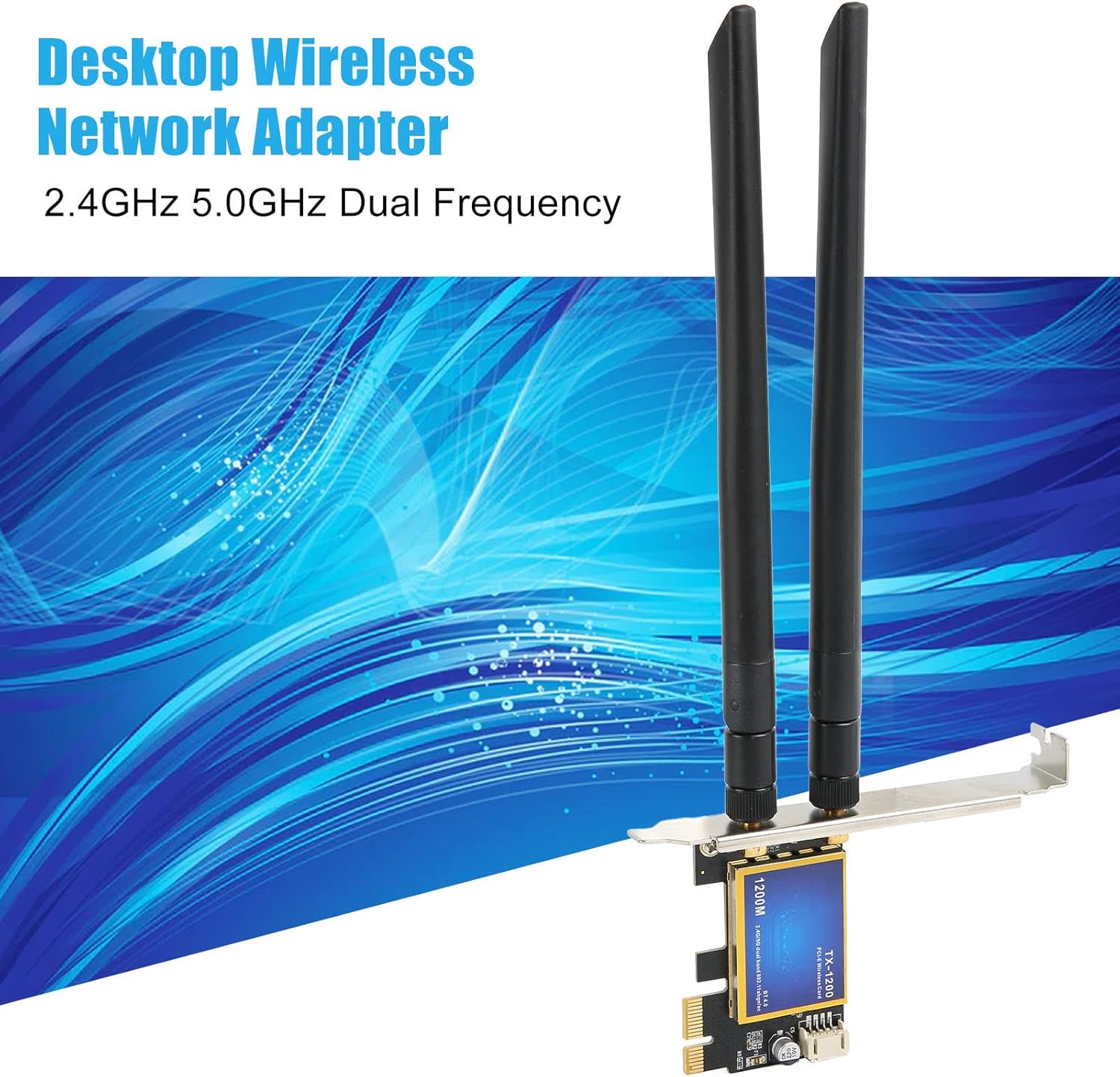
Image: The ciciglow TX-1200 Dual-Band PCIe WiFi Card, featuring two external antennas, designed for desktop computers to provide 2.4GHz and 5.0GHz dual-frequency wireless connectivity.
2. Funkcje produktu
- Łączność dwuzakresowa: Supports IEEE 802.11ac wireless standards, operating on both 2.4 GHz and 5.0 GHz frequencies for flexible network connections.
- Wysoka prędkość: Achieves wireless speeds up to 1200 Mbps (300 Mbps on 2.4 GHz and 867 Mbps on 5 GHz).
- Bluetooth 4.0: Integrated Bluetooth 4.0 for connecting wireless peripherals such as keyboards, mice, and headphones.
- Szeroki zasięg łączności bezprzewodowej: Equipped with two high-gain external antennas to enhance Wi-Fi signal reception, providing extended coverage and improved stability.
- Szeroka kompatybilność: Compatible with Windows 7, Windows 8, and Windows 10 operating systems. Designed for desktop computers with a PCI Express interface (PCIE 1X, 4X, or 16X slots).
- Podłącz i graj: Designed for easy installation and immediate use, though driver installation may be required for optimal performance.

Image: The wireless card emphasizing its 1200Mbps speed capability and compatibility with Windows 7, 8, and 10 operating systems.
3. Zawartość opakowania
Sprawdź, czy w przesyłce znajdują się wszystkie elementy:
- 1 x PCIe WiFi Card (Model TX-1200)
- 2 x anteny zewnętrzne
- 1 x Bluetooth Adapter Cable (USB header cable)
- 1 x wkręt mocujący

Obraz: Kompletny view of the package contents, including the PCIe WiFi card, two antennas, the Bluetooth adapter cable, and a mounting screw.
4. Przewodnik konfiguracji
4.1 Lista kontrolna przed instalacją
- Upewnij się, że komputer jest wyłączony i odłączony od gniazdka ściennego.
- Otwórz obudowę komputera.
- Locate an available PCI Express slot (PCIE 1X, 4X, or 16X) on your motherboard.
- Have a Phillips head screwdriver ready.
4.2 Instalacja sprzętu
- Carefully insert the PCIe WiFi card into an available PCI Express slot on your motherboard. Ensure it is seated firmly.
- Secure the card to the computer case using the provided mounting screw.
- Attach the two external antennas to the connectors on the back of the PCIe card by screwing them clockwise until snug.
- Connect the small end of the Bluetooth adapter cable to the designated header on the PCIe card.
- Connect the other end of the Bluetooth adapter cable to an available 9-pin USB 2.0 header on your motherboard. Refer to your motherboard manual for the exact location of the USB 2.0 headers.
- Zamknij obudowę komputera i ponownie podłącz wszystkie kable.

Image: The PCIe WiFi card shown installed in a desktop computer's PCI Express slot, illustrating its compatibility with PCIE 1X, 4X, and 16X interfaces.

Obraz: szczegółowy view of the card's connectors, including the antenna ports and the Bluetooth adapter cable header.
4.3 Instalacja sterownika
For Windows 7, 8, and 10, the card is generally plug and play for basic Wi-Fi functionality. However, for optimal performance and Bluetooth functionality, it is recommended to install the latest drivers. Drivers can typically be found on the manufacturer's website or on an included driver CD (if applicable).
Note on Model Variations: Please be aware that new and old models of this product may be shipped randomly. Both types offer the same core functionality.
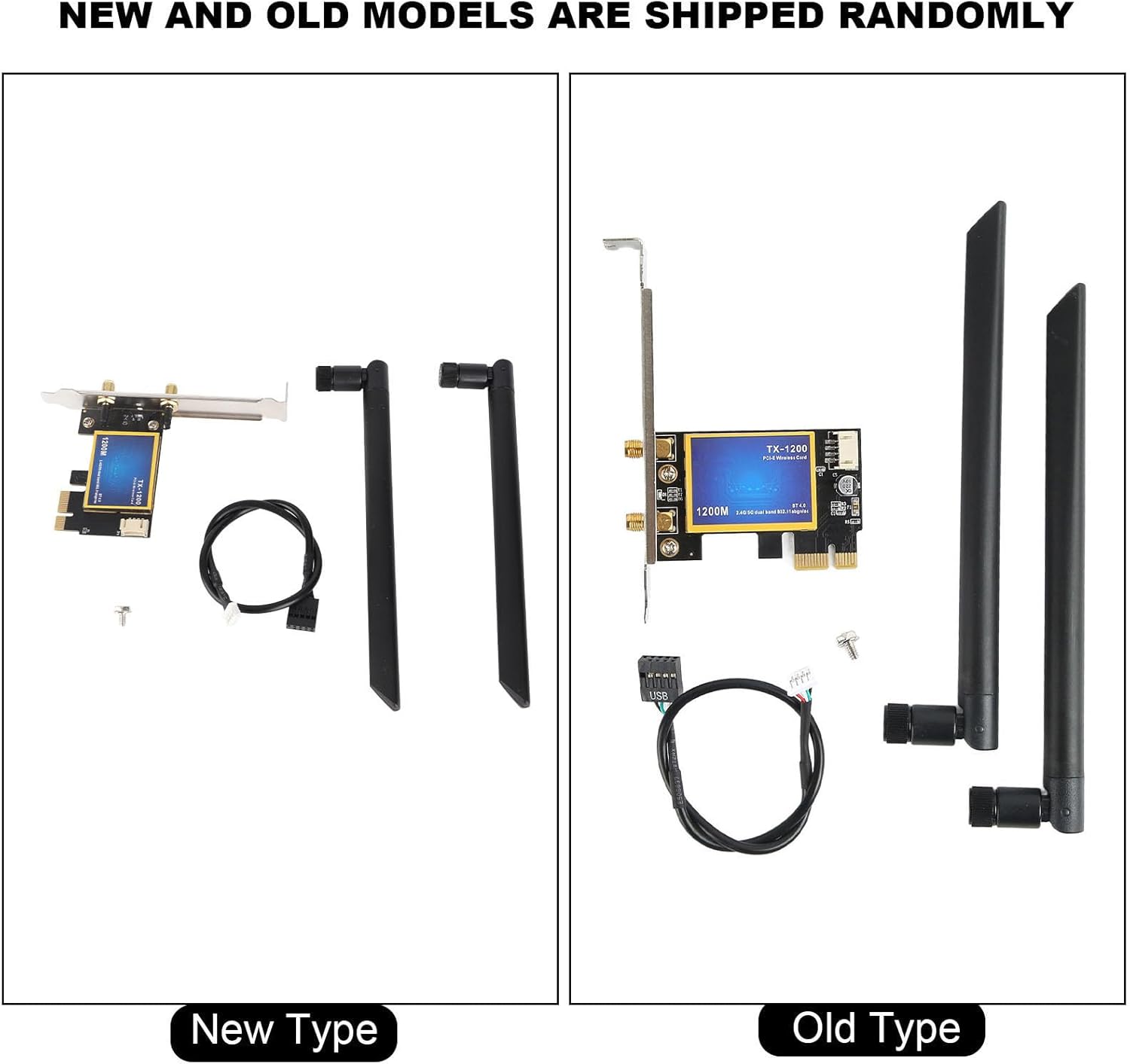
Image: A visual comparison between the 'New Type' and 'Old Type' models of the ciciglow TX-1200 card, showing slight design differences but identical functionality.
5. Instrukcja obsługi
5.1 Łączenie z Wi-Fi
- After successful installation and driver setup, power on your computer.
- In Windows, click on the Wi-Fi icon in the system tray (usually bottom-right corner).
- Wybierz interesującą Cię sieć Wi-Fi z listy dostępnych sieci.
- Jeśli zostaniesz o to poproszony, wprowadź klucz bezpieczeństwa sieci (hasło).
- Kliknij „Połącz”.
5.2 Parowanie urządzeń Bluetooth
- Upewnij się, że Twoje urządzenie Bluetooth jest w trybie parowania.
- W systemie Windows przejdź do Ustawienia > Urządzenia > Bluetooth i inne urządzenia.
- Toggle Bluetooth to "On" if it's not already.
- Kliknij „Dodaj urządzenie Bluetooth lub inne” i wybierz „Bluetooth”.
- Select your device from the list and follow the on-screen prompts to complete pairing.
6. Konserwacja
- Keep your computer's interior clean to ensure proper airflow around the card.
- Ensure antennas are securely attached and positioned for optimal signal reception.
- Periodically check for updated drivers on the manufacturer's webwitrynę, aby zapewnić najlepszą wydajność i kompatybilność.
7. Rozwiązywanie Problemów
7.1 Brak połączenia Wi-Fi
- Sprawdź instalację fizyczną: Ensure the card is firmly seated in the PCIe slot and the antennas are securely attached.
- Instalacja sterownika: Verify that the correct drivers are installed. Reinstall if necessary.
- Ustawienia systemu Windows: Sprawdź, czy w ustawieniach systemu Windows opcja Wi-Fi jest włączona.
- Problemy z routerem: Uruchom ponownie router Wi-Fi.
7.2 No Bluetooth Functionality
- Bluetooth Cable: Confirm the Bluetooth adapter cable is correctly connected to both the PCIe card and an active USB 2.0 header on your motherboard.
- Instalacja sterownika: Ensure Bluetooth drivers are installed.
- Ustawienia systemu Windows: Verify Bluetooth is enabled in Windows settings.
- Parowanie urządzeń: Upewnij się, że urządzenie Bluetooth jest w trybie parowania i znajduje się w zasięgu.
7.3 Niska prędkość Wi-Fi
- Pozycja anteny: Aby uzyskać lepszy odbiór sygnału, dostosuj orientację anteny.
- Odległość routera: Zbliż się do routera Wi-Fi i upewnij się, że nie ma w pobliżu żadnych większych przeszkód.
- Pasmo częstotliwości: Try connecting to the 5 GHz band if your router supports it, as it generally offers higher speeds with less interference.
- Ingerencja: Zminimalizuj zakłócenia ze strony innych urządzeń elektronicznych.
8. Specyfikacje
| Marka | ciciglow |
| Numer modelu | TX-1200 (Internal: ciciglowy4d73e15i0) |
| Interfejs sprzętowy | Bluetooth 4.0, PCI Express |
| Kompatybilne urządzenia | Komputer stacjonarny |
| Data Transfer Protocol | IEEE 802.11ac |
| Szybkość przesyłu danych | 1200 Megabits per second (2.4GHz 300Mbps, 5GHz 867Mbps) |
| Kompatybilna rodzina systemów operacyjnych | Okna (7, 8, 10) |
| Liczba produktów | 1 |
| Producent | ciciglow |
| Kraj pochodzenia | Chiny |
| Nazwa typu produktu | PowerLAN Adapters |
| ASIN | B0CB1VVNK2 |
9. Gwarancja i wsparcie
9.1 Informacje o gwarancji
This product comes with a manufacturer's warranty for 90 days from the date of purchase. Please retain your proof of purchase for warranty claims.
9.2 Wsparcie techniczne
For technical assistance or further inquiries, please refer to the ciciglow official website or contact their customer support channels. Ensure you have your product model number (TX-1200) and purchase details ready when seeking support.