
Wstęp
This manual provides detailed instructions for the setup, operation, and maintenance of your Sandberg Mechanical Gamer Keyboard, model 640-31. Please read this manual thoroughly before using the product to ensure proper functionality and longevity.
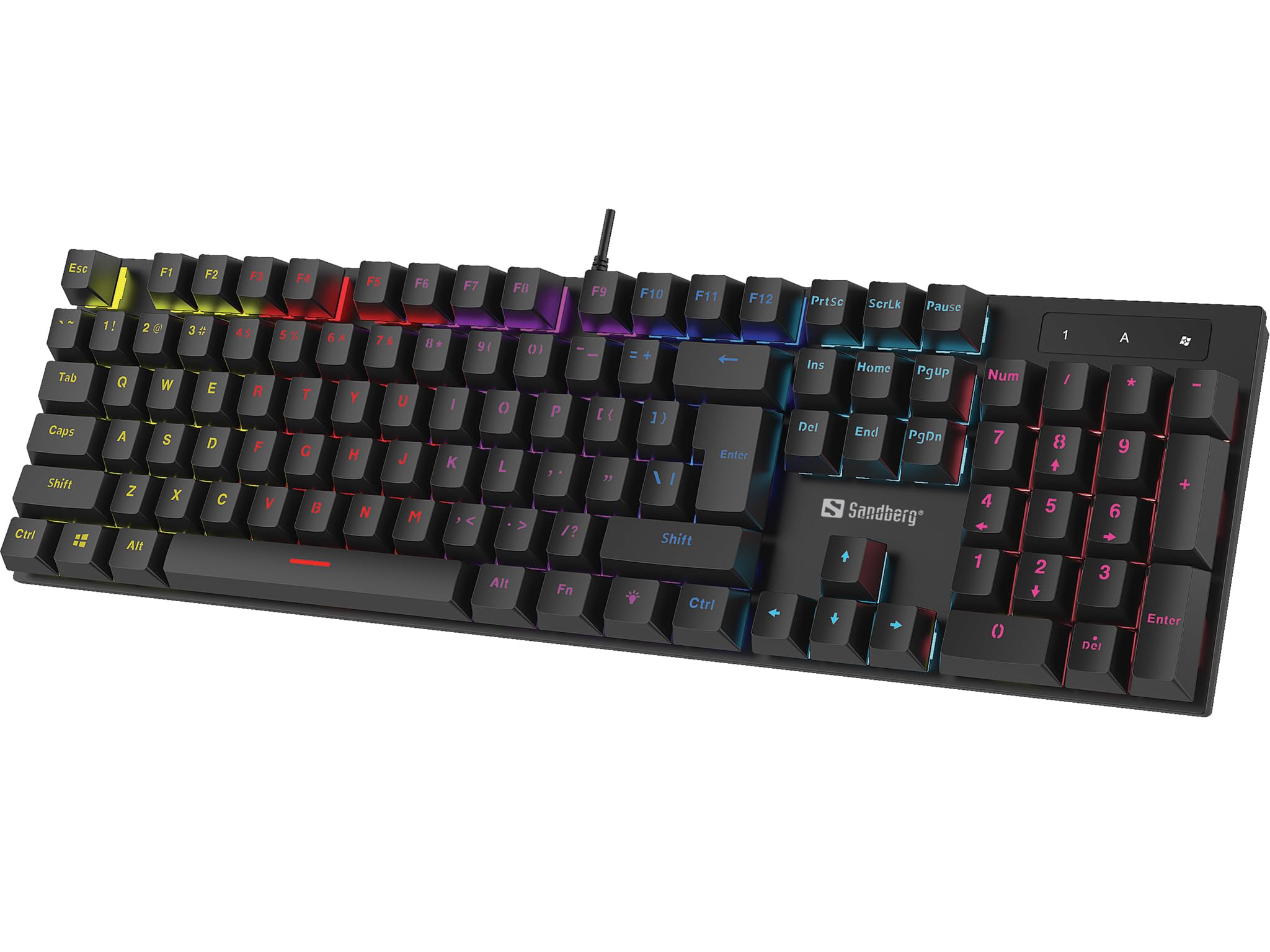
Obraz: The Sandberg Mechanical Gamer Keyboard 640-31, showcasinz pełnym układem i podświetleniem RGB.
Zawartość opakowania
Sprawdź, czy w przesyłce znajdują się wszystkie elementy:
- Sandberg Mechanical Gamer Keyboard 640-31 (German Layout)
- Instrukcja obsługi (ten dokument)
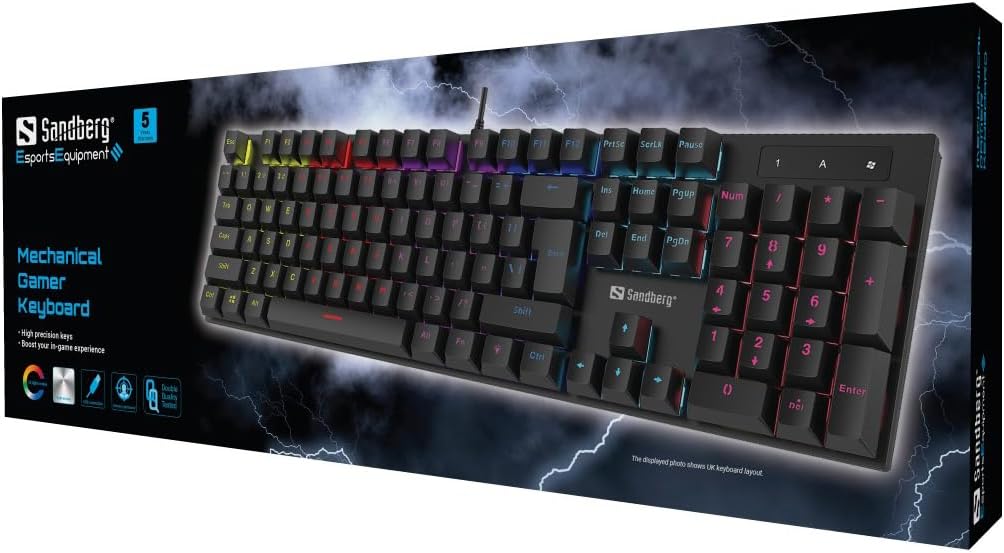
Obraz: The retail packaging for the Sandberg Mechanical Gamer Keyboard 640-31, displaying the keyboard and key features.
Organizować coś
- Rozpakowywanie: Ostrożnie wyjmij klawiaturę z opakowania.
- Połączenie: Locate an available USB port on your computer. Insert the USB connector of the keyboard into the USB port.
- Instalacja sterownika: The keyboard is plug-and-play. Your operating system will automatically detect and install the necessary drivers. No additional software installation is typically required for basic functionality.
- Test wstępny: Open a text editor or any application where you can type to verify that all keys are functioning correctly.
Instrukcja obsługi
Podstawowe funkcje klawiatury
The Sandberg Mechanical Gamer Keyboard 640-31 features a standard German QWERTZ layout with a full numeric keypad. All standard alphanumeric keys, function keys (F1-F12), navigation keys, and the numeric keypad operate as expected.
Multimedia and Function Keys (Fn Combinations)
Many keys have secondary functions accessible by pressing the Fn key (located near the Alt key) simultaneously with the desired function key. Refer to the keycaps for specific icons indicating these functions.
- Fn + F1-F12: Typically control multimedia playback, volume, and other system functions.
- Klawisz Fn + Windows: Blokuje/odblokowuje klawisz Windows, zapobiegając przypadkowemu naciśnięciu podczas gry.
- Fn + klawisze strzałek: May control backlight brightness or animation speed.
- Fn + Ins/Home/PgUp/Del/End/PgDn: Often used for backlight mode selection or customization.
Kontrola podświetlenia
The keyboard features customizable RGB backlighting. Specific key combinations are used to adjust lighting effects:
- Regulacja jasności: Używać Fn + Strzałka w górę zwiększyć jasność i Fn + strzałka w dół aby zmniejszyć jasność.
- Przełączanie trybu: Naciskać Fn + Ins, Fn + Dom, Fn + PgUp, Fn + Del, Fn + koniec, Lub Fn + PgDn to cycle through various lighting modes and effects.
- Regulacja koloru: Some modes allow color changes using Fn + strzałka w lewo or Fn + strzałka w prawo.
- Regulacja prędkości: For dynamic lighting modes, Fn + Minus (-) I Fn + Plus (+) keys (on the main keyboard, not numpad) may adjust the effect speed.
Konserwacja
Czyszczenie klawiatury
- Odłączyć: Przed czyszczeniem należy zawsze odłączyć klawiaturę od komputera.
- Usuwanie kurzu: Za pomocą sprężonego powietrza usuń kurz i zanieczyszczenia spomiędzy klawiszy.
- Czyszczenie powierzchni: Przetrzyj klawisze i powierzchnię klawiatury miękką, lekko wilgotną szmatką.amp, ściereczka niepozostawiająca włókien. Unikać nadmiernej wilgoci.
- Unikaj silnych środków chemicznych: Do not use strong cleaning agents, solvents, or abrasive materials, as these can damage the keyboard's finish or keycap legends.
Składowanie
Jeśli klawiatura nie będzie używana przez dłuższy czas, należy ją przechowywać w suchym i chłodnym miejscu, z dala od bezpośredniego światła słonecznego i ekstremalnych temperatur.
Rozwiązywanie problemów
| Problem | Możliwa przyczyna | Rozwiązanie |
|---|---|---|
| Klawiatura nie odpowiada | Luźne połączenie USB, uszkodzony port USB, problem ze sterownikiem. |
|
| Niektóre klawisze nie działają | Debris under keycap, key switch malfunction. |
|
| Podświetlenie nie działa lub jest nieprawidłowe | Backlight settings, software conflict. |
|
| Opóźnienie wprowadzania danych z klawiatury | System performance, USB port issues. |
|
Specyfikacje
- Model: 640-31
- Marka: Sandberg
- Układ klawiatury: niemiecki (DE)
- Typ: Mechaniczna klawiatura dla graczy
- Liczba przycisków: 105
- Łączność: USB
- Wymiary produktu: 2.34 x 6.22 x 2.6 cala
- Waga przedmiotu: 6.8 uncji
- Zawartość zestawu: Mechanical keyboard DE
Gwarancja i wsparcie
Sandberg products are designed for quality and come with a warranty. For specific warranty terms and conditions, please refer to the warranty information provided with your purchase or visit the official Sandberg webstrona.
For technical support, troubleshooting assistance, or to inquire about replacement parts, please visit the official Sandberg support page or contact their customer service directly. You can find contact information on the Sandberg webstrona: www.sandberg.it