
Wstęp
This manual provides detailed instructions for the assembly, operation, and maintenance of your Perlegear PGTVMC16 Rolling TV Stand. Please read all instructions carefully before assembly and use to ensure safe and correct operation. Retain this manual for future reference.
Informacje dotyczące bezpieczeństwa
- Przed montażem upewnij się, że wszystkie elementy są kompletne i nieuszkodzone. Nie używaj, jeśli brakuje którejkolwiek części lub jest ona uszkodzona.
- Nie przekraczać maksymalnego udźwigu 88 funta (40 kg).
- This stand is designed for TVs between 23 i 60 cali.
- Verify your TV's VESA pattern is compatible (Max VESA: 400x400mm, Min VESA: 100x100mm).
- Zawsze blokuj koła, gdy stojak stoi w pozycji stacjonarnej, aby zapobiec jego przypadkowemu przesunięciu.
- Aby zapobiec zarysowaniom, stojak należy zamontować na miękkiej i czystej powierzchni.
- Trzymaj dzieci i zwierzęta z daleka podczas montażu.
Zawartość opakowania
Please check the package to ensure you have all the necessary parts. If any parts are missing or damaged, contact customer support.
Note: A detailed list of hardware and components is typically included in the physical instruction manual. Refer to that document for specific part identifiers.

Image: The Perlegear PGTVMC16 Rolling TV Stand, fully assembled, supporting a television.
Konfiguracja i montaż
Follow these steps to assemble your Perlegear PGTVMC16 Rolling TV Stand. It is recommended to have a second person assist with mounting the TV.
- Zamontuj koła do podstawy: Secure the four locking wheels to the X-shaped base using the provided hardware. Ensure they are tightened securely.
- Złóż kolumnę pionową: Connect the sections of the vertical column. The design features a double-layer reinforcement and screwless connection for enhanced stability.
- Przymocuj kolumnę do podstawy: Secure the assembled vertical column to the X-shaped base.
- Montaż uchwytu telewizora: Attach the TV mounting bracket to the top of the vertical column.
- Zamontuj uchwyty do telewizora: Secure the two vertical TV brackets to the back of your television using the appropriate screws and spacers for your TV model. Ensure the brackets are level and centered.
- Montaż telewizora na stojaku: Carefully lift the TV and hook the attached brackets onto the TV mounting bracket on the stand. Ensure the TV is securely seated. Tighten any safety screws or locking mechanisms on the brackets to prevent accidental dislodgement.

Image: A person assembling the vertical column, illustrating the easy installation process.
Instrukcja obsługi
Regulacja wysokości
The Perlegear PGTVMC16 offers 3 levels of height adjustment, ranging from 56.1 to 60.4 inches. To adjust the height:
- Loosen the height adjustment screws on the vertical column.
- Carefully raise or lower the TV to the desired height. It is recommended to have assistance when adjusting the height of a mounted TV.
- Retighten the height adjustment screws firmly to secure the TV at the new position.

Image: A diagram illustrating the stand's dimensions, 3 bracket height options, and 15-degree adjustable tilt feature.
Regulacja nachylenia
The TV stand features a tilting mechanism allowing adjustment up to 15 degrees. To adjust the tilt:
- Locate the tilt adjustment knobs or screws on the TV mounting bracket.
- Loosen them slightly.
- Gently tilt the TV to your preferred viewkąt.
- Tighten the knobs or screws to lock the tilt in place.
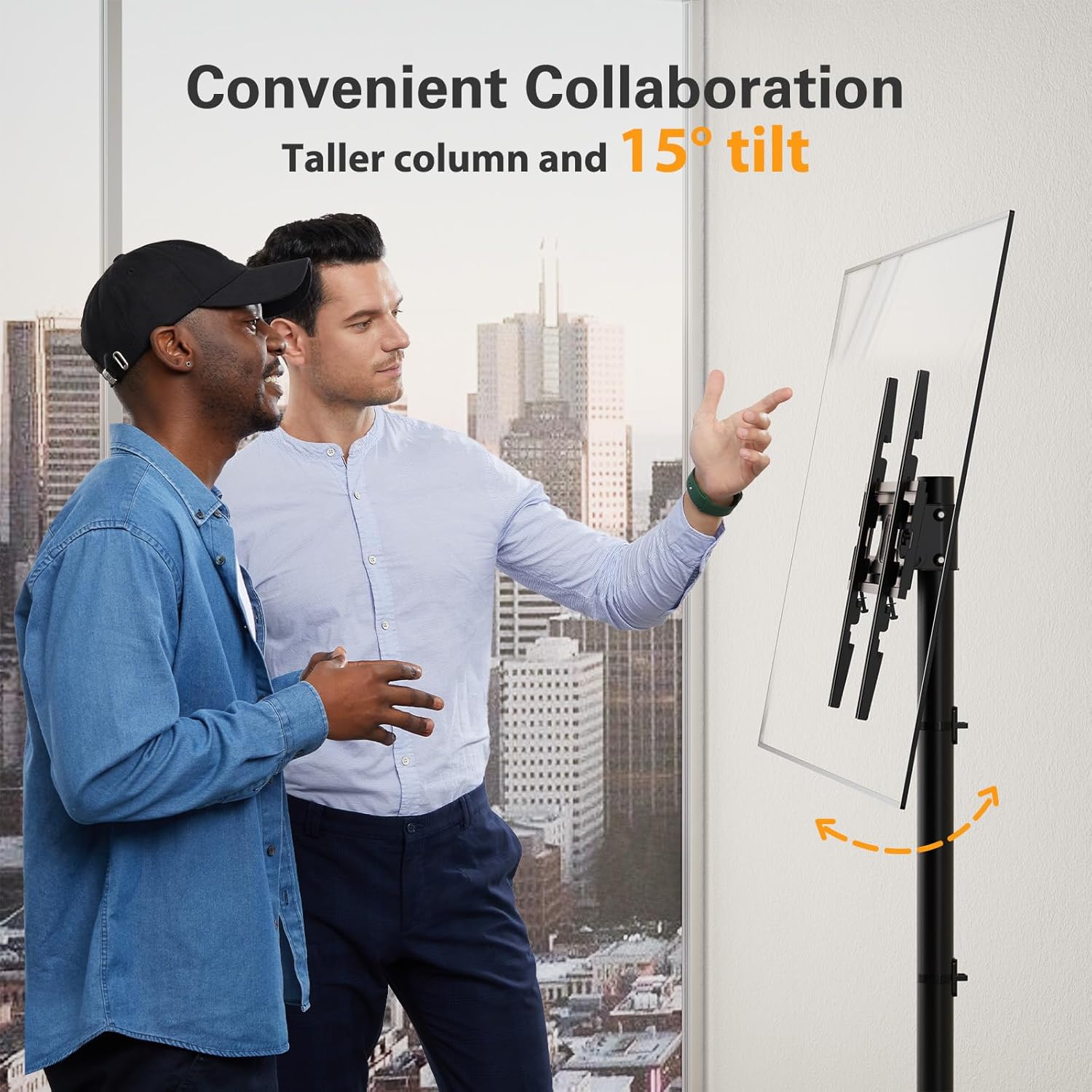
Image: Two individuals interacting with a TV mounted on the stand, demonstrating the 15-degree tilt feature for collaborative viewing.
Przenoszenie stojaka
The stand is equipped with locking wheels for portability.
- To move the stand, unlock all four wheels.
- Gently push or pull the stand to its new location.
- Once in position, lock all four wheels to secure the stand and prevent accidental movement.

Obraz: Zbliżenie view of the stand's wheels, highlighting their smooth rolling capability on carpeted surfaces.
Orientacja pionowa lub pozioma
The TV can be installed in either portrait or landscape orientation, offering flexibility for various display needs.

Image: Demonstrates the versatility of the stand, allowing for both portrait and landscape TV orientations for different activities.
Konserwacja
- Czyszczenie: Wipe the stand with a soft, dry cloth. Avoid abrasive cleaners or solvents that could damage the finish.
- Sprawdzenie sprzętu: Okresowo sprawdzaj wszystkie śruby i nakrętki, aby upewnić się, że są dobrze dokręcone. W razie potrzeby dokręć.
- Konserwacja kół: Utrzymuj koła w czystości, aby zapewnić płynny ruch.
Rozwiązywanie problemów
- Stojak jest chwiejny: Ensure all screws and bolts are securely tightened. Check that the base is on a flat, level surface.
- Telewizor nie jest wypoziomowany: The stand allows for a ±3° leveling adjustment. Refer to the assembly instructions for how to adjust the leveling screws on the TV bracket.
- Koła nie toczą się płynnie: Check for debris caught in the wheels. Ensure the locking mechanisms are fully disengaged.
- Trudności z regulacją wysokości/pochylenia: Loosen adjustment screws sufficiently before attempting to move the TV. Do not force adjustments.
Specyfikacje
| Funkcja | Specyfikacja |
|---|---|
| Numer modelu | PGTVMC16 |
| Kompatybilne rozmiary telewizorów | 23 - 60 cali |
| Nośność | Do 88 funtów (40 kg) |
| Zgodność ze standardem VESA | Max: 400x400mm, Min: 100x100mm (400x400/400x300/400x200/300x300/300x200/200x300/200x200/200x100/100x200/100x100) |
| Zakres regulacji wysokości | 56.1 to 60.4 inches (3 levels) |
| Kąt nachylenia | ±15 stopni |
| Typ ruchu | Tilt, Rolling |
| Tworzywo | Metal |
| Wymiary produktu | 17.48 x 13.44 x 4.71 cala (opakowanie) |
| Waga przedmiotu | 13.11 funta |
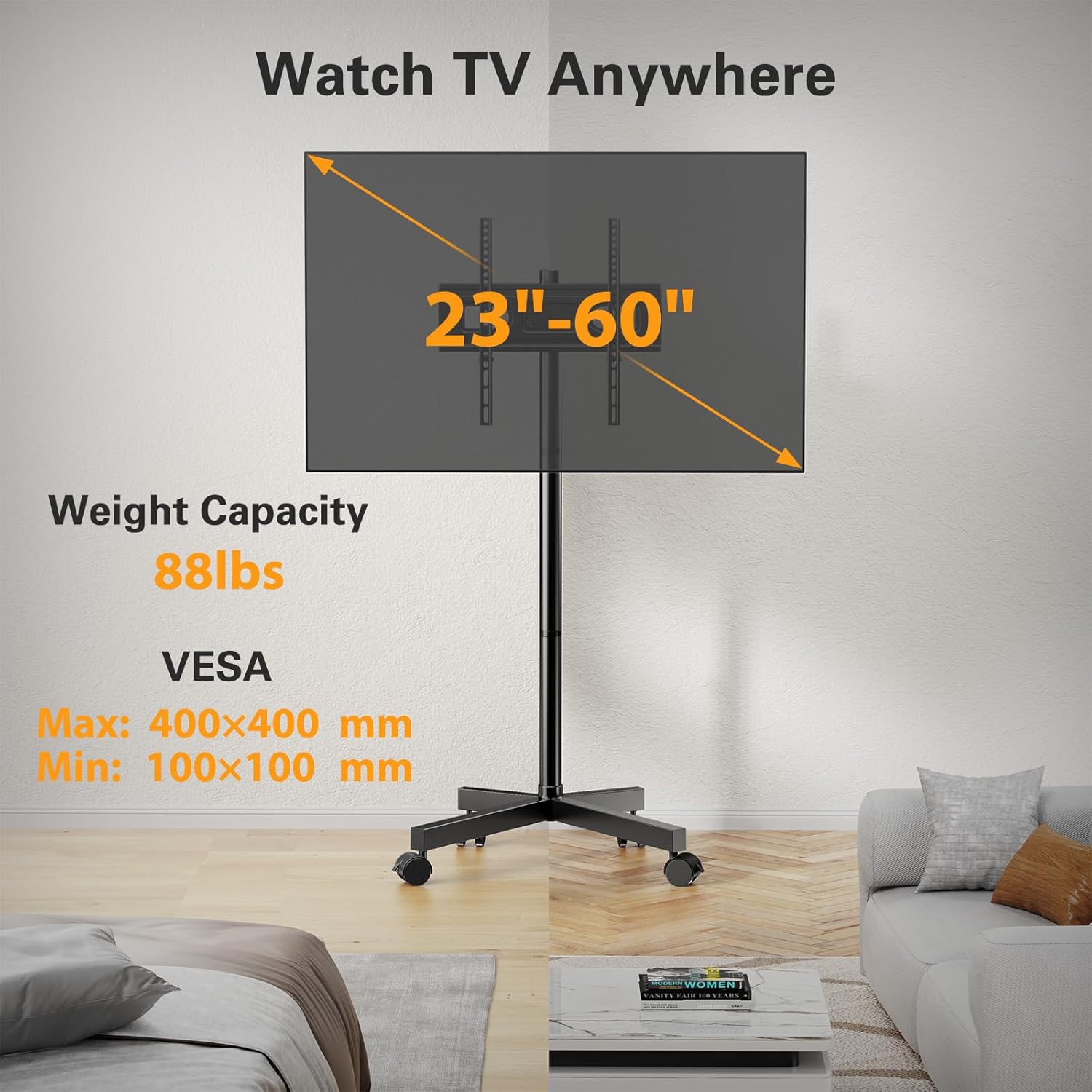
Image: Visual representation of the stand's compatibility with TV sizes (23-60 inches), maximum weight capacity (88 lbs), and VESA mounting patterns.
Informacje o gwarancji
Perlegear products are manufactured with quality and durability in mind. For specific warranty details, including coverage period and terms, please refer to the warranty card included with your product or visit the official Perlegear webZachowaj dowód zakupu na wypadek roszczeń gwarancyjnych.
Obsługa klienta
If you have any questions, require assistance with assembly, or encounter any issues with your Perlegear PGTVMC16 Rolling TV Stand, please contact Perlegear customer support. Contact information can typically be found on the product packaging, the official Perlegear webmiejscu lub karcie gwarancyjnej.
We are committed to providing excellent support and ensuring your satisfaction.