
VIRAN C21pro
VIRAN C21pro Military Smart Watch User Manual
Model: C21pro
1. Wprowadzenie
This manual provides comprehensive instructions for the VIRAN C21pro Military Smart Watch. It covers setup, operation, maintenance, and troubleshooting to ensure optimal performance and user experience. Please read this manual thoroughly before using your device.

Obraz 1: Przód view of the VIRAN C21pro Military Smart Watch, displaying a digital watch face with health and activity metrics.
2. Przewodnik konfiguracji
2.1 Rozpakowanie i opłata początkowa
Upon receiving your VIRAN C21pro Smart Watch, carefully unbox the device and its accessories. Before first use, ensure the watch is fully charged.
- Podłącz kabel ładujący do portu ładowania z tyłu zegarka.
- Podłącz koniec kabla USB do standardowego zasilacza USB (nie ma go w zestawie) lub do portu USB komputera.
- Wyświetlacz zegarka pokaże stan ładowania. Pełne naładowanie trwa zazwyczaj około 2 godzin.

Image 2: The VIRAN C21pro Smart Watch displaying a charging icon, indicating its 410mAh battery capacity and long standby time.
2.2 Instalacja i parowanie aplikacji
Aby w pełni wykorzystać funkcjonalność inteligentnego zegarka, pobierz i zainstaluj na swoim smartfonie aplikację towarzyszącą.
- Scan the QR code provided in the watch's packaging or search for the official VIRAN app in your smartphone's app store (compatible with Android 6.0/iOS 9.0 and above).
- Otwórz aplikację i postępuj zgodnie z instrukcjami wyświetlanymi na ekranie, aby utworzyć konto lub się zalogować.
- Włącz Bluetooth w swoim smartfonie.
- In the app, navigate to the device pairing section and select your VIRAN C21pro Smart Watch from the list of available devices.
- Potwierdź prośbę o sparowanie na zegarku i smartfonie.

Image 3: The VIRAN C21pro Smart Watch screen showing various application icons, including a voice assistant, indicating its smart features.
3. Instrukcja obsługi
3.1 Podstawowa nawigacja
- Ekran dotykowy: Przesuwaj w lewo, w prawo, w górę lub w dół, aby poruszać się po menu i funkcjach. Dotknij, aby wybrać.
- Przyciski boczne: The watch features multiple side buttons. Typically, one button serves as a power/home button, while others may be customizable for quick access to sports modes or other functions. Refer to the on-screen prompts for specific button assignments.
- Korona: Rotate the crown to scroll through lists or adjust settings. Press the crown to return to the watch face or confirm selections.
Video 1: A demonstration of the VIRAN C21pro Smart Watch's user interface, showcasing touch screen navigation and various app icons. This video illustrates the ease of interaction with the device's features.
3.2 Funkcjonalność połączeń Bluetooth
The VIRAN C21pro supports Bluetooth calling, allowing you to answer or dial calls directly from your wrist.
- Ensure your watch is paired and connected to your smartphone via Bluetooth.
- Gdy ktoś dzwoni, zegarek wyświetla identyfikator dzwoniącego. Dotknij zielonej ikony, aby odebrać, lub czerwonej, aby odrzucić połączenie.
- To dial a call, navigate to the "Telephone" or "Dialpad" app on your watch and enter the number, or select a contact from your synced phonebook.

Image 4: The VIRAN C21pro Smart Watch displaying an incoming call interface, demonstrating its Bluetooth call feature.
3.3 Monitorowanie stanu zdrowia
Zegarek stale monitoruje różne wskaźniki zdrowia.
- Tętno: Access the heart rate monitor from the main menu to view dane dotyczące tętna w czasie rzeczywistym.
- Ciśnienie krwi: Use the blood pressure monitoring feature for periodic readings. For accurate results, remain still during measurement.
- Tlen we krwi (SpO2): Zmierz poziom saturacji krwi tlenem.
- Monitorowanie snu: The watch automatically tracks your sleep patterns, providing data on sleep duration and quality.

Image 5: A composite image showing the VIRAN C21pro Smart Watch displaying heart rate, blood pressure, and blood oxygen levels, highlighting its comprehensive health monitoring capabilities.
3.4 Tryby sportowe
The watch offers over 100 sport modes to track your physical activities.
- Navigate to the "Sport" menu to select your desired activity (e.g., walking, running, cycling, swimming).
- Zegarek będzie rejestrował dane takie jak liczba kroków, pokonany dystans, spalone kalorie i tętno podczas treningu.
- Review your workout data in the companion app for detailed analysis.

Image 6: A visual representation of the VIRAN C21pro Smart Watch's multiple sport modes, including icons for various activities like running, cycling, and swimming, alongside tracked metrics.
4. Konserwacja
4.1 Czyszczenie zegarka
- Regularnie czyść zegarek i pasek, aby zapobiec podrażnieniom skóry i zachować funkcjonalność.
- Przetrzyj zegarek miękką szmatką.amp, ściereczka niepozostawiająca włókien. Unikaj agresywnych środków chemicznych i materiałów ściernych.
- Do czyszczenia paska należy używać łagodnego mydła i wody, a następnie dokładnie spłukać i wysuszyć przed ponownym założeniem.
4.2 Wodoodporność
The VIRAN C21pro has a 5ATM IP68 waterproof rating, allowing submersion up to 50 meters. It is suitable for swimming and showering. However, avoid hot water, steam, or prolonged exposure to high-velocity water.
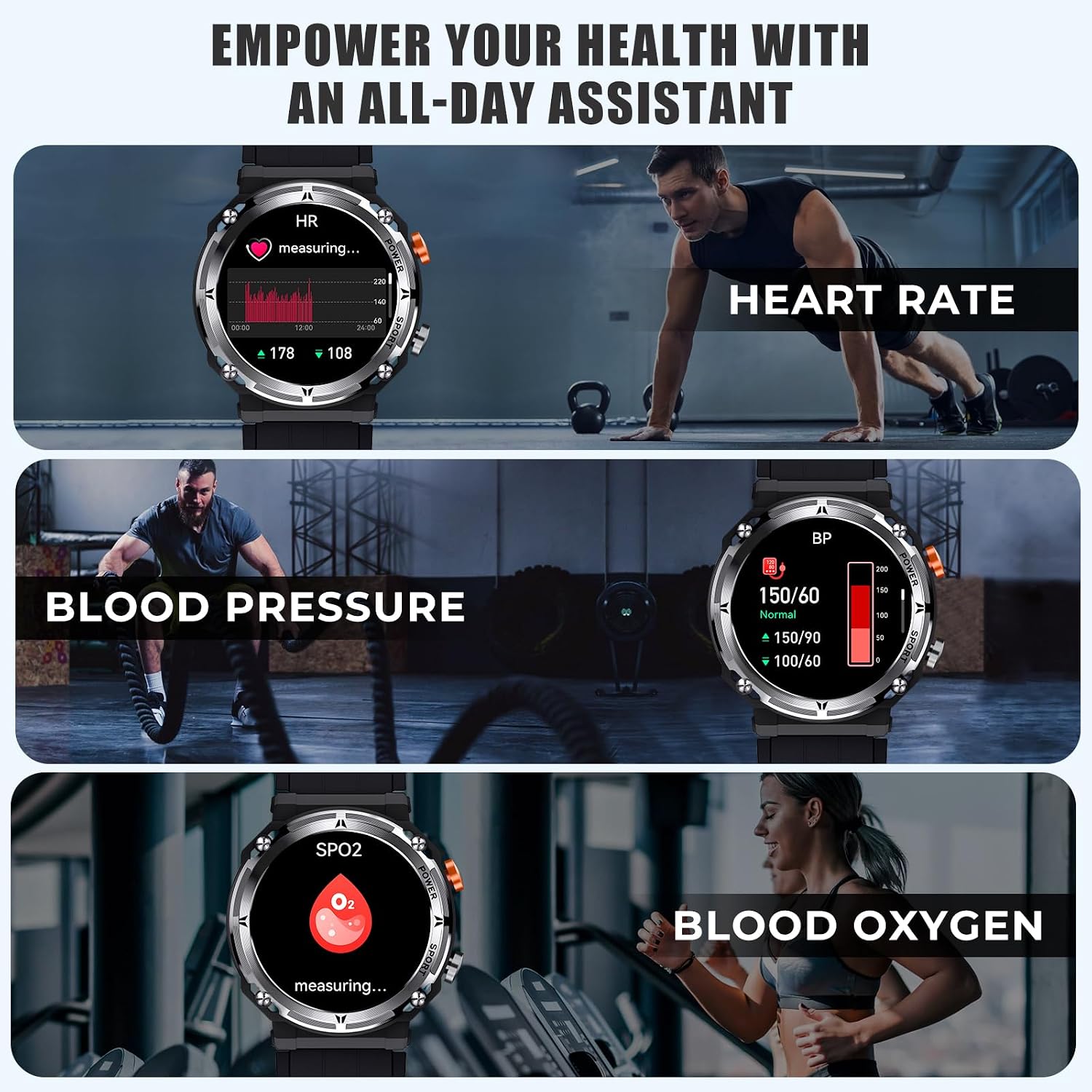
Image 7: The VIRAN C21pro Smart Watch being worn by a swimmer, illustrating its 5ATM IP68 waterproof rating and suitability for water activities.
Video 2: A demonstration of the VIRAN C21pro Smart Watch's durability, including water submersion and impact resistance tests. This video highlights the watch's military-grade toughness and waterproof capabilities.
5. Rozwiązywanie Problemów
| Wydanie | Możliwa przyczyna | Rozwiązanie |
|---|---|---|
| Zegarek nie włącza się | Niski poziom naładowania baterii, błąd oprogramowania | Charge the watch for at least 30 minutes. If still unresponsive, perform a hard reset by pressing and holding the power button for 10-15 seconds. |
| Nie można sparować z telefonem | Bluetooth wyłączony, problem z aplikacją, zegarek niewidoczny | Ensure Bluetooth is enabled on your phone and the watch. Restart both devices. Reinstall the companion app. Make sure the watch is in pairing mode. |
| Niedokładne dane dotyczące zdrowia | Nieprawidłowe dopasowanie, przesłonięcie czujnika, ruch podczas pomiaru | Ensure the watch is worn snugly on your wrist, one finger-width above the wrist bone. Clean the sensor on the back of the watch. Remain still during measurements. |
| Krótki czas pracy baterii | Frequent use of power-intensive features, high screen brightness | Reduce screen brightness. Limit continuous heart rate monitoring. Turn off unnecessary notifications. Disable "Always-On Display" if active. |
6. Specyfikacje
- Model: C21pro
- Wyświetlacz: 1.39 Inches HD, 360*360 resolution
- Pojemność baterii: 410 mAh litowo-jonowy
- Czas pracy baterii: 5-7 days (daily use), 40 days (standby)
- Stopień wodoodporności: 5ATM IP68 (up to 50 meters)
- Łączność: Bluetooth 5.2
- Zgodność: Android 6.0/iOS 9.0 i nowsze
- Pojemność pamięci: 128 MB
- Cechy szczególne: Activity Tracker, Blood Pressure Monitor, Heart Rate Monitor, Blood Oxygen Monitor, Sleep Monitor, 100+ Sport Modes, Bluetooth Call, AI Voice Assistant
- Waga przedmiotu: 110 gramów (3.88 uncji)
- Producent: WIRAN
7. Informacje o gwarancji
The VIRAN C21pro Military Smart Watch comes with a 1-letnia gwarancja od daty zakupu. Niniejsza gwarancja obejmuje wady produkcyjne i usterki powstałe w wyniku normalnego użytkowania. Nie obejmuje uszkodzeń spowodowanych niewłaściwym użytkowaniem, wypadkami, nieautoryzowanymi modyfikacjami ani normalnym zużyciem.
Proszę zachować dowód zakupu na potrzeby roszczeń gwarancyjnych.
8. Obsługa klienta
For any inquiries, technical assistance, or warranty claims, please contact VIRAN customer support:
- Wsparcie online: Visit the official VIRAN store on Amazon: VIRAN Amazon Store
- Godziny otwarcia: 24/7 online customer service is available.
Ask a question about this manual
Ask about setup, troubleshooting, compatibility, parts, safety, or missing instructions. Manuals+ will review the question and use this page’s manual context to help answer it.