
Xiaomi BHR7266GL
Instrukcja obsługi Xiaomi Redmi Watch 3 Active
Model: BHR7266GL | Marka: Xiaomi
1. Koniec produktuview
The Xiaomi Redmi Watch 3 Active is a versatile smartwatch designed to enhance your daily life and fitness journey. It features a large 1.83-inch LCD screen for clear information display and supports Bluetooth calling for convenient communication. With over 100 sports modes and comprehensive health tracking, it's an ideal companion for monitoring your well-being and physical activity.

Figure 1: Xiaomi Redmi Watch 3 Active - Front View
Główne cechy:
- 1.83" LCD big screen for enhanced visibility.
- Support for Bluetooth calling, allowing you to answer calls directly from your wrist.
- Over 100 sports modes, including 10 professional workout modes.
- Full-scale fitness tracking, including all-day heart rate monitoring, advanced sleep tracking, and all-day SpO2 monitoring.
- Elegant appearance with NCVM coating for lightness and comfort.
- Water resistant up to 50m (5ATM).
- Ultra-long battery life of up to 12 days for normal daily use.
2. Co znajduje się w pudełku
Po otwarciu opakowania należy sprawdzić, czy znajdują się w nim wszystkie poniższe elementy:
- Redmi Watch 3 Active x1
- Pasek na nadgarstek x1
- Instrukcja obsługi x1
- Kabel ładujący x1
3. Konfiguracja początkowa
3.1 Ładowanie urządzenia
Before first use, fully charge your Redmi Watch 3 Active. Connect the provided charging cable to the charging contacts on the back of the watch and to a USB power adapter (not included). The watch display will indicate charging status.
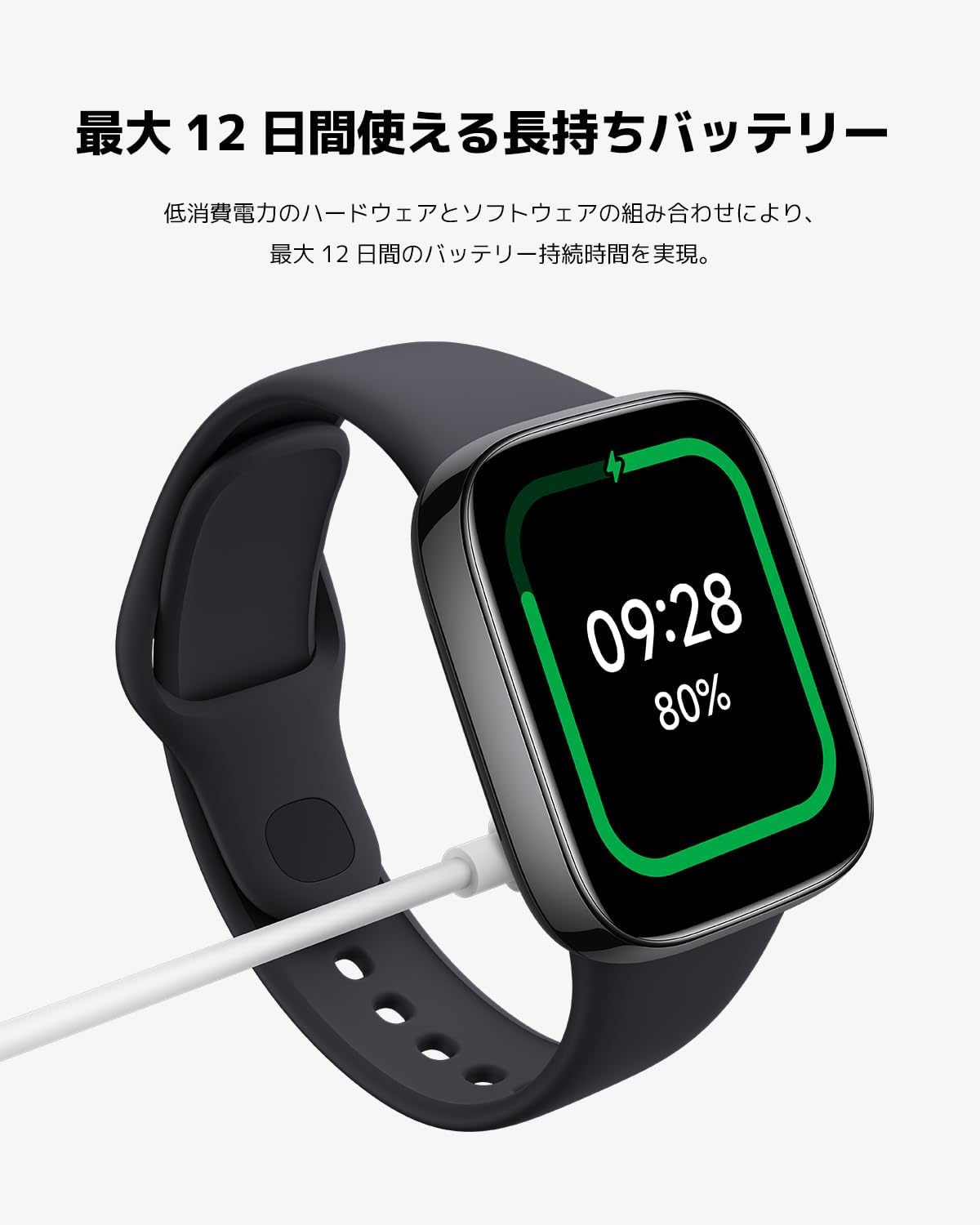
Figure 2: Charging the Redmi Watch 3 Active
3.2 Parowanie ze smartfonem
- Download the official Xiaomi Wear app (or Mi Fitness app) from your smartphone's app store (Google Play Store for Android, Apple App Store for iOS).
- Otwórz aplikację i postępuj zgodnie z instrukcjami wyświetlanymi na ekranie, aby utworzyć konto lub się zalogować.
- Turn on your Redmi Watch 3 Active. A QR code may appear on the watch screen.
- In the app, select "Add Device" and scan the QR code displayed on your watch. If no QR code is present, manually search for "Redmi Watch 3 Active" in the app's device list.
- Potwierdź prośbę o sparowanie na smartfonie i zegarku.
- Once paired, the watch will synchronize with your phone, and you can begin customizing settings and tracking data.
Video 1: Official product video demonstrating the features and setup of the Xiaomi Redmi Watch 3 Active. This video covers display, colors, battery, health features, phone features, other functions (workout modes, GPS, water resistance), material, size, and compatibility.
4. Instrukcja obsługi
4.1 Wyświetlacz i nawigacja
The Redmi Watch 3 Active features a large 1.83-inch LCD display. Navigate through menus and functions by swiping left, right, up, or down, and tap to select items. The side button typically serves as a home button or to access the app list.

Figure 3: Large 1.83-inch LCD Display
4.2 Dostosowywanie tarcz zegarka
Choose from over 200 watch faces available through the Xiaomi Wear app to personalize your watch. You can also upload your own photos to be displayed as a watch face.

Figure 4: Diverse Watch Face Options
4.3 Funkcje śledzenia stanu zdrowia
The watch offers comprehensive health monitoring:
- Monitorowanie częstości akcji serca: Monitoruje tętno 24/7. Możesz view real-time data on the watch or in the app.
- Monitorowanie SpO2: Measures your blood oxygen saturation levels throughout the day.
- Monitorowanie snu: Analyzes your sleep patterns, including deep sleep, light sleep, and REM sleep, providing insights into your sleep quality.
- Monitorowanie stresu: Helps you understand your stress levels and provides guidance for relaxation.
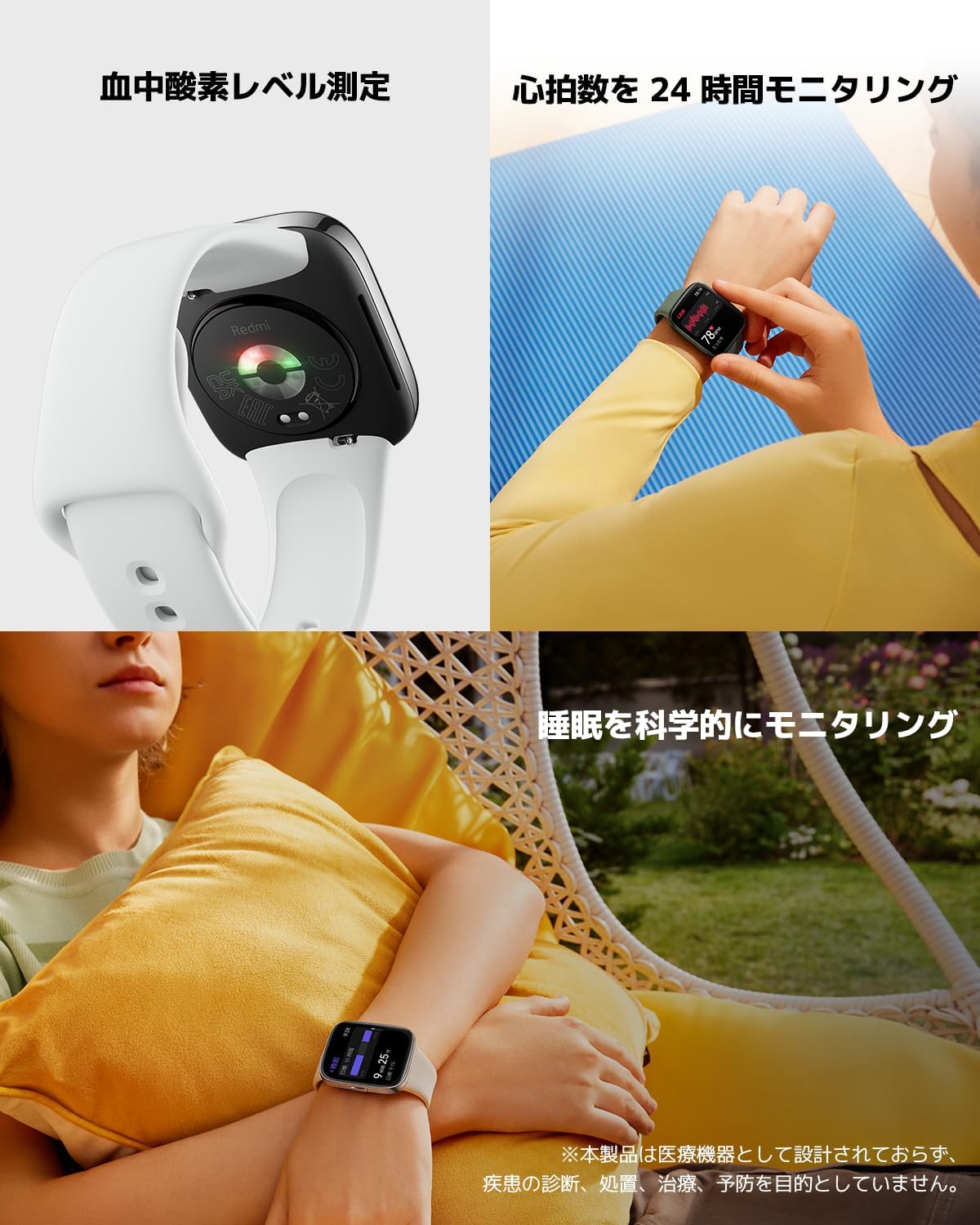
Figure 5: Health Monitoring in Action
Połączenia Bluetooth 4.4
With Bluetooth calling support, you can answer incoming calls directly from your watch. Ensure your watch is connected to your smartphone via Bluetooth. When a call comes in, simply raise your hand and tap the answer icon on the watch screen.

Rysunek 6: Funkcja połączeń Bluetooth
4.5 Tryby treningu i GPS
The watch supports over 100 workout modes, including 10 professional modes for various activities like running, cycling, swimming, and more. Select your desired workout mode from the watch's menu to start tracking your performance. The watch utilizes your smartphone's GPS for accurate outdoor activity tracking.

Figure 7: Extensive Workout Modes and 5ATM Water Resistance
4.6 Wodoodporność
The Redmi Watch 3 Active has a 5ATM water resistance rating, meaning it can withstand pressures equivalent to a depth of 50 meters. This makes it suitable for swimming in pools or shallow waters, but it is not recommended for hot showers, saunas, or diving.
5. Konserwacja
5.1 Żywotność baterii
The watch is equipped with a 289 mAh Lithium Polymer battery, offering up to 12 days of battery life under normal daily use. Actual battery life may vary based on usage patterns, features enabled (e.g., continuous heart rate monitoring, frequent Bluetooth calls), and environmental factors.
5.2 Czyszczenie i pielęgnacja
- Regularnie czyść zegarek i pasek miękką,amp płótno.
- Avoid using harsh chemicals or abrasive materials, as they may damage the watch's NCVM coating or strap.
- Aby zapobiec korozji, przed ładowaniem należy upewnić się, że styki ładowania są czyste i suche.
- Jeśli zegarek ulegnie zamoczeniu, należy go dokładnie wysuszyć przed ładowaniem lub dłuższym przechowywaniem.
6. Rozwiązywanie Problemów
If you encounter issues with your Redmi Watch 3 Active, try the following common troubleshooting steps:
- Zegarek się nie włącza: Upewnij się, że zegarek jest w pełni naładowany. Podłącz go do kabla ładującego i źródła zasilania.
- Nie można sparować z telefonem:
- Upewnij się, że Bluetooth jest włączony w Twoim telefonie.
- Upewnij się, że zegarek znajduje się w zasięgu telefonu.
- Uruchom ponownie zegarek i telefon.
- Check if the Xiaomi Wear app is updated to the latest version.
- Niedokładne dane dotyczące zdrowia: Upewnij się, że zegarek ściśle przylega do nadgarstka, nie jest za ciasny ani za luźny. Wyczyść czujniki z tyłu zegarka.
- Powiadomienia się nie wyświetlają: Check notification settings in the Xiaomi Wear app and your phone's system settings to ensure the app has necessary permissions.
- Krótka żywotność baterii: Reduce screen brightness, disable continuous heart rate monitoring, limit background app refresh, and reduce notification frequency.
For more detailed troubleshooting or persistent issues, refer to the official Xiaomi support webodwiedź witrynę lub skontaktuj się z obsługą klienta.
7. Specyfikacje techniczne
| Funkcja | Specyfikacja |
|---|---|
| Numer modelu | BHR7266GL |
| Marka | Xiaomi |
| Rozmiar ekranu | 1.83-calowy wyświetlacz LCD |
| Pojemność baterii | 289 mlnamp Godziny (litowo-polimerowe) |
| Czas pracy baterii (normalne użytkowanie) | Do 12 dni |
| Odporność na wodę | 5ATM (50 metrów) |
| Technologia łączności | Bluetooth |
| System operacyjny | Android Wear |
| Waga przedmiotu | 41.67 gramów (1.47 uncji) |
| Wymiary produktu | 7.87 x 7.87 x 5.51 cala |
| Cechy specjalne | Sleep Monitor, GPS (via Smartphone), Heart Rate Monitor, SpO2 Monitoring |
8. Gwarancja i wsparcie
8.1 Gwarancja na produkt
This product is covered by a manufacturer's warranty. Please refer to the warranty card included in your product packaging for specific terms and conditions, including warranty period and coverage details. Keep your purchase receipt as proof of purchase for warranty claims.
8.2 Obsługa klienta
For technical assistance, product inquiries, or warranty service, please contact Xiaomi customer support. You can find contact information on the official Xiaomi website or in the user guide provided with your product.
For additional information and resources, visit the official Xiaomi Store on Amazon: Sklep Xiaomi
Powiązane dokumenty - BHR7266GL
 |
Правила проведения розыгрыша призов от Mi.BY № 08 Официальные правила проведения рекламного мероприятия «Розыгрыш призов от Mi.BY № 08», условия участия, сроки проведения, состав призового фонда и порядок определения победителей. |
 |
Instrukcja obsługi Redmi Watch 3 Active – przewodnik po smartwatchu Xiaomi Kompleksowa instrukcja obsługi smartwatcha Xiaomi Redmi Watch 3 Active, obejmująca wszystkie funkcje produktu.view, specyfikacje, środki ostrożności, narażenie na działanie fal radiowych i informacje gwarancyjne. |
 |
Tele2 Komplimentu Maija Kampaņa Noteikumi un Balvas Oficiālie noteikumi un informācija par Tele2 Komplimentu maija kampaņu 2025, kas ietver dalības nosacījumus, izlozes kārtību un piedāvātās balvas. |
 |
Instrukcja obsługi zegarka Redmi Watch 3 Active: Konfiguracja, funkcje i przewodnik bezpieczeństwa Kompleksowa instrukcja obsługi smartwatcha Redmi Watch 3 Active, obejmująca wszystkie funkcje produktu.view, specifications, safety precautions, warranty information, and regulatory compliance. Learn how to set up, use, and care for your device. |
 |
CAOWTAN Watch Strap Replacement and Wearing Guide for Xiaomi Mi Band & Redmi Watch Instruction manual for replacing and wearing CAOWTAN watch straps, compatible with Xiaomi Mi Band 9 Pro/8 Pro and Redmi Watch 4/5/6. Includes notes on material sensitivity, cleaning, and safety. |
 |
Instrukcja obsługi Redmi Watch 5 Active - Xiaomi Official user manual for the Xiaomi Redmi Watch 5 Active. Learn about product overview, specifications, safety precautions, regulatory compliance, and warranty information. |
Ask a question about this manual
Ask about setup, troubleshooting, compatibility, parts, safety, or missing instructions. Manuals+ will review the question and use this page’s manual context to help answer it.