
AUSEK 5K Underwater Waterproof Camera
AUSEK 5K Action Camera User Manual
Model: 5K Underwater Waterproof Camera
Wstęp
This manual provides detailed instructions for the proper use and maintenance of your AUSEK 5K Action Camera. Please read this manual thoroughly before operating the camera to ensure optimal performance and longevity. Keep this manual for future reference.
Produkt ponadview
The AUSEK 5K Action Camera is designed for capturing high-quality video and photos in various environments, including underwater. It features dual touch screens, Electronic Image Stabilization (EIS), and Wi-Fi connectivity.

Rysunek 1: Przód i tył view of the AUSEK 5K Action Camera, showcasing its compact design and dual screens.
Główne cechy
- Nagrywanie wideo 5K: Capture ultra-high-definition videos at 30 frames per second.
- Rozdzielczość zdjęć 48 MP: Take crisp, detailed still images.
- Dual Touch Screens: Features a 2.0-inch IPS HD main screen and a 1.44-inch secondary screen for versatile framing and control.
- Waterproof up to 30M: Designed for underwater use with the included waterproof case.
- EIS Stabilization: Electronic Image Stabilization ensures smooth footagnawet podczas dynamicznych działań.
- Obiektyw szerokokątny 170°: Capture a broader field of view, ideal for action shots and landscapes.
- Łączność Wi-Fi: Connect to the XDV PRO app for remote control and instant sharing.
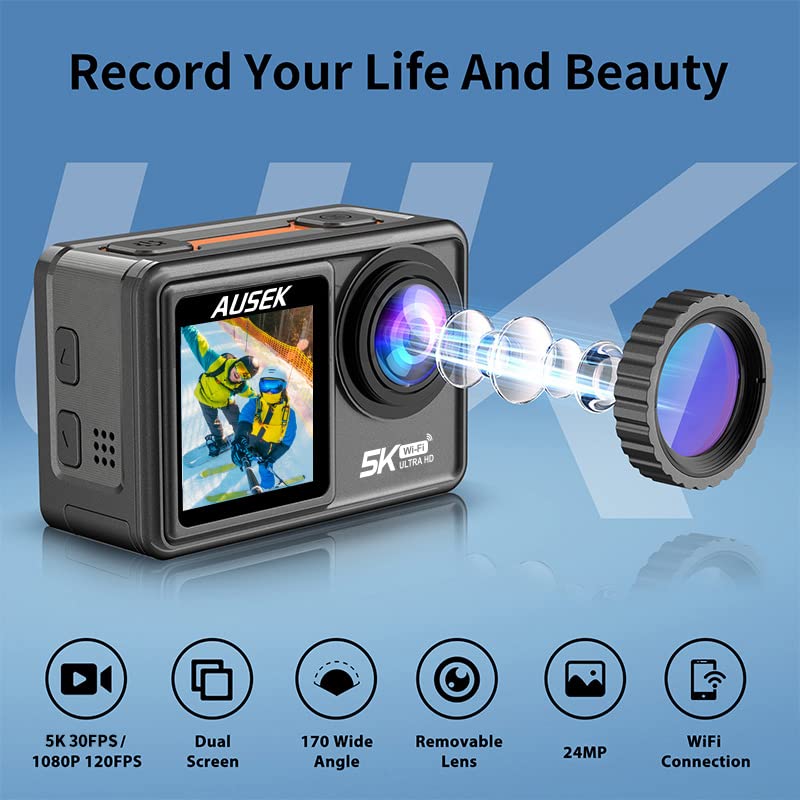
Figure 2: Visual representation of the camera's key features, including 5K 30FPS video, dual screens, 170-degree wide angle, removable lens, 24MP photo, and WiFi connection.
Organizować coś
1. Ładowanie akumulatora
Before first use, fully charge the camera battery. Connect the camera to a USB power source using the provided USB cable. The charging indicator light will illuminate during charging and turn off when fully charged.
Notatka:
- The camera comes with a 1050mAh polymer lithium battery.
- An extra battery is included in the package.
2. Wkładanie karty MicroSD
The camera supports up to a 256GB microSD card. Use a high-speed (Class 10 or UHS-I/UHS-3) microSD card for optimal performance, especially when recording 5K video.
- Znajdź gniazdo karty microSD w aparacie.
- Włóż kartę microSD złotymi stykami do dołu, aż zatrzaśnie się na miejscu.
- Aby wyjąć kartę, delikatnie wciśnij ją, aż wysunie się.
3. Mocowanie obudowy wodoodpornej
For underwater activities or protection against dust and impact, use the included waterproof case. Ensure the case is properly sealed before submerging the camera.
Ostrzeżenie:
- Always check the waterproof case for any damage or debris before use.
- The camera is waterproof up to 30 meters with the case.

Figure 3: The AUSEK 5K Action Camera shown in its waterproof housing, ready for underwater use, demonstrating its capability for diving mode up to 40 meters.
Instrukcja obsługi
Włączanie/wyłączanie zasilania
- Włączanie: Naciśnij i przytrzymaj przycisk zasilania/trybu przez kilka sekund.
- Aby wyłączyć: Ponownie naciśnij i przytrzymaj przycisk zasilania/trybu, aż kamera się wyłączy.
Przełączanie trybów
Press the Power/Mode button briefly to cycle through different modes (e.g., Video, Photo, Playback, Settings).
Using Dual Touch Screens
The camera features a 2.0-inch IPS HD main touch screen and a 1.44-inch secondary screen. You can easily frame your shots and switch between modes by long-pressing a key. The front screen is particularly useful for vlogging and selfies.
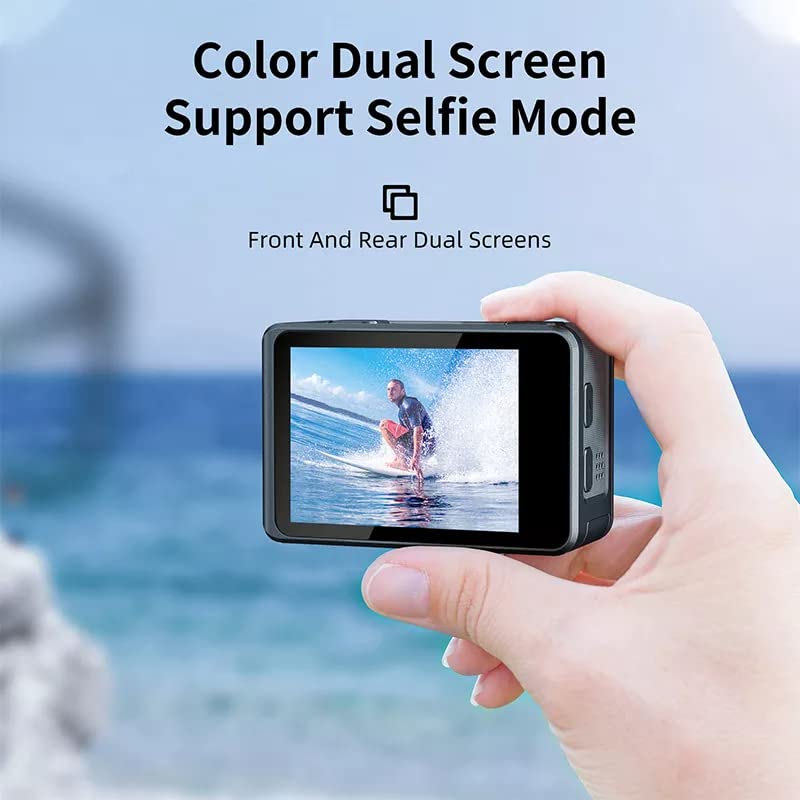
Figure 4: Demonstrating the dual screen capability, with the front screen active for selfie or vlogging mode, showing a person surfing.
Nagrywanie wideo
In Video mode, press the Shutter/OK button to start recording. Press it again to stop. The camera supports video resolutions up to 5K at 30fps and 4K at 60fps.
Wskazówka:
- Enable EIS (Electronic Image Stabilization) for smoother footage, especially during high-action shots.
- Distortion correction is available for select video resolutions to reduce visual distortions.
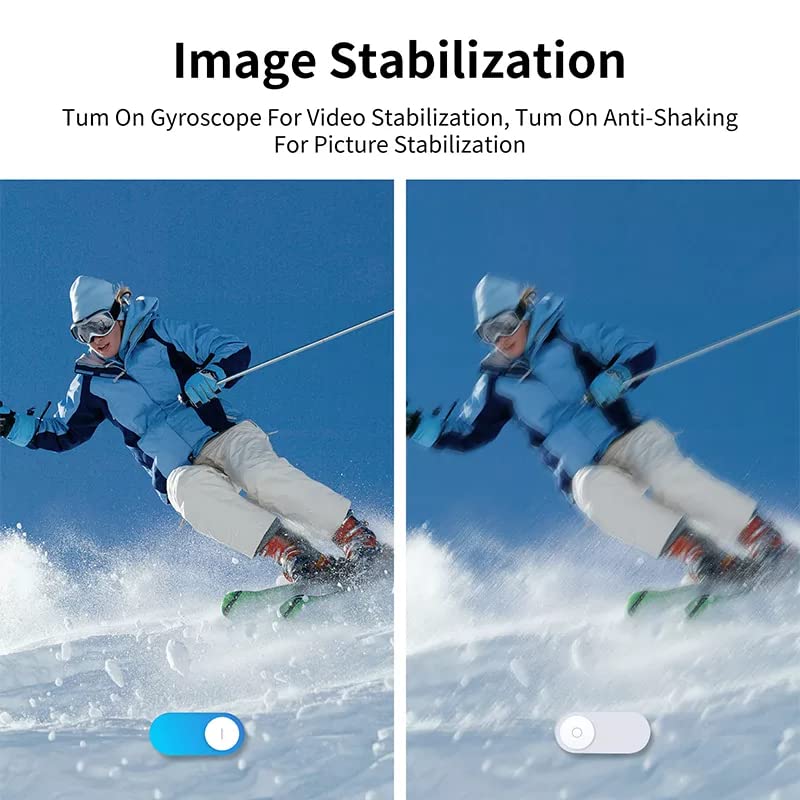
Figure 5: Comparison showing the effect of Electronic Image Stabilization (EIS) on video footage, with a clear difference between stabilization off and on, depicting a skier.
Ujęcie
In Photo mode, press the Shutter/OK button to take a picture. The camera captures photos up to 48MP resolution.
Obiektyw szerokokątny:
The 170° wide-angle lens allows for a broader perspective. Adjust the field of view in the camera settings if desired.
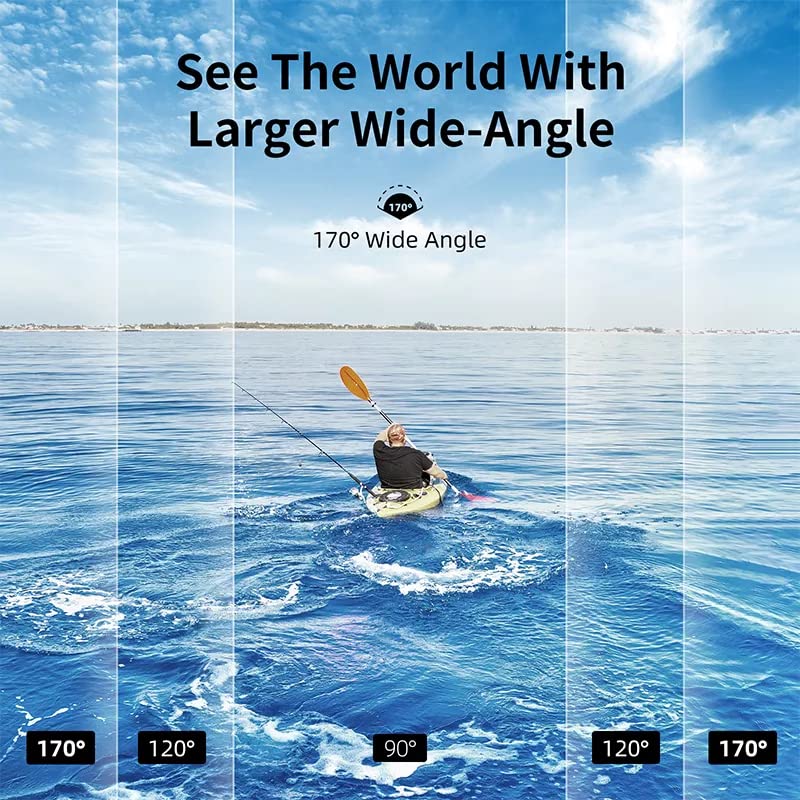
Figure 6: Visual demonstration of the 170-degree wide-angle lens, showing how it captures a significantly broader scene compared to narrower angles, with a person kayaking on water.
Łączność Wi-Fi i sterowanie aplikacją
The camera features built-in Wi-Fi for seamless control via the XDV PRO mobile application. This allows you to remotely control the camera, view żyćtagi przeniesienie files to your smartphone or tablet.
- Download the "XDV PRO" app from your device's app store.
- W aparacie przejdź do ustawień Wi-Fi i włącz Wi-Fi. Wyświetli się nazwa sieci Wi-Fi (SSID) i hasło aparatu.
- Na swoim smartfonie/tablecie połącz się z siecią Wi-Fi aparatu.
- Open the XDV PRO app and connect to the camera. You can now control the camera and access its media.
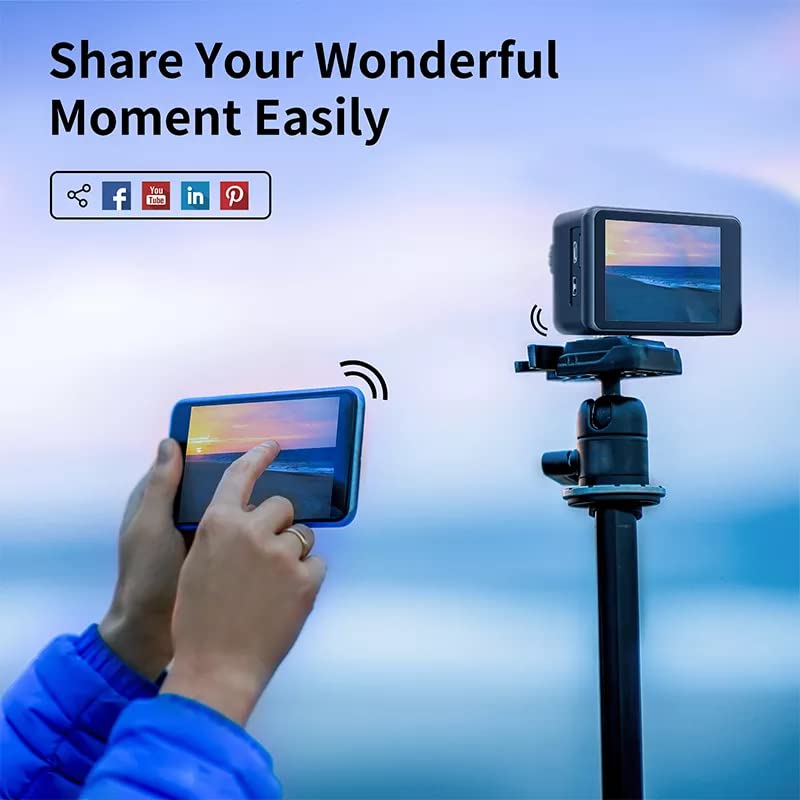
Figure 7: Illustration of the camera's Wi-Fi connectivity, showing a smartphone remotely controlling the camera and sharing content to social media platforms.
Konserwacja
- Czyszczenie: Use a soft, dry cloth to clean the camera body. For the lens, use a specialized lens cleaning cloth. Do not use harsh chemicals.
- Pielęgnacja wodoodpornego etui: After using the waterproof case in saltwater, rinse it thoroughly with fresh water and let it air dry. Ensure no sand or debris is trapped in the seals.
- Pielęgnacja baterii: Store the battery in a cool, dry place. If not using the camera for an extended period, charge the battery periodically to maintain its health.
- Składowanie: Store the camera and accessories in the provided carry case to protect them from dust and physical damage.
Rozwiązywanie problemów
| Problem | Możliwa przyczyna | Rozwiązanie |
|---|---|---|
| Kamera się nie włącza. | Bateria jest rozładowana lub nieprawidłowo włożona. | Naładuj akumulator. Upewnij się, że akumulator jest włożony z zachowaniem prawidłowej polaryzacji. |
| Nie można nagrywać filmów/robić zdjęć. | Karta MicroSD jest pełna, uszkodzona lub nie została włożona. | Insert a microSD card. Format the card (this will erase all data). Delete unnecessary files. |
| Problemy z połączeniem Wi-Fi. | Nieprawidłowe hasło, brak włączonego Wi-Fi w aparacie lub problemy z aplikacją. | Ensure Wi-Fi is enabled on camera. Re-enter password. Restart camera and app. |
| Fujtage jest chwiejne. | EIS is disabled. | Enable Electronic Image Stabilization (EIS) in the camera settings. |
| Wyciek wody w obudowie wodoszczelnej. | Case not properly sealed or damaged. | Inspect seals for debris or damage. Ensure case is securely latched. Do not use if damaged. |
Specyfikacje
| Funkcja | Szczegół |
|---|---|
| Marka | AUSEK |
| Nazwa modelu | 5K Bike Motovlogging Camera |
| Numer modelu przedmiotu | 5K Underwater Waterproof Camera |
| Rozdzielczość przechwytywania wideo | 5K (30 kl./s), 4K (60 kl./s) |
| Rozdzielczość zdjęcia | Do 48 MP |
| Stabilizacja obrazu | Elektroniczna stabilizacja obrazu (EIS) |
| Typ soczewki | 170° szeroki kąt |
| Technologia wyświetlania | LCD |
| Rozmiar ekranu | 2.0 Inches (Main IPS HD Touch), 1.44 Inches (Secondary) |
| Wodoodporna głębokość | 30M (z obudową wodoodporną) |
| Łączność | Wi-Fi |
| Typ pamięci flash | Micro SD, SD (up to 256GB) |
| Bateria | 1050mAh litowo-polimerowy |
| Waga przedmiotu | 400 gramów |
| Wymiary produktu | Wymiary 10 x 10 x 10 cm |
| Obsługiwane typy mediów | AVI, MP4 |
Co jest w pudełku
The AUSEK 5K Action Camera package includes the following items:
- Kamera sportowa 5K
- Wodoodporna obudowa
- Etui transportowe
- Zdalne sterowanie
- Instrukcja obsługi (ten dokument)
- Accessories (various mounts, clips, straps, USB cable, extra battery)
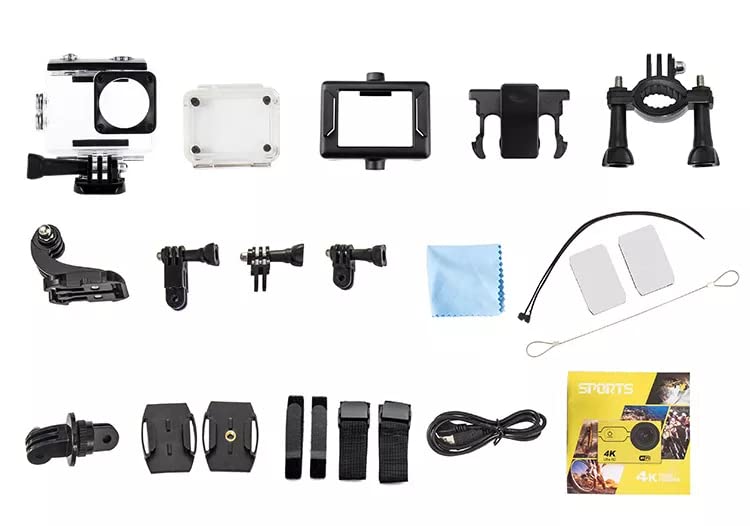
Rysunek 8: Ponadview of the comprehensive accessory kit included with the AUSEK 5K Action Camera, featuring various mounts, clips, straps, and the waterproof case.
Gwarancja i wsparcie
Your AUSEK 5K Action Camera comes with a 1 rok gwarancji od daty zakupu. Niniejsza gwarancja obejmuje wady produkcyjne i wykonawcze przy normalnym użytkowaniu.
Wykluczenia:
- Damage caused by misuse, accident, unauthorized modification, or neglect.
- Damage from natural disasters or improper storage.
- Normalne zużycie.
For warranty claims or technical support, please contact AUSEK customer service:
Obsługa klienta: 08048977694
Producent: AUSHA EXPORTS P LTD-140, SECTOR 27, GURUGRAM-122009
Kontaktując się z pomocą techniczną, przygotuj paragon zakupu i numer modelu produktu.
Ask a question about this manual
Ask about setup, troubleshooting, compatibility, parts, safety, or missing instructions. Manuals+ will review the question and use this page’s manual context to help answer it.