
Agunto AGU-OC1
Instrukcja obsługi kamery bezpieczeństwa Agunto AGU-OC1 Outdoor
Model: AGU-OC1
Wstęp
Thank you for choosing the Agunto AGU-OC1 Outdoor Security Camera. This manual provides detailed instructions for setting up, operating, and maintaining your camera to ensure optimal performance and security for your property. The AGU-OC1 is designed for outdoor surveillance, featuring 1080p video resolution, advanced night vision, motion and sound detection, and seamless integration with smart home systems like Google Assistant.

Rycina 1: Przód view of the Agunto AGU-OC1 Outdoor Security Camera.
Informacje dotyczące bezpieczeństwa
- Ensure the camera is installed in a location where it is protected from direct tamping.
- Use only the provided USB-C cable and power adapter.
- Nie wystawiaj aparatu na działanie ekstremalnych temperatur wykraczających poza zakres jego działania.
- Unikaj umieszczania kamery w pobliżu silnych pól elektromagnetycznych.
- Przed czyszczeniem lub konserwacją należy odłączyć zasilanie.
Zawartość opakowania
Proszę sprawdzić, czy w paczce znajdują się następujące elementy:
- Agunto AGU-OC1 Outdoor Security Camera
- USB-C Power Cable (3 meters)
- Śruby montażowe i kołki ścienne
- Instrukcja obsługi (ten dokument)
Organizować coś
1. Montaż kamery
The Agunto AGU-OC1 is designed for wall mounting. Choose a location that provides the desired viewpod odpowiednim kątem i w zasięgu gniazdka elektrycznego.
- Zaznacz punkty wiercenia na ścianie, korzystając z podstawy montażowej kamery jako szablonu.
- Drill holes at the marked points. Insert the wall plugs if necessary.
- Przymocuj podstawę montażową do ściany za pomocą dołączonych śrub.
- Attach the camera to the mounted base and adjust the angle as needed. The camera features a 180-degree rotatable function for optimal positioning.

Rysunek 2: Kątowy view of the Agunto AGU-OC1, showing its mounting bracket.

Figure 3: The camera installed outdoors, demonstrating its weather resistance.
2. Podłączenie zasilania
Connect the provided 3-meter USB-C cable to the camera's USB-C port and plug the other end into a suitable power adapter (not always included, but implied by "Elektrisch met snoer" and "USB-C").

Figure 4: USB-C power connection for the Agunto AGU-OC1 camera.
3. Instalacja i parowanie aplikacji
Aby kontrolować i view your camera, you will need to install the dedicated Agunto app on your smartphone or tablet. The app is available for both iOS and Android devices.
- Download the "Agunto Smart" app from the App Store (iOS) or Google Play Store (Android).
- Otwórz aplikację i utwórz nowe konto lub zaloguj się, jeśli już je posiadasz.
- Follow the in-app instructions to add your new AGU-OC1 camera. This typically involves scanning a QR code on the camera or entering a device ID.
- Ensure your smartphone is connected to a 2.4GHz Wi-Fi network during the pairing process, as the camera uses Wi-Fi connectivity.
Obsługa aparatu
Na żywo View i nagrywanie
Once paired, you can access the live video feed from your camera through the Agunto Smart app. From the live view ekran, możesz:
- View foo w czasie rzeczywistymtage.
- Manually record video clips or capture screenshots.
- Access recorded events stored on a microSD card (if installed) or cloud storage (if subscribed).
Wizja nocna
The AGU-OC1 features advanced night vision capabilities, providing clear images even in low-light conditions. It supports color night vision for enhanced detail up to 10 meters.
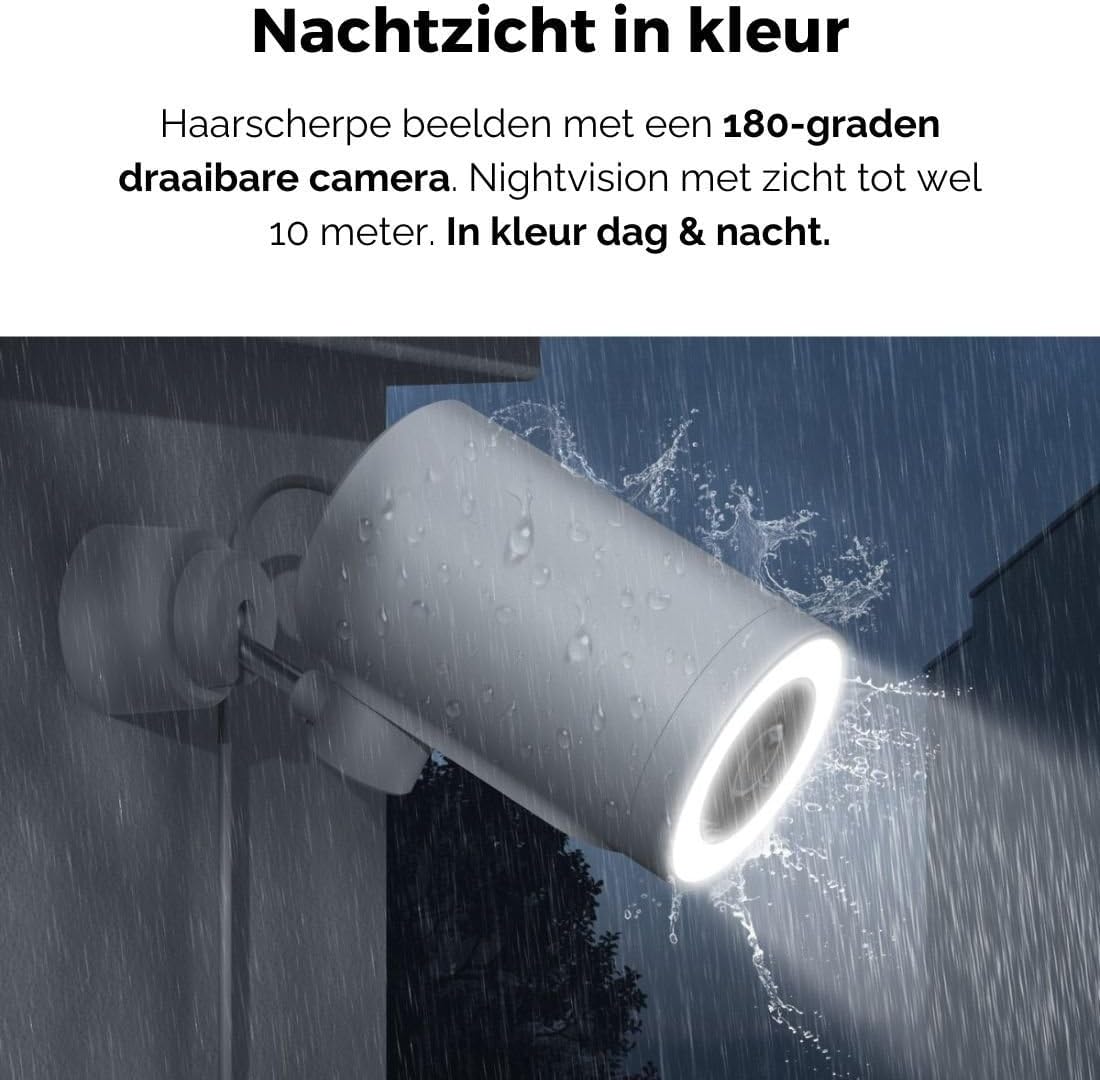
Figure 5: The camera's color night vision in action, providing clear images in the dark.
Wykrywanie ruchu i dźwięku
The camera is equipped with intelligent motion and sound detection. When activity is detected, you will receive instant notifications on your smartphone or tablet, allowing you to monitor your property effectively.
You can customize detection zones and sensitivity settings within the app to minimize false alarms.
Integracja z Asystentem Google
The Agunto AGU-OC1 seamlessly integrates with Google Assistant. You can link your camera to Google Home and stream live footage to compatible devices such as Google Nest Hub or Chromecast-enabled displays by voice command.
Example polecenie: "Hey Google, show me the backyard camera."
Konserwacja
- Czyszczenie: Delikatnie przetrzyj obiektyw i korpus aparatu miękką, suchą ściereczką. Nie używaj silnych środków chemicznych ani ściernych środków czyszczących.
- Aktualizacje oprogramowania: Regularly check the Agunto Smart app for firmware updates. Keeping your camera's software up-to-date ensures optimal performance, security, and access to new features.
- Kontrola kabla: Periodically inspect the USB-C cable for any signs of wear or damage, especially if exposed to outdoor elements.
Rozwiązywanie problemów
| Problem | Możliwe rozwiązanie |
|---|---|
| Kamera się nie włącza. | Check the USB-C cable connection and ensure the power adapter is plugged into a working outlet. Try a different outlet or adapter if available. |
| Nie można połączyć się z siecią Wi-Fi. | Ensure your Wi-Fi network is 2.4GHz. Check Wi-Fi signal strength at the camera's location. Restart your router and the camera. Re-attempt pairing through the app. |
| Słaba jakość wideo. | Clean the camera lens. Ensure adequate lighting. Check your internet connection speed. |
| Wykrywanie ruchu nie działa. | Verify motion detection is enabled in the app settings. Adjust sensitivity and detection zones. Ensure there are no obstructions blocking the camera's view. |
| Powiadomienia nie zostały odebrane. | Check app notification settings on your phone. Ensure the app has permission to send notifications. Verify your phone has an active internet connection. |
Specyfikacje
| Funkcja | Szczegół |
|---|---|
| Numer modelu | AGU-OC1 |
| Efektywna rozdzielczość wideo | 1080 pikseli |
| Tworzywo | Plastikowy |
| Cotage | 4 watów |
| Pozycja Wymiary (dł. x szer. x wys.) | 10 x 4.4 x 7.3 centymetra |
| Waga przedmiotu | 78 gram |
| Technologia łączności | Wireless, Wired (USB-C) |
| Cechy specjalne | Night Vision (Color), Motion Detection, Sound Detection, 180-degree rotatable |
| Środowisko użytkowania | Plenerowy |
| Kompatybilne urządzenia | Smartphone (via Agunto Smart app), Google Assistant devices |
| Źródło zasilania | Przewodowy elektryczny (USB-C) |
| Typ montażu | Montaż ścienny |
Gwarancja i wsparcie
Agunto products are designed for reliability and performance. For information regarding warranty coverage, technical support, or service, please refer to the warranty card included with your product or visit the official Agunto website. You can also contact Agunto customer support through the contact information provided on their website or within the Agunto Smart app.
Najnowsze informacje i odpowiedzi na często zadawane pytania znajdziesz na stronie: Agunto Official Store
Ask a question about this manual
Ask about setup, troubleshooting, compatibility, parts, safety, or missing instructions. Manuals+ will review the question and use this page’s manual context to help answer it.