
1. Wprowadzenie
This manual provides detailed instructions for the installation, operation, and maintenance of your Rebluum Solar Outdoor Security Camera. Please read this manual thoroughly before using the product to ensure proper function and safety. Keep this manual for future reference.
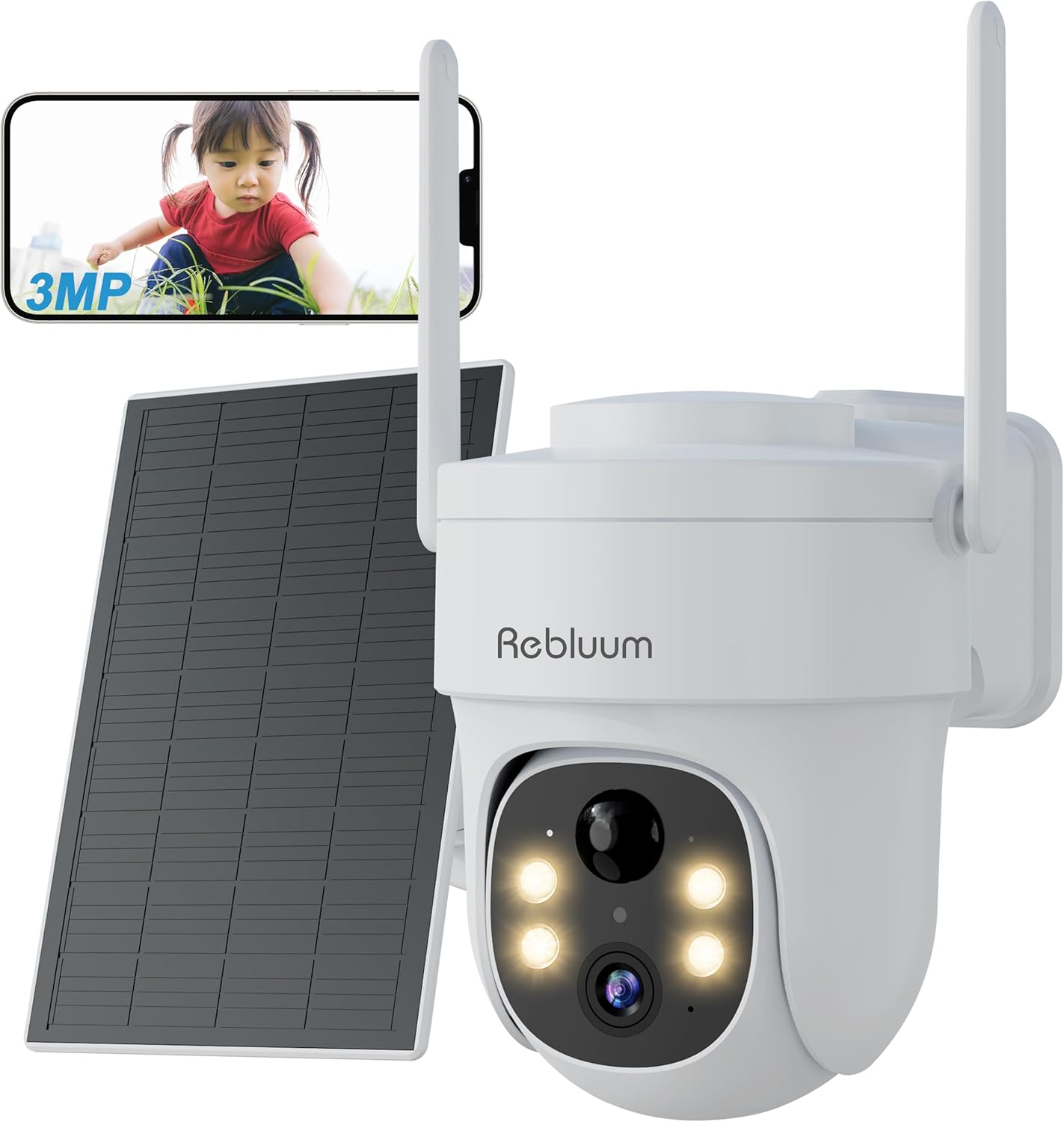
Figure 1: Rebluum Solar Outdoor Security Camera
2. Funkcje produktu
- Wideo w wysokiej rozdzielczości: Capture clear images with 3MP (2304x1296) resolution. Features WDR (Wide Dynamic Range) for optimal image quality in varying light conditions, such as strong backlight at building entrances.
- Zaawansowane widzenie w nocy: Equipped with LED and infrared functions, offering three night vision modes:
- Nocna Nocna Wizja: Black and white video in low light.
- Kolorowe widzenie nocne: Full-color video at night when motion is detected and white lights activate.
- Inteligentne widzenie w nocy: Infrared mode by default, switches to color when motion is detected.

Rysunek 2: Tryby widzenia nocnego
- Odporność na warunki atmosferyczne: IP65 rated for dust and water resistance, suitable for outdoor installation in various weather conditions.
- 360° Pan/Tilt/Zoom (PTZ): Remotely control the camera's horizontal (360°) and vertical (90°) movement, and zoom in/out via the smartphone app for comprehensive area monitoring.
- Połączenie bezprzewodowe: Supports 2.4GHz Wi-Fi for stable communication. Solar panel power eliminates the need for power cables, simplifying installation.
- Inteligentne wykrywanie: Features PIR thermal detection and AI recognition (human, pet, vehicle, package detection). Customizable detection sensitivity (1-10 levels) and activity zones to minimize false alarms.
- Dwukierunkowy dźwięk: Wbudowany mikrofon i głośnik pozwalają na komunikację z gośćmi w czasie rzeczywistym lub odstraszanie intruzów.
- Opcje przechowywania: Supports local storage via MicroSD card (8GB-128GB, sold separately) and cloud storage services. Older data is automatically overwritten when storage is full.
- Integracja inteligentnego domu: Kompatybilny z Amazon Alexa, umożliwiający sterowanie głosowe i transmisje na żywo viewing on compatible Echo devices.
- Kontrola aplikacji: Manage and monitor your camera from anywhere using the dedicated CloudEdge app (compatible with Android 4.2+ and iOS 8.0+).
Wideo 1: Produkt w całościview - This video demonstrates the key features of the Rebluum Solar Outdoor Security Camera, including its high-resolution video, night vision capabilities, and smart detection functions.
3. Zawartość opakowania
Przed otwarciem paczki należy sprawdzić, czy wszystkie przedmioty znajdują się w opakowaniu i są w dobrym stanie.
- Rebluum Solar Outdoor Security Camera
- Panel słoneczny
- Uchwyt montażowy
- Kabel do ładowania USB typu C.
- Śruby montażowe i kotwy ścienne
- Naklejka z szablonem instalacyjnym
- Instrukcja obsługi (ten dokument)
- Solar Charger Manual
- Security Camera Warning Sticker
Video 2: Unboxing and Package Contents - This video shows the unboxing process and all items included in the Rebluum Solar Outdoor Security Camera package.
4. Przewodnik konfiguracji
4.1 Pierwsze ładowanie
- Connect the solar panel to the camera using the USB Type-C cable.
- Ensure the solar panel is placed in an area with direct sunlight for 6-8 hours for initial charging.
Notatka: Always perform initial charging before first use.
4.2 Wkładanie karty MicroSD
If you plan to record video locally, insert a MicroSD card (8GB-128GB, not included) into the designated slot on the camera.
4.3 Pobieranie i rejestracja aplikacji
- Download the "CloudEdge" app from your smartphone's app store (Android 4.2+ or iOS 8.0+).
- Register a new user account following the in-app instructions.
4.4 Konfiguracja kamery
- Follow the in-app instructions to add your camera and connect it to your 2.4GHz Wi-Fi network.
- Ensure your smartphone and camera are close to your Wi-Fi router during the initial setup.
4.5 Montaż kamery
Choose a suitable location for your camera and solar panel, ensuring the solar panel receives adequate sunlight.
- Montaż na ścianie: Use the provided mounting bracket and screws. The bracket has specific holes for wall installation. Use the template sticker to mark drill points.
- Montaż sufitowy: The bracket also has holes suitable for ceiling installation.
Ważny: Drill holes as needed for the chosen mounting method. Secure the bracket firmly, then slide the camera onto the bracket until it clicks into place.

Rysunek 3: Opcje montażu
5. Instrukcja obsługi
5.1 Vieww transmisji na żywo
Open the CloudEdge app on your smartphone to view the live video feed from your camera. You can remotely control the camera's pan, tilt, and zoom functions from the app interface.
5.2 Tryby widzenia nocnego
You can select from three night vision modes within the app settings:
- Tryb podczerwieni: Zapewnia wyraźny czarno-biały obraz wideo w całkowitej ciemności.
- Tryb koloru: Keeps white lights on for full-color night vision.
- Tryb inteligentny: Automatically switches from infrared to color night vision when motion is detected.
5.3 Ustawienia wykrywania ruchu
Customize detection to suit your needs:
- Czułość wykrywania: Adjust the motion detection sensitivity from level 1 to 10. Higher sensitivity detects smaller movements.
- Wykrywanie humanoidów: Enable this feature to detect only human shapes, reducing false alarms from animals or moving objects. Set to level 1 for human-only detection.
- Niestandardowe strefy wykrywania: Zdefiniuj określone obszary w obrębie kamery view where you want motion detection to be active, avoiding unnecessary alerts from public areas.
Notatka: If both motion detection and humanoid detection are enabled, humanoid detection takes precedence. To detect all moving objects (people, animals, packages, vehicles), set motion detection to level 10 and turn off humanoid detection.

Figure 4: Customizable Detection Settings
5.4 Komunikacja dwukierunkowa
Use the two-way audio feature in the app to speak through the camera's speaker and listen through its microphone. This is useful for interacting with visitors or deterring unwanted guests.
5.5 Nagrywanie i odtwarzanie
The camera supports both MicroSD card and cloud storage. When motion is detected, the camera will automatically record. You can view nagrano footage via the CloudEdge app.
- Nagrywanie na karcie SD: Records in 10, 20, or 30-second clips.
- Nagrywanie w chmurze: Records in 6-second clips.
5.6 Udostępnianie rodzinne
Share camera access with family members through the CloudEdge app. You can set specific permissions for each shared user, allowing multiple people to view jednocześnie obraz z kamery.
5.7 Integracja z Alexą
Connect your Rebluum camera to Amazon Alexa. Once linked, you can use voice commands like "Alexa, show me the garden" to view the live feed on compatible Echo devices with a display.

Figure 5: Smart Features Overview
6. Konserwacja
- Czyszczenie: Regularnie czyść obiektyw aparatu i panel słoneczny miękką, miękką szmatką.amp Aby zapewnić optymalną wydajność, należy czyścić szmatką. Unikać środków czyszczących o działaniu ściernym.
- Umiejscowienie panelu słonecznego: Ensure the solar panel remains free from obstructions (e.g., leaves, dirt) and is positioned to receive maximum direct sunlight for efficient charging.
- Aktualizacje oprogramowania układowego: Sprawdzaj okresowo aplikację CloudEdge pod kątem aktualizacji oprogramowania sprzętowego, aby mieć pewność, że Twoja kamera ma najnowsze funkcje i udoskonalone zabezpieczenia.
7. Rozwiązywanie Problemów
- Kamera nie łączy się z Wi-Fi: Upewnij się, że masz sieć Wi-Fi 2.4 GHz. Sprawdź siłę sygnału Wi-Fi w miejscu, w którym znajduje się kamera. Uruchom ponownie router i kamerę.
- Słaba widoczność w nocy: Verify the camera lens is clean. Ensure there are no obstructions blocking the infrared or white lights. Check if the selected night vision mode is appropriate for the environment.
- Częste fałszywe alarmy: Adjust motion detection sensitivity in the app. Enable humanoid detection or set custom detection zones to exclude irrelevant areas.
- Szybkie rozładowywanie baterii: Ensure the solar panel is receiving sufficient direct sunlight. Reduce the frequency of motion detection events or live viewing if possible.
- Nie wolno robić nagrań: Check if a MicroSD card is properly inserted and formatted, or if your cloud storage subscription is active. Ensure motion detection is enabled.
8. Specyfikacje
| Funkcja | Specyfikacja |
|---|---|
| Marka | Rebluum |
| Rezolucja | 3 MP (2304x1296) |
| Obiektyw | 4mm |
| Odległość widzenia nocnego | Do 15m |
| Stopień wodoodporności | IP65 |
| Pan / Tilt Angle | Poziomo 360°, Pionowo 90° |
| Łączność bezprzewodowa | Tylko Wi-Fi 2.4 GHz |
| Składowanie | MicroSD Card (8GB-128GB), Cloud Storage |
| Źródło zasilania | Solar Panel, Built-in Battery |
| Zgodność | Android 4.2+, iOS 8.0+, Amazon Alexa |
| Wymiary | Wymiary 20.7 x 19 x 16 cm |
| Waga | 1.11 kilogramów |
9. Gwarancja i wsparcie
Rebluum is committed to providing quality products and services. If you encounter any issues, malfunctions, or have questions regarding your product, please do not hesitate to contact our customer support team. We will provide solutions to the best of our ability.
During the warranty period, repair or exchange requests may be possible.
E-mail: Support@szrebluum.com
YouTube: Rebluum Security