
Bolyguard BG310m(4)
Instrukcja obsługi kamery szlakowej Bolyguard BG310m(4) 4G (18 MP, 720P HD)
Model: BG310m(4)
Wstęp
This manual provides detailed instructions for the setup, operation, and maintenance of your Bolyguard BG310m(4) 4G Trail Camera. Designed for outdoor use, this camera captures high-quality images and videos, featuring 4G communication capabilities for remote monitoring. Please read this manual thoroughly before using the camera to ensure optimal performance and longevity.
Zawartość opakowania
Sprawdź zawartość paczki, aby upewnić się, że znajdują się w niej wszystkie elementy:
- Bolyguard BG310m(4) 4G Trail Camera
- Antena
- Pasek montażowy
- Kabel USB
- Instrukcja obsługi
- (Note: 18650 batteries and SIM card are not included and must be purchased separately.)
Produkt ponadview
Zapoznaj się z podzespołami i elementami sterowania aparatu.
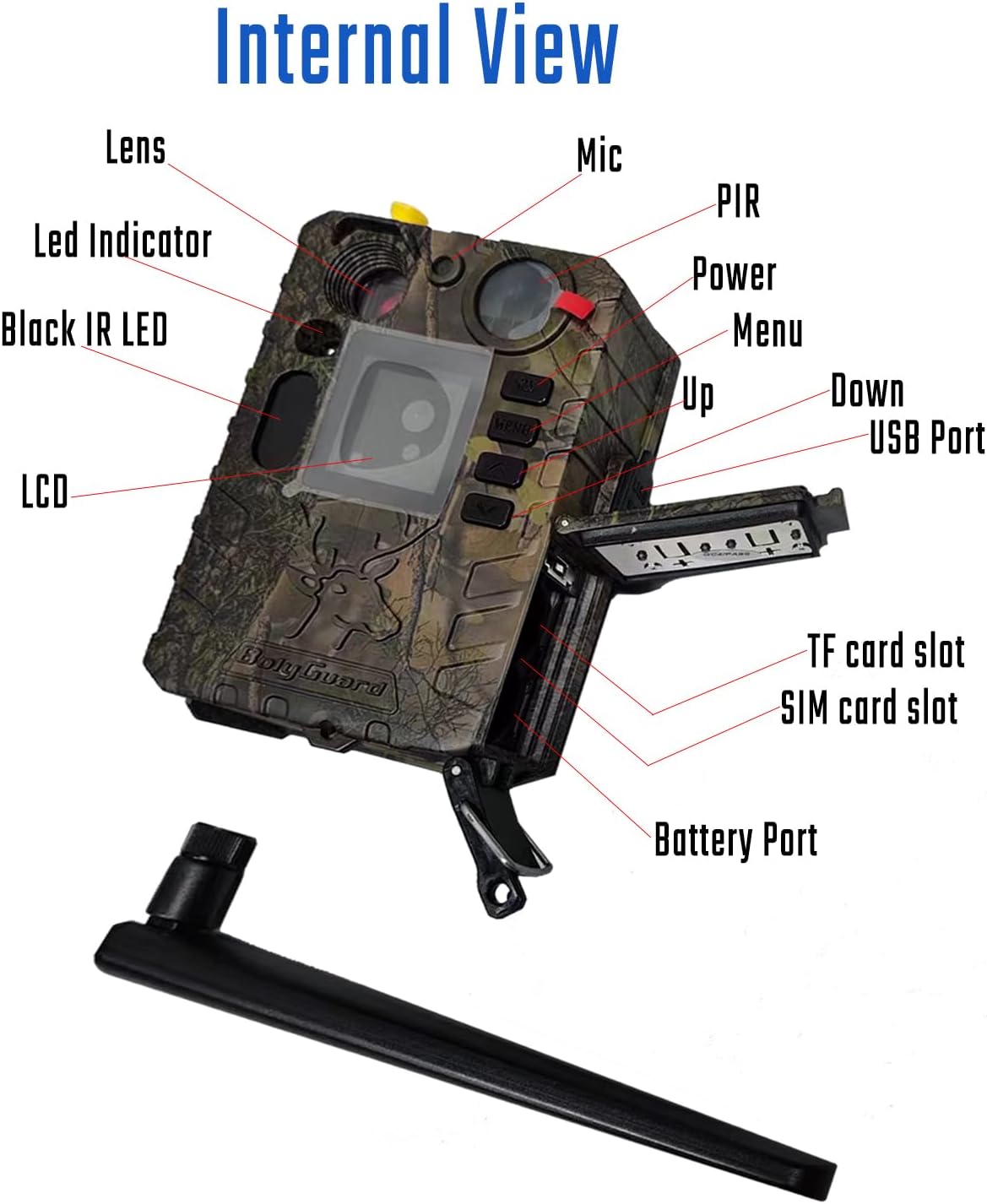
Rysunek 1: Wewnętrzne View of Bolyguard BG310m(4) Trail Camera
This image displays the internal components of the Bolyguard BG310m(4) trail camera, including the lens, LED indicator, black IR LEDs, LCD screen, microphone, PIR sensor, power button, menu button, up/down navigation buttons, USB port, TF card slot, SIM card slot, and battery compartment.
- Obiektyw: Przechwytuje obrazy i filmy.
- Wskaźnik LED: Zapewnia informację zwrotną o statusie.
- Black IR LED: Invisible infrared illumination for night vision.
- Ekran LCD: Displays menu, settings, and playback.
- Mic: Records audio with video.
- Czujnik PIR: Pasywny czujnik podczerwieni do wykrywania ruchu.
- Control Buttons (Power, Menu, Up, Down): For navigating the camera's settings.
- Port USB: For connecting to a computer or external power source (e.g., solar panel).
- Gniazdo karty TF: For inserting a MicroSD (TF) card for storage.
- Gniazdo karty SIM: For inserting a 4G/3G/5G compatible SIM card for communication.
- Port baterii: Compartment for 2x18650 lithium batteries.
Organizować coś
1. Instalacja baterii
The BG310m(4) requires two 18650 lithium batteries (67-69mm length) for operation. These batteries are rechargeable and recyclable, offering extended usage. Ensure correct polarity when inserting.
- Otwórz zatrzask komory baterii.
- Insert two 18650 batteries according to the polarity indicators (+/-).
- Close the battery compartment securely to maintain the IP66 waterproof seal.
2. Instalacja karty SIM
For 4G communication features, a compatible SIM card is required.
- Locate the SIM card slot inside the camera.
- Włóż kartę SIM do gniazda, aż zatrzaśnie się na miejscu.
- Ensure the SIM card is active and has a data plan compatible with 4G/3G/5G networks.
3. Instalacja karty TF
A MicroSD (TF) card is necessary for storing photos and videos.

Figure 2: Bolyguard BG310m(4) Trail Camera with MicroSD Card
This image shows the Bolyguard BG310m(4) trail camera, highlighting the inclusion of a Lexar 32GB MicroSD card, which is used for storing captured images and videos.
- Locate the TF card slot.
- Insert the TF card with the gold contacts facing the correct direction until it clicks.
- It is recommended to format the TF card using the camera's menu before first use.
4. Montaż kamery
The camera is designed for outdoor use with an IP66 waterproof rating, allowing it to withstand various weather conditions.
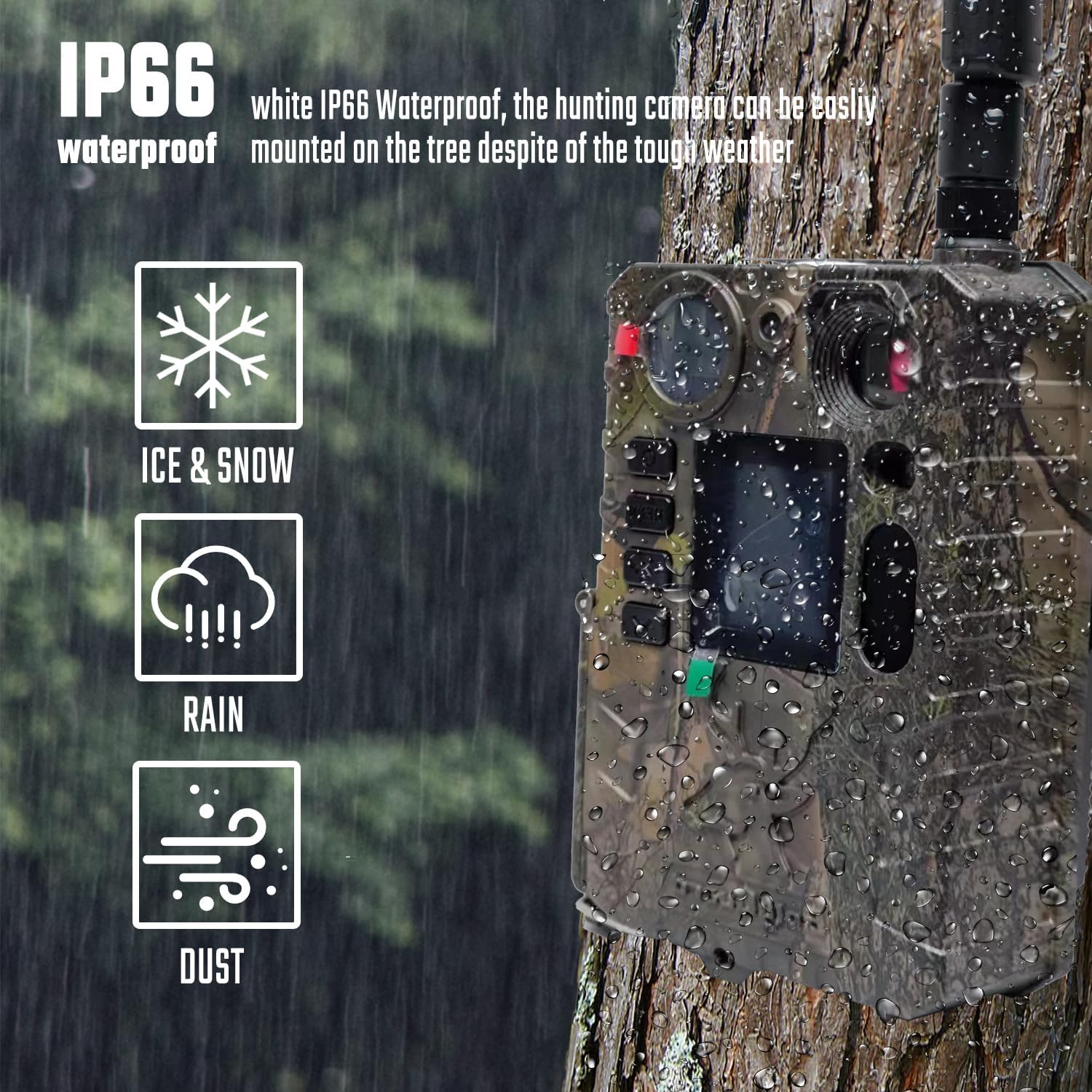
Rysunek 3: Stopień wodoodporności IP66
This image illustrates the Bolyguard BG310m(4) trail camera mounted on a tree during rainfall, emphasizing its IP66 waterproof and dustproof capabilities, suitable for harsh weather conditions including ice, snow, rain, and dust.
- Za pomocą dołączonego paska montażowego zamocuj kamerę na drzewie lub słupie.
- Position the camera at an appropriate height and angle to cover the desired monitoring area.
- Ensure the camera is stable and not easily dislodged by wind or animals.
Instrukcja obsługi
1. Włączanie/wyłączanie zasilania
- Aby włączyć, naciśnij i przytrzymaj Moc Naciskaj przycisk, aż ekran się zaświeci.
- Aby wyłączyć, naciśnij i przytrzymaj Moc przycisk, aż ekran się wyłączy.
2. Podstawowe ustawienia
Access the camera's menu to configure settings such as date/time, capture mode (photo, video, photo+video), resolution, trigger interval, and sensitivity.
- Naciśnij Menu button to enter the settings interface.
- Użyj Up I W dół przyciski służące do poruszania się po opcjach.
- Naciskać OK (often the Menu button again or a dedicated OK button) to confirm selections.
- For advanced network settings, the BMC Config software on a computer may be required.
3. Robienie zdjęć i nagrywanie filmów
The camera features 18MP image resolution and 720P HD video recording, with a fast trigger speed.

Figure 4: Fast Trigger Time
This image shows the Bolyguard BG310m(4) trail camera positioned near a tiger, illustrating its rapid 0.7-second trigger time, which ensures quick capture of moving subjects.
- Prędkość wyzwalania: An ultra-fast trigger speed of less than 0.7 seconds ensures that detected movements are captured promptly.
- Rezolucja: The camera supports 18MP for still images and 720P for high-definition video.
4. Wizja nocna
Equipped with 940nm invisible infrared technology, the camera captures clear night images and videos without disturbing wildlife.

Figure 5: 940nm Invisible Infrared Night Vision
This image depicts the Bolyguard BG310m(4) trail camera capturing a fox at night, demonstrating its 940nm "no glow" black IR LED lights, which allow for clear black and white photos and videos in complete darkness without startling animals.
- The automatic infrared filter activates in low-light conditions.
- Detection range for night vision is up to 30 meters (103 feet).
5. Data Transmission (4G Communication)
The 4G communication feature allows the camera to send photos or videos to your mobile devices via email, MMS, or the Molnus cloud platform.
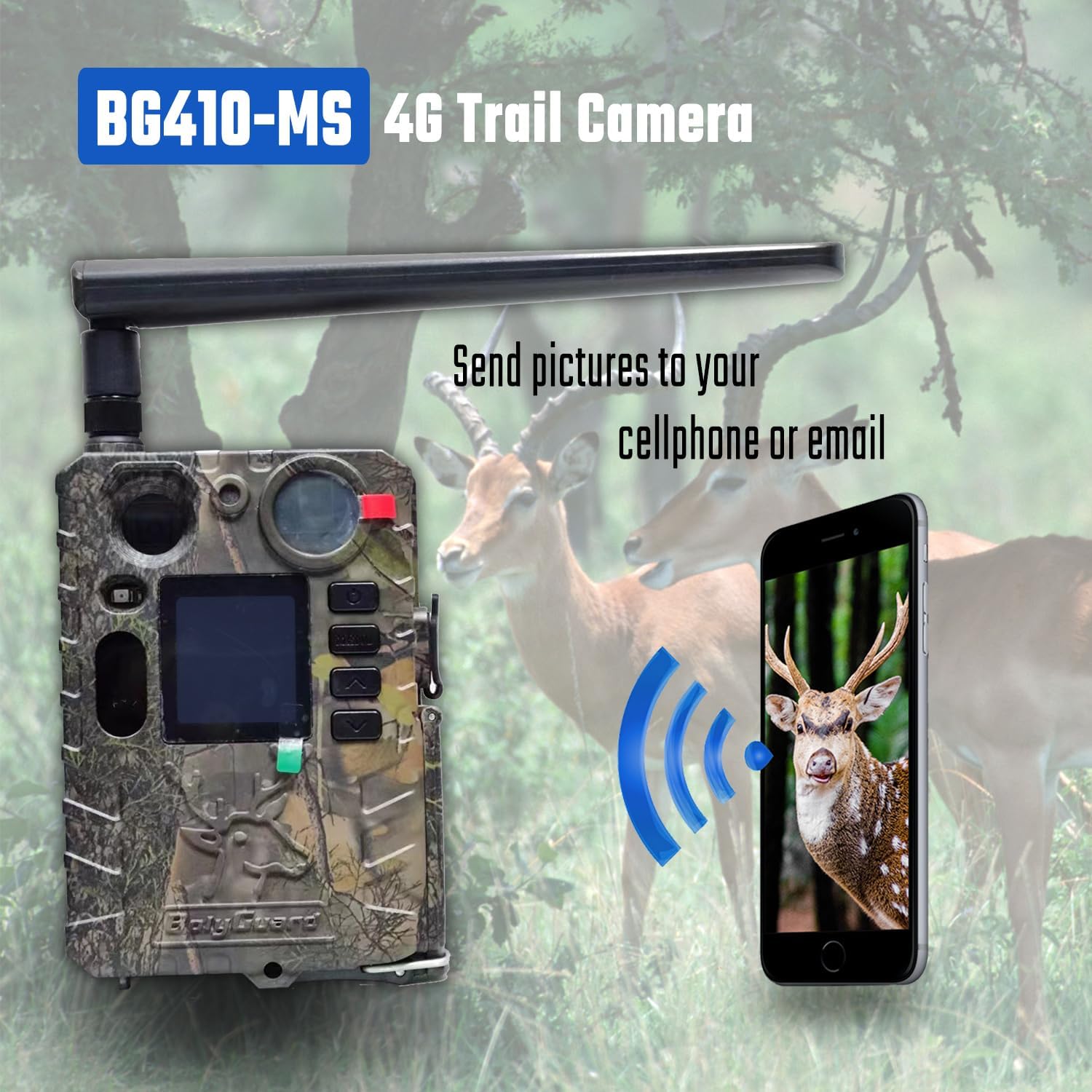
Figure 6: 4G Image Transmission
This image illustrates the Bolyguard BG310m(4) trail camera (labeled as BG410-MS in the image, but functionality applies to BG310m(4)) wirelessly sending captured images to a smartphone, demonstrating its 4G communication capability for remote monitoring.
- Upewnij się, że Twoja karta SIM ma aktywny pakiet danych.
- Configure transmission settings in the camera's menu or via the BMC Config software.
- The Molnus cloud platform offers significant storage and convenient access to your media.
Konserwacja
1. Pielęgnacja baterii
- Use only 18650 lithium batteries.
- Recharge batteries regularly, especially if the camera is in an area with high activity.
- The camera's low power consumption allows for up to 9 months of standby time.
- The USB port can be used to connect to a solar panel for charging 18650 batteries (solar panel sold separately).
2. Czyszczenie
- Gently wipe the lens and PIR sensor with a soft, dry cloth to remove dust and debris.
- Nie należy używać środków czyszczących o właściwościach ściernych ani rozpuszczalników.
- Ensure the camera's seals are free from dirt to maintain its IP66 waterproof rating.
Rozwiązywanie problemów
| Problem | Możliwa przyczyna | Rozwiązanie |
|---|---|---|
| Kamera nie włącza się | Niski poziom baterii lub jej wyczerpanie; nieprawidłowe włożenie baterii. | Replace or recharge 18650 batteries. Check battery polarity. |
| Brak zdjęć/filmów | TF card full or not inserted correctly; incorrect settings; PIR sensor blocked. | Check TF card, format if necessary. Verify camera settings (mode, sensitivity). Ensure PIR sensor is clear. |
| No 4G transmission (MMS/Email/Molnus) | SIM card not active or no data plan; incorrect network settings; poor signal. | Verify SIM card status and data plan. Check network configuration using BMC Config software. Relocate camera to an area with better signal. |
| Słaba jakość widzenia w nocy | IR LEDs blocked; objects too far or too close. | Ensure IR LEDs are clear. Adjust camera placement for optimal range. |
| Settings difficult to configure | Complexity of menu or software. | Refer to the detailed instructions in this manual. Utilize the BMC Config software for easier setup of network parameters. |
Specyfikacje
| Funkcja | Szczegół |
|---|---|
| Model | BG310m(4) |
| Rozdzielczość obrazu | 18MP |
| Rozdzielczość wideo | Up to 4K (720P HD as standard recording option) |
| Wizja nocna | 940nm Invisible Infrared LEDs, up to 30m (103ft) detection range |
| Szybkość wyzwalania | Mniej niż 0.7 sekund |
| Komunikacja | 4G/3G/5G via SIM card (MMS, GPRS, Molnus cloud) |
| Źródło zasilania | 2x18650 Lithium Batteries (not included), USB port for solar panel charging |
| Stopień wodoodporności | IP66 |
| Wymiary | Wymiary 10 x 8 x 5 cm |
| Waga | 400 gramów |
| Producent | Boly Media Communications |
| Zalecane zastosowanie | Game & Trail, Hunting, Wildlife Monitoring, Farm Security, Home Security |
Gwarancja i wsparcie
Bolyguard offers a one-year replacement and refund warranty for this product. Dedicated customer service and professional technical support are available to assist with any issues or questions you may have.
- Okres gwarancji: One year for replacement and refund.
- Skontaktuj się z pomocą techniczną: For assistance, please contact Bolyguard customer service.