
1. Wprowadzenie
This manual provides detailed instructions for the DUKHARO NightSmoker Mechanical Gaming Keyboard. Please read this manual thoroughly before using the product to ensure proper operation and to maximize your experience with its features, including multi-mode connectivity, customizable RGB lighting, and hot-swappable switches.
2. Zawartość opakowania
Sprawdź, czy w opakowaniu znajdują się wszystkie elementy:
- DUKHARO NightSmoker Mechanical Gaming Keyboard
- Kabel USB-C
- Odbiornik bezprzewodowy 2.4 GHz (klucz USB)
- Keycap Puller / Switch Puller Tool
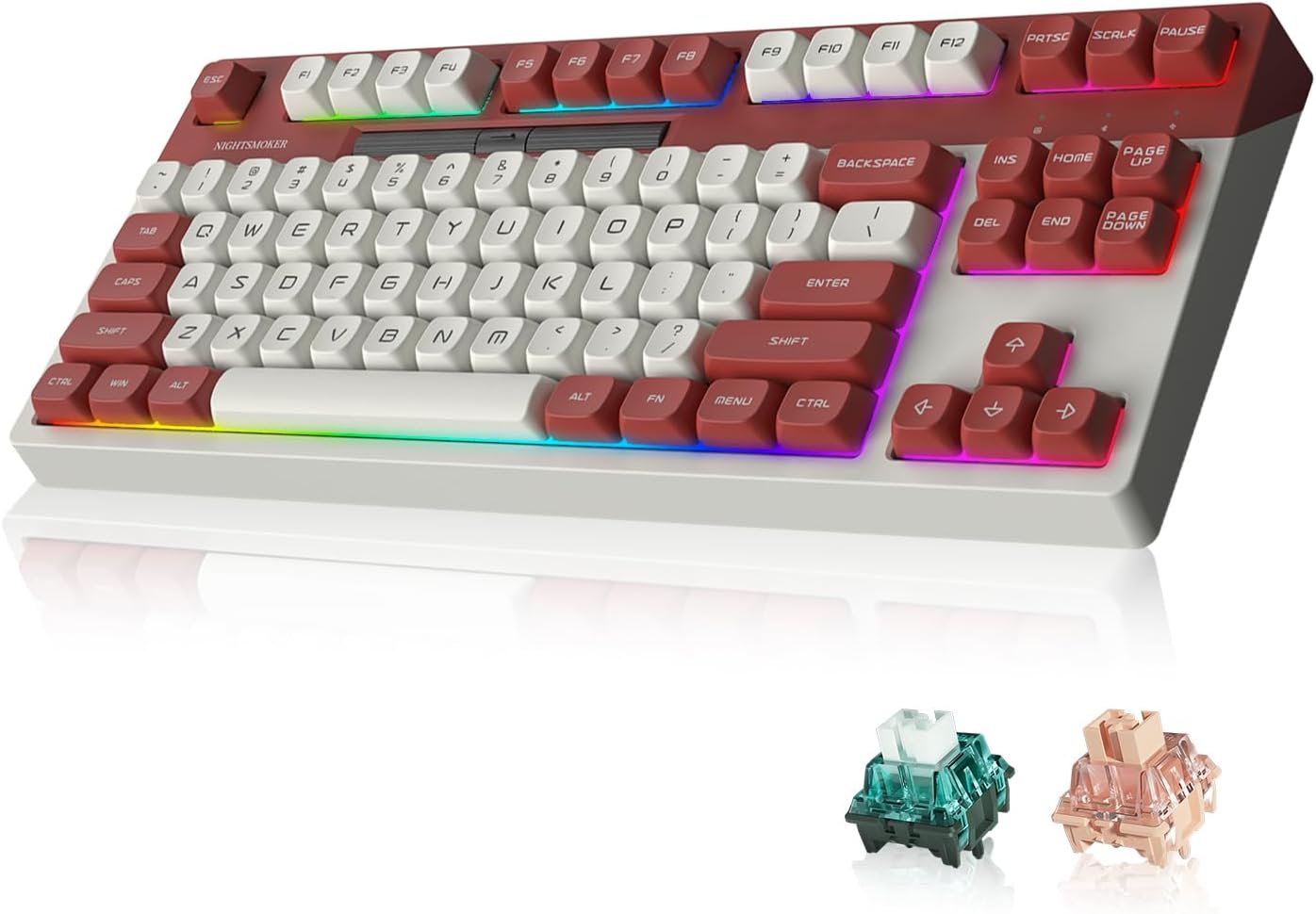
Image: DUKHARO NightSmoker Mechanical Gaming Keyboard, showcasing its design and the included MO V2 Green switches.
3. Koniec produktuview
The DUKHARO NightSmoker is an 87-key tenkeyless mechanical keyboard featuring a gasket-mounted design for enhanced typing feel and sound. It supports multiple connectivity options and customizable RGB lighting.

Obraz: Ponadview of the DUKHARO NightSmoker keyboard, illustrating its gasket mount, wireless modes, ABS double-shot keycaps, south-facing RGB, hot-swappable design, DUKHARO MO switches, and programmable wheel.
Główne cechy:
- 87-Key Tenkeyless Layout: Compact design for efficiency and comfort.
- Gniazda z możliwością wymiany na gorąco: Umożliwia łatwą wymianę przełącznika bez lutowania.
- Konstrukcja montowana na uszczelce: Provides a cushioned typing experience and improved acoustics.
- DUKHARO MO V2 Green Switches: Tactile switches with pre-lubrication.
- Łączność wielomodowa: Supports USB-C wired, 2.4GHz wireless, and Bluetooth 5.0 (up to 3 devices).
- South-Facing RGB: 18 lighting modes with adjustable brightness and 4 backlit modes.
- Media Control Scroll Wheel: Dedicated wheel for volume and backlight brightness control, customizable via software.
- Bateria 4000mAh: Dłuższe korzystanie z sieci bezprzewodowej.

Obraz: Szczegółowy view of DUKHARO MO V2 Green switches, including their material composition (PC top, Nylon bottom, POM stem) and operational specifications (pre-travel, total travel, operating force, switch type).
4. Konfiguracja
4.1. Ładowanie klawiatury
Before first use, it is recommended to fully charge the keyboard. Connect the supplied USB-C cable to the keyboard's USB-C port and the other end to a powered USB port (e.g., computer, USB wall adapter). The charging indicator will show the charging status.
4.2. Połączenie przewodowe
Aby używać klawiatury w trybie przewodowym:
- Podłącz kabel USB-C do klawiatury i komputera.
- Switch the keyboard to wired mode by pressing Fn + 5.
- The keyboard will be recognized by your computer automatically.
4.3. Połączenie bezprzewodowe 2.4 GHz
Aby połączyć się za pomocą sieci bezprzewodowej 2.4 GHz:
- Locate the 2.4GHz USB receiver (dongle) stored in the keyboard's magnetic compartment.
- Podłącz odbiornik USB do dostępnego portu USB w komputerze.
- Switch the keyboard to 2.4GHz wireless mode by pressing Fn + 4.
- Klawiatura powinna połączyć się automatycznie.

Image: The magnetic storage compartment for the 2.4GHz USB wireless receiver, located on the keyboard.
4.4. Połączenie Bluetooth
Klawiatura obsługuje do trzech urządzeń Bluetooth.
- Switch the keyboard to one of the Bluetooth modes by pressing Fn + 1, Fn + 2, Lub Fn + 3.
- To enter pairing mode, press and hold the selected Fn + (1/2/3) key combination for 3-5 seconds until the indicator light flashes rapidly.
- On your device (PC, Mac, tablet, etc.), open Bluetooth settings and search for new devices.
- Select "DUKHARO NightSmoker" from the list of available devices to pair.
- Po sparowaniu lampka kontrolna przestanie migać i pozostanie światłem ciągłym.

Image: The DUKHARO NightSmoker keyboard connected to a laptop, tablet, and desktop PC, demonstrating its ability to connect to up to 5 devices via wired and wireless modes.
5. Instrukcja obsługi
5.1. Przełączanie między podłączonymi urządzeniami
The keyboard can connect to up to 5 devices (3 Bluetooth, 1 2.4GHz, 1 Wired). To switch between them:
- Naciskać Fn + 1, Fn + 2, Lub Fn + 3 to switch to a paired Bluetooth device.
- Naciskać Fn + 4 to switch to the 2.4GHz wireless connection.
- Naciskać Fn + 5 to switch to the USB wired connection.
5.2. Sterowanie oświetleniem RGB
The keyboard features south-facing RGB lighting with 18 light modes and 4 backlit modes. Use the following key combinations:
- Fn + \|: Przełączaj się między trybami oświetlenia RGB.
- Fn + ↑ (Strzałka w górę): Zwiększ jasność podświetlenia.
- Fn + ↓ (Strzałka w dół): Zmniejsz jasność podświetlenia.
- Fn + ← (Strzałka w lewo): Dostosuj prędkość/kierunek oświetlenia.
- Fn + → (Strzałka w prawo): Dostosuj prędkość/kierunek oświetlenia.
5.3. Media Control Scroll Wheel
The dedicated scroll wheel provides quick access to media functions:
- Left Side of Wheel: Controls system volume (rotate left to decrease, right to increase).
- Right Side of Wheel: Controls keyboard backlight brightness (rotate left to decrease, right to increase).
The functions of the scroll wheel can be customized using the dedicated software.
5.4. Dostosowywanie oprogramowania
The DUKHARO NightSmoker keyboard supports software for advanced customization, including:
- Zmiana mapowania klawiszy
- Macro creation
- Customizing RGB lighting effects and colors
- Adjusting scroll wheel functions
Please visit the official DUKHARO website to download the latest software for your keyboard model.

Image: The DUKHARO NightSmoker keyboard connected to a laptop, displaying the software interface for key remapping and lighting customization.
5.5. Przełączniki z funkcją wymiany na gorąco
The keyboard features hot-swappable sockets, allowing you to change switches without soldering.
- Using the keycap puller, carefully remove the desired keycap.
- Using the switch puller tool, gently grip the top and bottom clips of the switch and pull it straight up.
- Dopasuj piny nowego przełącznika do otworów w płytce PCB. Upewnij się, że piny są proste.
- Wciśnij nowy przełącznik mocno, aż usłyszysz kliknięcie.
- Załóż z powrotem nakładkę klawisza.
Notatka: Ensure the keyboard is disconnected or powered off before hot-swapping switches to prevent damage.

Obraz: Zbliżenie view of the hot-swappable switch sockets on the keyboard's PCB, ready for switch installation or removal.
6. Konserwacja
6.1. Czyszczenie
- Przed czyszczeniem odłącz klawiaturę od komputera.
- Za pomocą ściągacza klawiszy zdejmij nakładki klawiszy i dokładnie je wyczyść.
- Use a soft brush or compressed air to remove dust and debris from between the keys.
- Przetrzyj klawisze i powierzchnię klawiatury lekko miękką szmatką.amp, ściereczka niepozostawiająca włókien. Unikać nadmiernej wilgoci.
- Nie używaj żrących środków chemicznych ani materiałów ściernych.
6.2. Pielęgnacja baterii
- Unikaj częstego całkowitego rozładowywania akumulatora.
- Jeśli klawiaturę nie używasz przez dłuższy czas, przechowuj ją w chłodnym i suchym miejscu.
- Aby zachować żywotność baterii, ładuj klawiaturę regularnie.
7. Rozwiązywanie Problemów
If you encounter issues with your DUKHARO NightSmoker keyboard, refer to the following common solutions:
| Problem | Możliwe rozwiązanie |
|---|---|
| Klawiatura nie reaguje w trybie bezprzewodowym. |
|
| Oświetlenie RGB nie działa lub się zacina. |
|
| Klawisze nie reagują na polecenia lub są wpisywane podwójnie. |
|
| Scroll wheel behaving erratically. |
|
8. Specyfikacje
| Funkcja | Szczegół |
|---|---|
| Model | NightSmoker |
| Układ | 87-Key Tenkeyless |
| Typ przełącznika | DUKHARO MO V2 Green (Tactile, Hot-Swappable) |
| Styl montażu | Mocowanie uszczelki |
| Klawisze | Podwójny ABS |
| Łączność | USB-C Wired, 2.4GHz Wireless, Bluetooth 5.0 (3 channels) |
| Pojemność baterii | Polimer litowy 4000 mAh |
| Podświetlenie | South-facing RGB (18 modes, adjustable brightness) |
| Kompatybilny system operacyjny | Windows, macOS |
| Wymiary | 16.14 x 7.76 x 2.13 cala |
| Waga przedmiotu | 3.65 funta |
9. Gwarancja i wsparcie
DUKHARO products are designed for reliability and performance. For warranty information, technical support, or to download the latest software and drivers, please visit the official DUKHARO webodwiedź witrynę lub skontaktuj się z obsługą klienta za pośrednictwem sprzedawcy.
Proszę zachować dowód zakupu na potrzeby roszczeń gwarancyjnych.