
USHINING T3105
Instrukcja obsługi telefonu USHINING 4G Senior Flip Phone
Model: T3105
Wstęp
Thank you for choosing the USHINING 4G Senior Flip Phone. This device is specifically designed for ease of use, featuring large buttons, clear sound, and a simple operating system, making it ideal for seniors. This manual provides comprehensive instructions to help you set up, operate, and maintain your new phone.
Zawartość opakowania
Proszę zaznaczyć pole dotyczące następujących elementów:
- USHINING 4G Senior Cell Phone
- Stacja ładująca
- Long Lasting Battery (1000mAh)
- Instrukcja obsługi
- Charging Cord (Power Adapter)
- Speedtalk SIM Card (Included with some packages)
- Etui na telefon
- Wysuwacz tacy na kartę SIM
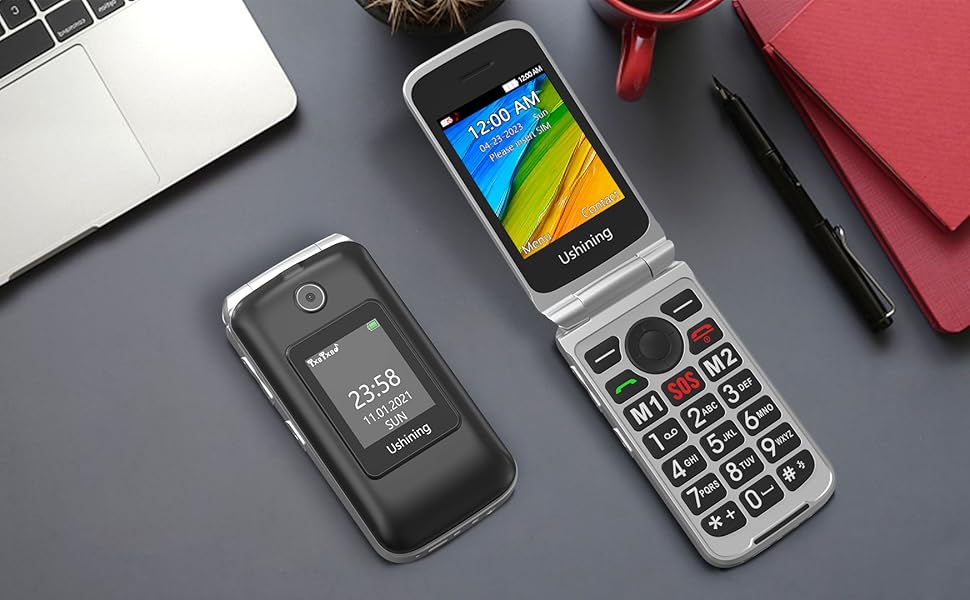
Image: All items included in the USHINING 4G Senior Flip Phone package.
Produkt ponadview
The USHINING 4G Senior Flip Phone features a user-friendly design with essential functions for clear communication.

Obraz: Przód view of the USHINING 4G Senior Flip Phone, both open and in its charging dock.
Główne cechy:
- Duże przyciski: Easy to press and navigate.
- Czysty dźwięk: High-definition loudspeakers for clear calls.
- Podwójne ekrany: 2.8-inch inner screen and 1.77-inch external screen.
- Przycisk SOS: For emergency calls.
- Szybkie wybieranie: Quick access to important contacts.
- Flesz: Built-in 30M powerful flashlight.
- Radio FM: External FM radio.
- Stacja ładująca: Convenient and easy charging.
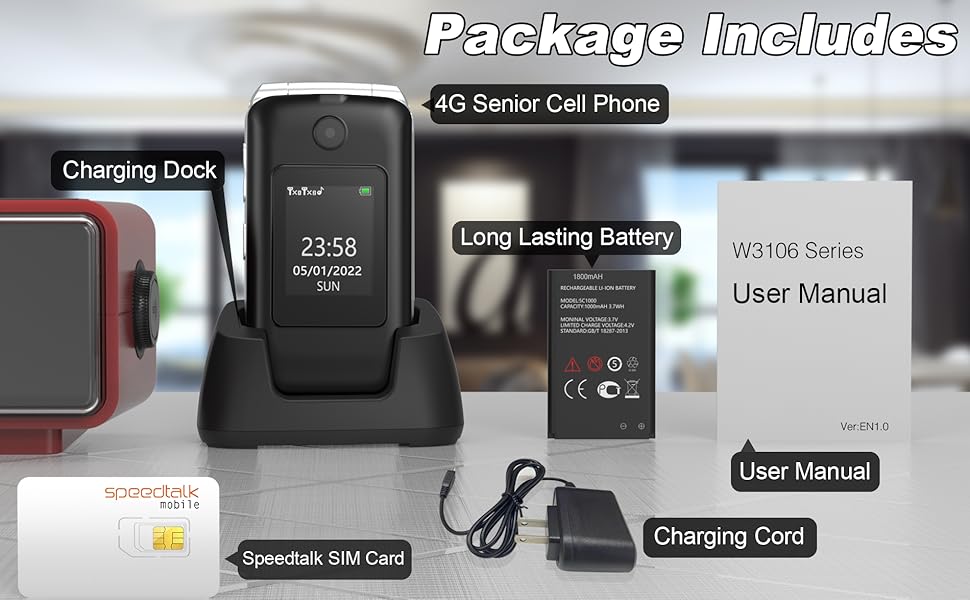
Image: Visual representation of the phone's main features.
Przewodnik po konfiguracji
1. Wkładanie karty SIM i baterii
- Zdejmij tylną okładkę: Delikatnie podważ tylną pokrywę telefonu.
- Włóż kartę(y) SIM: Locate the SIM card slots. This phone supports dual SIM cards. Insert your 4G compatible SIM card(s) into the designated slots with the gold contacts facing down. Ensure the SIM card is correctly oriented as indicated by the diagram near the slot.
- Włóż baterię: Place the battery into the battery compartment, aligning the gold contacts on the battery with the contacts in the phone.
- Załóż tylną okładkę: Securely snap the back cover into place.

Obraz: Wewnętrzny view of the phone showing SIM card and battery placement. IMEI numbers: 359031100341173, 359031100351057.
2. Ładowanie telefonu
Before first use, fully charge the phone battery. The phone can be charged using the included charging dock or directly via the charging cable.
- Korzystanie ze stacji ładującej: Connect the charging cord to the charging dock and plug the adapter into a power outlet. Place the phone into the charging dock, ensuring it sits securely. The phone will indicate charging.
- Ładowanie bezpośrednie: Connect the charging cord directly to the phone's charging port and plug the adapter into a power outlet.
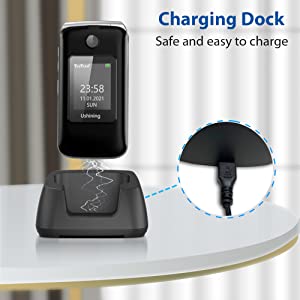
Image: Illustration of the phone being charged using the convenient charging dock.
Instrukcja obsługi
Włączanie/wyłączanie zasilania
- Włączanie: Naciśnij i przytrzymaj przycisk zasilania/zakończenia połączenia (czerwony przycisk), aż ekran się zaświeci.
- Wyłączone: Press and hold the Power/End Call button until the power off options appear, then select "Power off".
Wykonywanie i odbieranie połączeń
- Nawiązywanie połączenia: Dial the number using the keypad and press the Call button (green button).
- Odbieranie połączenia: When the phone rings, press the Call button (green button) to answer. To end a call, press the Power/End Call button (red button).
Przycisk alarmowy SOS
The SOS button on the rear cover is designed for emergencies. You can preset up to 5 emergency contacts.
- Ustawianie kontaktów SOS: Navigate to the SOS settings in the phone's menu to add or edit emergency numbers.
- Aktywacja SOS: In an emergency, press and hold the SOS button for a few seconds. The phone will automatically dial the preset emergency contacts one by one until a connection is made. It will also send an emergency SMS message to these contacts.
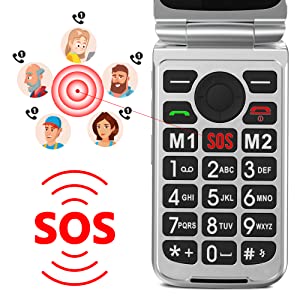
Image: Illustration of the SOS emergency call function and its reach to pre-set contacts.
Szybkie wybieranie
Assign frequently called numbers to speed dial keys (2-9) for quick access.
- Ustawianie szybkiego wybierania: Go to Phonebook or Settings, find Speed Dial options, and assign contacts to numbers 2-9.
- Korzystanie z szybkiego wybierania: Naciśnij i przytrzymaj przypisany klawisz numeryczny, aby wybrać kontakt.
Flesz
To activate the built-in flashlight, locate the dedicated flashlight button on the side of the phone or access it through the menu.
Radio FM
The phone features an external FM radio. Access it through the main menu. Headphones may be required for optimal reception.
Kompatybilność sieci
This USHINING 4G Senior Flip Phone is designed to work with specific 4G LTE networks. Please ensure your carrier is compatible before use.
- Compatible Carriers (using T-Mobile service): T-Mobile (Prepaid Plan), MetroPCS, Tello Mobile, Ultra Mobile, SpeedTalk, Simple Mobile, Mint Mobile, Red Pocket (GSMT).
- NIE jest kompatybilne z: CDMA Carriers (Verizon, Sprint, Boost, PagePlus) or AT&T.
Image: Visual guide to compatible and incompatible network carriers.
Konserwacja
Pielęgnacja baterii
- Unikaj ekstremalnych temperatur, które mogą skrócić żywotność baterii.
- Nie pozostawiaj telefonu rozładowanego przez dłuższy czas.
- Use only the original or certified compatible charger and battery.
Czyszczenie
- Wytrzyj telefon miękką, suchą ściereczką.
- Nie używaj żrących chemikaliów ani ściernych środków czyszczących.
- Utrzymuj port ładowania wolny od kurzu i zanieczyszczeń.
Rozwiązywanie problemów
| Problem | Możliwa przyczyna | Rozwiązanie |
|---|---|---|
| Telefon się nie włącza. | Bateria jest rozładowana lub nieprawidłowo włożona. | Ładuj telefon przez co najmniej 30 minut. Upewnij się, że bateria jest prawidłowo włożona. |
| No network signal / "Emergency calls only". | SIM card not inserted correctly, incompatible carrier, or incorrect APN settings. |
|
| Nie słyszę dzwoniącego / Dzwoniący mnie nie słyszy. | Volume too low, microphone blocked, or network issue. | Adjust call volume. Ensure microphone is not covered. Try moving to an area with better network coverage. |
| Telefon zawiesza się lub nie reaguje. | Tymczasowy błąd oprogramowania. | Aby wykonać twardy reset, wyjmij i ponownie włóż baterię. |
Specyfikacje
| Nazwa modelu | USHINING 4G Senior Flip Phone |
| Numer modelu przedmiotu | T3105 |
| Wymiary produktu | 4.09 x 2.11 x 0.83 cala |
| Waga przedmiotu | 9.1 uncji |
| Pojemność baterii | 1000 mAh litowo-jonowy (w zestawie) |
| Czas rozmowy | 5-6 godzin |
| Czas czuwania | Over 100 hours (4 days) |
| Rozmiar wewnętrznego ekranu | 2.8 cali |
| External Screen Size | 1.77 cali |
| Rezolucja | 240x320 |
| BARAN | 64 MB |
| Pojemność pamięci masowej | 128 MB |
| Technologia komórkowa | 4G LTE |
| Komunikacja bezprzewodowa | Bluetooth, komórkowy |
| Gniazdo audio | 3.5 mm |
| Współczynnik kształtu | Trzepnięcie |
| Kolor | Czarny |
| Producent | UŚWIETLANIE |
Gwarancja i wsparcie
For warranty information and technical support, please refer to the warranty card included in your package or contact USHINING customer service. Keep your purchase receipt as proof of purchase.
For further assistance, please visit the official USHINING website or contact their support channels as provided in your product documentation.
Ask a question about this manual
Ask about setup, troubleshooting, compatibility, parts, safety, or missing instructions. Manuals+ will review the question and use this page’s manual context to help answer it.