
1. Wprowadzenie
Thank you for choosing the V-TAC VT-1001 Portable Power Station. This device is a versatile and rechargeable power source designed to provide reliable electricity for various applications, from outdoor adventures to emergency backup. It features a 1000W output and a 22.4V, 46.9Ah LiFePO4 battery for long-lasting performance. Please read this manual thoroughly before operating the power station to ensure safe and efficient use.
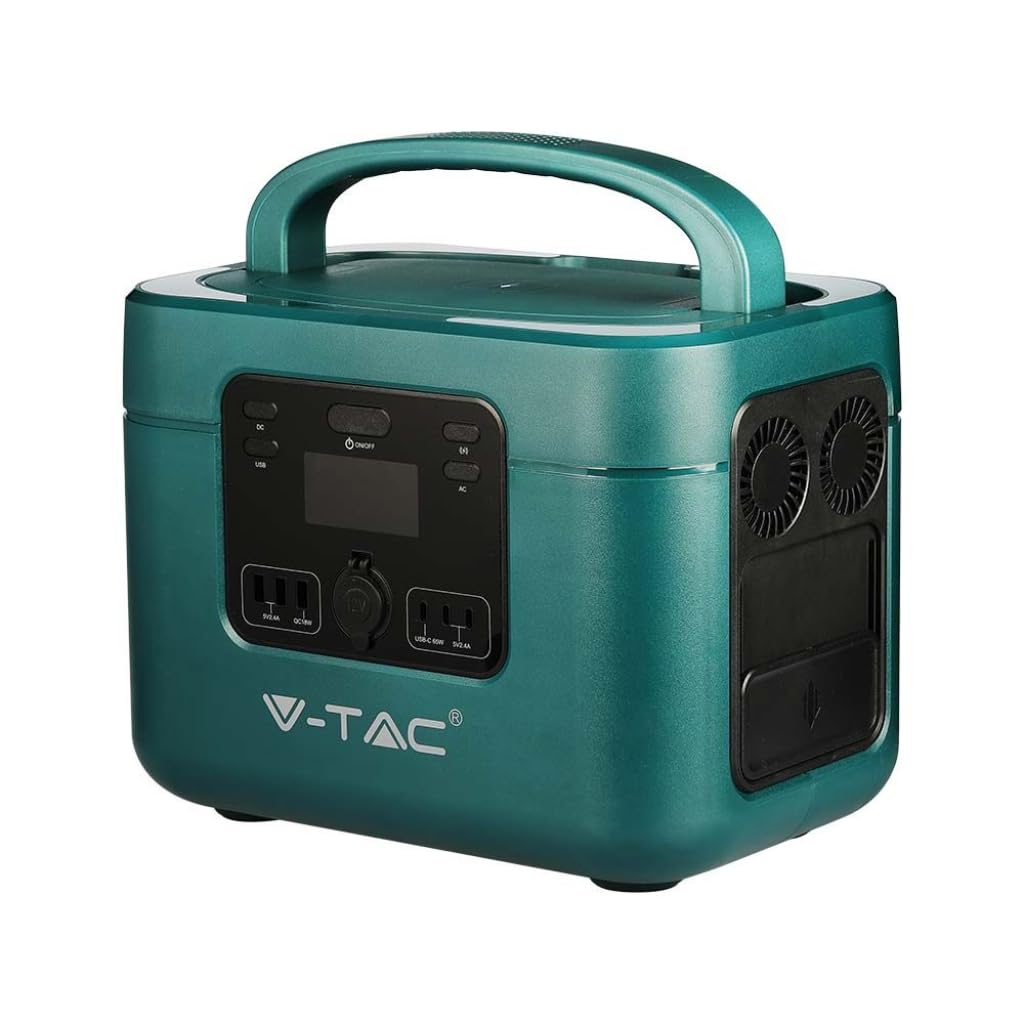
Image: The V-TAC VT-1001 Portable Power Station, a compact and robust power solution.
2. Instrukcje bezpieczeństwa
Aby zapobiec obrażeniom ciała lub uszkodzeniu urządzenia, należy przestrzegać następujących środków ostrożności:
- Nie rozmontowuj, nie naprawiaj ani nie modyfikuj urządzenia. Nieprawidłowy montaż może spowodować pożar lub porażenie prądem.
- Nie umieszczaj urządzenia w pobliżu ognia ani nie wystawiaj go na działanie ciepła. Trzymaj z dala od bezpośredniego światła słonecznego.
- Nie ładuj, nie używaj ani nie przechowuj urządzenia w łazience ani w miejscach narażonych na działanie wody lub wilgoci.
- Use only the provided charger or approved charging methods.
- Nie używaj urządzenia, jeśli jest uszkodzone lub upadło.
- Przechowywać w miejscu niedostępnym dla dzieci i zwierząt domowych.
- Ensure proper ventilation during use and charging. Do not cover the unit.
- Avoid extreme temperatures. Store and operate the unit within the recommended temperature range.
3. Koniec produktuview
Familiarize yourself with the various components and interfaces of your power station.
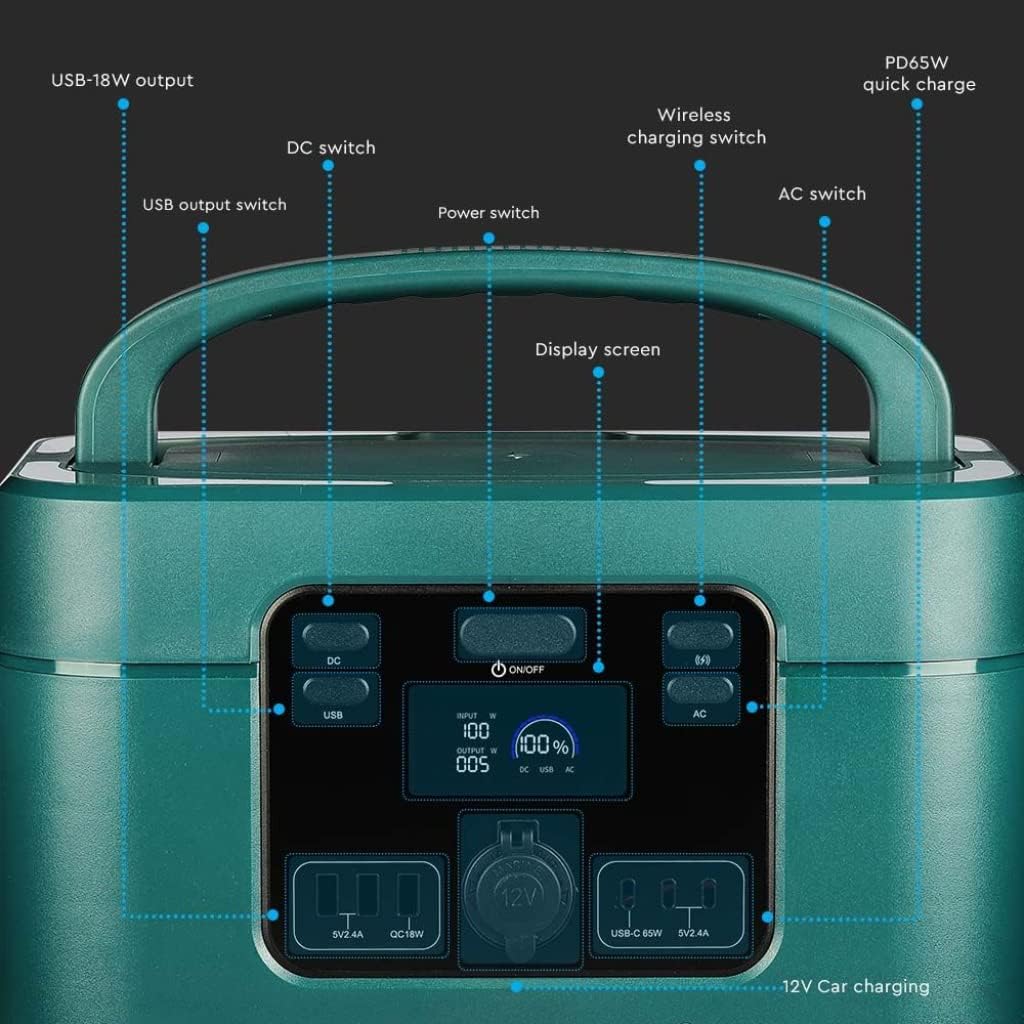
Image: Detailed diagram of the front control panel and output ports.
Funkcje panelu przedniego:
- Przełącznik prądu stałego: Aktywuje/dezaktywuje porty wyjściowe DC.
- Przełącznik wyjścia USB: Controls the USB-A and USB-C output ports.
- Przełącznik zasilania (WŁ./WYŁ.): Main power button for the unit.
- Ekran wyświetlacza: Pokazuje moc wejściową/wyjściowątage, procent bateriitage i wskaźniki statusu.
- Wireless Charging Switch: Enables/disables the wireless charging pad.
- Wyłącznik AC: Activates/deactivates AC output sockets.
- USB-18W Output: Standard USB-A port.
- PD65W Quick Charge: USB-C port for fast charging compatible devices.
- Port ładowania samochodu 12 V: Standard car accessory socket.

Image: Detailed diagram of the rear input ports and lighting feature.
Cechy panelu tylnego:
- Oświetlenie: Zintegrowane źródło światła.
- Przełącznik bezpieczeństwa: Additional safety mechanism.
- DC Charging 60 Interface: Input port for DC charging, compatible with solar panels.
- AC Fast Charging Input: Port for charging the power station via AC wall outlet.

Image: Diagram showing the side panel with cooling outlet and AC outputs.
Funkcje panelu bocznego:
- Wylot chłodzenia: Zapewnia właściwe odprowadzanie ciepła podczas pracy.
- Zdejmowana pokrywa: Covers and protects the AC output sockets.
- Wyjście 220V: Standard AC power sockets for appliances.
4. Konfiguracja
Przed pierwszym użyciem zaleca się pełne naładowanie stacji zasilającej.
- Rozpakowywanie: Ostrożnie wyjmij stację zasilającą i wszystkie akcesoria z opakowania.
- Opłata początkowa: Connect the power station to a wall outlet using the provided AC charging cable. The display screen will indicate the charging status. Charge until the battery indicator shows 100%.
5. Instrukcja obsługi
The V-TAC VT-1001 offers multiple output options for various devices.
Ogólne zasady działania:
- Włączanie/wyłączanie: Naciśnij i przytrzymaj Wyłącznik zasilania (ON/OFF) on the front panel to turn the unit on or off. The display screen will illuminate.
- Ekran wyświetlacza: The LED display provides real-time information on input/output power (W) and battery charge level (%).

Image: Close-up of the wide LED display, showing input, output, and battery percentage.
Korzystanie z portów wyjściowych:
- AC Output (220V): Naciśnij Wyłącznik AC to enable the AC outlets. Plug in your appliances (e.g., laptops, power tools, mini coolers) into the 220V sockets located under the removable lid on the side. Ensure the total wattage nie przekracza 1000W.
- DC Output (12V Car Port): Naciśnij Przełącznik DC to enable the 12V car charging port. Connect your 12V devices.
- USB Output (USB-A, USB-C): Naciśnij Przełącznik wyjścia USB to activate the USB ports. Connect your USB-powered devices to the USB-18W or PD65W Quick Charge ports.
- Ładowanie bezprzewodowe: Naciśnij Wireless Charging Switch. Place your compatible device (e.g., smartphone) on the wireless charging pad located on top of the unit.
- Oświetlenie: Use the dedicated button on the rear panel to activate the integrated light.

Image: The power station simultaneously charging a laptop, mobile phone, and drone.
6. Ładowanie elektrowni
The VT-1001 can be recharged using multiple methods:
Ładowanie ścienne AC:
Connect the provided AC charging cable to the AC Fast Charging Input port on the rear panel and then to a standard wall outlet. The unit will begin charging automatically.
Ładowanie panelu słonecznego:
Connect a compatible solar panel (not included) to the DC Charging 60 Interface port on the rear panel. Ensure the solar panel is positioned to receive maximum sunlight. The power station features MPPT technology for efficient solar charging.
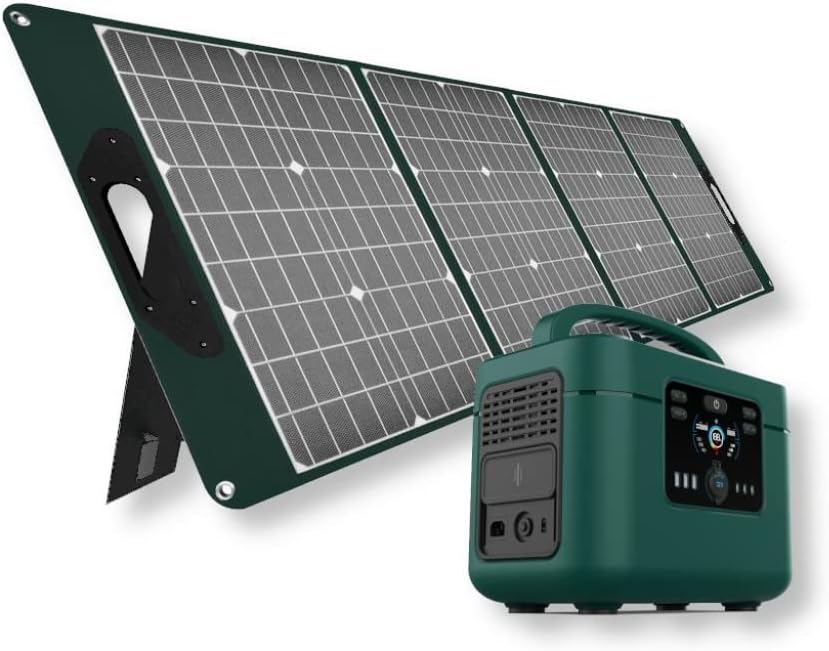
Image: The V-TAC VT-1001 Power Station connected to a portable solar panel for charging.
Ładowanie samochodu:
Use a compatible car charger (not included) to connect the power station to your vehicle's 12V accessory outlet. This method is suitable for charging on the go.
7. Konserwacja
Właściwa konserwacja gwarantuje długowieczność i wydajność Twojej elektrowni.
- Czyszczenie: Przetrzyj urządzenie suchą, miękką ściereczką. Nie używaj środków czyszczących o właściwościach ściernych ani nie zanurzaj urządzenia w wodzie.
- Składowanie: Store the power station in a cool, dry place, away from direct sunlight and extreme temperatures. For long-term storage, charge the unit to approximately 50-80% every 3-6 months to maintain battery health.
- Pielęgnacja baterii: The integrated LiFePO4 battery is designed for durability and safety. The Intelligent BMS (Battery Management System) optimizes battery life and efficiency.
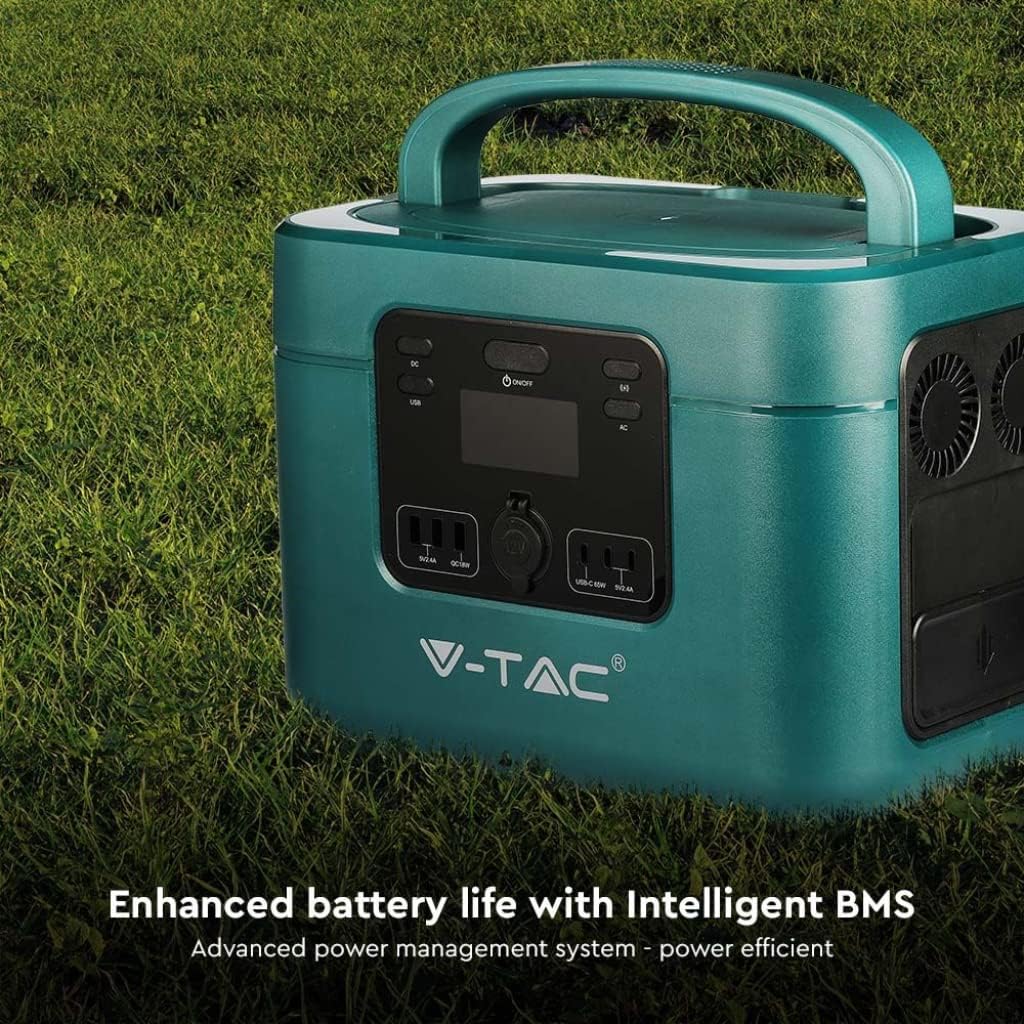
Image: The V-TAC VT-1001 highlighting its Intelligent BMS for enhanced battery life.
8. Rozwiązywanie Problemów
If you encounter issues with your power station, refer to the following common solutions:
- Urządzenie nie włącza się: Ensure the battery is charged. If not, connect it to an AC outlet for charging.
- Brak wyjścia z portów: Verify that the respective output switch (AC, DC, USB, Wireless) is turned on. Check if the device you are trying to power is within the power station's wattagi limity.
- Ładowanie nie jest inicjowane: Ensure all charging cables are securely connected. For solar charging, confirm the solar panel is receiving adequate sunlight.
- Zabezpieczenie przed przeciążeniem: If the unit shuts down, it may be due to an overload. Disconnect some devices and restart the power station.
For persistent issues, contact V-TAC customer support.
9. Specyfikacje
| Funkcja | Specyfikacja |
|---|---|
| Numer modelu | 11443 |
| Marka | V-TAC |
| Znamionowa moc wyjściowa | 1000 W |
| Typ baterii | LiFePO4 |
| Pojemność baterii | 22.4 V, 46.9 Ah |
| Tworzywo | Akrylonitryl Butadienowo-styrenowy |
| Waga | 15 kilograma |
| Wyjście prądu przemiennego | 220V (specific region voltage) |
| Wejście DC | 60 Interface (Solar Compatible) |
| Wyjście USB | USB-A (18W), USB-C (PD65W) |
| Ładowanie bezprzewodowe | Tak |
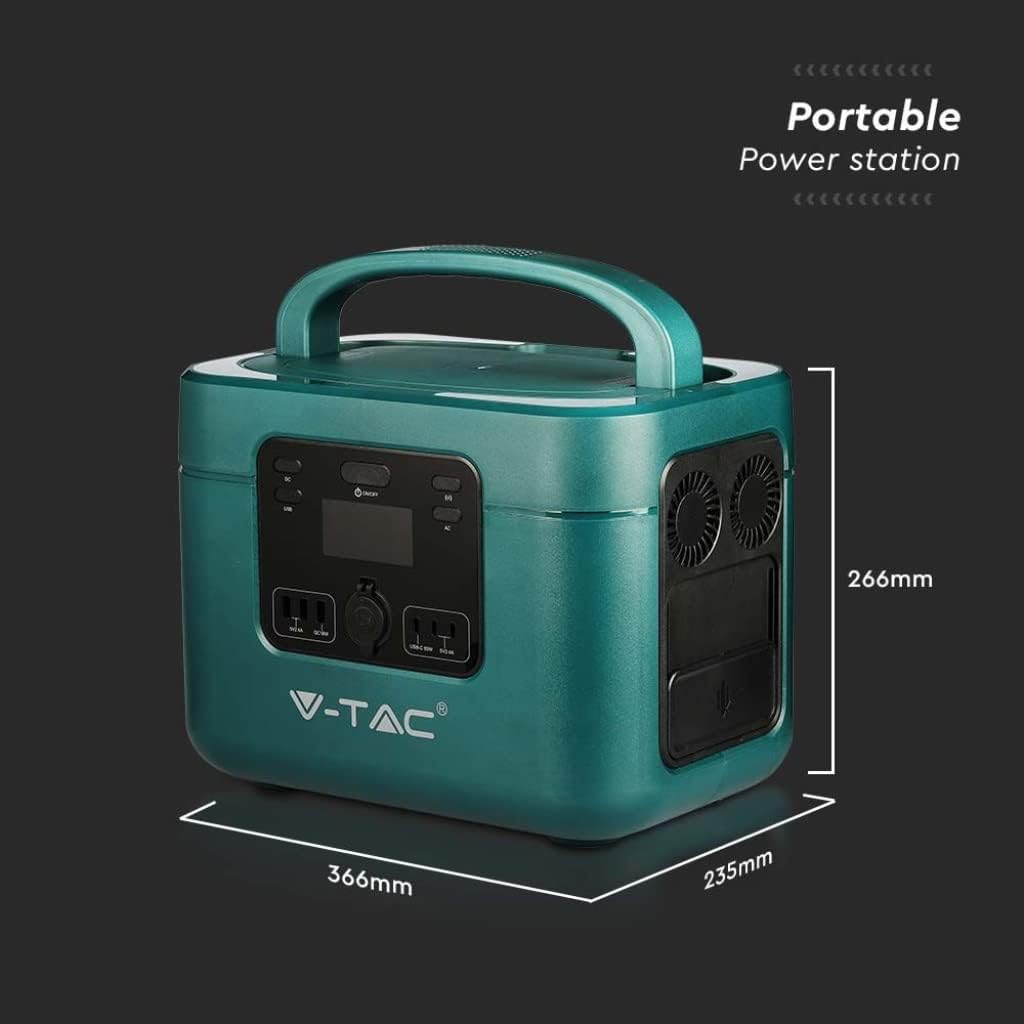
Image: Dimensions of the V-TAC VT-1001 Power Station: 366mm (length) x 235mm (width) x 266mm (height).
10. Gwarancja i wsparcie
For warranty information and customer support, please refer to the warranty card included with your product or visit the official V-TAC webZachowaj paragon jako dowód zakupu.