
1. Wprowadzenie
Thank you for choosing the YESKAMO 4MP Wireless Outdoor Battery Security Camera System. This manual provides detailed instructions for the installation, operation, and maintenance of your security camera system. Please read this manual thoroughly before use and retain it for future reference.
2. Informacje dotyczące bezpieczeństwa
- Przed rozpoczęciem użytkowania należy sprawdzić, czy wszystkie połączenia zasilania są bezpieczne i prawidłowe.
- Do not expose the camera or base station to extreme temperatures, humidity, or corrosive environments.
- Avoid placing the camera in direct sunlight for prolonged periods if not equipped with a solar panel.
- Trzymaj urządzenie z dala od dzieci i zwierząt domowych.
- Use only manufacturer-approved accessories and power adapters.
- Nie należy podejmować prób demontażu lub modyfikacji urządzenia, gdyż spowoduje to utratę gwarancji.
3. Zawartość opakowania
Proszę sprawdzić, czy w paczce znajdują się następujące elementy:
- YESKAMO 4MP Battery Cameras (x2)
- Stacja bazowa (x1)
- Uchwyty montażowe i śruby
- Kabel ładujący USB
- Zasilacz do stacji bazowej
- Kabel Ethernet
- Instrukcja obsługi
Note: Solar panels and SD cards are sold separately.
4. Koniec produktuview
4.1 Komponenty kamery
The YESKAMO camera is designed for both indoor and outdoor use, featuring a robust, weather-resistant build.

Image 4.1: YESKAMO 4MP Wireless Outdoor Battery Security Camera
- Obiektyw: 4MP UHD resolution for clear video.
- Diody IR: Do widzenia nocnego w podczerwieni.
- Reflektory: Enable color night vision and act as deterrents.
- Czujnik PIR: Pasywny czujnik podczerwieni do wykrywania ruchu.
- Mikrofon i głośnik: Do dwukierunkowej komunikacji audio.
- Antena: 4 dBi external antenna for enhanced Wi-Fi signal.
- Punkt mocowania: Dla bezpiecznej instalacji.
4.2 Base Station Components
The base station acts as the central hub for your cameras, managing recordings and network connectivity.

Image 4.2: YESKAMO Base Station and Camera
- Gniazdo karty SD: Obsługuje do 128 GB pamięci lokalnej.
- Port USB: For potential future expansions or accessories.
- Port Ethernet: Do przewodowego połączenia sieciowego.
- Pobór mocy: Do podłączenia zasilacza.
- QR Code: Used for initial setup and pairing with the app.
5. Konfiguracja
5.1 Pobieranie aplikacji i rejestracja konta
- Pobierz Chmura Eseecloud or TAK aplikację ze sklepu z aplikacjami na Twoim smartfonie (iOS lub Android).
- Otwórz aplikację i zarejestruj nowe konto lub zaloguj się, jeśli już je posiadasz.
5.2 Pairing Cameras with the Base Station
The system is designed for easy, two-step activation:
- In the app, select to add a new device and scan the QR code located on the base station.
- Power on the camera(s). The camera(s) will automatically connect to the base station.
- Once connected, you can name your cameras and configure initial settings within the app.
5.3 Fizyczna instalacja
The cameras are designed for wall mounting. Choose a location that provides the desired viewing angle and is within Wi-Fi range of the base station. If using a solar panel (sold separately), ensure the camera is placed where it receives at least 2 hours of direct sunlight daily.
- Use the provided mounting bracket and screws to securely attach the camera to a wall or suitable surface.
- Dostosuj kąt kamery tak, aby obejmował wybrany obszar monitorowania.
6. Obsługa systemu kamer
6.1 Na żywo View i dwukierunkowe audio
Access live video feeds from your cameras through the Eseecloud/YESKAMO app on your smartphone, PC, or tablet. The integrated microphone and speaker allow for real-time two-way communication.

Rysunek 6.1: Dwukierunkowa komunikacja audio
6.2 Wykrywanie ruchu
The camera features AI algorithms for human recognition, achieving up to 99% accuracy, and PIR motion detection to reduce false alerts.

Image 6.2: Smart PIR Motion Detection
- Wykrywanie ludzi przez sztuczną inteligencję: Skupia się na kształtach ludzi, aby zminimalizować ryzyko wystąpienia sygnałów ze strony zwierząt i obiektów nieożywionych.
- Regulowana czułość: Customize motion detection sensitivity in the app.
- Tryby alertów: The camera's two spotlights and siren offer three customizable alert modes.
6.3 Widzenie nocne
Kamera umożliwia wyraźny nadzór nawet w warunkach słabego oświetlenia.
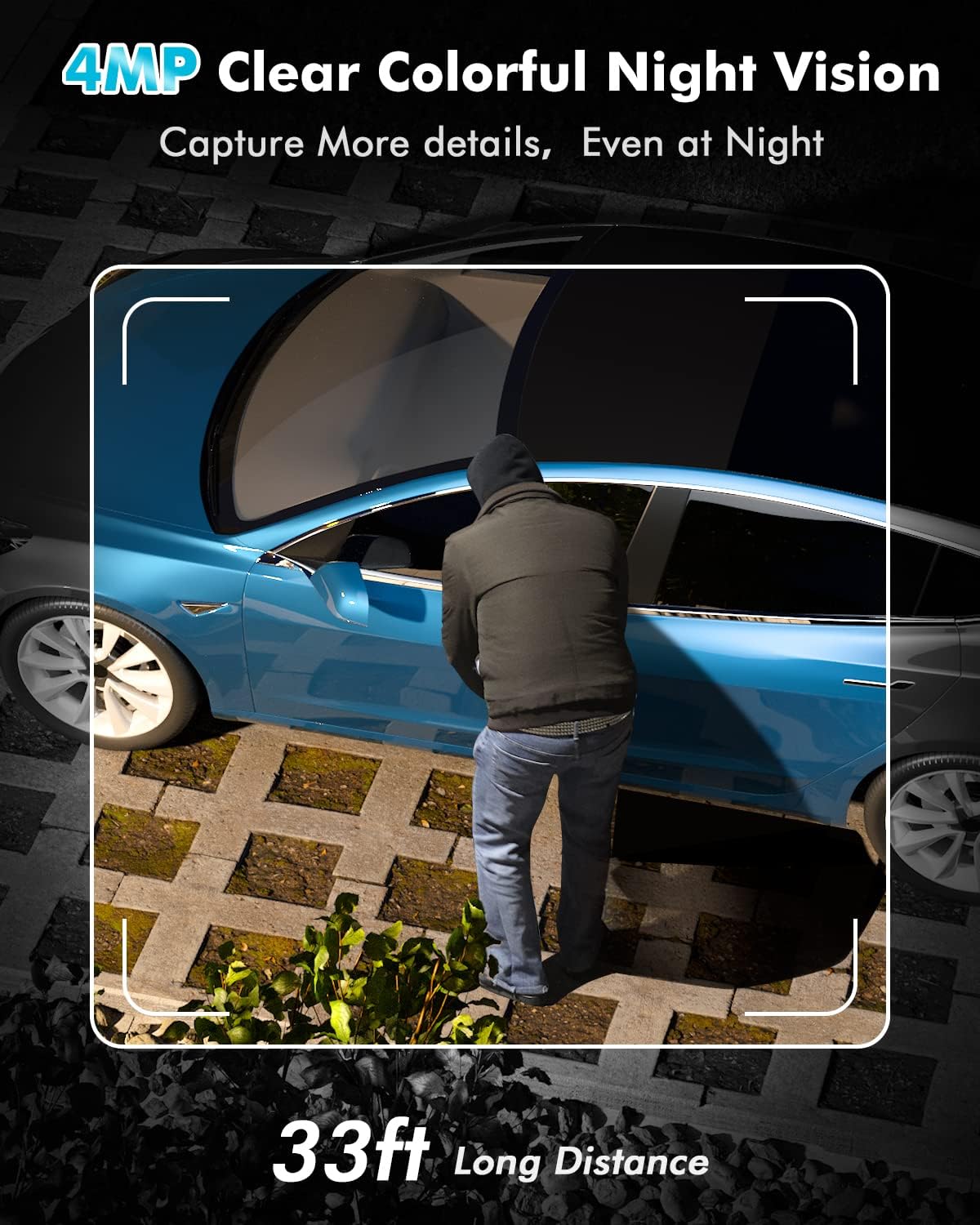
Image 6.3: 4MP Clear Colorful Night Vision
- Kolorowe widzenie nocne: Enabled by the two integrated spotlights, providing detailed, full-color video at night.
- Nocna Nocna Wizja: Standard black and white night vision when spotlights are off.
6.4 Rejestrowanie i przechowywanie
Your camera system offers flexible storage options for recorded footage.

Image 6.4: Cloud and SD Card Storage Options
- Pamięć lokalna: The base station supports a Micro SD card up to 128GB (not included).
- Przechowywanie w chmurze: 1 year of free cloud storage is offered (registration required).
6.5 Łączność Wi-Fi
The system utilizes 2.4 GHz Wi-Fi for stable and extended coverage.
- 100% bezprzewodowy: Cameras connect wirelessly to the base station.
- Rozszerzony zasięg: The upgraded 4 dBi external antenna provides a stronger signal through walls and up to 91.4 meters (300 feet) of Wi-Fi coverage.
- Tylko 2.4 GHz: The system supports 2.4 GHz Wi-Fi networks only; 5 GHz is not supported.
7. Konserwacja
7.1 Zarządzanie baterią
The cameras are equipped with long-lasting batteries.
- Czas pracy baterii: Provides up to 180 days of continuous protection on a full charge.
- Ładowanie słoneczne: Supports charging via a compatible solar panel (sold separately). Approximately 2 hours of direct sunlight can provide enough power for one day of operation. With consistent solar charging, the camera can operate for up to 360 days without manual recharging.
7.2 Odporność na warunki atmosferyczne
The cameras have an IP67 waterproof rating, making them suitable for various outdoor weather conditions.
7.3 Czyszczenie
Periodically clean the camera lens and housing with a soft, dry cloth to ensure optimal image quality and prevent debris buildup.
8. Rozwiązywanie Problemów
- Kamera nie łączy się: Ensure the base station is powered on and connected to the internet. Verify the camera is powered on and within range. Re-scan the QR code on the base station via the app.
- Słaby sygnał Wi-Fi: Ensure the base station is centrally located. Avoid placing it near large metal objects or other sources of interference. The camera's external antenna helps improve signal strength.
- Alerty o fałszywym ruchu: Adjust the motion detection sensitivity in the app. Utilize AI human detection to filter out non-human movements.
- Krótki czas pracy baterii: Ensure the camera is fully charged. If using a solar panel, verify it receives adequate direct sunlight daily. Extreme cold temperatures can affect battery performance.
- Brak widzenia nocnego: Check if the IR LEDs or spotlights are obstructed. Ensure night vision settings are enabled in the app.
9. Specyfikacje
| Funkcja | Specyfikacja |
|---|---|
| Marka | TAK |
| Numer modelu | TJ33-B |
| Efektywna rozdzielczość wideo | 4 MP |
| Moc | 3 watów |
| Styl | Battery 2 Cams Kit |
| Typ żarówki | Podczerwony |
| Cechy specjalne | Night Vision, AI Motion Detection, Two-Way Audio |
| Stosowanie | Na zewnątrz, Wewnątrz |
| W zestawie bateria(i) | Tak |
| Technologia łączności | Bezprzewodowa (Wi-Fi 2.4 GHz) |
| Kompatybilne urządzenia | Smartphone (iOS, Android), PC, Tablet |
| Źródło zasilania | Battery, Cable Electric (for base station) |
| Typ montażu | Montaż ścienny |
| Liczba kanałów | 2 |
| Współczynnik kształtu | Kopuła |
| Stopień ochrony IP | IP67 |
10. Gwarancja i wsparcie
The YESKAMO 4MP Wireless Outdoor Battery Security Camera System comes with a one-year free warranty from the date of purchase.
If you encounter any issues or have questions regarding your product, please do not hesitate to contact our support team. Our dedicated team is available to assist you with troubleshooting, technical guidance, and any warranty-related inquiries.
Informacje kontaktowe: Please refer to the contact details provided on the product packaging or the official YESKAMO webwitryna zawierająca najbardziej aktualne informacje dotyczące pomocy technicznej.