
1. Wprowadzenie
The KKnoon TOOLTOP ET618 is a versatile handheld portable cable tester designed for network and electrical professionals. It integrates multiple functions including cable tracing, cable length measurement, Power over Ethernet (PoE) testing, and a full-featured digital multimeter. This manual provides detailed instructions for the safe and effective use of your ET618 device.
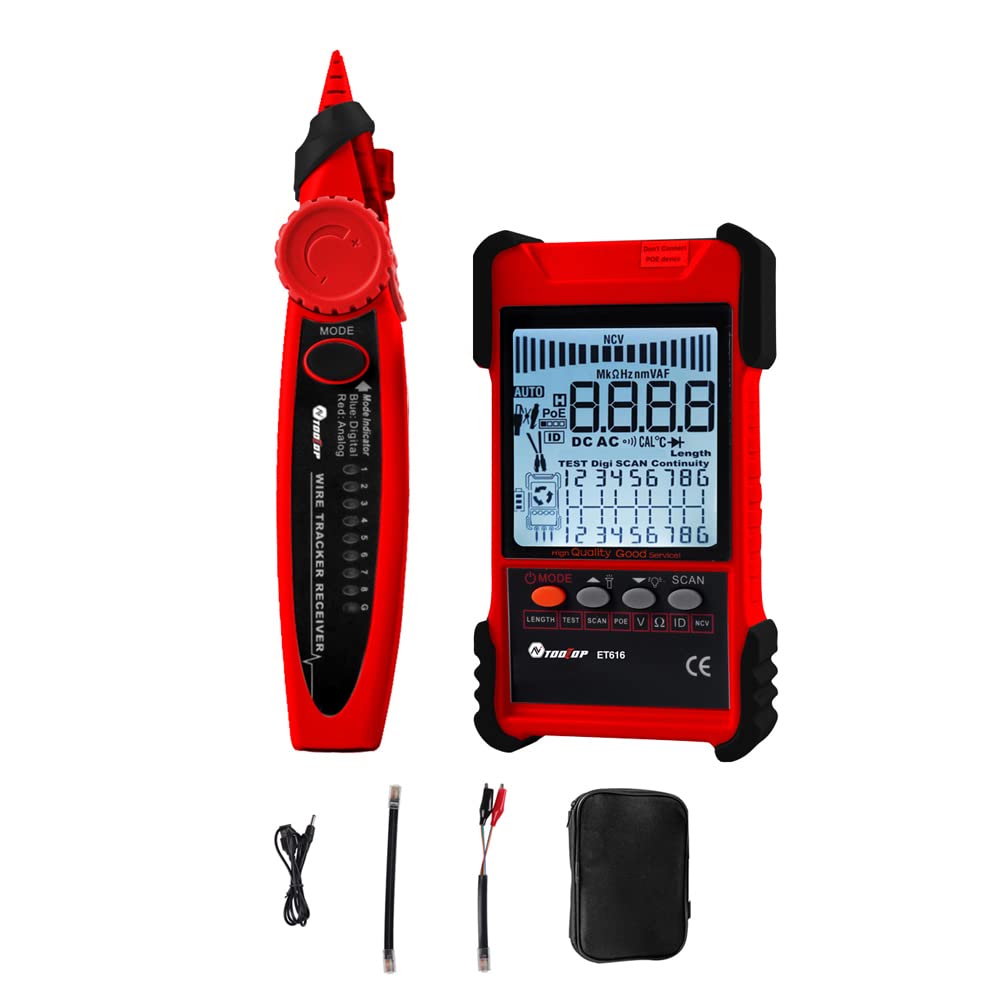
Figure 1: KKnoon TOOLTOP ET618 Handheld Portable Cable Tester (Main Unit and Receiver)
2. Informacje dotyczące bezpieczeństwa
Przed użyciem produktu należy przeczytać i zrozumieć wszystkie ostrzeżenia dotyczące bezpieczeństwa oraz instrukcje obsługi. Nieprzestrzeganie tych instrukcji może spowodować porażenie prądem, pożar lub poważne obrażenia.
- Nie używaj urządzenia, jeśli wydaje się uszkodzone lub nie działa prawidłowo.
- Always ensure the device is powered off before connecting or disconnecting cables.
- Nie narażaj urządzenia na działanie wilgoci ani ekstremalnych temperatur.
- Use only the specified charging cable and accessories.
- Do not attempt to open or repair the device; refer all servicing to qualified personnel.
- Be cautious when working with live circuits, especially during multimeter functions.
3. Zawartość opakowania
Sprawdź, czy w przesyłce znajdują się wszystkie elementy wymienione poniżej:
- 1 x ET618 Host (Main Unit)
- 1 x odbiornik
- 1 x Instrukcja obsługi (ten dokument)
- 1 x Clip Line
- 1 x kabel sieciowy
- 1 x Recharging Line (USB cable)
- 1 x Torba do przechowywania
- 1 x sondy temperatury
- 1 x sondy multimetru
4. Koniec produktuview
The ET618 combines a cable tester and a digital multimeter into one compact device. It features an LCD display for clear readings and a built-in flashlight for use in low-light conditions.

Figure 2: ET618 Main Unit and Receiver with Dual Flashlight
Główne cechy:
- Śledzenie kabli: Szybka lokalizacja docelowych kabli w wiązkach.
- Test długości kabla: Measure the length of various metal cables up to 500 meters.
- Test PoE: Check cable mapping polarity and voltage of PoE network switches.
- Funkcje multimetru: Pomiar objętości DC/ACtagnp. prąd stały/przemienny, rezystancja, ciągłość, dioda i temperatura.
- Wyświetlacz LCD: Large screen for clear data visualization.
- Flesz: Integrated light for improved visibility in dark environments.
- Regulowana czułość: Digital tracing sensitivity can be adjusted.
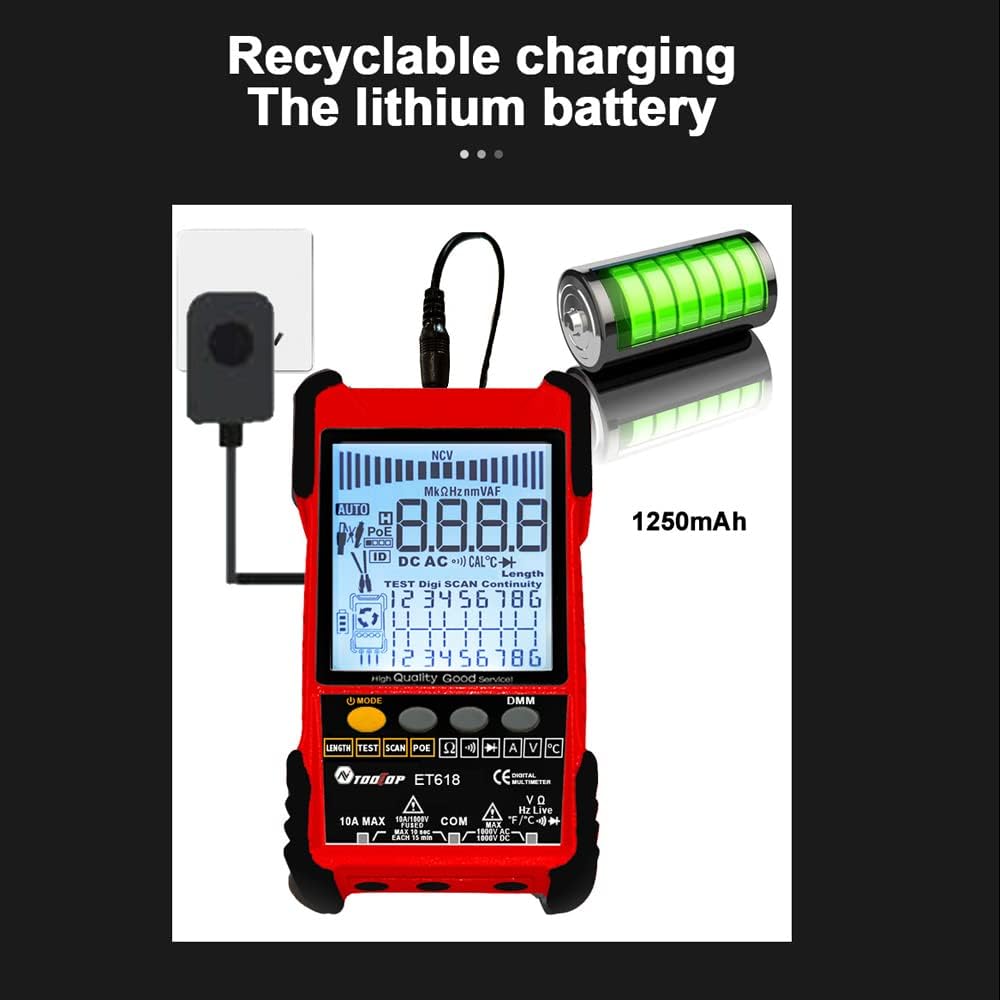
Figure 3: Product Differentiation (ET616 vs. ET618)
The ET618 model includes all features of the ET616, plus a comprehensive multimeter function and an extended cable length measurement range of up to 500 meters.
5. Konfiguracja
5.1 Ładowanie akumulatora
The ET618 main unit is powered by a rechargeable lithium battery. Before first use, fully charge the device.
- Connect the provided recharging line (USB cable) to the charging port on the ET618 main unit.
- Podłącz drugi koniec kabla USB do standardowego zasilacza USB (nie ma go w zestawie) lub do portu USB komputera.
- Wskaźnik ładowania na urządzeniu pokaże stan ładowania. Po pełnym naładowaniu odłącz kabel.

Figure 4: Charging the ET618 Lithium Battery
5.2 Włączanie/wyłączanie
Press and hold the power button on the main unit to turn the device on or off. The LCD display will illuminate upon power-on.
6. Instrukcja obsługi
6.1 Cable Tracing Function
This function helps locate a specific cable among many, useful for telephone systems, computer networks, and BNC cables.
- Connect the cable to be traced to the appropriate port on the ET618 main unit (e.g., RJ45 for network cables).
- Select the "Trace" mode on the main unit.
- Use the receiver to scan the cables. The receiver will emit an audible tone or visual indication when it detects the signal from the target cable.
- Dostosuj czułość odbiornika, aby uzyskać precyzyjne śledzenie.
6.2 Cable Length Test
Measure the length of various metal cables with at least two cores, including network cables, telephone lines, and BNC cables.
- Ensure the cable is disconnected from any active network or power source.
- Connect one end of the cable to the main unit's appropriate port.
- Select the "Length" test mode. The device will display the measured cable length on the LCD.
6.3 Test POE
Test Power over Ethernet (PoE) network switches to check cable mapping polarity and voltage.
- Connect the network cable from the PoE switch to the main unit's RJ45 port.
- Select the "POE" test mode.
- The LCD will display information regarding PoE voltage and cable mapping.
6.4 Funkcja multimetru (tylko ET618)
The ET618 includes a full-featured multimeter for various electrical measurements. Use the provided multimeter probes for these tests.
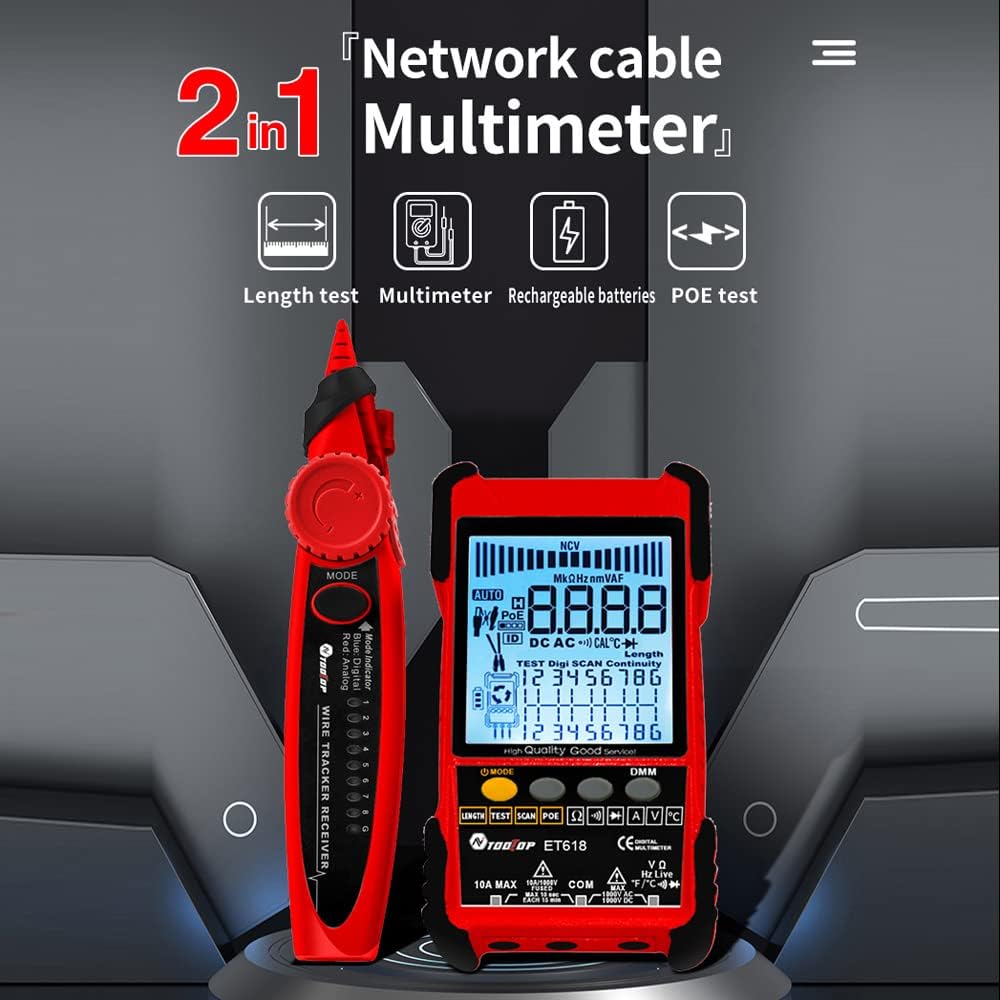
Figure 5: ET618 Multimeter Functions in Use
- Objętość DCtage Pomiar: Connect probes to the circuit, select DCV mode.
- AC Objętośćtage Pomiar: Connect probes to the circuit, select ACV mode.
- Pomiar prądu stałego: Connect probes in series with the circuit, select DCA mode.
- Pomiar prądu przemiennego: Connect probes in series with the circuit, select ACA mode.
- Pomiar rezystancji: Connect probes across the component, select Ω mode.
- Test ciągłości: Connect probes across the circuit; a beep indicates continuity.
- Test diody: Connect probes across the diode; the forward voltagZostanie wyświetlona kropla.
- Pomiar temperatury: Connect the temperature probe to the device and place the sensor at the measurement point.
Always ensure the correct function is selected and probes are connected properly to avoid damage to the device or circuit.
6.5 Korzystanie z latarki
The ET618 main unit and receiver are equipped with flashlights. Press the dedicated flashlight button (if available) or refer to the device interface for activation in low-light conditions.
7. Konserwacja
7.1 Czyszczenie
Przetrzyj urządzenie miękką, suchą ściereczką. Nie używaj środków czyszczących o właściwościach ściernych ani rozpuszczalników. Upewnij się, że do urządzenia nie dostanie się żadna ciecz.
7.2 Pielęgnacja baterii
Aby przedłużyć żywotność baterii, unikaj częstego całkowitego rozładowywania. Jeśli przechowujesz urządzenie przez dłuższy czas, naładuj je do około 50% i doładowuj co kilka miesięcy.
8. Rozwiązywanie Problemów
- Urządzenie się nie włącza: Ensure the battery is charged. Connect the recharging line and try again.
- Niedokładne odczyty: Check cable connections. Ensure the correct mode is selected for the measurement. For multimeter functions, verify probe connections and component integrity.
- No signal during cable tracing: Ensure the main unit is in trace mode and the cable is properly connected. Adjust receiver sensitivity.
- LCD display is dim: Bateria może być słaba. Naładuj urządzenie.
9. Specyfikacje
The following table outlines the technical specifications for the ET618 model:

Rysunek 6: Specyfikacje techniczneview
| Funkcja | ET618 Specification |
|---|---|
| Śledzenie analogowe | Tak |
| Ciągłość | Tak |
| Śledzenie przełączników (z PoE) | Przez funkcję multimetru |
| Mapowanie kabli | Tak |
| Wskaźniki przełączników migają | Tak |
| Cyfrowe śledzenie bez szumów | Cyfrowe / Wibracyjne |
| Tomtage Testowanie | Przez funkcję multimetru |
| Objętość PoEtage Pomiar | Tomtage / Polaryzacja |
| Zdalne mapowanie identyfikatorów | Fakultatywny |
| Bargraf analogowy | Tak |
| Main Body Flashlight | Tak |
| Multimeter Input Jack Indicator | Tak |
| Wyświetlacz LCD | Tak |
| Biała latarka | Tak |
| Analogue Tracing Sound Adjustable | Tak |
| Wskaźnik niskiego poziomu baterii | Tak |
| Białe podświetlenie | Tak |
| Wskaźnik oszczędzania energii | Tak |
| 3km Analogue Tracing Signal Selectable | Tak |
| Multimeter Functions (ET618 Only) | |
| Objętość DCtage | 400mV~1000V ±(0.8%+3) |
| AC Objętośćtage | 4V~400V ±(1.5%+5) |
| Prąd stały | 1.0 A~10.0 A ±(1.2%+4) |
| Prąd zmienny | 1.0 A~10.0 A ±(2.0%+5) |
| Opór | 200 Ω~20 MΩ ±(2%+6) |
| Ciągłość | < 50 Ω buzzer beeps |
| Dioda | Tak |
| Temperatura (typ K) | -20~1000°C / -4~1832°F ±(2.0%+15) |
| Pomiar długości kabla sieciowego | 500 mln |
| Pomiar długości kabla BNC | Tak |
| Test zwarcia/otwartego obwodu kabla sieciowego | Tak |
| Main Body Power | Akumulator litowy o pojemności 1250 mAh |
| Moc odbiornika | Bateria 9V |
10. Gwarancja i wsparcie
This product comes with a standard manufacturer's warranty. For specific warranty terms, technical support, or service inquiries, please refer to the contact information provided with your purchase or visit the official KKnoon webstrona.