
1. Wprowadzenie
Thank you for choosing the Rettru Q18 4K Wireless WiFi IP Camera. This manual provides detailed instructions for setting up, operating, and maintaining your camera to ensure optimal performance and security. Please read this manual thoroughly before use and retain it for future reference.
Zawartość opakowania
Sprawdź, czy w przesyłce znajdują się wszystkie elementy wymienione poniżej:
- 1 x Aparat
- 1 x Instrukcja obsługi
- 1 x czytnik kart Micro SD
- 1 x podstawa magnetyczna
2. Informacje dotyczące bezpieczeństwa
Aby zapobiec uszkodzeniu produktu lub obrażeniom ciała u siebie lub innych, należy przestrzegać następujących środków ostrożności:
- Nie wystawiaj aparatu na działanie ekstremalnych temperatur, bezpośredniego światła słonecznego i wilgoci.
- Unikaj upuszczania aparatu i narażania go na silne uderzenia.
- Należy używać wyłącznie wskazanych akcesoriów do ładowania.
- Przechowuj aparat poza zasięgiem dzieci i zwierząt domowych.
- Nie próbuj demontować ani modyfikować kamery. Spowoduje to unieważnienie gwarancji.
- Podczas obsługi i ładowania urządzenia należy zapewnić odpowiednią wentylację.
3. Koniec produktuview
The Rettru Q18 is a compact 4K wireless IP camera designed for indoor and outdoor surveillance. It features a high-resolution sensor, long-lasting battery, and advanced detection capabilities.

Figure 3.1: Rettru Q18 Camera and Live View Interface. This image illustrates the compact size of the camera, held between two fingers, alongside a smartphone displaying the camera's live 4K Ultra HD feed.
Główne cechy
- Wideo 4K Ultra HD: Records video at 2560x1440 (2K) resolution for clear imaging.
- Bateria 1800mAh: Provides up to 6 hours of continuous recording and over 100 days of standby time.
- Wykrywanie ludzi przez sztuczną inteligencję: Advanced motion detection specifically identifies human shapes to reduce false alarms.
- Automatyczna wizja nocna: Equipped with 8 straw hat 940nm infrared lights for clear night vision without a visible red glow, effective up to 28 feet.
- Dwukierunkowy dźwięk: Built-in speaker and microphone for real-time voice communication.
- Obiektyw szerokokątny 160 stopni: Oferuje szerokie pole view dla zapewnienia kompleksowego pokrycia.
- Pamięć lokalna: Obsługuje karty Micro SD do 128 GB (karta nie jest dołączona).
- Połączenie bezprzewodowe: Connects via 2.4G Wi-Fi.
4. Przewodnik konfiguracji
4.1 Pierwsze ładowanie
Before first use, fully charge the camera using a standard 5V USB power adapter and the provided charging cable. The charging indicator light will typically change color or turn off once fully charged.

Figure 4.1: Battery Capacity and Endurance. This image highlights the camera's 1800mAh battery, offering 6 hours of continuous recording and 100 days of standby time.
4.2 Instalacja aplikacji
The Rettru Q18 camera operates with the V380 Pro application. Download the app from your smartphone's app store (iOS App Store or Google Play Store).
- Szukaj "V380 Pro" in your app store.
- Pobierz i zainstaluj aplikację.
- Zarejestruj się, aby założyć konto lub zaloguj się, jeśli już je posiadasz.
4.3 Połączenie Wi-Fi
Follow these steps to connect your camera to your home Wi-Fi network. Ensure your Wi-Fi network is 2.4GHz, as 5GHz networks are not supported.
- Włącz kamerę.
- Open the V380 Pro app and tap the "+" icon to add a new device.
- Select the appropriate camera type or scan the QR code on the camera (if available).
- Follow the on-screen instructions to connect the camera to your 2.4GHz Wi-Fi network. This typically involves entering your Wi-Fi password.
- Po połączeniu możesz nadać kamerze nazwę i rozpocząć transmisję na żywo viewing.
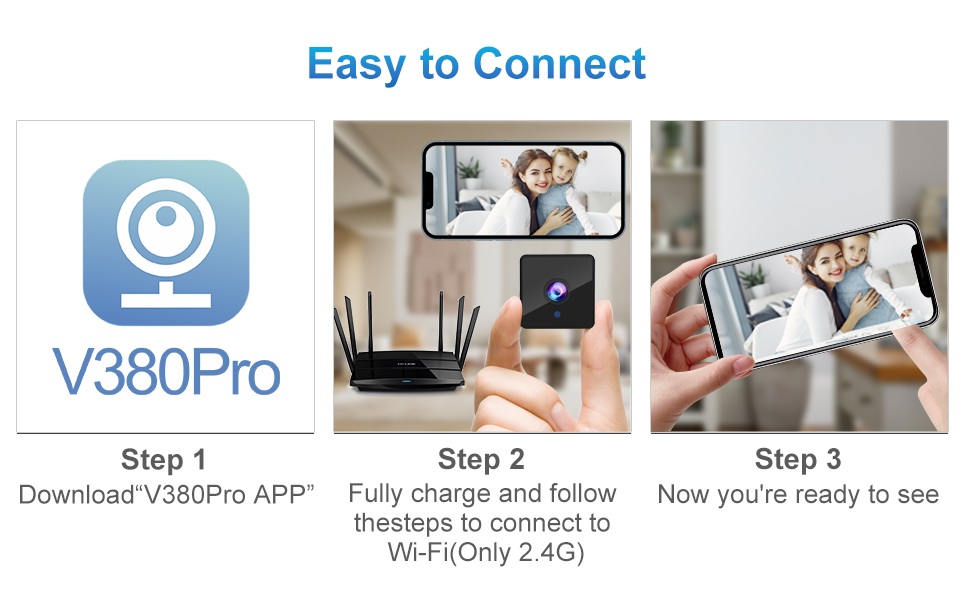
Figure 4.2: Easy Connection Steps. This graphic illustrates the three-step process for connecting the Rettru Q18 camera: downloading the V380 Pro app, charging and connecting to 2.4G Wi-Fi, and then accessing the live view.
5. Działanie
5.1 Na żywo View i nagrywanie
Once connected, open the V380 Pro app to access the live video feed. You can manually initiate recording or configure continuous recording if a Micro SD card is inserted.
- Tap on the camera feed in the app to enter live view.
- Use the on-screen controls to take snapshots, record video, or access settings.
- Ensure a Micro SD card (up to 128GB) is inserted for local video storage.
5.2 Detekcja ruchu i alerty
The camera features AI human detection to minimize false alarms. When motion is detected, the camera can send alerts to your smartphone and record video.
- Navigate to the camera settings in the V380 Pro app.
- Enable "Motion Detection" and "AI Human Detection."
- Configure alert sensitivity and notification preferences.
- You can also activate the built-in siren (105dB) through the app to deter intruders.
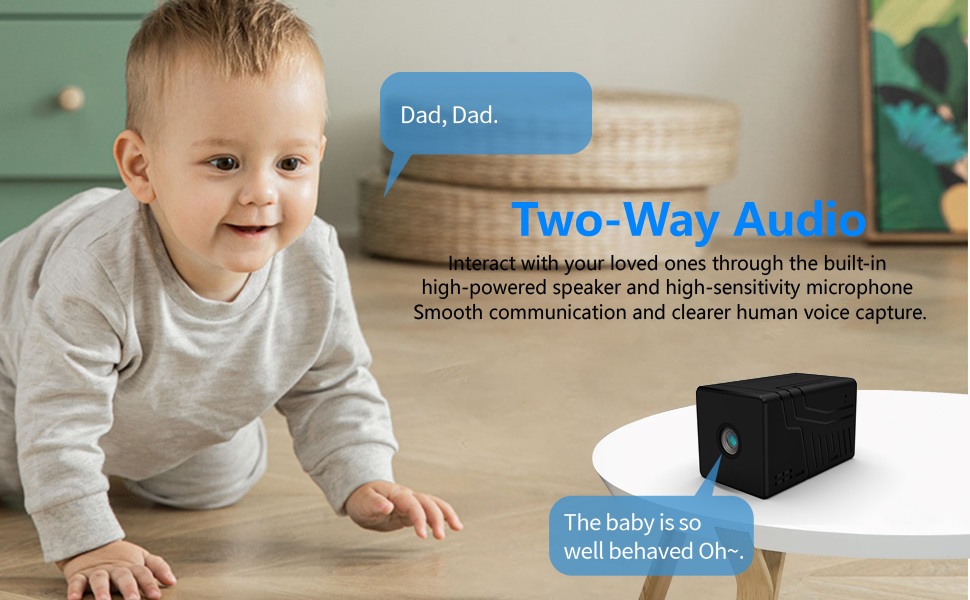
Figure 5.1: AI Motion Detection and Alerts. This image demonstrates the camera's AI motion detection capability, showing a person triggering an alert on a smartphone, with options for notification and video playback.
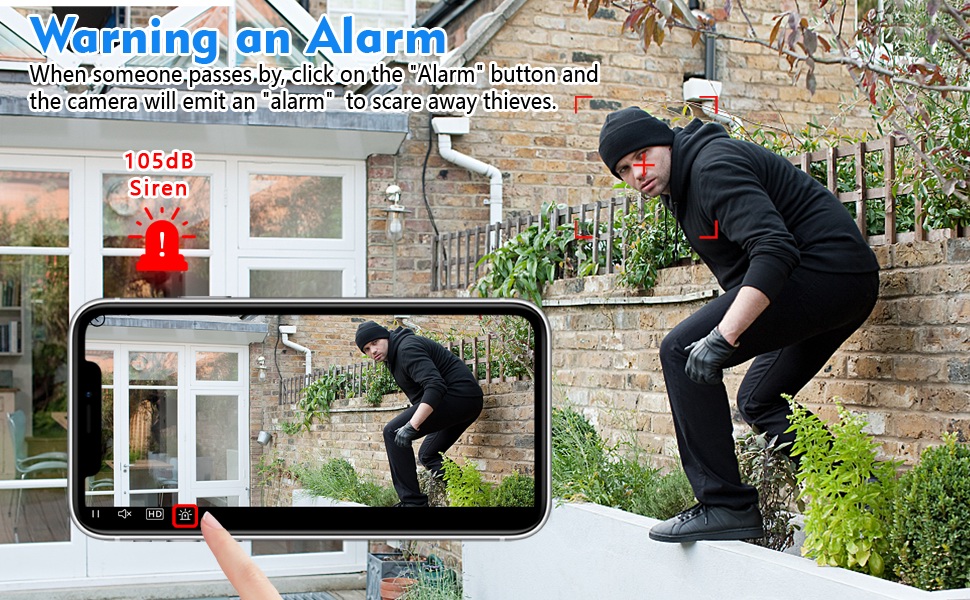
Figure 5.2: Activating the Alarm. This image illustrates the "Warning an Alarm" feature, where a user can click an "Alarm" button on their phone to activate the camera's siren when motion is detected, such as a person climbing a fence.
5.3 Widzenie nocne
The camera automatically switches to night vision mode in low-light conditions, providing clear black-and-white video without a visible red glow from infrared LEDs.
- Night vision range is approximately 28 feet.
- Ensure no obstructions block the camera's view for optimal night vision performance.
5.4 Dźwięk dwukierunkowy
Utilize the built-in speaker and microphone for two-way communication through the V380 Pro app.
- Na żywo view, dotknij ikony mikrofonu, aby mówić przez kamerę.
- Upewnij się, że głośność w telefonie jest ustawiona tak, aby móc słyszeć dźwięk z kamery.
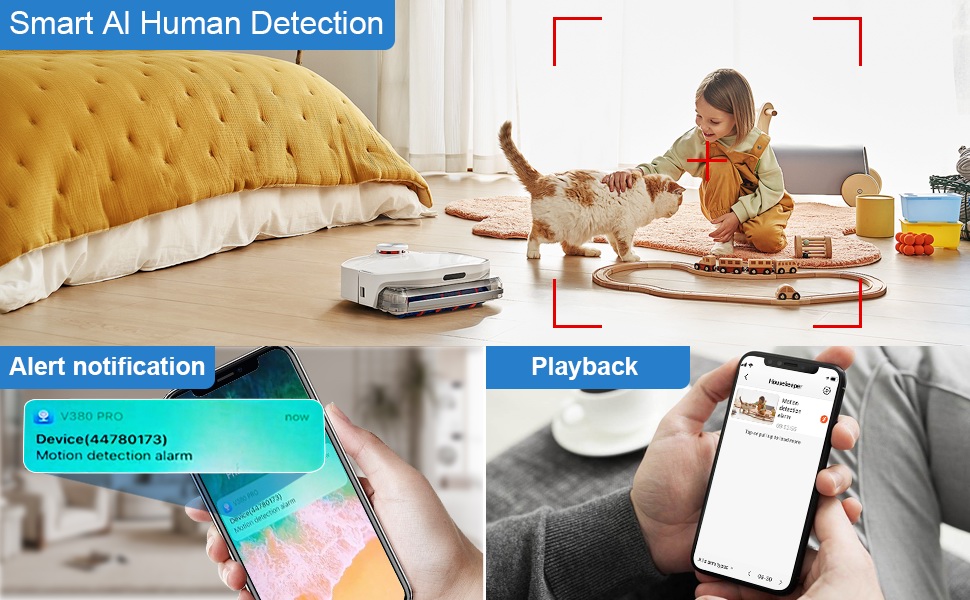
Figure 5.3: Two-Way Audio Communication. This image illustrates the two-way audio functionality, allowing users to interact with individuals near the camera, such as speaking to a baby.
6. Konserwacja
6.1 Czyszczenie
To maintain optimal image quality, regularly clean the camera lens. Use a soft, dry, lint-free cloth. Avoid abrasive cleaners or solvents that could damage the lens or camera body.
6.2 Przechowywanie
When not in use for extended periods, store the camera in a cool, dry place away from direct sunlight and extreme temperatures. Ensure the battery is partially charged (around 50%) before storage to prolong its lifespan.
7. Rozwiązywanie Problemów
If you encounter issues with your Rettru Q18 camera, refer to the following common problems and solutions:
| Problem | Rozwiązanie |
|---|---|
| Kamera nie łączy się z siecią Wi-Fi. |
|
| Brak transmisji wideo w aplikacji. |
|
| Alerty o wykryciu ruchu nie są odbierane. |
|
| Poor audio quality during two-way communication. |
|
| Camera battery drains quickly. |
|
8. Specyfikacje
| Funkcja | Szczegół |
|---|---|
| Nazwa modelu | Pytanie 18 |
| Rozdzielczość przechwytywania wideo | HD 4K Resolution (2560x1440) |
| Efektywna rozdzielczość obrazu nieruchomego | 5 MP |
| Technologia łączności | Bezprzewodowa (Wi-Fi 2.4 GHz) |
| Źródło zasilania | Zasilany baterią (litowo-jonową 1800 mAh) |
| Żywotność baterii | Up to 6 hours continuous recording, 100 days standby |
| Viewing kąt | 160 stopni |
| Zakres noktowizora | 28 stóp |
| Wsparcie magazynowania | Karta Micro SD do 128 GB (brak w zestawie) |
| Typ kontrolera | Aplikacja V380 Pro |
| Cechy specjalne | 2-Way Audio, HD 4K Resolution, Motion Sensor, Night Vision, Portable, AI Human Detection, Built-in Siren |
| Zastosowanie wewnątrz/na zewnątrz | Indoor, Outdoor (IP65 rating) |
| Typ montażu | Wall-Mounted & Surface-Mounted (with magnetic base) |
| Wymiary produktu | 21.6 x 13.3 x 13.3 inches (Note: These are likely packaging dimensions; the camera itself is compact.) |
| Waga przedmiotu | 2.65 uncji / 75 gramów |
9. Gwarancja i wsparcie
Rettru products are manufactured with quality and reliability in mind. For warranty information or technical support, please contact the manufacturer directly through their official website or the contact information provided with your purchase. Please have your model number (Q18) and purchase details ready when contacting support.